
1. Introduction
Welcome to the user manual for your X-Verse SJRC F22 S2+ XR Drone. This guide provides essential information for safe and effective operation, including setup, flight procedures, maintenance, and troubleshooting. Please read this manual thoroughly before operating your drone to ensure proper usage and to maximize your flight experience.
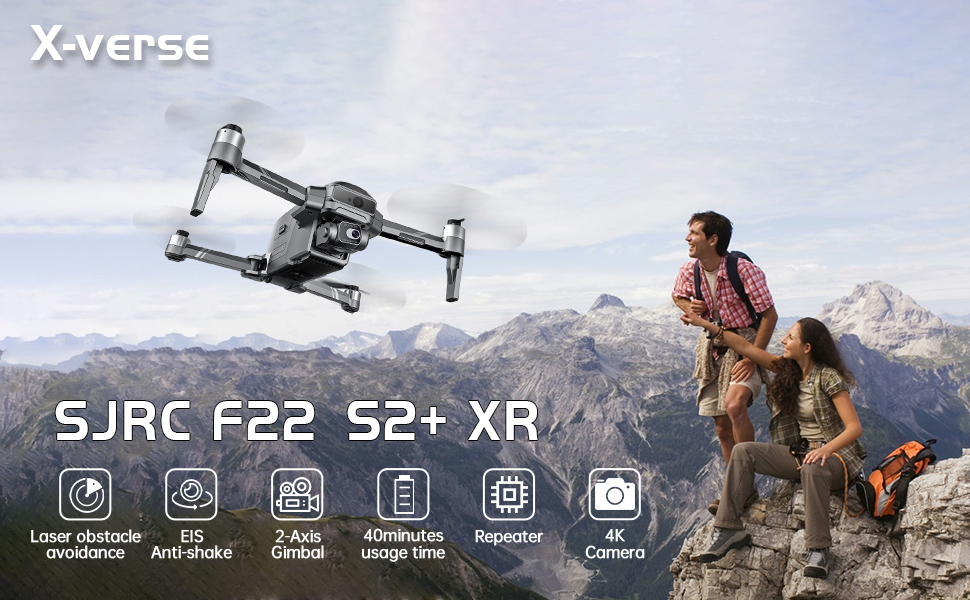
The X-Verse SJRC F22 S2+ XR Drone is designed for professional aerial photography and videography, featuring advanced flight capabilities and imaging technology.
2. Package Contents
Verify that all the following items are included in your package:
- X-Verse SJRC F22 S2+ XR Drone
- Remote Controller with 5.5-inch HD Screen
- Intelligent Flight Batteries (x2)
- Spare Propellers (x4)
- USB Charging Cable
- Screwdriver
- User Manual
- Carrying Case

The complete package includes the drone, remote controller with integrated screen, two intelligent flight batteries, spare propellers, charging cable, and a protective carrying case.
3. Setup Guide
3.1 Battery Installation and Charging
- Drone Battery: Insert the intelligent flight battery into the drone's battery compartment until it clicks securely into place.
- Remote Controller Battery: Ensure the remote controller's internal battery is charged.
- Charging: Connect the provided USB charging cable to the drone battery and remote controller. Use a compatible USB power adapter (not included) to charge both fully before first use. The battery indicator lights will show charging status.

The intelligent flight battery features a power switch and LED indicators to display the current charge level. Press for 3 seconds to turn on (all lights on), press for another 3 seconds to turn off (all lights off).
3.2 Propeller Attachment
Attach the propellers according to the markings on the drone arms and propellers. Ensure they are securely fastened using the provided screwdriver.
3.3 Remote Control Preparation
- Power On: Press and hold the power button on the remote controller to turn it on.
- Pairing: The remote controller will automatically attempt to pair with the drone. Ensure the drone is also powered on.

The remote control features a 5.5-inch high-definition screen, eliminating the need for a separate mobile device. It automatically pairs with the drone upon power-on.
4. Operating Instructions
4.1 Pre-Flight Checklist
- Ensure drone and remote controller batteries are fully charged.
- Check that propellers are correctly installed and secure.
- Verify that the flight area is clear of obstacles and people.
- Perform a compass calibration if prompted or if flying in a new location.
4.2 Taking Off and Landing
The drone supports both automatic and manual take-off/landing procedures. Refer to the remote controller's on-screen prompts for automatic functions.
4.3 Flight Modes and Controls
The X-Verse SJRC F22 S2+ XR Drone utilizes advanced positioning systems and intelligent flight modes:
- GPS and Optical Flow Positioning: Provides stable hovering and precise positioning.
- 360° Automatic Follow: The drone can automatically follow and record subjects from a 360-degree perspective.
- Intelligent Tracking: The drone intelligently tracks moving subjects.
- GPS Route Planning: Plan custom flight paths on the remote control screen, and the drone will execute the route.
- GPS Fixed Point Return: The drone automatically returns to its take-off point when the battery is low or connection is lost.
The drone supports advanced flight modes such as GPS route planning, intelligent follow, and automatic return to home, enhancing both convenience and safety.
4.4 Camera Operation
The drone is equipped with a high-resolution 4K camera for capturing stunning aerial footage:
- 4K Camera: Features a 110° wide-angle lens for expansive views.
- 2-Axis Gimbal: Provides mechanical stabilization for smooth video and sharp photos.
- EIS (Electronic Image Stabilization): Works in conjunction with the gimbal to further reduce camera shake.
- Night Sensing: Enhances image clarity and detail in low-light conditions.

The integrated 4K camera features a 110° wide-angle lens, 2-axis mechanical gimbal, and Electronic Image Stabilization (EIS) for clear, stable footage. Night sensing enhances low-light performance.

The 2-axis gimbal allows for precise camera angle adjustments, with 65° lateral, 45° head lateral, and 110° longitudinal movement.
4.5 Obstacle Avoidance System
The drone is equipped with an intelligent laser obstacle avoidance system:
- The system scans ahead to detect obstacles in the flight path.
- It actively avoids collisions, providing enhanced safety, especially in complex environments or during night flights.
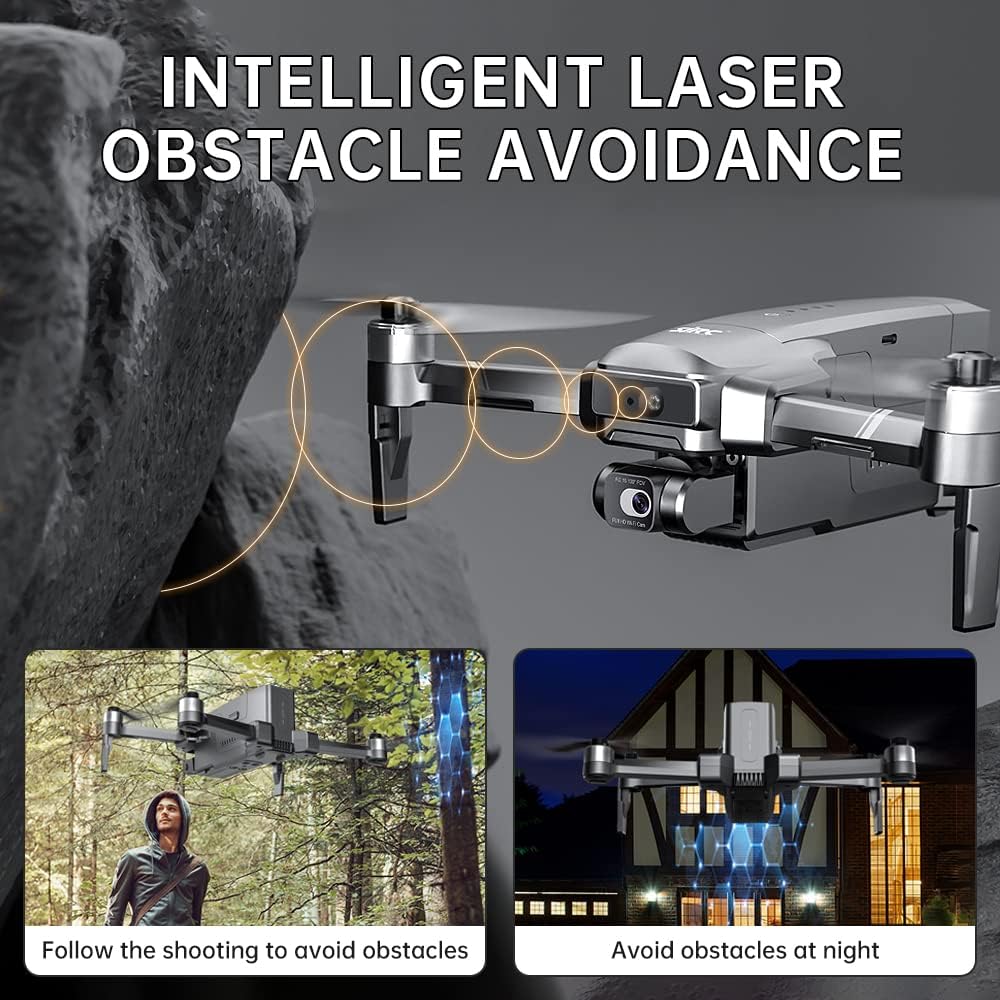
The intelligent laser obstacle avoidance system helps the drone navigate safely around obstacles, even in challenging conditions.
4.6 Image Transmission
The drone features an upgraded repeater and digital image transmission system:
- Provides real-time video transmission up to 6000 meters.
- Ensures a smooth and clear image feed to the remote controller's screen.

The upgraded repeater and digital image transmission system ensures a stable and clear video feed over long distances.
5. Maintenance and Care
5.1 Cleaning
- Wipe the drone and remote controller with a soft, dry cloth after each use.
- Avoid using solvents or harsh chemicals.
- Ensure no dust or debris accumulates in the motors or camera lens.
5.2 Storage
- Store the drone and its accessories in the provided carrying case.
- Keep in a cool, dry place away from direct sunlight and extreme temperatures.
5.3 Battery Care
- Charge batteries fully before storage if not used for an extended period.
- Do not overcharge or over-discharge batteries.
- If a battery swells or shows signs of damage, discontinue use immediately.
6. Troubleshooting Guide
| Problem | Possible Cause | Solution |
|---|---|---|
| Drone does not power on | Low battery; Battery not installed correctly | Charge battery fully; Reinstall battery securely |
| Remote controller does not connect | Drone not powered on; Out of range; Interference | Ensure drone is on; Move closer to drone; Fly in an open area |
| Unstable flight/Drifting | GPS signal weak; Compass not calibrated; Wind interference | Fly in open area with strong GPS; Calibrate compass; Avoid strong winds |
| Poor image/video quality | Camera lens dirty; Gimbal obstructed; Low light conditions | Clean lens; Check gimbal for obstructions; Utilize night sensing feature |
| Obstacle avoidance not working | Sensors obstructed; System error | Clean sensors; Restart drone and remote; Contact support if issue persists |
7. Technical Specifications
| Feature | Detail |
|---|---|
| Brand | X-Verse |
| Model | F22 S2+ XR |
| Connectivity Technology | Wi-Fi |
| Item Weight | 615 Grams (1.36 pounds) |
| Maximum Range | 6000 Meters |
| Battery Capacity | 11.1V 3500mAh |
| Max Flight Time | Up to 40 minutes per battery |
| Camera Resolution | 4K HD |
| Gimbal | 2-Axis Mechanical Gimbal + EIS |
| Obstacle Avoidance | Intelligent Laser Obstacle Avoidance |
| Motor Type | Brushless Motor |
| Remote Control Screen | 5.5-inch HD Screen |
| Product Dimensions | 8.27"L x 3.94"W x 3.15"H |

The drone is equipped with a powerful brushless motor, providing strong performance and Class 5 wind resistance.
8. Warranty and Support
8.1 Return Policy
This product is subject to a 30-day return policy for refund or replacement, as per standard retail terms.
8.2 Customer Support
For technical assistance, warranty claims, or any questions not covered in this manual, please contact X-Verse customer support through your retailer or the official X-Verse website. Please have your product model and purchase information ready.