1. Introduction
Thank you for choosing the Generic YD03 TWS Earbuds. This manual provides detailed instructions on how to set up, operate, and maintain your earbuds to ensure optimal performance and longevity. Please read this manual carefully before use and retain it for future reference.
2. Product Overview
The YD03 TWS Earbuds feature a digital display charging case, Graphene diaphragm for enhanced sound, noise cancellation for calls, and a power bank function. The package includes the earbuds, charging case, USB charging cable, and this user manual.

Figure 2.1: YD03 TWS Earbuds and Charging Case. The image shows the two earbuds and the charging case with its digital display illuminated, showing battery percentages.

Figure 2.2: YD03 TWS Earbuds in Open Charging Case. This image displays the earbuds seated within the open charging case, highlighting their design and the case's interior.
3. Setup
3.1 Charging the Case and Earbuds
- Initial Charge: Before first use, fully charge the charging case and earbuds.
- Charging the Case: Connect the provided USB charging cable to the charging port on the case and a compatible USB power source. The digital display will show the charging status.
- Charging the Earbuds: Place the earbuds into their respective slots in the charging case. They will automatically begin charging. The digital display on the case will indicate the individual battery levels of the left (L) and right (R) earbuds.

Figure 3.1: Digital Display Charging Status. A close-up of the charging case's digital display, showing '100' for the case battery and '100 L' and '100 R' for the left and right earbud battery levels, indicating a full charge.
3.2 Pairing with a Device
- Power On: Open the charging case, and the earbuds will automatically power on and enter pairing mode.
- Activate Bluetooth: On your smartphone or other device, enable Bluetooth.
- Select Device: Search for available Bluetooth devices and select "YD03" from the list.
- Confirmation: Once connected, a voice prompt will confirm successful pairing.
Note: The earbuds will automatically reconnect to the last paired device when taken out of the case, if Bluetooth is enabled on the device.
4. Operating Instructions
4.1 Touch Controls
The YD03 earbuds feature touch-sensitive controls on each earbud. Refer to the diagram below for specific functions:

Figure 4.1: Earbud Touch Control Functions. This diagram illustrates the touch gestures for the left (L) and right (R) earbuds, detailing actions such as double-click for previous/next song, three-hit for volume, short press for calls/play/pause, and long press for rejection/Siri.
- Play/Pause: Short press 1 on either earbud.
- Next Song: Double-click the right (R) earbud.
- Previous Song: Double-click the left (L) earbud.
- Volume Up: Three-hit (triple tap) the right (R) earbud.
- Volume Down: Three-hit (triple tap) the left (L) earbud.
- Answer Call: Short press 1 on either earbud.
- Reject Call: Long press for one second on either earbud.
- Activate Voice Assistant (Siri/Google Assistant): Long press 1.5 seconds on either earbud.
- Game/Music/Video Mode Switch: Touch 4 times on either earbud.
4.2 Single/Dual Earbud Mode
The YD03 earbuds support master-slave switching, allowing each earbud to work independently. Simply take one earbud out of the case to use it in single mode. To switch to dual mode, take the other earbud out, and they will automatically connect to each other.
4.3 Power Bank Function
The 2000mAh charging case can also function as a power bank to charge your smartphone or other small devices in emergencies. Connect your device to the USB output port on the charging case using an appropriate cable.
4.4 Call Quality and Noise Cancellation
Equipped with a dual-core microphone system and noise cancellation technology, the YD03 earbuds deliver clear voice calls even in noisy environments.
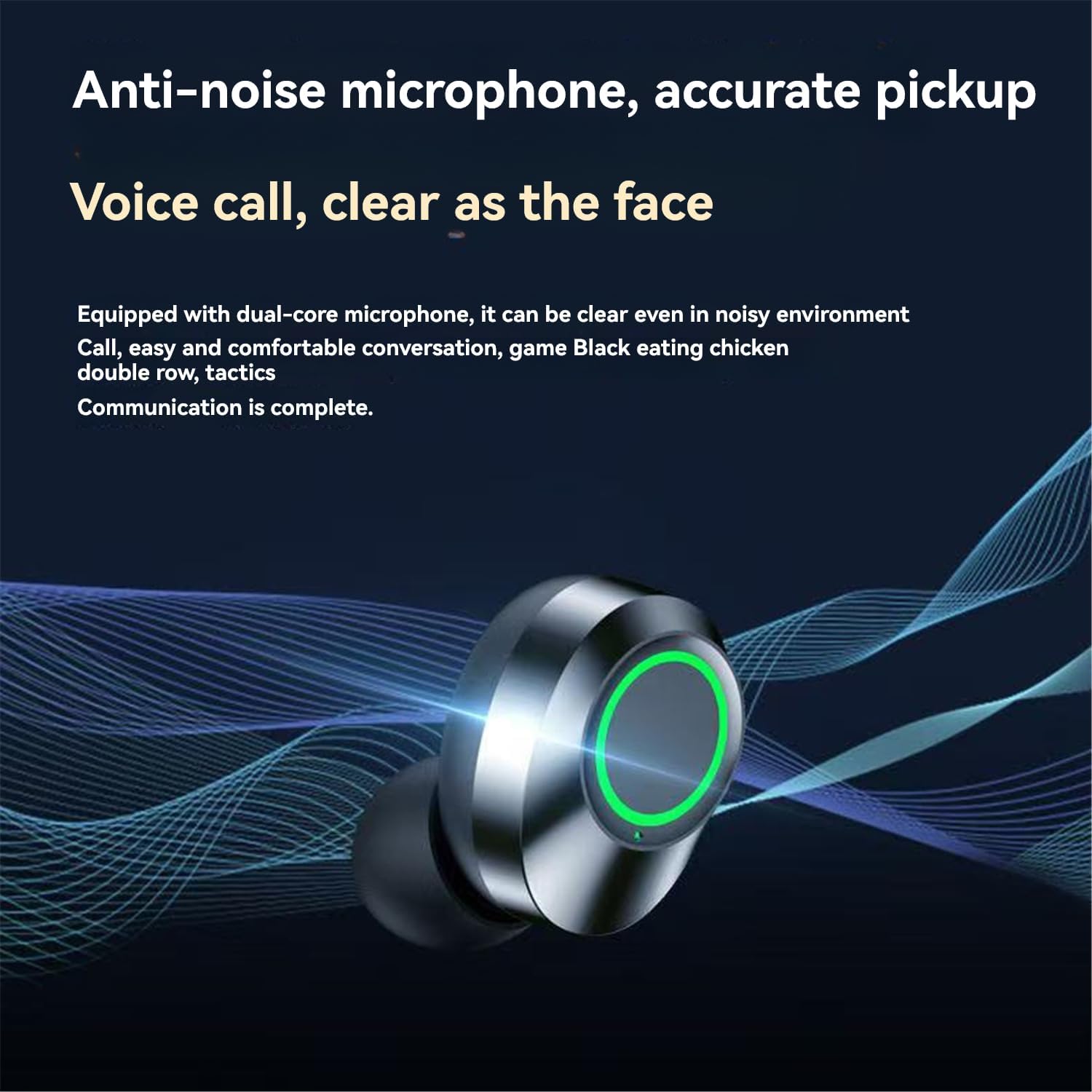
Figure 4.2: Anti-Noise Microphone Technology. This image highlights a single earbud, illustrating the advanced microphone system designed for clear voice pickup and noise reduction during calls.
4.5 Audio Technology
The YD03 earbuds utilize Graphene composite diaphragms for high-fidelity sound reproduction, offering a fast response and rich detail across all frequencies.

Figure 4.3: Graphene Composite Diaphragm. An exploded view illustrating the layered structure of the Graphene composite diaphragm, emphasizing its lightweight and responsive design for high-fidelity audio.
4.6 Bluetooth 5.3 Connectivity
The earbuds feature Bluetooth 5.3 technology, ensuring a stable connection, faster transmission, and improved power efficiency for a seamless listening experience.

Figure 4.4: Bluetooth 5.3 Technology. This image displays a graphic representation of the Bluetooth 5.3 chip, indicating a stable and upgraded core for enhanced wireless connectivity.
5. Maintenance
- Cleaning: Regularly clean the earbuds and charging case with a soft, dry, lint-free cloth. Do not use harsh chemicals or abrasive materials.
- Storage: When not in use, store the earbuds in their charging case to protect them and keep them charged. Store in a cool, dry place away from extreme temperatures.
- Water Exposure: Avoid exposing the earbuds or charging case to water or excessive moisture.
6. Troubleshooting
- Earbuds not pairing: Ensure both earbuds are charged. Place them back in the case, close the lid, then open it again to re-initiate pairing mode. Delete "YD03" from your device's Bluetooth list and try pairing again.
- Only one earbud working: Place both earbuds back in the charging case, close the lid, then open it. This should reset their connection. If the issue persists, try re-pairing.
- No sound: Check the volume level on both your device and the earbuds. Ensure the earbuds are properly connected to your device.
- Charging case not charging: Ensure the charging cable is securely connected to both the case and the power source. Try a different cable or power adapter.
7. Specifications
| Feature | Specification |
|---|---|
| Product Name | YD03 TWS Earbuds |
| Bluetooth Version | 5.3 |
| Wireless Range | 10 meters (33 feet) |
| Earbud Playtime | 4-5 hours per charge |
| Charging Case Battery Capacity | 2000mAh (Power Bank Function) |
| Charging Time | Approximately 1.5 Hours |
| Battery Cell Composition | Lithium Ion |
| Earbud Dimensions | 24 x 16.8 x 14.5mm |
| Charging Case Dimensions | 80.8 x 55 x 30.7mm |
8. Warranty and Support
This product comes with a standard manufacturer's warranty. For specific warranty details, please refer to the product packaging or contact your retailer. For technical support or further assistance, please contact the seller or manufacturer through the platform where the product was purchased.


