
JOYRACER JC305
JOYRACER 24V 2 Seater Ride on Dump Truck User Manual
Model: JC305 (B0FD9P2RMG)
Introduction
This manual provides comprehensive instructions for the assembly, operation, and maintenance of your new JOYRACER 24V 2 Seater Ride on Dump Truck. To ensure safe and optimal performance, please read this manual carefully before initial use and retain it for future reference.
Important Safety Information
WARNING: To reduce the risk of injury, adult supervision is required. Never use in roadways, near motor vehicles, on or near steep inclines or steps, swimming pools or other bodies of water. Always wear shoes, and never allow more than the recommended number of riders.
Always supervise children while using this ride-on car. Ensure the safety belt is fastened and doors are locked. Use only on flat, stable surfaces. Regularly check for any damage and discontinue use if any issues are found.
What's in the Box
Please verify that all components are present before beginning assembly:
- 24V 7AH Battery & Charger
- 2x200W Motors
- 2.4G Remote Control
- Shovel & Red Gift Pull Bow
- Car Body & Other Accessories
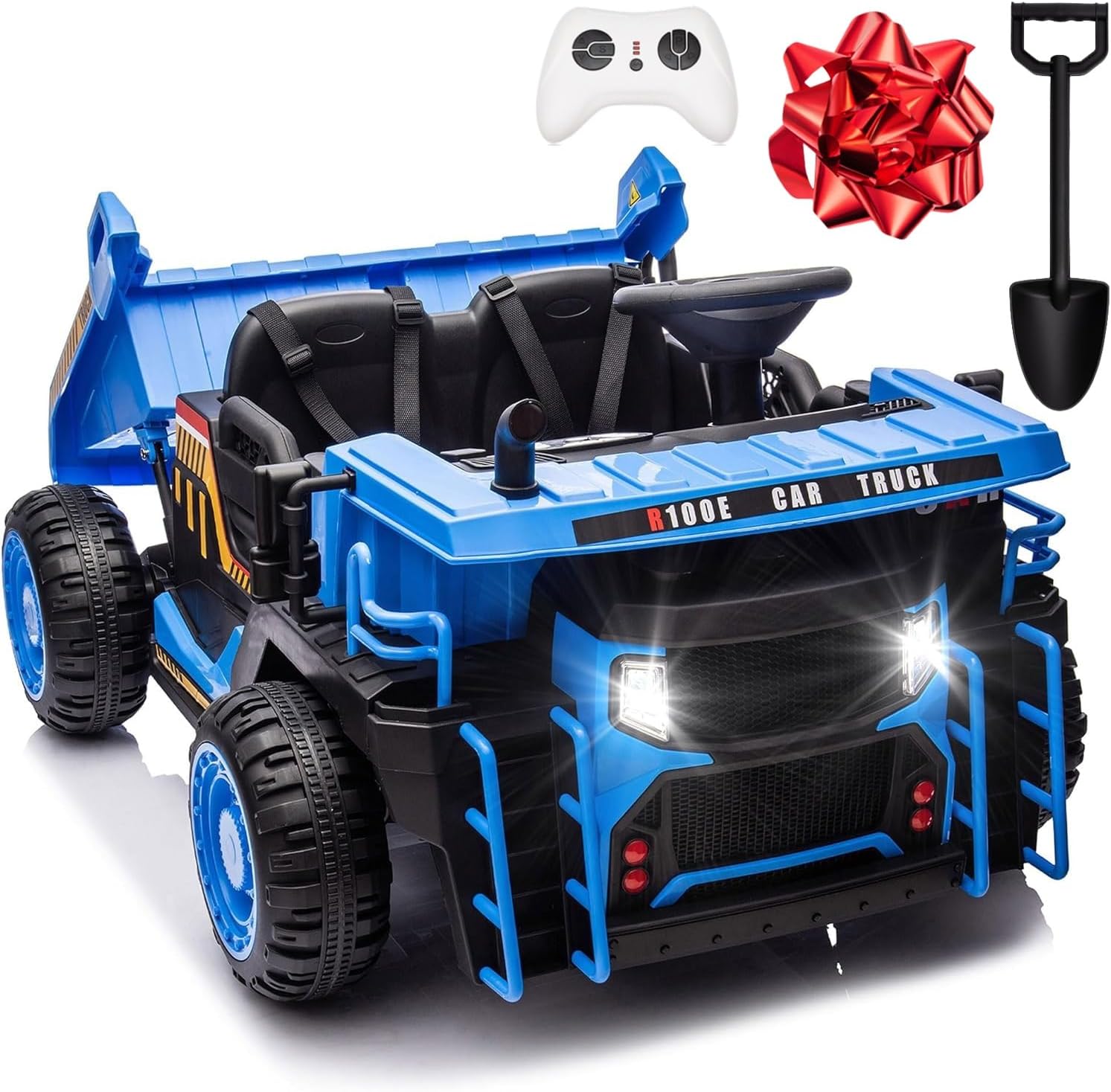
Image: All components included with the JOYRACER 24V 2 Seater Ride on Dump Truck.
Setup and Assembly
Follow these steps for initial setup and assembly. Refer to the included assembly diagram for visual guidance.
- Charge the Battery: Before first use, fully charge the 24V 7AH battery for at least 8-12 hours. Connect the charger to the charging port located on the vehicle.
- Install Wheels: Attach the four wear-resistant wheels to the axles, ensuring they are securely fastened.
- Connect Motors: Connect the 2x200W motors to the designated ports.
- Secure Seating: Ensure the 20-inch seat is properly installed and secured.
- Attach Dump Bed: Securely attach the electric dump bed to the rear of the truck.
- Initial Check: Before allowing a child to operate, perform a full functional check of all controls, lights, and sounds.

Image: Front view of the assembled JOYRACER 24V 2 Seater Ride on Dump Truck.
Operating Instructions
The JOYRACER Dump Truck offers two primary operating modes: Manual and Remote Control.
Manual Mode (Child Independent Control)
In manual mode, the child operates the vehicle using the steering wheel and foot pedal.
- Start/Stop: Press the "START/STOP" button on the dashboard to power on/off the vehicle.
- Acceleration: Press the foot pedal to move forward. Release to brake.
- Steering: Turn the steering wheel to control direction.
- Speed Selection: Use the high/low speed switch on the dashboard to select desired speed.
- Electric Dump Bed: Use the tipping power switch and dump bed switch on the dashboard to automatically lift and dump the bed.
- Multimedia Features:
- Built-in music can be played via the dashboard controls.
- Connect a device via USB/MP3 or Bluetooth to play custom audio.
- Horn sound and headlights are also controllable from the dashboard.

Image: A child enjoying the multimedia features of the ride-on dump truck.

Image: Dashboard controls for music, Bluetooth, USB/MP3, and sound effects.

Image: Demonstrating the electric tipping bucket feature.
Remote Control Mode (Parental Control)
Parents can control the vehicle using the included 2.4G remote control. This mode allows for safer supervision and guidance, especially for younger children.
- Pairing Remote: Follow the instructions in the remote control manual to pair it with the vehicle.
- Speed Adjustment: The remote allows for three different speed settings.
- Directional Control: Use the remote to control forward, backward, left, and right movements.
- Emergency Brake: The remote control includes an emergency brake function for immediate stopping.
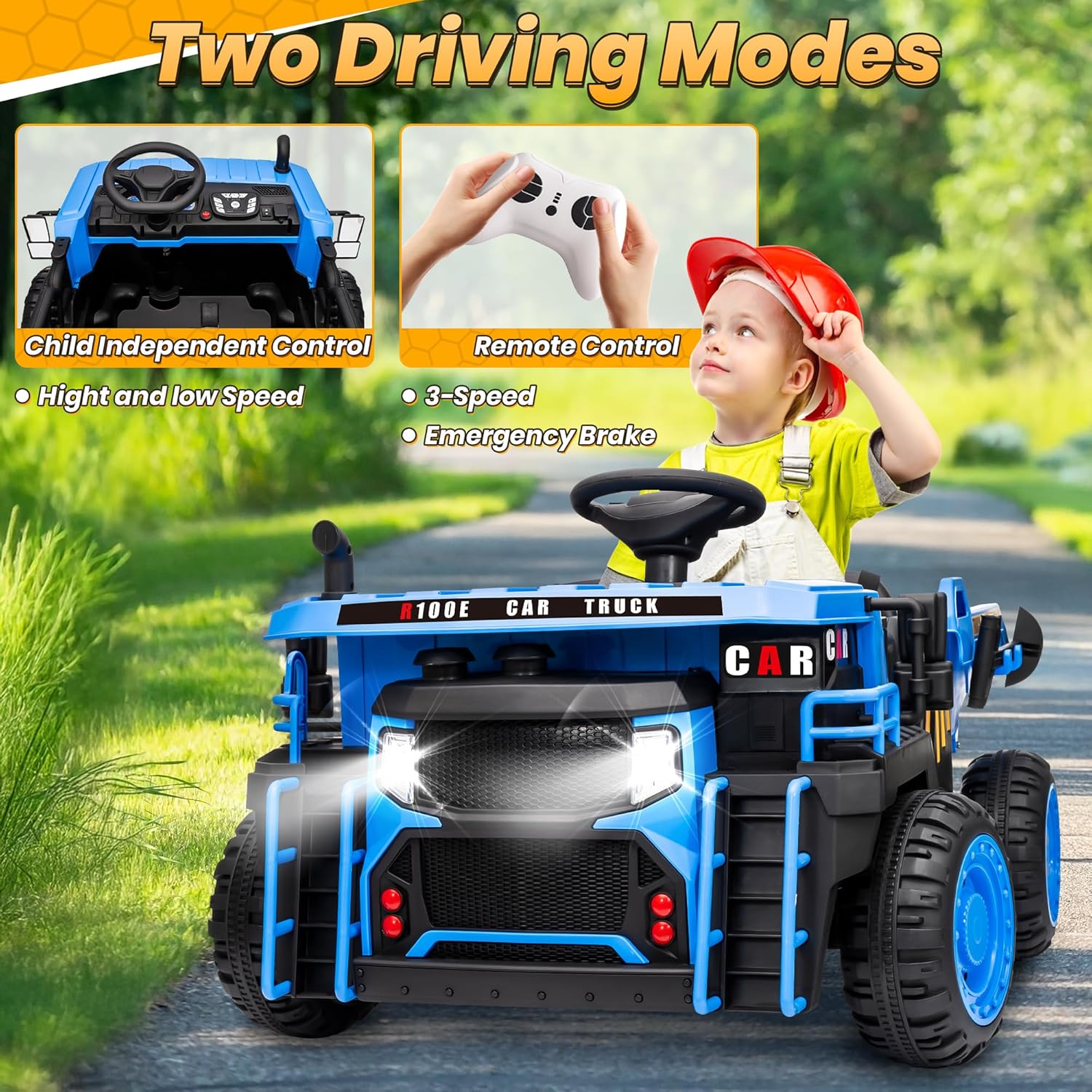
Image: Parental remote control in use, showing two driving modes.
Video: Demonstration of the JOYRACER 24V Dump Truck, highlighting features like sound effects, working dumper, terrain suitability, working headlights, and safety features including the remote control. This video is provided by the seller.
Maintenance
Regular maintenance ensures the longevity and safe operation of your ride-on dump truck.
- Battery Care:
- Recharge the battery after each use.
- Do not overcharge the battery.
- If storing for extended periods, charge the battery once a month.
- Store the battery in a cool, dry place.
- Cleaning: Wipe the vehicle with a damp cloth. Do not use harsh chemicals or abrasive cleaners. Avoid direct water spray.
- Storage: Store the vehicle indoors in a dry area when not in use. Protect it from direct sunlight and extreme temperatures.
- Inspection: Periodically check all screws, nuts, and bolts to ensure they are tight. Inspect the wheels, steering, and electrical connections for any signs of wear or damage.
Troubleshooting
| Problem | Possible Cause | Solution |
|---|---|---|
| Vehicle does not move | Low battery; Loose battery connection; Blown fuse; Faulty motor. | Charge battery; Check battery terminals; Replace fuse; Contact customer support. |
| Vehicle moves slowly | Undercharged battery; Overloaded vehicle; Operating on rough terrain. | Fully charge battery; Reduce load; Operate on flat surfaces. |
| Remote control not working | Unpaired remote; Dead batteries in remote. | Re-pair remote according to manual; Replace remote batteries. |
| Dump bed not lifting | Loose connection to dump bed motor; Obstruction. | Check connections; Remove any obstructions. |
Specifications
| Feature | Detail |
|---|---|
| Product Dimensions | 43.3 x 30.7 x 24.8 inches |
| Item Weight | 54.3 pounds |
| ASIN | B0FD9P2RMG |
| Manufacturer Recommended Age | 3 years and up |
| Motors | 2x200W (Up to 400W total) |
| Battery | 24V 7AH |
| Max Speed | 4.9 MPH |
| Max Weight Capacity | 110 lbs |
| Seating Capacity | 2 Seater |
| Manufacturer | JOYRACER |

Image: Product dimensions and capacity details.
Warranty and Support
JOYRACER adheres to the concept of customer first. For any questions regarding the use or installation of your product, please contact us directly. We offer 24-hour online support.
To Contact Support: Login to your Amazon account > choose "Your orders" > find the order ID > click "Contact seller".
Please retain your proof of purchase for warranty claims.
Ask a question about this manual
Ask about setup, troubleshooting, compatibility, parts, safety, or missing instructions. Manuals+ will review the question and use this page’s manual context to help answer it.