
ECHANFIT 5518
ECHANFIT Heavy Duty Treadmill Model 5518 User Manual
Comprehensive guide for setup, operation, maintenance, and specifications.
Introduction
This manual provides essential information for the safe and efficient use of your ECHANFIT Heavy Duty Treadmill Model 5518. Please read all instructions carefully before assembly and operation. Retain this manual for future reference.
Video: An overview of the ECHANFIT Heavy Duty Treadmill, highlighting its features and design.
Important Safety Information
WARNING: Before starting any exercise program, consult your physician. Improper or excessive training can result in serious injury. Always follow these safety guidelines:
- Read the owner's manual carefully before using the product.
- Remove the safety key when the unit is not in use.
- To avoid injury, stand on the side rails before starting the treadmill.
- Keep children away from the treadmill during operation.
- Ensure the treadmill is placed on a flat, stable surface.
- Do not operate the treadmill if it has a damaged cord or plug, or if it is not working properly.
- Wear appropriate exercise clothing and footwear.
- Do not use the treadmill outdoors or in areas with high humidity.
Setup and Assembly
Your ECHANFIT Treadmill is 95% pre-assembled, requiring minimal effort for setup. Follow these steps for quick installation:
Included Components:
- Lubricant
- Power Cord
- Safety Key
- Tool Kit
- User Manual
Assembly Steps:
- Unpacking: Carefully remove all components from the carton. Do not cut the straps securing the machine until instructed.
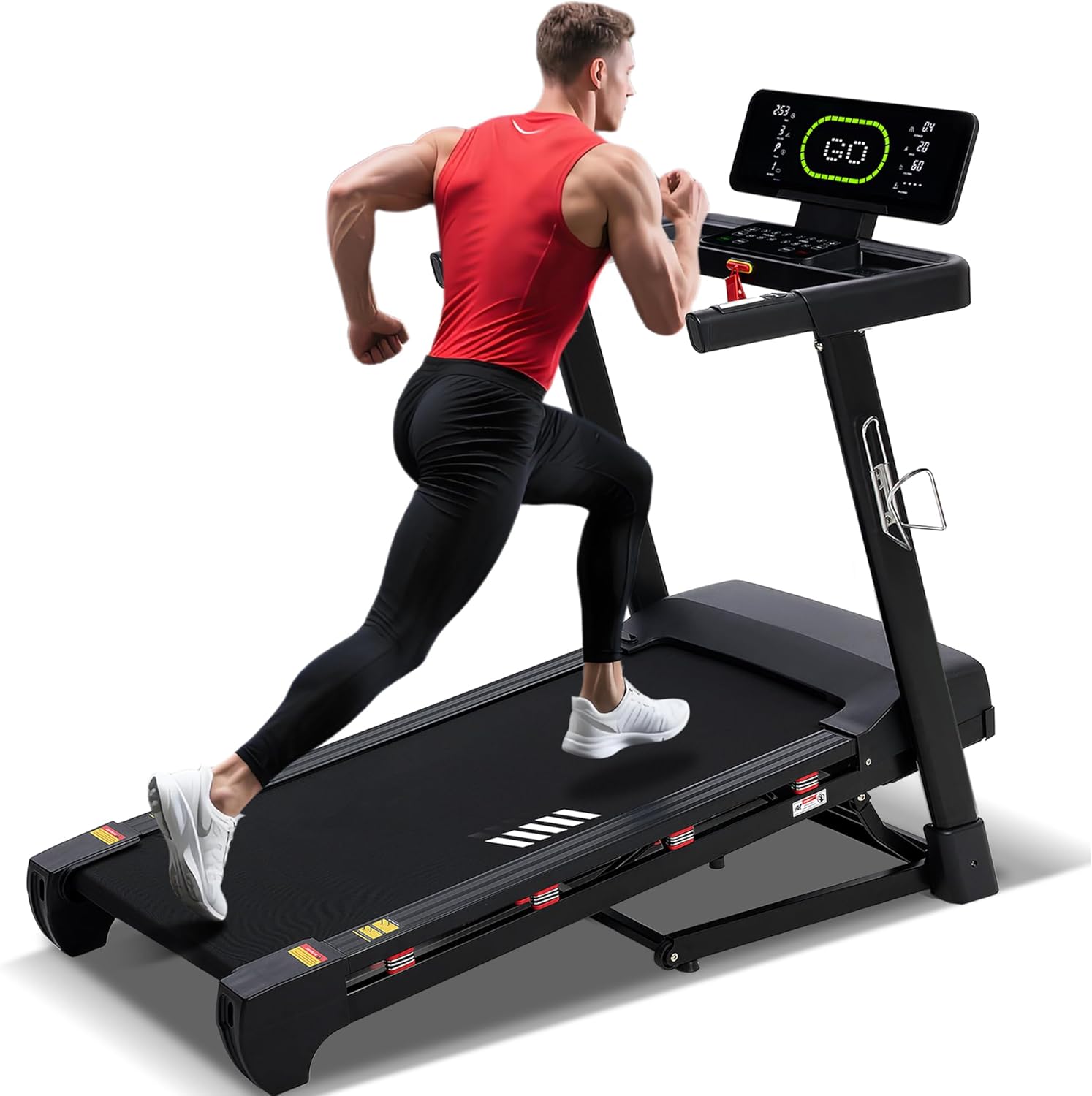
Image: The ECHANFIT treadmill in its unpacked state, showing the main unit and various accessories laid out.
- Upright Column Rotation: Slowly support the upright column with one hand while holding the screw with the other. When the screw holes on the metal plates are aligned, insert the screw. Be careful not to over-rotate the upright column, as there is a wire inside that may be pinched or damaged.
Video: A demonstration of how to correctly rotate and secure the upright columns of the treadmill during assembly.
- Securing the Control Console: Attach the control console to the upright columns using the provided screws and tools.
- Attaching Handrail Auxiliaries: Secure the handrail auxiliary components to the main frame.
- Foot Rail Extensions Widget Installation: Install the foot rail extensions widgets to the main frame.
- Power Connection & Safety Key: Plug the power cord into a suitable outlet and connect it to the treadmill. Insert the safety key into its designated slot on the console.
Product Features Overview
20% Automatic Incline
The treadmill features 20 levels of automatic incline, allowing you to simulate various terrains and customize workout intensity for different fitness goals.
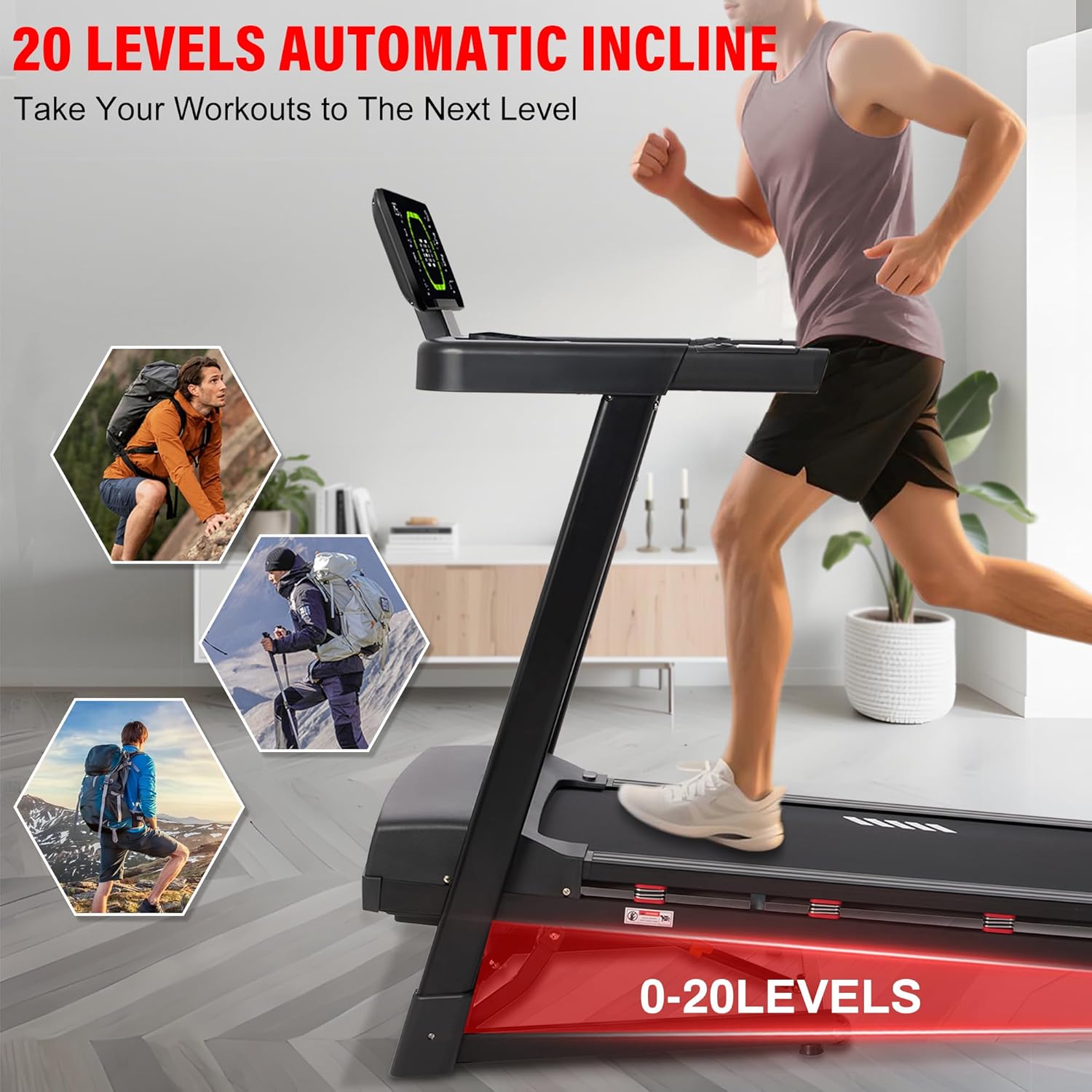
Image: A treadmill with a visual overlay indicating "20 Levels Automatic Incline" and images of people hiking, suggesting varied terrain simulation.
20" Wide Running Deck
Experience unrestricted movement on the 50" x 20" ultra-large running area. This spacious deck ensures stability and freedom, accommodating users of all sizes.

Image: The treadmill's running belt highlighted with dimensions 50" and 20", emphasizing its large size.
Advanced Shock Absorption System
Our innovative "8+6" shock absorption system combines 8 external spring dampers and 6 internal silicone cushions. This technology reduces impact on knees and ankles by up to 40%, minimizing injury risks.

Image: A person running on the treadmill with visual indicators showing the 5-layer nanosynthesis running belt, 6 built-in silicone cushions, and 8 external spring dampers for shock absorption.
4.0 HP Brushless Motor & 400 lbs Capacity
Equipped with a powerful 4.0 HP brushless motor, the treadmill supports speeds up to 12 MPH and a maximum user weight of 400 lbs. The brushless design ensures ultra-quiet operation and long-lasting performance.

Image: An illustration of the 4.0 HP brushless motor within the treadmill, with text highlighting its 400 lbs capacity, 0.6-12 MPH speed range, <45 dB noise level, 15% power saving, and high temperature resistance.
Smart LED Display & Preset Programs
The vibrant LED display tracks Speed, Incline, Time, Distance, Calories, and Heart Rate. A "Rounds Tracking" feature simulates a 400m athletic track with auto-lap counting. Choose from 36 preset programs for various training types (fat loss, cardio, HIIT, strength training).
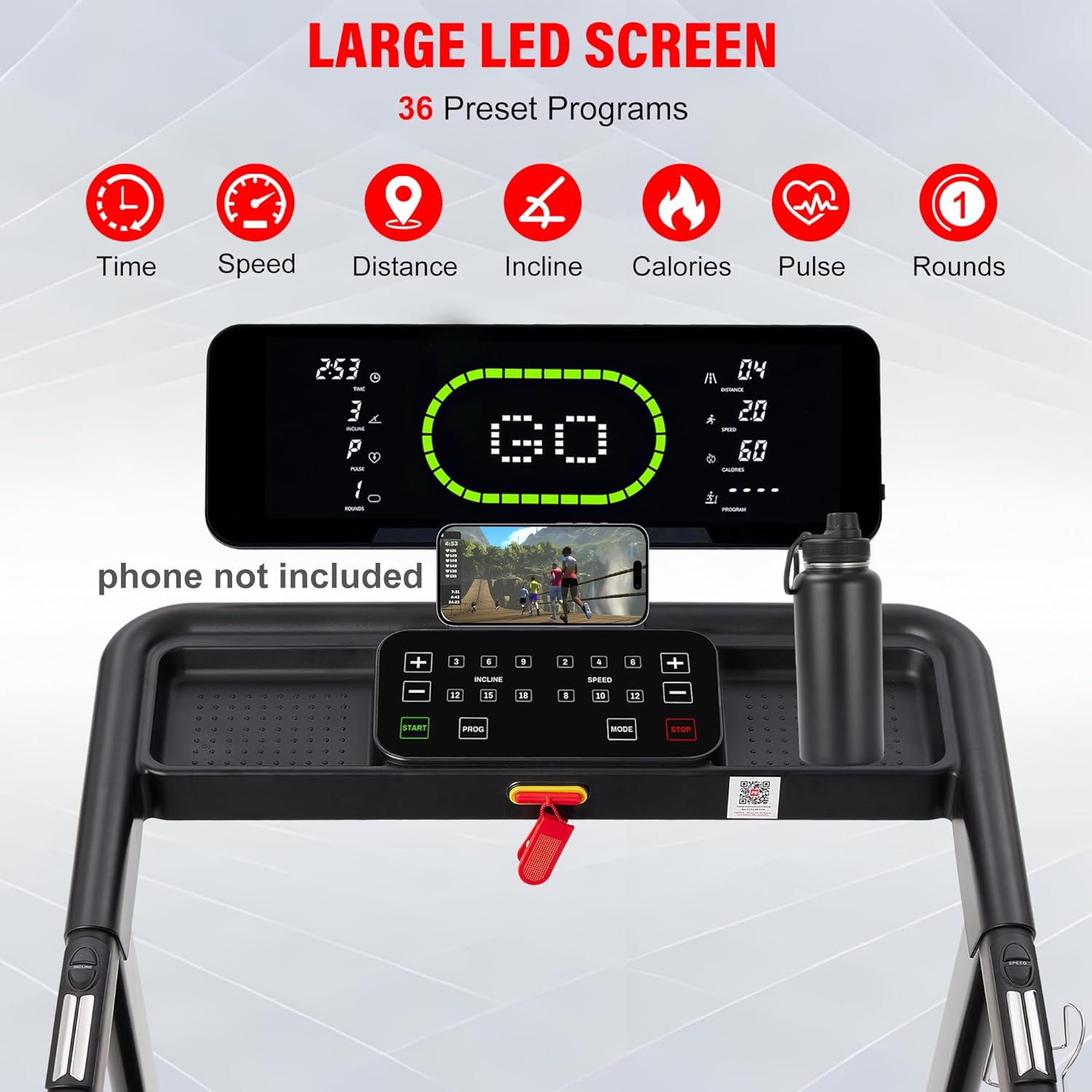
Image: A close-up of the treadmill's large LED display showing various metrics and control buttons, with a phone placed in a holder below.
Bluetooth Speaker & App Integration
Transform your workouts with built-in Bluetooth speakers for wireless audio. Sync with a fitness app for real-time stats, guided routines, and virtual scenic trails. Personalize your experience and track progress.

Image: The treadmill console showing a phone displaying a fitness app interface, with musical notes indicating Bluetooth speaker functionality.
Foldable Design & Easy Storage
The treadmill features a soft-drop hydraulic system and transport wheels for effortless folding and storage. Its space-saving design is ideal for apartments, home gyms, or garages.

Image: The treadmill shown in both its unfolded and folded states, with dimensions indicating its compact storage size.
Operating Instructions
Starting a Workout:
- Ensure the safety key is properly inserted into the console.
- Stand on the side rails before pressing the START button.
- Press the START button to begin. The treadmill will typically start with a low speed (e.g., 0.6 MPH) after a countdown.
Adjusting Speed and Incline:
- Use the + and - buttons for Speed to increase or decrease the running speed.
- Use the + and - buttons for Incline to adjust the incline level.
- Quick access buttons for specific speeds (e.g., 2, 4, 6, 8 MPH) and inclines (e.g., 6, 9, 12, 15) are available on the console.
Using Workout Programs:
- The treadmill offers 36 preset programs (P1-P36) for various fitness goals like Weight Loss, Cardio Train, Fat Burn, Power Walk, Interval, Rolling, Mountain Climb, and Hill Run.
- Press the PROG button to cycle through the available programs.
- The console also supports 3 user-defined programs (U-1, U-2, U-3) and 3 countdown modes (Time, Distance, Calories).
- An exclusive Body Fat Analysis mode (FAT) is available to help track your progress.
Heart Rate Monitoring:
Place your hands on the handlebars to activate the heart rate sensors and monitor your pulse during your workout.
App Integration:
Connect your smartphone or tablet via Bluetooth to the fitness app for real-time workout data, guided routines, and virtual scenic trails. The app allows you to personalize and track your progress.
Stopping the Treadmill:
- Press the STOP button to gradually bring the treadmill to a halt.
- In case of emergency, pull the safety key from the console. The treadmill will stop immediately.
Maintenance
Regular maintenance ensures the longevity and optimal performance of your treadmill.
- Cleaning: Regularly wipe down the treadmill with a damp cloth to remove dust and sweat. Avoid using abrasive cleaners.
- Lubrication: Apply the provided lubricant to the running belt as instructed in the detailed user manual (refer to the included User Manual for specific frequency and procedure).
- Belt Adjustment: If the running belt becomes off-centered or makes unusual noises, refer to the detailed user manual for instructions on how to adjust it. Proper belt tension and alignment are crucial for smooth operation.
- Power Cord: Inspect the power cord regularly for any signs of damage. If damaged, discontinue use and contact customer support.
Troubleshooting
If you encounter any issues with your treadmill, please refer to the following common solutions:
- Treadmill Not Starting:
- Ensure the power cord is securely plugged into both the treadmill and a working electrical outlet.
- Verify that the power switch on the treadmill is in the "ON" position.
- Check if the safety key is correctly inserted into the console. The treadmill will not operate without it.
- Unusual Noises:
- A squeaking or rubbing sound might indicate the running belt needs lubrication or adjustment. Refer to the maintenance section or the detailed manual.
- Ensure all assembly screws are tightened.
- Inaccurate Readings on Display:
- Ensure proper contact with heart rate sensors if monitoring pulse.
- Check app connection if using app integration for data.
- App Integration Issues:
- Ensure Bluetooth is enabled on your device and the treadmill.
- Try restarting both your device and the treadmill.
- If issues persist, you can still use the treadmill manually without app connection.
For further assistance, please contact customer support.
Specifications
| Feature | Detail |
|---|---|
| Brand | ECHANFIT |
| Model Name | 5518 |
| Color | Black |
| Product Dimensions | 62"D x 30"W x 53"H |
| Item Weight | 148 Pounds |
| Material | Alloy Steel |
| Maximum Speed | 12 Miles per Hour |
| Special Features | Auto Incline, Built-In Speaker, Foldable, Heavy Duty, Shock Absorbent |
| Maximum Horsepower | 4 Horsepower |
| Maximum Incline Percentage | 20 |
| Assembly Required | Yes (95% pre-assembled) |
| Display Type | LED |
| Power Source | Corded Electric |
| Connectivity Technology | Bluetooth |
| Metrics Measured | Distance, Heart Rate, Incline, Speed, Time, Calories |
| Maximum Weight Recommendation | 400 Pounds |
| Running Deck Length | 50 Inches |
| Running Deck Width | 20 Inches |
| Folded Size | 39"x30"x53" |
| Minimum Speed | 0.6 Miles per Hour |
Warranty and Support
Your ECHANFIT Heavy Duty Treadmill comes with a 1-year comprehensive manufacturer warranty.
If you have any questions, concerns, or require assistance, please do not hesitate to contact our dedicated customer support team. We are committed to ensuring your satisfaction.
Contact Support: Refer to your product packaging or the included user manual for specific contact details. You can also visit the ECHANFIT store on Amazon for more information.
Visit the ECHANFIT StoreAsk a question about this manual
Ask about setup, troubleshooting, compatibility, parts, safety, or missing instructions. Manuals+ will review the question and use this page’s manual context to help answer it.