
Introduction
Thank you for choosing the Veitob 88-Key Semi-Weighted Digital Piano. This manual provides essential information for the proper setup, operation, and maintenance of your instrument. Please read it thoroughly before use to ensure optimal performance and longevity.
Setup
1. Unpacking
Carefully remove all components from the packaging. Ensure all items listed below are present:
- Veitob 88-Key Digital Piano
- Power Adapter
- Sustain Pedal
- Headphones
- Instruction Manual (this document)
2. Connecting the Power Supply
Locate the DC IN port on the rear panel of the digital piano. Connect the power adapter cable to this port, then plug the adapter into a standard electrical outlet.
3. Connecting the Sustain Pedal
Insert the sustain pedal cable into the SUSTAIN pedal jack on the rear panel of the digital piano. The pedal allows notes to continue sounding after the keys are released.
4. Connecting Headphones
For private practice, plug the included headphones into the HEADPHONE jack. This will mute the internal speakers.
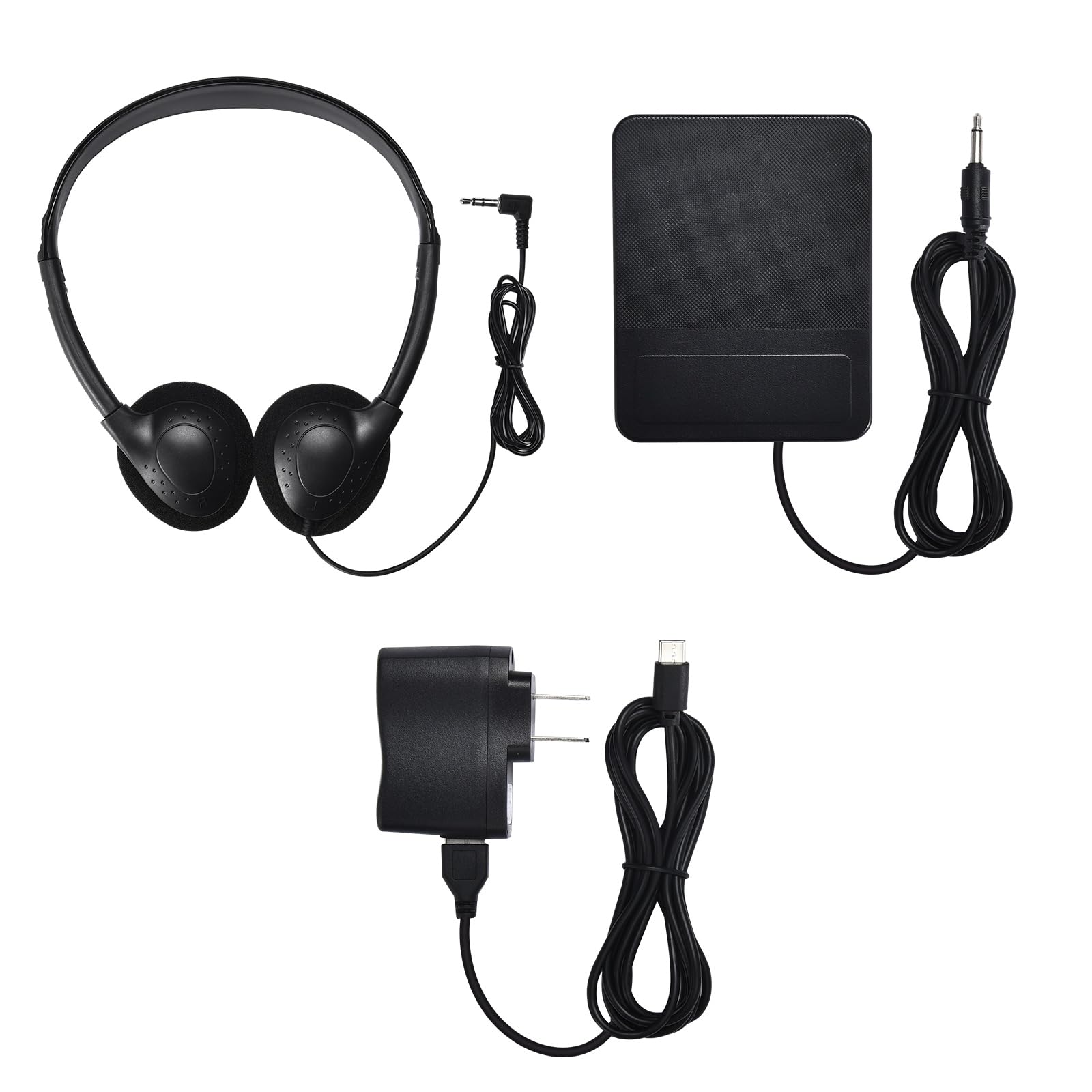
Image: The Veitob 88-Key Digital Piano shown with its power adapter, sustain pedal, and headphones, illustrating a typical setup.
Operating Instructions
1. Powering On/Off
Press the POWER button located on the control panel to turn the digital piano on. Press it again to turn the instrument off.
2. Adjusting Volume
Use the VOLUME knob or buttons on the control panel to adjust the overall sound output level. Turn clockwise to increase volume, counter-clockwise to decrease.
3. Selecting Voices/Tones
Your digital piano includes various instrument voices. Refer to the control panel for buttons labeled VOICE or TONE. Press these buttons to cycle through available sounds such as Grand Piano, Electric Piano, Organ, Strings, etc.
4. Using the Sustain Pedal
Press and hold the sustain pedal while playing notes to extend their decay. Release the pedal to stop the sustain effect.
5. Backlit Pad Feature
This model features a backlit pad. The backlight illuminates the control panel for improved visibility in low-light conditions. This feature is typically activated automatically or via a dedicated button.
Maintenance
1. Cleaning
Wipe the surface of the digital piano with a soft, dry cloth. For stubborn dirt, slightly dampen the cloth with water. Do not use abrasive cleaners, solvents, or waxes, as these can damage the finish. Avoid spraying liquids directly onto the instrument.
2. Storage
When not in use, store the digital piano in a dry, dust-free environment away from direct sunlight and extreme temperatures. If storing for an extended period, disconnect the power adapter.
3. Safety Precautions
- Do not place heavy objects on the digital piano.
- Keep liquids away from the instrument to prevent electrical shock or damage.
- Do not attempt to disassemble or repair the digital piano yourself. Refer to qualified service personnel.
Troubleshooting
| Problem | Possible Cause | Solution |
|---|---|---|
| No sound | Volume too low; headphones connected; power issue | Increase volume; disconnect headphones; check power connection |
| Keys not responding | Instrument not powered on; internal malfunction | Ensure power is on; restart the instrument; contact support if issue persists |
| Power indicator off | Power adapter not connected; outlet issue | Check power adapter connection; try a different outlet |
If the problem persists after attempting these solutions, please contact customer support.
Specifications
- Brand: Veitob
- Model Number: 1
- Number of Keys: 88
- Key Type: Semi-Weighted
- Color: Black
- Skill Level: All
- Special Feature: Backlit Pad
- UPC: 728161614262
- ASIN: B0FD9JP5NH
- GTIN: 728161614262
Warranty and Support
Warranty Information
The manufacturer states that there is no warranty provided for this product.
Customer Support
For any questions, technical assistance, or issues not covered in this manual, please contact Veitob customer support through the retailer where the product was purchased.