
Introduction
This manual provides detailed instructions for the installation, operation, and maintenance of your YUANTING 7-inch IPS Touch Screen Android 13 Car Stereo. This unit is designed to enhance your driving experience with advanced features such as wireless Carplay, Android Auto, GPS navigation, and multimedia playback. Please read this manual thoroughly before using the product to ensure proper operation and safety.
Safety Information
- Always operate the device responsibly and in accordance with local traffic laws. Distracted driving can lead to accidents.
- Do not attempt to install or repair the unit if you are not qualified. Improper installation can cause damage to the vehicle's electrical system or the unit itself.
- Ensure all wiring connections are secure to prevent short circuits and potential fire hazards.
- Keep the screen clean and free from obstructions to maintain clear visibility.
- Avoid exposing the unit to extreme temperatures, direct sunlight for prolonged periods, or excessive moisture.
Applicable Vehicle Models
This car stereo is compatible with the following vehicle models:
- Scion xB: 2004-2015
- Scion xD: 2008-2014
- Scion FR-S: 2013-2016
- Scion tC: 2005-2016
Important Note: Before purchasing and installing, please verify the year, dimensions, and shape of your vehicle's center console. If your vehicle is equipped with a J-B-L sound system, a specific J-B-L adapter cable (ASIN: B0DJ3DBK3Z) is required for proper functionality.
Package Contents
Please check the package for the following items:
- YUANTING Android 13 Car Stereo Unit
- Power Cable
- RCA Cable Set
- Backup Camera Input Cable
- GPS Antenna
- USB Cables (2x)
- External Microphone
- Backup Camera
- User Manual

Image: All components included in the YUANTING car stereo package, laid out for identification.
Setup and Installation
1. Pre-Installation Checks
- Confirm vehicle compatibility (Scion xB, xD, FR-S, tC).
- Disconnect the vehicle's battery before starting any electrical work.
- Gather all necessary tools (screwdrivers, wire strippers, electrical tape, etc.).
2. Wiring Connections
Refer to the wiring diagram provided in the included user manual for specific connections. Key connections include:
- Power Cable: Connect to vehicle's power, ground, and accessory wires.
- RCA Cables: For external amplifiers or additional video outputs.
- GPS Antenna: Mount in a location with a clear view of the sky, typically on the dashboard or under the windshield.
- USB Cables: Route to a convenient location for connecting USB devices.
- External Microphone: Connect for improved call quality during Bluetooth hands-free operation.
3. Backup Camera Installation
The included backup camera provides enhanced safety. Install the camera at the rear of your vehicle, ensuring a clear view. Connect the camera's video output to the "Backup Camera Input" on the stereo unit and its power to the vehicle's reverse light circuit so it activates automatically when reversing.

Image: Illustration of steering wheel control functionality and the rear view camera display on the car stereo.
4. Mounting the Unit
Carefully slide the car stereo into the dashboard opening. Secure it using the provided mounting brackets and screws. Reconnect the vehicle's battery once all connections are verified.

Image: The YUANTING car stereo unit shown installed in a vehicle's dashboard, demonstrating its integrated appearance.
Operating Instructions
1. Initial Power On and System Overview
Upon first power-on, the unit will boot into the Android 13 operating system. The 7-inch IPS touch screen provides a clear and responsive interface. Navigate through the main menu to access various functions.
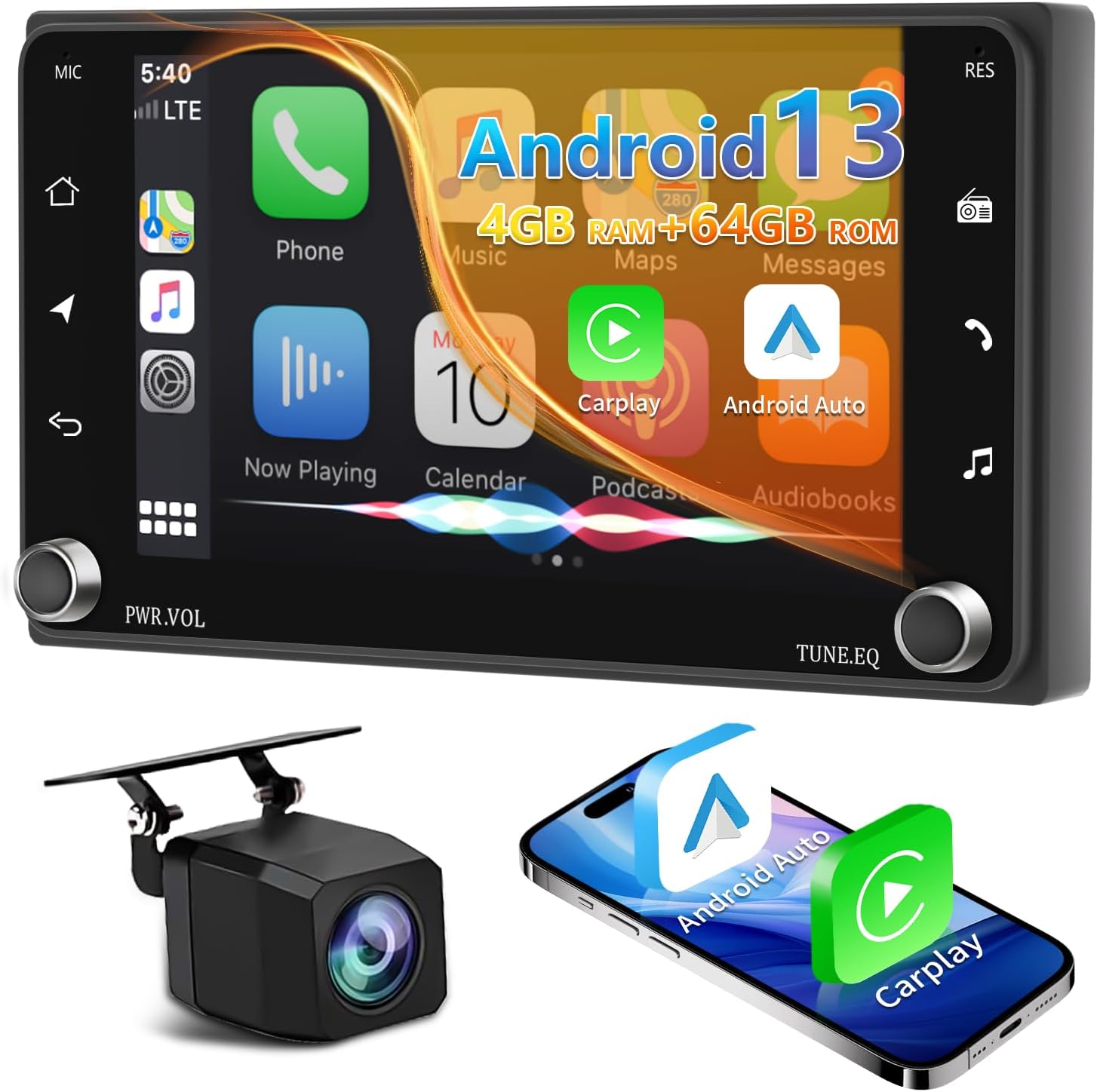
Image: The YUANTING car stereo displaying its Android 13 interface with Carplay and Android Auto icons, alongside a backup camera and a smartphone.

Image: Visual representation of the Android 13 operating system with 4GB RAM and 64GB ROM for smooth performance.
2. Wireless Carplay and Android Auto
This unit supports both wireless and wired Apple CarPlay and Android Auto. This allows seamless integration of your smartphone for navigation, music, calls, and messages.
- Connection: Connect your smartphone via Bluetooth for wireless Carplay/Android Auto, or use a USB cable for a wired connection.
- Features: Access phone contacts, emails, notifications, map navigation, music, and videos directly from the stereo screen.
- Voice Assistant: Utilize Siri or Google Assistant for hands-free control.

Image: The car stereo interface demonstrating wireless Apple Carplay, Android Auto, and Mirror Link capabilities, with options for USB or Bluetooth connections.

Image: The stereo displaying both Apple CarPlay and Android Auto interfaces, highlighting voice command integration for hands-free operation.
3. GPS Navigation and WiFi
The unit features a built-in GPS module and supports both online and offline navigation.
- Offline Maps: Preloaded map data is available for immediate use after installation.
- Online Navigation: Connect to WiFi via a personal hotspot to access online navigation apps (e.g., Google Maps, Waze) and download other applications from the Play Store.
- WiFi Connectivity: Enables internet browsing, streaming, and app downloads.

Image: The car stereo displaying GPS navigation and a selection of popular apps available via built-in WiFi.
4. FM/RDS Radio
Tune into your favorite FM radio stations. The RDS (Radio Data System) feature provides additional information such as station name and song title where available.
Image: The car stereo's FM RDS Radio interface, showing current frequency and preset station options.
5. Bluetooth 5.2
Connect your smartphone via Bluetooth for hands-free calling and audio streaming.
- Pairing: Enable Bluetooth on your phone and search for the stereo unit. Select it to pair.
- Hands-Free Calling: Make and receive calls directly from the stereo screen.
- Audio Streaming: Play music from your phone through the car's speakers.

Image: The car stereo's Bluetooth 5.2 interface for making calls and the EQ DSP settings for audio customization.
6. Split Screen Function and RCA Output
- Split Screen: Enjoy two applications simultaneously on the 7-inch screen, such as navigation and music playback.
- RCA Output: The unit supports full RCA video output, allowing you to connect external monitors (e.g., headrest screens) for rear-seat entertainment.

Image: The 7-inch IPS HD screen demonstrating its superior resolution, split-screen capability, and various user interface themes.
7. Steering Wheel Control (SWC)
The unit supports steering wheel controls, allowing you to manage audio and other functions without taking your hands off the wheel. Configuration may be required in the system settings to map your vehicle's SWC buttons to the stereo's functions.
Maintenance
- Screen Cleaning: Use a soft, lint-free cloth to gently wipe the screen. Avoid abrasive cleaners or solvents.
- Software Updates: Periodically check for system updates via the WiFi connection to ensure optimal performance and access to new features.
- General Care: Keep the unit free from dust and debris. Ensure proper ventilation around the unit.
Troubleshooting
| Problem | Possible Cause | Solution |
|---|---|---|
| No Power | Incorrect wiring, blown fuse, vehicle battery disconnected. | Check power cable connections, inspect vehicle fuses, ensure battery is connected. |
| No Sound | Volume too low, speaker wires disconnected, incorrect audio settings. | Increase volume, check speaker wiring, verify audio output settings. |
| Carplay/Android Auto Not Connecting | Bluetooth/USB connection issue, phone settings, app not running. | Ensure Bluetooth is on and paired, try a different USB cable, restart phone and stereo, check phone's Carplay/Android Auto settings. |
| GPS Signal Lost | GPS antenna obstruction or disconnection. | Ensure GPS antenna has a clear view of the sky and is securely connected. |
| Screen Unresponsive | Temporary software glitch. | Perform a soft reset (refer to the main user manual for specific instructions) or power cycle the unit. |
Specifications
| Operating System | Android 13 |
| RAM | 4GB |
| ROM | 64GB |
| Screen Size | 7 Inch IPS Touch Screen |
| Screen Resolution | 1024*600P (Our Screens) |
| Bluetooth Version | Bluetooth 5.2 |
| Audio Output Power | 4x50W |
| Connectivity | Bluetooth, Wi-Fi, USB, RCA |
| GPS | Built-in GPS module, external GPS antenna |
| Dimensions (Package) | 10.67 x 7.52 x 5.16 inches |
| Item Weight | 14.4 ounces (0.9 Pounds) |
| Model Number | 2b57ee0b-df2a-4661-96b1-3a9dd4ffeb11 |
Warranty and Support
Your YUANTING car stereo comes with a one-year free replacement warranty. For any product-related inquiries, technical assistance, or warranty claims, please contact our customer service team. We offer 7*24 customer service support to ensure your satisfaction.
Please refer to your purchase documentation for specific contact details or visit the YUANTING official store on Amazon.