1. Product Overview
The Generic ZUKED-320-1.5KW Variable Frequency Drive (VFD) is designed to control the speed and torque of AC induction motors. This model specifically supports a single-phase 220V input and provides a three-phase 220V output, suitable for various industrial applications requiring precise motor control.

Figure 1: Front view of the ZUKED-320-1.5KW VFD, showing the control panel with LED display and buttons.
Key Features:
- Input/Output Compatibility: Single-phase 220V input, three-phase 220V output, suitable for 1.5KW industrial motors.
- Motor Control: Advanced vector control technology for precise torque and speed regulation (±0.5% speed accuracy).
- Protection Features: Includes overcurrent, overvoltage, overload, phase loss, and short circuit protection for enhanced safety and longevity.
- Integrated Functions: Built-in PID controller, simple PLC function, and output voltage regulation (AVR) function.
- Connectivity: RS485 communication and multiple I/O ports for seamless integration into automation systems.
- Environmental Protection: Compact design with an IP55-rated enclosure, offering dust and water resistance for demanding workshop conditions.
- Efficiency: Energy-saving mode automatically adjusts output to match load demands, potentially reducing power consumption.
- EMC Filter: Built-in EMC filter to minimize electromagnetic interference.
2. Safety Information
WARNING: Failure to follow these safety instructions may result in serious injury or death.
- Read the Manual: Always read and understand this entire manual before installing, operating, or performing maintenance on the VFD.
- Electrical Hazard: This device operates with high voltages. Ensure power is disconnected and wait at least 10 minutes after power-off before touching any internal components or removing the cover. Capacitors may retain a dangerous charge.
- Qualified Personnel: Installation, wiring, and maintenance must only be performed by qualified electrical personnel.
- Mounting Surface: Mount the inverter on a non-combustible surface to prevent fire hazards. Ensure adequate ventilation.
- Grounding: Ensure the VFD is properly grounded according to local electrical codes and regulations.
- Environmental Conditions: Do not expose the VFD to direct sunlight, excessive dust, corrosive gases, flammable materials, or extreme temperatures.
- Emergency Stop: Always install an external emergency stop circuit.

Figure 2: Front view highlighting the 220V input/output and 1.5KW power rating, along with safety labels.
3. Installation and Setup
3.1 Mounting
The VFD should be mounted vertically on a flat, non-combustible surface. Ensure sufficient clearance around the unit for proper ventilation and heat dissipation. Avoid mounting in areas subject to vibration or direct impact.

Figure 3: Side view of the VFD, illustrating the cooling fins and ventilation slots for heat dissipation.
3.2 Wiring
All wiring must comply with local and national electrical codes. Use appropriate wire gauges for the VFD's power rating. Ensure all connections are secure and properly insulated.
- Power Input (L, N, G): Connect the single-phase 220V AC power supply to the designated input terminals. Ensure proper grounding.
- Motor Output (U, V, W): Connect the three-phase 220V AC motor to the output terminals.
- Control Terminals: Connect external control signals (e.g., start/stop, speed reference, fault reset) to the control terminals as required by your application. Refer to the detailed wiring diagram in the full product manual for specific terminal assignments.
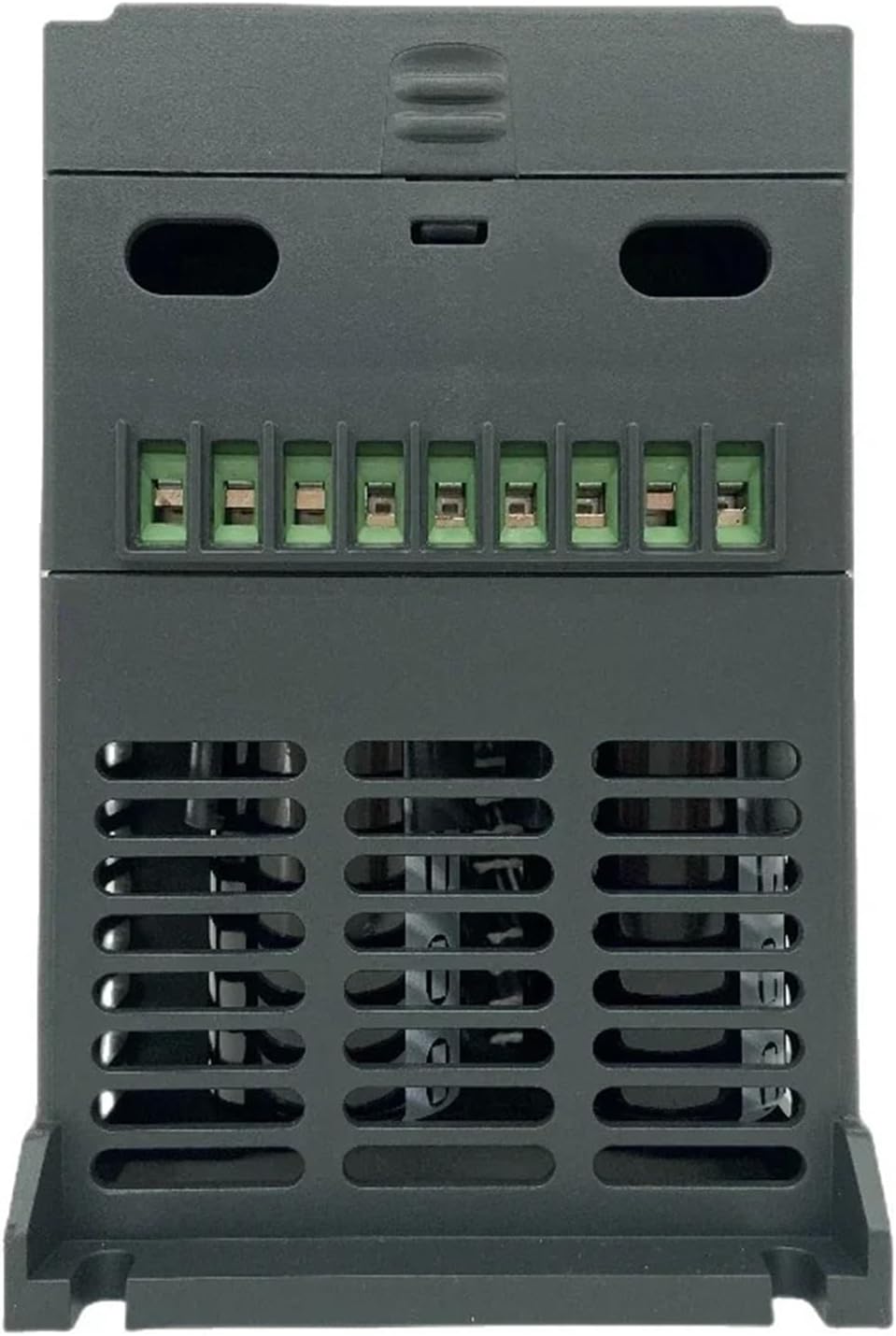
Figure 4: Top view of the VFD, showing the accessible terminal blocks for power and control wiring.
3.3 Initial Power-Up
Before applying power, double-check all wiring connections. Ensure no loose wires or short circuits. Apply power and observe the VFD's display. If any error codes appear, refer to the troubleshooting section.
4. Operating Instructions
The VFD features a user-friendly control panel for basic operation and parameter adjustments.
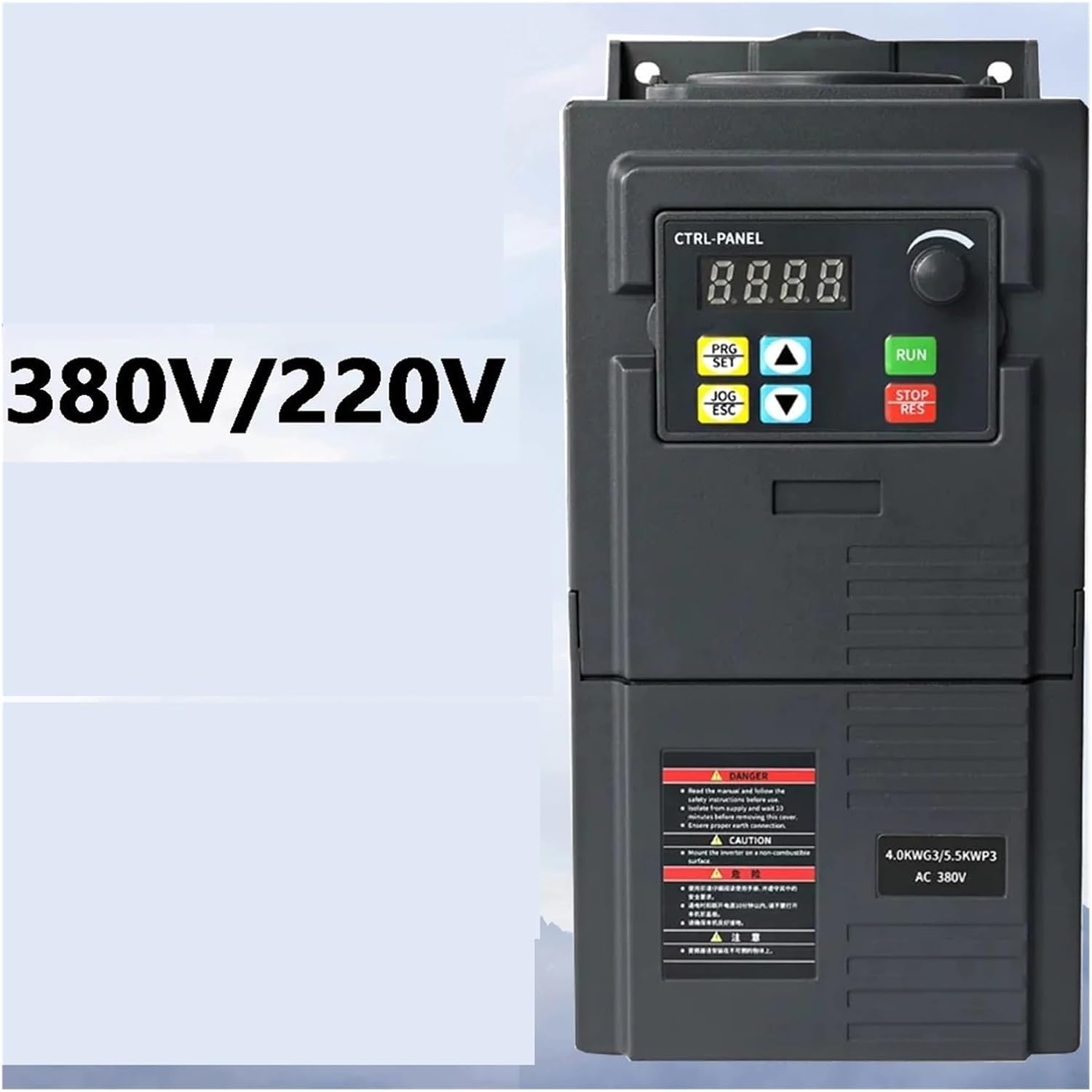
Figure 5: Close-up of the VFD control panel, showing the LED display, rotary knob, and function buttons.
4.1 Control Panel Functions:
- LED Display: Shows operating status, frequency, current, voltage, and error codes.
- Rotary Knob: Used for adjusting frequency/speed and navigating parameters.
- PRG/SET Button: Enters/exits parameter setting mode and confirms selections.
- JOG/ESC Button: Initiates jog operation (momentary run) and cancels current operation or exits a menu.
- Up/Down Arrows: Used to navigate through parameters or adjust values.
- RUN Button: Starts the motor.
- STOP/RES Button: Stops the motor and resets fault conditions.
4.2 Basic Operation:
- Start: Press the RUN button to start the motor.
- Stop: Press the STOP/RES button to stop the motor.
- Speed Adjustment: Rotate the rotary knob to adjust the output frequency and motor speed.
- Parameter Setting: Press PRG/SET to enter parameter mode. Use arrow keys to navigate and the rotary knob or arrow keys to change values. Press PRG/SET again to save and exit.
For detailed parameter settings and advanced functions, refer to the comprehensive programming guide provided with the full product documentation.
5. Maintenance
Regular maintenance ensures optimal performance and extends the lifespan of your VFD.
- Power Disconnection: Always disconnect power and wait at least 10 minutes before performing any maintenance.
- Cleaning: Periodically clean the VFD's exterior and ventilation openings to prevent dust accumulation, which can hinder cooling. Use a soft, dry cloth. Do not use liquid cleaners.
- Inspection: Regularly inspect wiring connections for tightness and signs of damage or corrosion. Check for any unusual noises or odors during operation.
- Fan Check: Ensure the cooling fan operates freely and is not obstructed.
6. Troubleshooting
If the VFD encounters an issue, the LED display may show an error code. Refer to the full product manual for a complete list of error codes and their solutions. Below are some common issues and general troubleshooting steps:
| Problem | Possible Cause | Solution |
|---|---|---|
| VFD does not power on | No input power; incorrect wiring; internal fuse blown. | Check power supply; verify input wiring; consult qualified technician for fuse replacement. |
| Motor does not run | Incorrect motor wiring; VFD in fault state; control signal issue. | Verify motor wiring (U, V, W); check VFD display for error codes and reset; ensure RUN command is active. |
| Overcurrent fault | Motor overload; short circuit in motor or wiring; acceleration time too short. | Reduce motor load; check motor and wiring for shorts; increase acceleration time parameter. |
| Overvoltage fault | Input voltage too high; deceleration time too short; regenerative load. | Verify input voltage; increase deceleration time parameter; consider adding a braking resistor if applicable. |
If the problem persists after attempting these solutions, contact technical support.
7. Specifications
| Feature | Detail |
|---|---|
| Model | ZUKED-320-1.5KW |
| Input Voltage | Single-phase 220V AC |
| Output Voltage | Three-phase 220V AC |
| Rated Output Power | 1.5KW |
| Output Frequency Range | 0-400Hz |
| Control Method | Vector Control |
| Protection | Overcurrent, Overvoltage, Overload, Phase Loss, Short Circuit |
| Built-in Functions | PID Controller, Simple PLC, AVR Function, EMC Filter |
| Communication | RS485 |
| Certification | CE |
| Item Weight | Approximately 3.53 ounces (100 Grams) (Note: This weight may refer to a component or packaging; actual unit weight may vary.) |
| Package Dimensions | 0.39 x 0.39 x 0.39 inches (Note: These dimensions appear to be placeholder values and may not reflect the actual product size.) |
8. Warranty and Support
For warranty information, please refer to the documentation provided at the time of purchase or contact your seller directly. Technical support may be available through the manufacturer or authorized distributors.
Always ensure you have your product model number (ZUKED-320-1.5KW) and purchase details ready when seeking support.


