
1. Introduction
Thank you for choosing the PYKFVTGL LS252D Digital Leeb Hardness Tester. This instrument is designed for precise measurement of various metal materials using a D-type impact device. It features advanced dual coil technology for high repeatability and accuracy, along with a built-in direction sensor for automatic compensation of measurement errors. This manual provides essential information for the safe and effective operation, maintenance, and troubleshooting of your device.
2. Safety Information
Please read and understand all safety instructions before operating the device to prevent injury or damage to the instrument.
- Always handle the instrument with care. Avoid dropping or subjecting it to strong impacts.
- Do not attempt to disassemble or modify the device. Repairs should only be performed by authorized personnel.
- Keep the device away from water, excessive humidity, and extreme temperatures.
- Ensure the test surface is stable and properly prepared before taking measurements.
- Use only the specified charging method for the internal lithium battery.
- Store the device in a clean, dry environment when not in use.
3. Product Overview
The LS252D is a compact, pen-type digital Leeb hardness tester designed for portability and ease of use. It integrates the impact device and display unit into a single, ergonomic design.
3.1 Key Features
- Integrated Design: Combines impact device and display for flexible measurement.
- D-Type Impact Device: Suitable for a wide range of metallic materials.
- Dual Coil Technology: Ensures good repeatability and high measurement accuracy.
- Automatic Direction Compensation: Built-in sensor corrects errors in different impact directions.
- Multiple Hardness Scales: Converts between HL, HV, HB, HS, HRA, HRB, HRC.
- Durable Construction: Made of alloy material, waterproof, and resistant to rust.
- Portable: Compact and lightweight for easy transport and use in various environments.
3.2 Device Components
Refer to the image below for a visual guide to the main components of the LS252D Hardness Tester.

Figure 1: Main view of the PYKFVTGL LS252D Digital Leeb Hardness Tester. This image shows the compact, pen-type design with the digital display and the impact device extending from the top.

Figure 2: Close-up of the D-type impact device and the compact dimensions of the LS252D. The image highlights the specific impact probe used for measurements and illustrates the small, portable size of the instrument.
4. Setup
4.1 Initial Charging
The LS252D is powered by a rechargeable lithium battery. Before first use, or if the battery is low, connect the device to a suitable USB power source using the provided charging cable. A full charge provides over 5000 continuous measurements.
4.2 Preparing the Test Object
For accurate measurements, ensure the test object meets the following criteria:
- The surface should be clean, smooth, and free from scale, oil, or other contaminants.
- The object should be stable and sufficiently thick to prevent deformation during impact.
- For smaller or lighter objects, ensure they are firmly coupled to a heavier, stable support.
5. Operating Instructions
5.1 Powering On/Off
Press the power button (usually marked with a ⏻ symbol) to turn the device on or off. The OLED display will illuminate upon activation.
5.2 Selecting Hardness Scale
The LS252D supports conversion between multiple hardness scales. Use the navigation buttons (often ▲ and ▼ or similar) to cycle through the available scales: HL (Leeb), HV (Vickers), HB (Brinell), HS (Shore), HRA, HRB, and HRC (Rockwell). Select the desired scale before taking a measurement.

Figure 3: The LS252D display indicating the selection of various hardness scales. This image illustrates how the device allows users to choose between HL, HV, HB, HS, HRA, HRB, and HRC for different material types.
5.3 Taking a Measurement
Follow these steps for accurate hardness measurement:
- Position the Device: Press the impact device vertically into the surface of the test object. Ensure firm and stable contact.
- Release Pressure: Once positioned, release the pressure. The impact mechanism will activate automatically.
- Read Value: Read the hardness value displayed on the OLED screen within 1 second after the impact.
- Repeat Measurements: For reliable results, measure the hardness at different points on the test object at least five times. Calculate the average value for the final result.
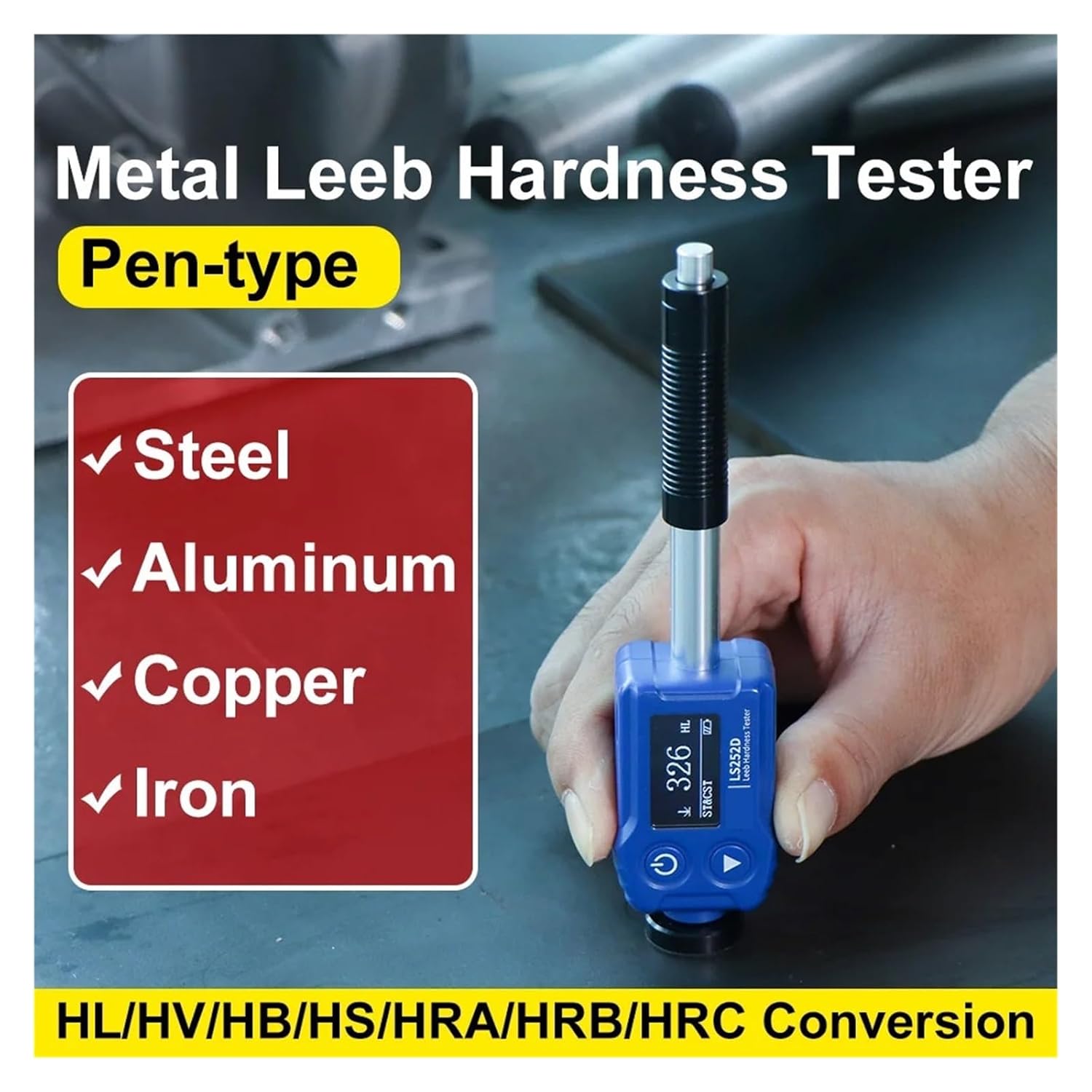
Figure 4: The LS252D in use, demonstrating its applicability to various metal types such as steel, aluminum, copper, and iron. The image highlights the pen-type design and its versatility for different materials.

Figure 5: The LS252D demonstrating its 360° measurement capability, ensuring accuracy regardless of the impact angle. This feature simplifies operation by eliminating the need to set a specific angle.

Figure 6: Examples of the LS252D's wide range of applications, showing it being used on an engine block, a metal plate, a car wheel, and a metal cylinder. This illustrates the instrument's adaptability to diverse industrial and scientific testing scenarios.
6. Maintenance
6.1 Cleaning
Wipe the device with a soft, dry cloth. Do not use abrasive cleaners or solvents, as these can damage the display or casing. Ensure the impact device tip is clean and free of debris.
6.2 Storage
When not in use, store the LS252D in its protective case in a cool, dry place, away from direct sunlight and extreme temperatures. The recommended storage temperature range is -10℃ to 60℃ (14℉ to 140℉) with 0-85% RH (non-condensing).
6.3 Battery Care
To prolong battery life, avoid fully discharging the battery frequently. If storing the device for an extended period, charge it to approximately 50% capacity every few months.
7. Troubleshooting
This section addresses common issues you might encounter with your LS252D Hardness Tester.
- Device does not power on:
- Check if the battery is charged. Connect the device to a charger and try again.
- Ensure the power button is pressed firmly.
- Inaccurate or inconsistent readings:
- Verify the test surface is clean, smooth, and stable.
- Ensure the impact device is pressed vertically and firmly against the surface.
- Check if the correct hardness scale is selected for the material being tested.
- Perform multiple measurements and average the results.
- The test object might be too thin or too light; ensure proper coupling to a heavier support if necessary.
- Display is blank or unreadable:
- The battery might be critically low. Charge the device.
- The device might be operating outside its specified working temperature range (-10℃ to 50℃).
If you encounter issues not listed here or if the problem persists, please contact customer support.
8. Specifications
The following table details the technical specifications of the PYKFVTGL LS252D Digital Leeb Hardness Tester.
| Parameter | Specification |
|---|---|
| Probe | Impact device D |
| Hardness Scales | HL, HV, HB, HS, HRA, HRB, HRC |
| Measurement Range (HLD) | 170-960 |
| Measurement Range (HV) | 83-976 |
| Measurement Range (HB) | 30-651 |
| Measurement Range (HRC) | 17.6-68.5 |
| Measurement Range (HS) | 26.4-99.5 |
| Measurement Range (HRB) | 13.5-100 |
| Measurement Range (HRA) | 60-85.8 |
| Resolution | 1 HL |
| Accuracy | ±12 HL, ±6 HL typical |
| Repeatability | 6 HL |
| Display | 128 * 64 dot matrix OLED |
| Power Supply | Rechargeable lithium battery 3.7V@250mAh |
| Battery Life | Over 5000 continuous measurements (full charge) |
| Size | 148 x 34 x 24 mm |
| Weight | About 68 g |
| Working Temperature Range | -10℃ to 50℃ (14℉ to 122℉), 0-85% RH (non-condensation) |
| Storage Temperature Range | -10℃ to 60℃ (14℉ to 140℉), 0-85% RH (non-condensation) |
9. Warranty and Support
For warranty information and technical support, please refer to the documentation provided with your purchase or contact the seller directly. Keep your purchase receipt as proof of purchase.
Manufacturer: PYKFVTGL
Model Number: LS252D
For further assistance, please visit the official PYKFVTGL website or contact their customer service department.