
VJ033
Wireless Bluetooth Headphones User Manual
Model: VJ033
Introduction
Thank you for purchasing the Generic Wireless Bluetooth Headphones, Model VJ033. These headphones are designed to provide a high-quality audio experience with the convenience of wireless connectivity, featuring LED illumination, comfortable over-ear design, and a long-lasting battery. This manual will guide you through the setup, operation, and maintenance of your new headphones.
Safety Information
- Do not expose the headphones to extreme temperatures, humidity, or liquids.
- Avoid dropping or subjecting the headphones to strong impacts.
- Do not attempt to disassemble or modify the headphones. This will void the warranty.
- Listen at moderate volume levels to prevent hearing damage. Prolonged exposure to loud sounds can cause permanent hearing loss.
- Keep out of reach of children.
- Use only the provided USB charging cable or a certified equivalent.
Package Contents
Please check the package for the following items:
- Generic Wireless Bluetooth Headphones (Model VJ033)
- USB Charging Cable
Product Overview
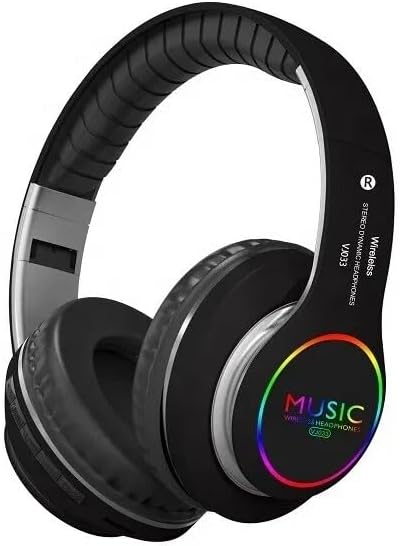
An overall view of the Generic Wireless Bluetooth Headphones, Model VJ033, in black. The headphones feature an over-ear design with cushioned earcups and an adjustable headband. The earcups display a colorful LED illumination with "MUSIC WIRELESS HEADPHONES VJ033" text.

Close-up view of the comfortable, cushioned ear-pads, designed for extended wear. The image highlights the soft material and ergonomic shape of the earcups, labeled 'R' and 'L' for right and left ear placement.

The headphones shown in their folded, collapsible state, emphasizing their lightweight and portable design. This feature allows for easy storage and transport, making them ideal for travel.
The VJ033 headphones are equipped with intuitive controls located on the earcups for easy access to functions like power, volume, track control, and call management. The adjustable headband and soft ear-pads ensure a comfortable fit for various head sizes.
Setup
1. Charging the Headphones
Before first use, fully charge your headphones. A full charge takes approximately 2 hours.
- Connect the small end of the USB charging cable to the charging port on the headphone earcup.
- Connect the larger end of the USB charging cable to a USB power adapter (not included) or a computer's USB port.
- The LED indicator light will show the charging status (e.g., red for charging, off or blue for fully charged).
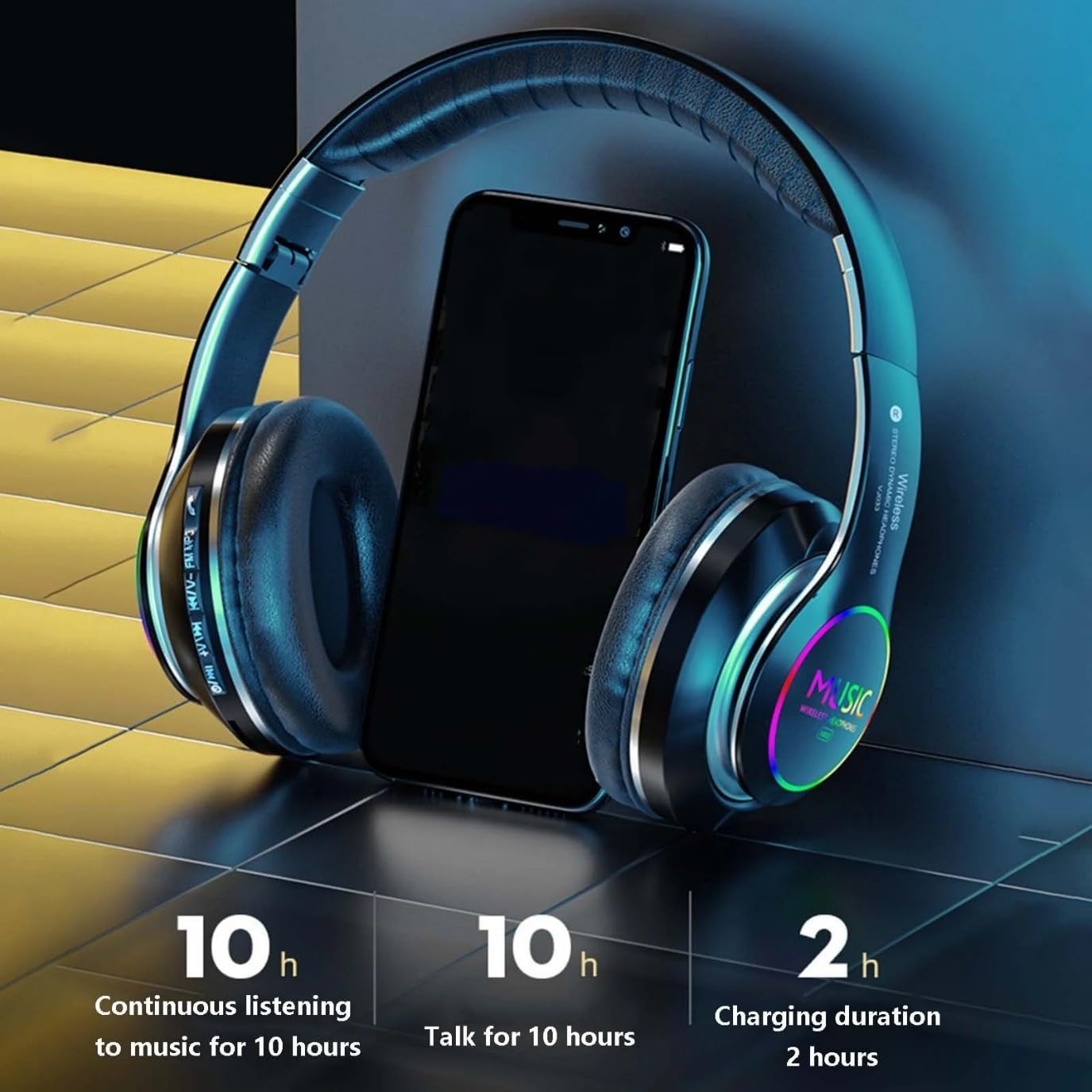
An illustration demonstrating the battery performance of the headphones: 10 hours of continuous music listening, 10 hours of talk time, and a 2-hour charging duration.
2. Bluetooth Pairing
To connect your headphones to a Bluetooth-enabled device:
- Ensure the headphones are fully charged and turned off.
- Press and hold the Power button on the headphones until the LED indicator light flashes blue and red alternately, indicating pairing mode.
- On your device (smartphone, tablet, computer), enable Bluetooth and search for available devices.
- Select "VJ033" or "Led Music Wireless" from the list of found devices.
- Once successfully paired, the LED indicator light on the headphones will turn solid blue or flash slowly.
- If prompted for a password, enter "0000".

An image highlighting the wireless connectivity features, showing a 10-meter (33 feet) transmission distance and compatibility with 99% of Bluetooth devices. The image also references a "5.3 wireless" chip, though the product specifications state Bluetooth 5.0.
Operating Instructions
Power On/Off
- Power On: Press and hold the Power button for approximately 3 seconds until the LED indicator lights up.
- Power Off: Press and hold the Power button for approximately 3 seconds until the LED indicator turns off.
Music Playback
- Play/Pause: Press the Multi-function button (often the Power button or a dedicated Play/Pause button) once.
- Next Track: Press and hold the Volume Up (+) button or a dedicated Next Track button.
- Previous Track: Press and hold the Volume Down (-) button or a dedicated Previous Track button.
- Volume Up: Short press the Volume Up (+) button.
- Volume Down: Short press the Volume Down (-) button.

An exploded view illustrating the internal 50mm large speaker driver, designed to produce clear and recognizable sound with deep bass response.
Call Management
- Answer/End Call: Press the Multi-function button once.
- Reject Call: Press and hold the Multi-function button for approximately 2 seconds.
- Redial Last Number: Double-press the Multi-function button.
LED Illumination Control
The headphones feature striking LED light effects. The operation of these lights may vary:
- The LED lights typically activate automatically when the headphones are powered on.
- Some models may have a dedicated button to toggle the LED lights on/off or change modes. Refer to the specific button layout on your headphones.
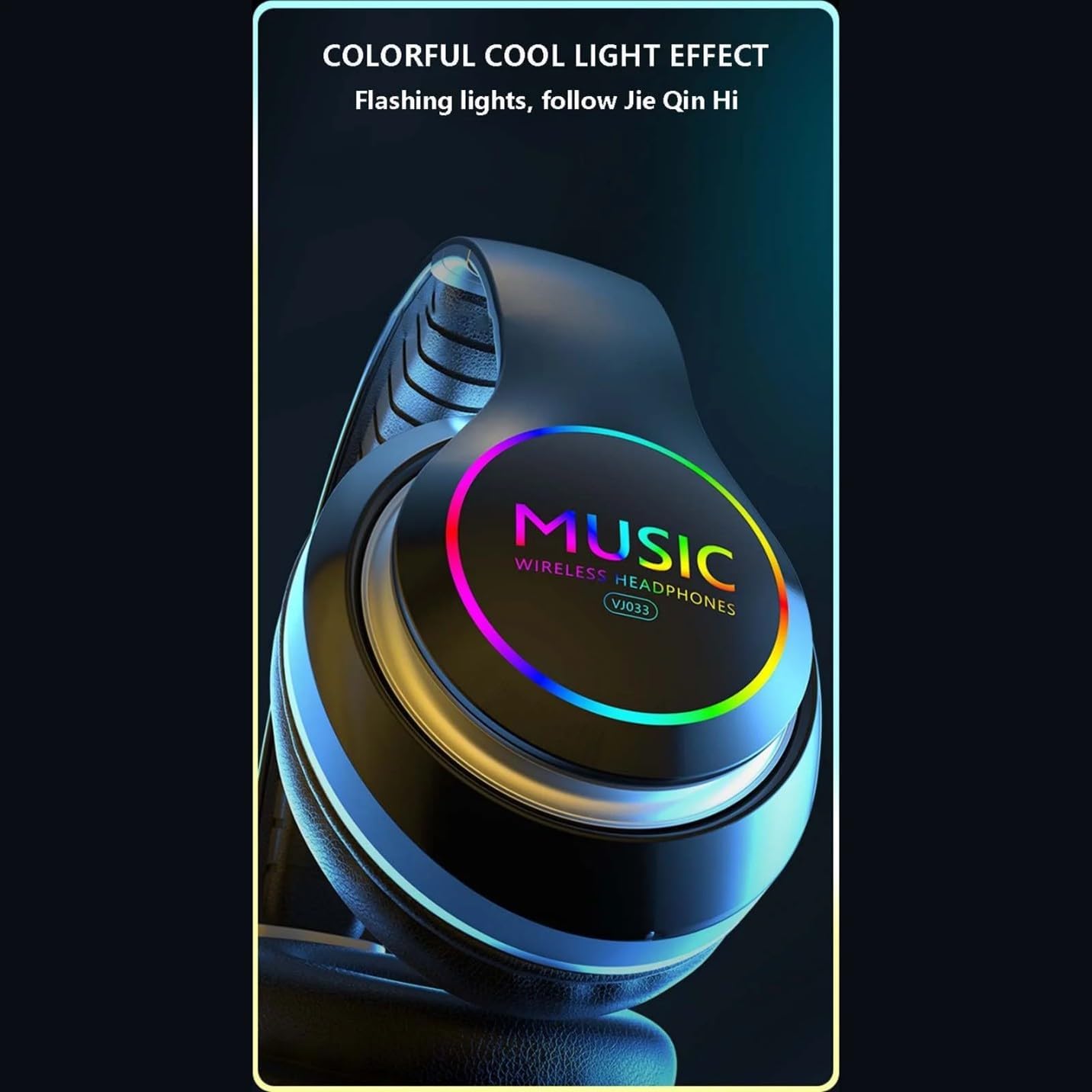
A close-up of the earcup showcasing the colorful, cool LED light effect, which flashes and follows the rhythm of the music, adding a stylish aesthetic.
Maintenance
- Cleaning: Use a soft, dry cloth to clean the headphones. Do not use abrasive cleaners or solvents.
- Storage: When not in use, store the headphones in a cool, dry place, away from direct sunlight and extreme temperatures. The foldable design allows for compact storage.
- Battery Care: To prolong battery life, avoid fully discharging the headphones frequently. Charge them regularly, even if not used for extended periods.
Troubleshooting
| Problem | Possible Cause | Solution |
|---|---|---|
| Headphones do not power on. | Low battery. | Charge the headphones fully. |
| Cannot pair with device. | Headphones not in pairing mode; Bluetooth off on device; device too far. | Ensure headphones are in pairing mode (flashing red/blue). Turn on Bluetooth on your device. Move headphones closer to the device (within 33 feet). |
| No sound or low volume. | Volume too low on headphones or device; not properly connected. | Increase volume on both headphones and device. Re-pair the headphones. |
| Sound cutting in/out. | Too far from device; interference; low battery. | Move closer to the device. Avoid obstacles. Charge headphones. |
Specifications
| Model Name | Led Music Wireless |
| Model Number | VJ033 |
| Connectivity Technology | Bluetooth 5.0, Wireless |
| Wireless Communication Technology | Bluetooth |
| Bluetooth Range | 33 Feet (10 meters) |
| Battery Life (Music/Talk) | Up to 10 hours |
| Charging Time | Approximately 2 hours |
| Noise Control | Passive Noise Cancellation |
| Sensitivity | 99 dB |
| Impedance | 32 Ohm |
| Headphones Jack | 3.5 Millimeter (for wired connection, if supported, though not explicitly listed as included) |
| Ear Placement | Over Ear |
| Material | Leather, Metal, Plastic (earpads: Synthetic Leather) |
| Included Components | Headphones, USB Charging Cable |
| Manufacturer | Shenzhen Anyinghui Technology Co., LTD |
Warranty and Support
These headphones come with a standard manufacturer's warranty. Please refer to the warranty card included in your package for specific terms and conditions. For technical support or warranty claims, please contact your retailer or the manufacturer directly using the contact information provided with your purchase.
For further assistance, you may also visit the product support page on the retailer's website where you purchased the item.