
Introduction
The Vodyfu Otag Android Tracker Tags are designed to help you locate your valuable items quickly and efficiently. These tags leverage Google's Find Hub network, offering global cloud positioning, a loud alert sound, and a long-lasting battery. This manual provides essential information for setting up, operating, and maintaining your Otag devices.

Figure 1: Vodyfu Otag Android Tracker Tags (4-Pack) and included accessories.
What's in the Box
- 4 x Vodyfu Otag Android Tracker Tags (with built-in CR2032 battery)
- 2 x Spare CR2032 Batteries
- 2 x Triangle Opening Tools
- 4 x Lanyards
- 1 x User Manual

Figure 2: Detailed view of the package contents.
Setup Guide
The Vodyfu Otag is designed for easy setup with Android devices running Android 9 and above. No additional app download is required as it integrates with Google's native Find Hub (formerly Find My Device) app.
- Power On: Each Otag comes with a built-in battery. To activate, press and hold the small button located on the side of the tag until you hear a beep.
- Open Google Find Hub: On your Android device (Android 9 or later), open the "Find Hub" app. If you don't have it, ensure your Google Play Services are updated.
- Pairing: The app should automatically detect nearby Otag devices. A prompt will appear on your screen to connect. Tap "Connect".
- Agree to Terms: Review and agree to the terms and conditions for using the Find Hub network.
- Open App: After successfully adding the device, tap "Open app" to view your Otag within the Find Hub interface.

Figure 3: Visual guide for initial setup and pairing with Google Find Hub.
Operating Your Otag
Once your Otag is paired, you can utilize various features through the Google Find Hub app to locate your items.
Locating Items:
- Play Sound: If your item is nearby, select the Otag in the Find Hub app and tap "Play Sound". The tag will emit a loud alert sound (up to 85dB) to help you pinpoint its exact location.
- Find Nearby (UWB Technology): For more precise close-range finding within Bluetooth range, the app can visualize the distance to your Otag using UWB technology. This helps you narrow down the search area.
- Global Cloud Positioning: The Otag leverages Google's vast Find Hub network, allowing you to locate your items globally. Even if your Otag is out of your device's Bluetooth range, its location can be updated by other Android devices in the network.
- Data Encryption: All location information transmitted through Google's technology is encrypted to ensure your privacy and security.

Figure 4: Visualizing distance to your Otag using UWB technology.
Additional Features:
- Lost Mode: If an Otag is lost, activate "Lost Mode" in the Find Hub app. This will lock the tag, and anyone who finds it can view your contact information via NFC by tapping their phone to the Otag.
- Shareable Location: You can share the location of your Otag with friends and family through the Find Hub app, allowing multiple trusted individuals to track the same item.
- Versatile Use: Otag devices are ideal for tracking a wide range of everyday items, including wallets, luggage, backpacks, keys, and even pets.
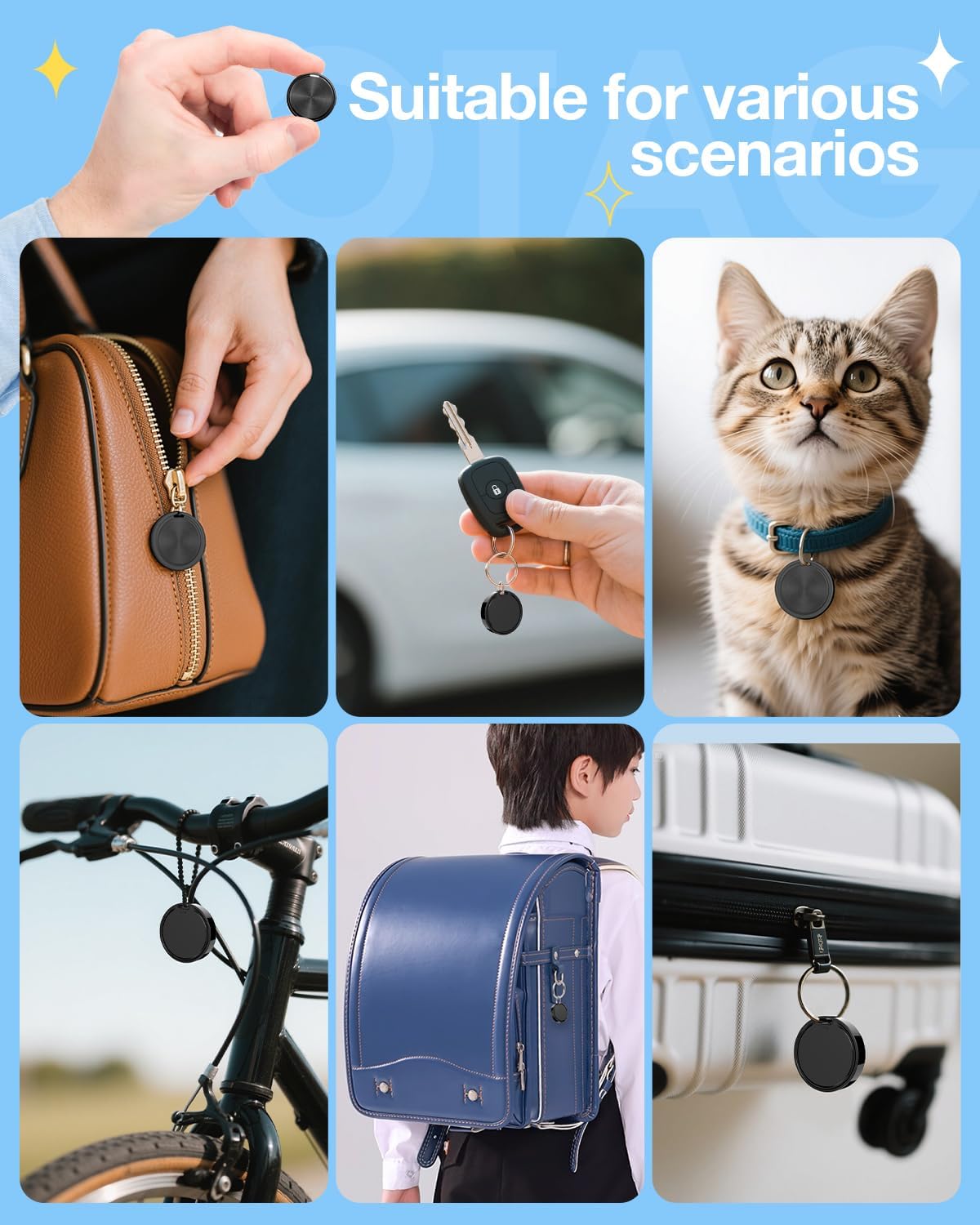
Figure 5: Otag in various usage scenarios.
Maintenance
Battery Replacement:
Each Otag is powered by a CR2032 coin cell battery, offering an impressive battery life of up to 2 years. When the battery needs replacement, follow these steps:
- Locate the small groove on the side of the Otag.
- Use one of the provided triangle opening tools (or a similar thin, non-metallic tool) to gently pry open the Otag casing.
- Carefully remove the old CR2032 battery.
- Insert a new CR2032 battery, ensuring the positive (+) side is facing up.
- Align the two halves of the Otag casing and press firmly until it clicks securely into place.
Water Resistance:
The Otag features an IP65 waterproof rating, providing protection against rainwater and splashes. While it can withstand light exposure to water, it is not designed for submersion. Ensure the casing is properly sealed after battery replacement to maintain water resistance.
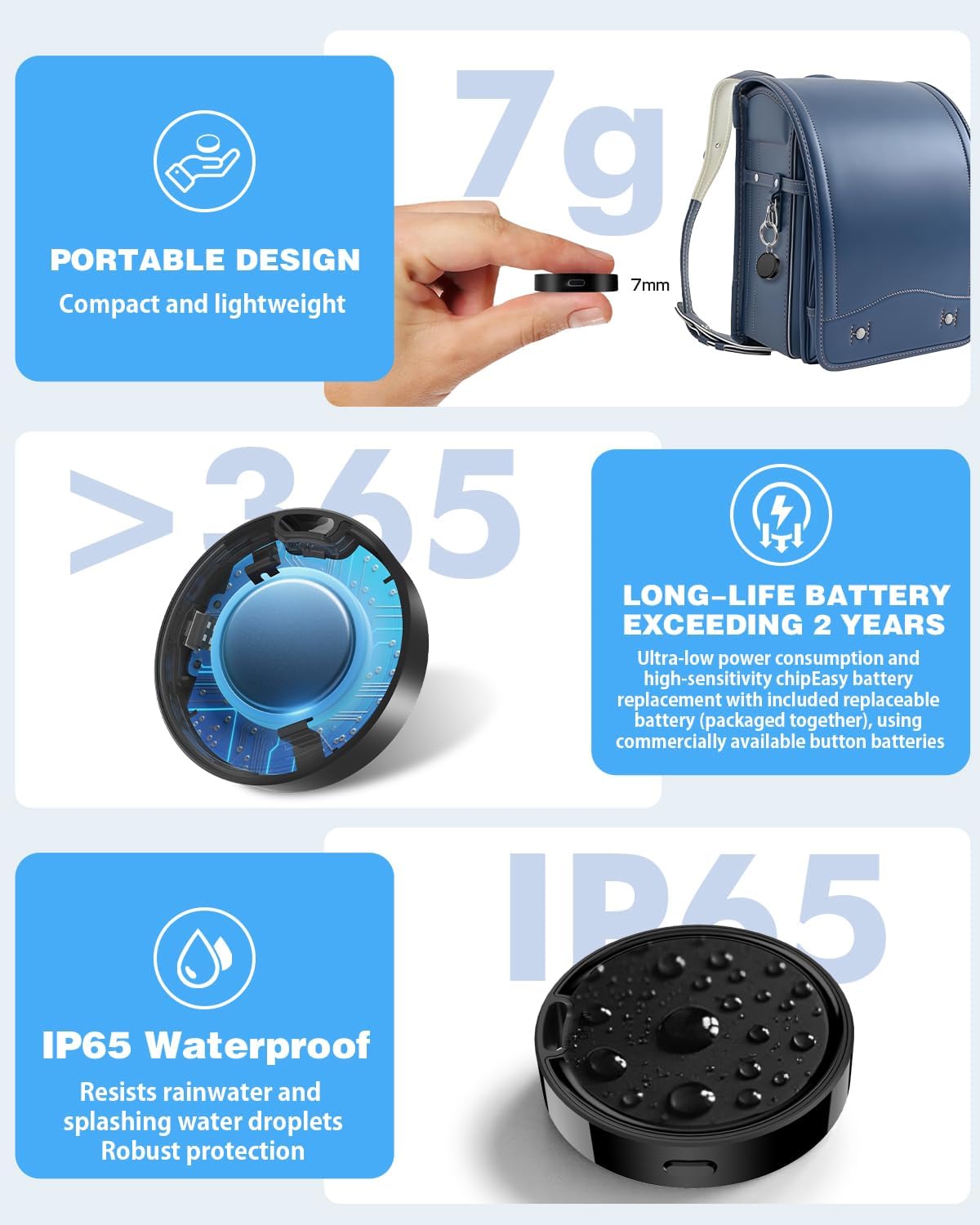
Figure 6: Otag features: compact design, long battery life, and IP65 waterproof rating.
Troubleshooting
- Device Not Connecting:
- Ensure Bluetooth is enabled on your Android device.
- Verify your Android device is running Android 9 or a newer version.
- Make sure the Otag is powered on (press the side button to check for a beep).
- Try restarting your Android device and the Otag.
- If the issue persists, try re-pairing the Otag through the Find Hub app.
- No Sound Alert:
- Check the volume settings on your Android device.
- Ensure the Otag's battery is not critically low.
- Confirm the Otag is within Bluetooth range of your device or another device in the Find Hub network.
- Inaccurate Location:
- Location accuracy can vary based on environmental factors and network density.
- Ensure your device's location services are enabled and permissions are granted to the Find Hub app.
- For precise close-range finding, ensure you are within UWB/Bluetooth range.
Specifications
| Brand: | Vodyfu |
| Model: | Otag |
| Item Weight: | 0.282 ounces |
| Package Dimensions: | 5.63 x 3.62 x 0.08 inches |
| Batteries: | 1 CR2032 batteries required (included), 2 spare CR2032 batteries included |
| Battery Life: | Up to 2 years |
| Waterproof Rating: | IP65 |
| Connectivity Technology: | Bluetooth |
| Supported Application: | Google's Find Hub |
| Compatibility: | Android 9 and above (Not compatible with Apple or Huawei devices) |
| Special Features: | Geo-Fence, Real Time Tracking, Loud Alert Sound (85dB), Data Encryption, Visualize Distance (UWB) |
Warranty and Support
The Vodyfu Otag comes with a 36-month warranty. To activate your warranty and for further support, please refer to the QR code provided on the warranty card included in your package. This QR code will direct you to the official warranty activation page or support resources.
For any technical assistance or inquiries not covered in this manual, please visit the Vodyfu official website or contact their customer support directly.