
1. Introduction
The stenrital LN79 is a compact 4K mini security camera designed for discreet monitoring. It features an ultra-thin body, a protruding lens for flexible positioning, and supports both WiFi and offline recording. With an 8-hour battery life, 4K HD night vision, and smart motion detection, it is suitable for monitoring various indoor environments, including use as a nanny cam, pet monitor, or for general home security. The camera offers free cloud storage and supports Micro SD card recording.
2. Package Contents
Verify that all the following items are included in your package:
- Mini camera
- Charging Cable
- Stand
- Mounting kit
- User manual

Image: The camera, charging cable, stand, mounting kit, and user manual, illustrating the complete package contents.
3. Product Overview
The LN79 camera features a minimalist design with essential components for operation.

Image: Front and side view of the stenrital LN79 mini camera, highlighting its compact design and protruding lens.

Image: Comparison of the camera's compact dimensions (1.6" x 2.5") next to iPhone models, illustrating its small footprint.

Image: The camera discreetly placed between books on a shelf, demonstrating its ultra-thin body and ease of concealment.

Image: An illustration showing the camera and a battery icon, emphasizing its 3000mAh battery capacity for extended recording.
4. Setup Instructions
4.1 Initial Charge
Before first use, fully charge the camera using the provided charging cable. Connect the cable to the DC-5V port on the camera and a standard USB power adapter. A full charge typically takes approximately 6 hours.
4.2 Micro SD Card Installation
The camera supports Micro SD cards from 16GB to 128GB (not included). Insert the Micro SD card into the TF slot on the camera until it clicks into place. Ensure the camera is powered off before inserting or removing the SD card.
4.3 App Download and WiFi Connection
- Download the dedicated mobile application (refer to the user manual for the specific app name and QR code) from your smartphone's app store.
- Follow the in-app video guided tutorials for a quick 1-minute WiFi setup. This will connect your camera to your home or office WiFi network for remote viewing and alerts.
4.4 Cloud Storage Activation
New users can enjoy free cloud access. Refer to the user manual for detailed instructions on how to activate your free cloud storage.
5. Operating Instructions
5.1 Recording Modes (WiFi/Offline)
- WiFi Mode: When connected to WiFi, the camera allows real-time viewing, motion detection alerts, and cloud storage uploads via the mobile app.
- Offline Mode: The camera can record continuously to a Micro SD card even without a WiFi connection. This is suitable for outdoor use, vehicles, or areas without network coverage.
Note: The camera records video only; it does not capture audio.
5.2 4K HD Video and Night Vision
The camera features a 4K HD sensor for clear video capture. Built-in infrared night vision enables recording in low light or complete darkness.

Image: A split image showing a child sleeping, with one side in color (day vision) and the other in grayscale (night vision), demonstrating the camera's 4K HD night vision capability.
5.3 Motion Detection
When connected to WiFi, the camera's high-sensitivity motion detection system sends real-time alerts to your phone upon detecting movement. You can enable human detection mode in the app to reduce false alarms by only triggering notifications for human activity.
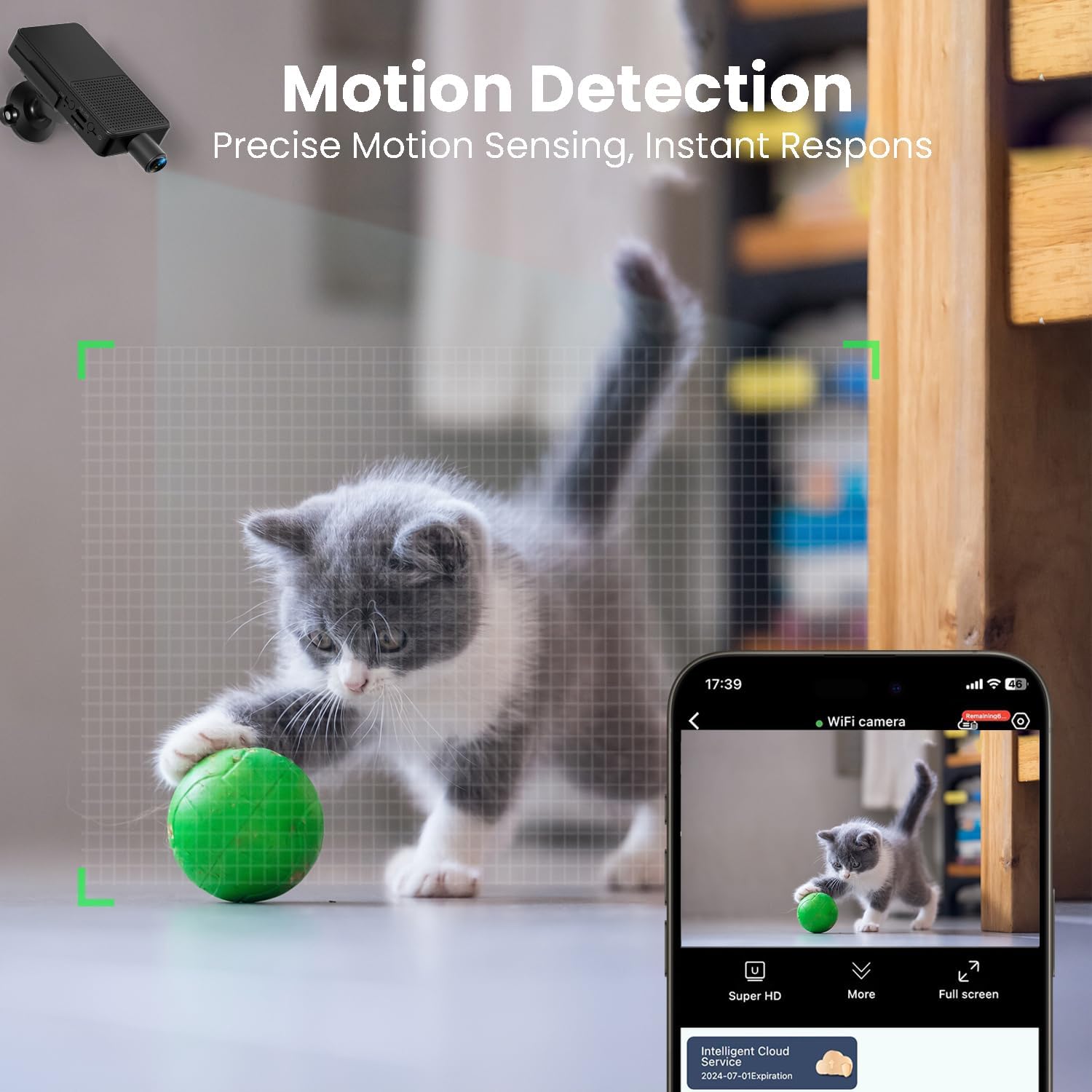
Image: A kitten playing with a ball, with a grid overlay indicating the motion detection zone, and a smartphone screen displaying a motion detection alert.
5.4 Real-Time Viewing and Sharing
Access live camera feeds from anywhere via the mobile app. The app also allows for sharing access with family members, enabling multiple users to monitor simultaneously.

Image: A smartphone displaying live camera feed of a baby, with circular icons showing different family members viewing the feed, illustrating real-time monitoring and sharing.
6. Storage Management
6.1 Micro SD Card Storage
The camera supports local storage via a Micro SD card (16GB-128GB). This allows for continuous loop recording without requiring a network connection. Ensure the SD card is formatted correctly through the camera settings or app if issues arise.
6.2 Free Cloud Storage
The camera offers free cloud storage for recorded footage, providing a secure backup and eliminating concerns about local storage space. Activate this feature through the mobile application as per the user manual.

Image: An image of the camera with a Micro SD card inserted, alongside cloud icons depicting various scenes being stored, highlighting both local and cloud storage options.
7. Maintenance
- Cleaning: Use a soft, dry cloth to clean the camera lens and body. Avoid using liquid cleaners or abrasive materials.
- Battery Care: To prolong battery life, avoid exposing the camera to extreme temperatures. Recharge the battery regularly, even if the camera is not in frequent use.
- Firmware Updates: Check the mobile application periodically for any available firmware updates to ensure optimal performance and security.
8. Troubleshooting
| Issue | Possible Cause | Solution |
|---|---|---|
| No audio in recordings or live feed | The LN79 camera is designed for video recording only and does not support audio capture. | This is expected behavior. The camera does not have audio recording capabilities. |
| Motion detection is too sensitive, leading to false alarms | Motion detection sensitivity is set too high, or human detection mode is not enabled. | Adjust the motion detection sensitivity settings within the mobile app. Enable the human detection mode to filter out non-human movements. |
| Cannot connect to WiFi | Incorrect WiFi password, camera too far from router, or router settings interference. | Ensure the WiFi password is correct. Move the camera closer to the router. Check router settings for any restrictions or firewalls. Restart both the camera and router. |
| Battery life is shorter than expected | Continuous recording, frequent motion detection triggers, or extreme temperatures. | Ensure the camera is fully charged. Reduce continuous recording time if possible. Optimize motion detection settings. Operate the camera within recommended temperature ranges. |
| Micro SD card not recognized | Card not inserted correctly, card is faulty, or needs formatting. | Reinsert the SD card. Try a different compatible SD card. Format the SD card using the camera's app or a computer. |
9. Specifications
| Feature | Detail |
|---|---|
| Model Name | LN79 |
| Indoor/Outdoor Usage | Indoor (Not waterproof) |
| Video Capture Resolution | 4K |
| Connectivity Technology | Wireless (Wi-Fi, Bluetooth) |
| Power Source | Battery Powered (3000mAh, 8-hour continuous recording) |
| Storage Options | Micro SD Card (16-128GB, not included), Free Cloud Storage |
| Special Features | HD Resolution, Motion Sensor, Night Vision, Portable, FREE Cloud |
| Compatible Devices | Smartphone (Android controller type) |
| Material | Acrylonitrile Butadiene Styrene (ABS) |
| Product Dimensions | 3.7 x 1.6 x 0.5 inches |
| Item Weight | 5.3 ounces |
| Batteries | 1 AA batteries required (included) |
10. Warranty and Support
The stenrital LN79 camera comes with a warranty and professional after-sales service to ensure a satisfactory user experience. Additionally, new users can benefit from a 1-year free cloud access.
For any questions, technical assistance, or warranty claims, please refer to the contact information provided in your physical user manual or scan the QR code for fast one-on-one customer support, as indicated in the product packaging or app.
Image: An illustration depicting 24/7 support and a QR code for customer assistance, alongside the package contents.