
Netzu 6208D
Netzu Digital Alarm Clock User Manual
Model: 6208D
Brand: Netzu
Introduction
Thank you for choosing the Netzu Digital Alarm Clock. This clock features a vibrant RGB display, dual alarms, adjustable brightness, and a loud alarm option, designed to provide a reliable and customizable timekeeping experience. This manual will guide you through the setup, operation, and maintenance of your new alarm clock.

Image: Front view of the Netzu Digital Alarm Clock displaying the time in vibrant RGB colors.
Safety Information
- Do not expose the device to extreme temperatures, direct sunlight, or high humidity.
- Keep the device away from water or other liquids.
- Do not attempt to disassemble or repair the device yourself. Refer all servicing to qualified personnel.
- Use only the provided power adapter and cable.
- Ensure proper ventilation around the clock.
Package Contents
Please check the package for the following items:
- Netzu Digital Alarm Clock x 1
- Power Adapter x 1
- Power Cable x 1
- User Manual x 1

Image: Illustration showing the alarm clock, power cable, adapter, and manual, indicating items included in the package.
Product Overview
Familiarize yourself with the main components and controls of your Netzu Digital Alarm Clock.

Image: Visual representation highlighting key features such as loud sound, 4-level brightness, dual alarm clocks, 12/24h time format, snooze function, and battery memory.
Controls and Buttons:
- SNOOZE Button: Located on top, used to activate snooze or turn off display.
- TIME SET Button: On the side, used to enter time setting mode.
- ALARM 1/2 Buttons: On the side, used to set Alarm 1 and Alarm 2.
- +/- Buttons: On the side, used to adjust values (time, brightness, volume).
- RGB Button: On the side, used to cycle through RGB color modes.
Setup
1. Power Connection:
Connect the provided power adapter to the DC input port on the back of the alarm clock, then plug the adapter into a standard wall outlet. The display will light up.

Image: The alarm clock connected to a wall outlet via its power adapter and cable, illustrating the plug-in functionality.
2. Battery Backup Installation (Optional but Recommended):
For memory function during power outages, install 2 x AAA batteries (not included) into the battery compartment on the bottom of the clock. This ensures that time and alarm settings are retained even if the main power is disconnected. The display will not be lit during battery backup mode, but the internal clock and alarm settings will remain active.

Image: Depiction of the alarm clock with two AAA batteries, explaining how battery backup maintains time and alarm settings during power failures.
Operating Instructions
1. Setting the Time:
- Press and hold the TIME SET button until the hour digits flash.
- Use the +/- buttons to adjust the hour.
- Press TIME SET again to confirm the hour and move to minute setting. The minute digits will flash.
- Use the +/- buttons to adjust the minute.
- Press TIME SET again to save the time and exit time setting mode.
12H/24H Time Format:
While in time setting mode (hour or minute flashing), press the TIME SET button repeatedly to toggle between 12-hour (with AM/PM indicator) and 24-hour formats.
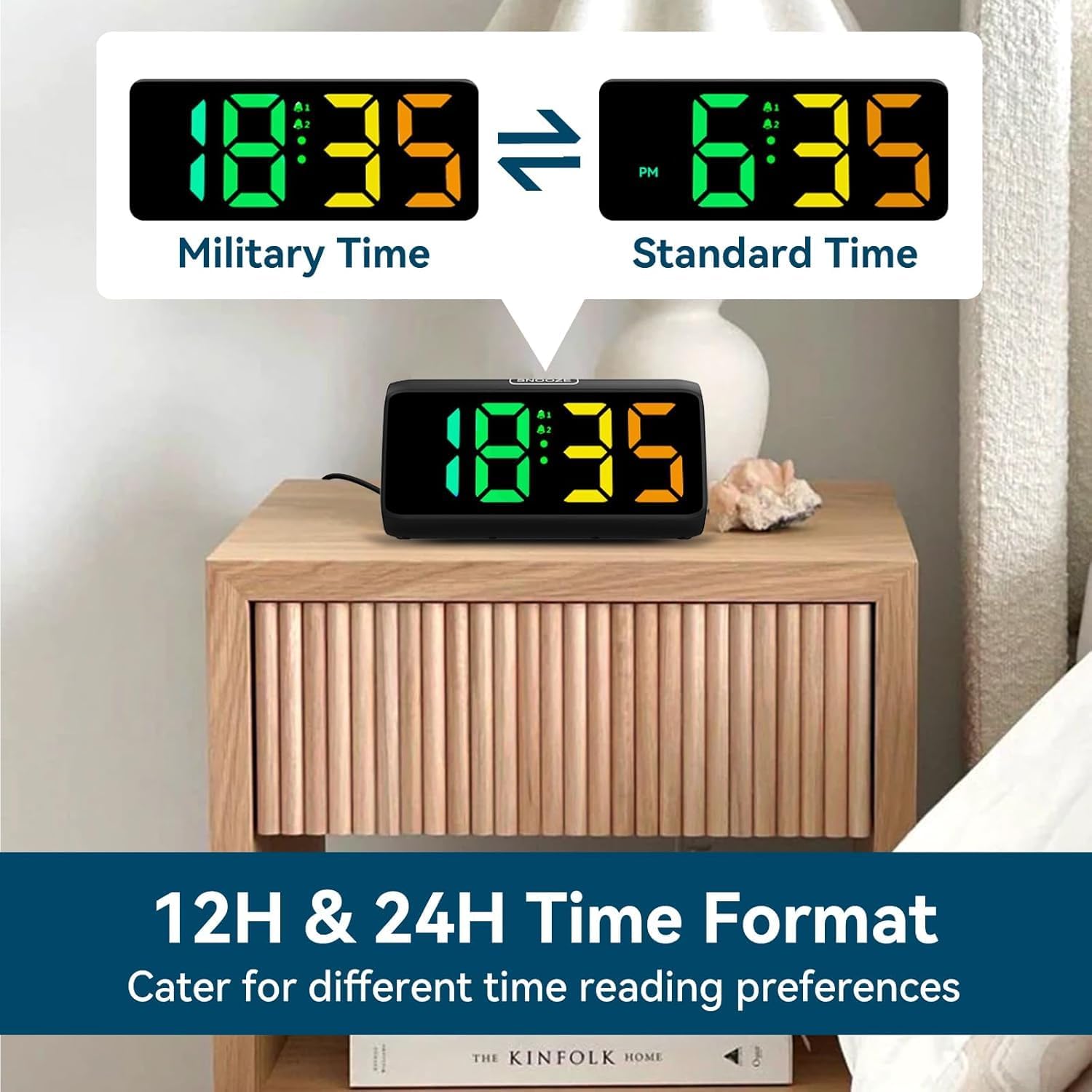
Image: Comparison of the alarm clock display showing time in 12-hour format (with AM/PM) and 24-hour (military) format.
2. Setting Alarms (Alarm 1 & Alarm 2):
The clock supports two independent alarms.
- Press and hold the ALARM 1 button (or ALARM 2 button) until the alarm hour digits flash.
- Use the +/- buttons to adjust the alarm hour.
- Press the ALARM 1 (or ALARM 2) button again to confirm the hour and move to minute setting. The minute digits will flash.
- Use the +/- buttons to adjust the alarm minute.
- Press the ALARM 1 (or ALARM 2) button again to save the alarm time.
- After setting the time, the alarm icon (bell 1 or bell 2) will appear on the display, indicating the alarm is active.
- To turn an alarm ON/OFF, short press the corresponding ALARM 1 or ALARM 2 button. The bell icon will appear/disappear.
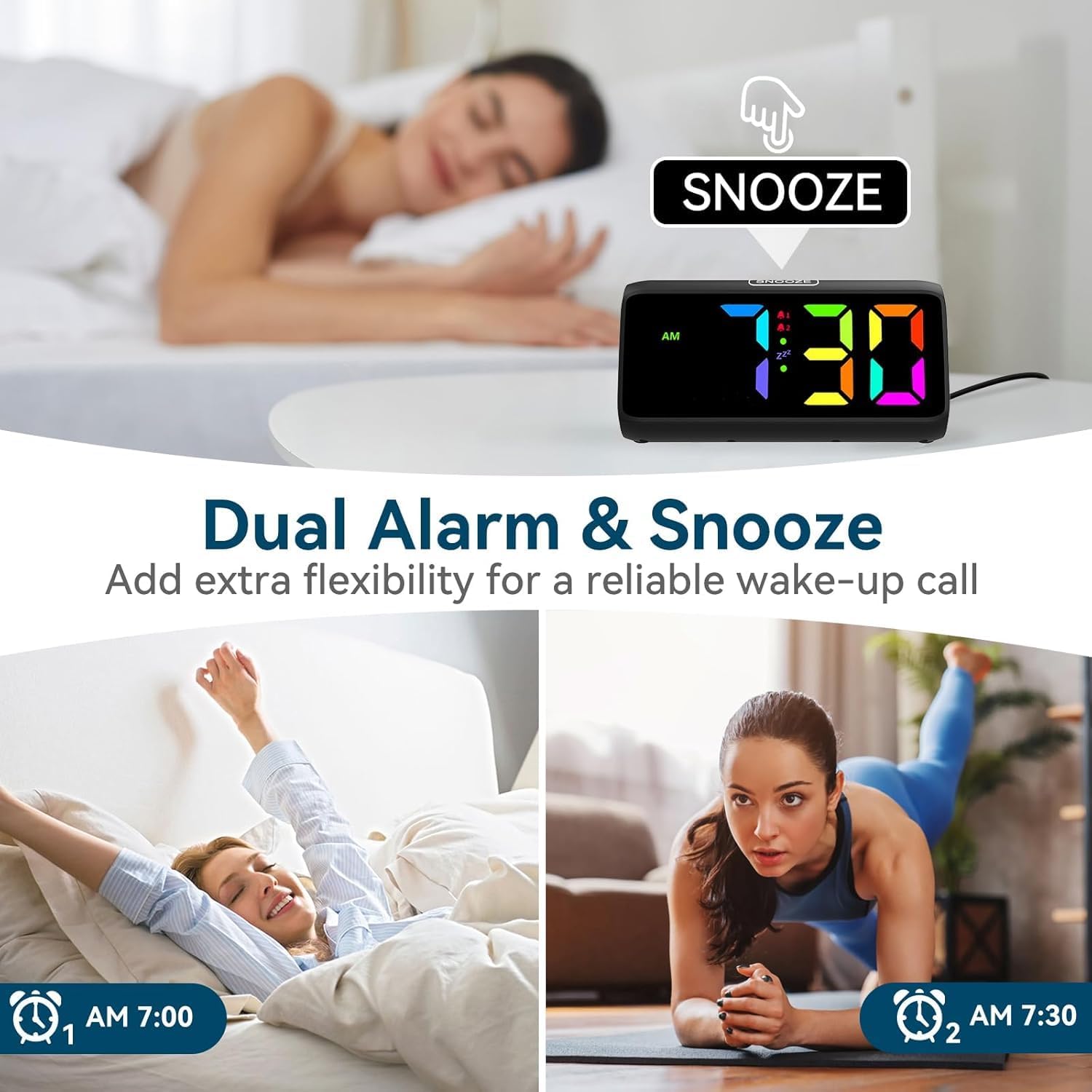
Image: Visual demonstrating the dual alarm functionality, showing two different alarm times and the snooze button.
3. Adjusting Alarm Volume:
When an alarm is sounding, press the +/- buttons to cycle through the 4 available volume levels. The clock can reach up to 115 decibels.

Image: Graphic illustrating the alarm clock's sound output, showing volume levels from 85dB to 115dB.
4. Snooze Function:
When the alarm sounds, tap the large SNOOZE button on top of the clock to activate the snooze function. The alarm will pause for 9 minutes and then sound again. The 'Zz' icon will appear on the display.
To turn off the alarm completely, press any other button (e.g., ALARM 1/2, TIME SET) or let the alarm sound for its full duration (typically 60 minutes) without snoozing.

Image: A person reaching for the snooze button on the alarm clock, demonstrating the ease of activating the 9-minute snooze.
5. Adjusting Display Brightness:
Short press the SNOOZE button to cycle through 5 brightness levels (Lv.4, Lv.3, Lv.2, Lv.1, OFF). Choose the level that suits your preference, including turning the display completely off.

Image: Visual comparison of the alarm clock display at different brightness levels (Lv.4 to OFF), showing how the screen can be adjusted from bright to completely dark.
6. Changing RGB Colors/Modes:
Press the RGB button to cycle through the 8 available RGB color modes. These include various solid colors and a dynamic color-changing mode, allowing for personalized visual effects.

Image: A grid displaying 8 different RGB color options for the alarm clock's screen, showcasing the customizable visual experience.
Maintenance
- Cleaning: Use a soft, dry cloth to wipe the surface of the clock. Do not use abrasive cleaners or solvents.
- Storage: If storing the clock for an extended period, remove the AAA batteries to prevent leakage.
- Environment: Keep the clock in a clean, dry environment, away from dust and moisture.
Troubleshooting
| Problem | Possible Cause | Solution |
|---|---|---|
| Clock display is off. | No power connection or display is set to OFF. | Ensure the power adapter is securely plugged in. Press the SNOOZE button to cycle through brightness levels and turn the display ON. |
| Alarm does not sound. | Alarm is not set or is turned off. Volume is too low. | Check if the alarm icon is displayed. If not, set the alarm. Increase the alarm volume when it is sounding. |
| Time/settings reset after power outage. | No AAA batteries installed for backup. | Install 2 x AAA batteries (not included) for memory retention during power interruptions. |
| Buttons are unresponsive. | Temporary software glitch. | Unplug the power adapter, remove backup batteries (if installed), wait 30 seconds, then reconnect power. |
Specifications
- Brand: Netzu
- Model Number: 6208D
- Colour: Black
- Product Dimensions: 15.8 x 3.81 x 7.2 cm
- Item Weight: 280 g
- Material: Plastic
- Display Type: Digital
- Special Features: Adjustable Brightness, Adjustable Volume, Alarm, Loud Alarm, Snooze, RGB Display
- Power Source: Plug-in (AC adapter included)
- Backup Power: 2 x AAA Batteries (not included) for memory function
Warranty and Support
For warranty information or technical support, please refer to the contact details provided on the product packaging or visit the official Netzu website. Keep your purchase receipt for warranty claims.
For further assistance, you may also contact the seller directly through the platform where the product was purchased.
Related documents6208D

Ask a question about this manual
Ask about setup, troubleshooting, compatibility, parts, safety, or missing instructions. Manuals+ will review the question and use this page’s manual context to help answer it.