
Introduction
The VAUNO Digital Mirror Alarm Clock EN8835 is designed for accurate timekeeping and versatile use in various settings such as bedrooms, offices, and classrooms. It features a stable LED display, adjustable brightness, and a compact size for portability and aesthetic integration into any space.
This manual provides detailed instructions for setting up and operating your alarm clock, ensuring you can utilize all its features effectively.
Product Overview
Familiarize yourself with the components and display features of your VAUNO Digital Mirror Alarm Clock.

Figure 1: Top, Front, and Back View of the VAUNO Digital Alarm Clock with labeled controls and features.
Controls and Display:
- SNOOZE/LIGHT Button: Activates snooze function during an alarm, adjusts display brightness.
- M (Mode) Button: Enters setting modes for time, alarm, and night mode.
- + Button: Increases values during setting, adjusts brightness.
- - Button: Decreases values during setting, adjusts brightness.
- AL (Alarm) Button: Selects and confirms alarm settings, turns alarms on/off.
- Time Display: Shows current time in 12-hour (AM/PM) or 24-hour format.
- Alarm Indicators: Icons for Alarm 1 and Alarm 2.
- Memory Battery Compartment: Holds AAA batteries for settings backup.
- Supply Hub: For DC 5V power cable connection.
- Loudspeaker Box: Alarm sound output.
Setup and Power Supply
The VAUNO Digital Mirror Alarm Clock offers two power supply modes: DC power via USB cable and 3x AAA batteries (not included) for backup. For continuous display and optimal performance, it is highly recommended to use both power sources simultaneously.

Figure 2: Power supply options for the alarm clock.
Initial Power On:
- Connect the provided 1-meter/40-inch power cord into the DC 5V jack on the back of the clock.
- Plug the other end of the power cable into a USB power adapter (not included) and then into a wall socket.
- Open the battery compartment and insert three AAA batteries, ensuring correct polarity. These batteries will store time and alarm settings in case of a power outage.
- The LED display will turn on. If powered by batteries only, the display will automatically turn off after 10 seconds without operation to conserve power.
Operation
Setting the Time:
- In time display mode, press and hold the M (Mode) button for 3 seconds to enter the time setting mode. The hour digits will flash.
- Use the + or - buttons to adjust the hour.
- Press the M button once to move to minute setting. The minute digits will flash.
- Use the + or - buttons to adjust the minutes.
- Press the M button again to cycle through 12/24-hour format setting. Use + or - to select.
- Press the M button once more to exit time setting mode.
Setting the Alarm Time:
The clock supports two separate alarms.

Figure 3: Dual alarm function allows setting two distinct wake-up times.
- In time display mode, press the AL (Alarm) button once to select Alarm 1. The Alarm 1 icon will appear. Press again for Alarm 2.
- Press and hold the AL button for 3 seconds to enter alarm time setting mode. The hour digits for the selected alarm will flash.
- Use the + or - buttons to adjust the alarm hour.
- Press the AL button once to move to minute setting. The minute digits will flash.
- Use the + or - buttons to adjust the alarm minutes.
- Press the AL button once more to confirm the alarm time and exit setting mode.
- To turn an alarm on or off, press the AL button once in time display mode to select the alarm, then press AL again to toggle its status. The alarm icon will appear when active.
Snooze Function:
When an alarm sounds, press the SNOOZE/LIGHT button once to activate the snooze function. The alarm will temporarily silence and sound again after the preset snooze duration (typically 5-60 minutes, depending on model configuration). To stop the alarm completely for the day, press any other button except SNOOZE/LIGHT.
Night Mode Setting:
Night mode automatically dims the display during a preset period to avoid disturbing sleep. You can customize the start and end times for this mode.
- In time display mode, press the M (Mode) button once to enter night mode setting. The display will show "ON" or "OFF".
- Use the + or - buttons to toggle night mode ON or OFF.
- If night mode is ON, press and hold the M button for 3 seconds to enter the interval time setting mode. The start hour will flash.
- Use the + or - buttons to set the start hour.
- Press the M button once to set the start minute. Use + or - to adjust.
- Repeat for the end hour and end minute.
- Press the M button once more to exit night mode setting.
Brightness Control:
The LED display has 3 levels of brightness (Bright, Medium, Dim) to suit your preference and environment.
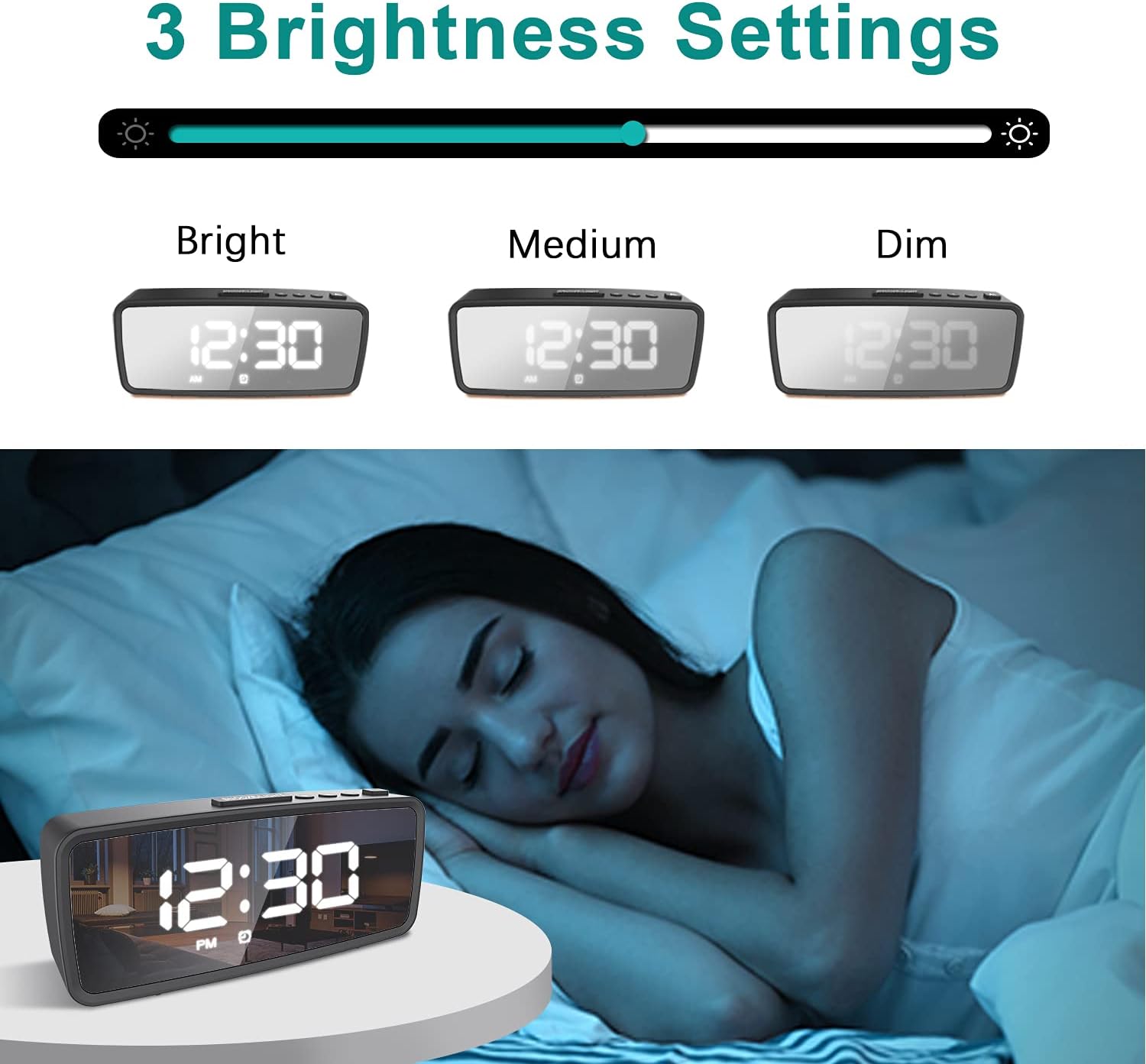
Figure 4: Adjustable brightness settings for optimal viewing.
In time display mode, press the SNOOZE/LIGHT button repeatedly to cycle through the brightness levels: Bright > Medium > Dim.
Additional Features
Mirror Display:
The clock features a reflective surface that can also function as a makeup mirror, adding practicality to its design.

Figure 5: The clock's display doubles as a functional mirror.
Product Video Guide
For a visual demonstration of the setup and operation, please refer to the official product video below.
Video 1: Official guide for the VAUNO Digital Mirror Alarm Clock EN8835, demonstrating power on, time setting, alarm setting, night mode, and brightness control.
Specifications
| Feature | Detail |
|---|---|
| Brand | VAUNO |
| Model Number | EN8835 |
| Color | Black |
| Display Type | Digital |
| Special Features | Adjustable Brightness, LED Display, Dual Alarm, Snooze, Mirror Function, Night Mode |
| Product Dimensions | 5.3"W x 2.4"H (5.9 X 1.5 X 2.5 Inches overall) |
| Power Source | Corded Electric (USB) and Battery (3 AAA batteries required, not included) |
| Material | Plastic |
| Item Weight | 2.89 ounces |
| Mounting Type | Tabletop |
Maintenance
To ensure the longevity and optimal performance of your VAUNO Digital Mirror Alarm Clock, follow these maintenance guidelines:
- Cleaning: Use a soft, dry cloth to wipe the display and exterior. Avoid abrasive cleaners or solvents that may damage the surface.
- Battery Replacement: Replace AAA batteries annually or when the clock's settings are no longer retained during power outages. Ensure correct polarity when inserting new batteries.
- Placement: Place the clock on a stable, flat surface away from direct sunlight, extreme temperatures, and high humidity.
- Power Connection: Ensure the USB power cable is securely connected to prevent intermittent power supply.
Troubleshooting
If you encounter any issues with your VAUNO Digital Mirror Alarm Clock, refer to the following common troubleshooting steps:
- Display is blank or flickering:
- Check if the USB power cable is securely connected and the power adapter is working.
- Ensure AAA batteries are correctly installed and not depleted.
- If running on batteries only, the display turns off after 10 seconds to save power. Press any button to reactivate.
- Alarm does not sound:
- Verify that the alarm is turned ON (alarm icon visible on display).
- Check if the alarm time is correctly set (AM/PM if in 12-hour format).
- Cannot set time/alarm:
- Ensure you are pressing and holding the correct button (M for time, AL for alarm) for 3 seconds to enter setting mode.
- Follow the steps precisely as outlined in the "Setting the Time" and "Setting the Alarm Time" sections.
- Display is too bright/dim:
- Press the SNOOZE/LIGHT button repeatedly to cycle through the 3 brightness levels.
- Check if Night Mode is active and adjust its settings if necessary.
If the issue persists after trying these steps, please contact customer support for further assistance.
Warranty and Support
Your VAUNO Digital Mirror Alarm Clock is covered by a standard manufacturer's warranty. Please refer to your purchase documentation for specific warranty terms and conditions.
For technical support, troubleshooting assistance, or warranty claims, please contact VAUNO customer service through the retailer where you purchased the product or visit the official VAUNO website for contact information.