Introduction
The Yealink SP96 is a high-performance Bluetooth speakerphone designed for professional conference calls and immersive audio experiences. Featuring advanced AI noise-canceling technology, a 6-microphone array for 360° voice pickup, and a powerful 65mm speaker, the SP96 ensures crystal-clear communication in various environments, from personal offices to large conference rooms. Its versatile connectivity options and long battery life make it an ideal solution for flexible work setups.
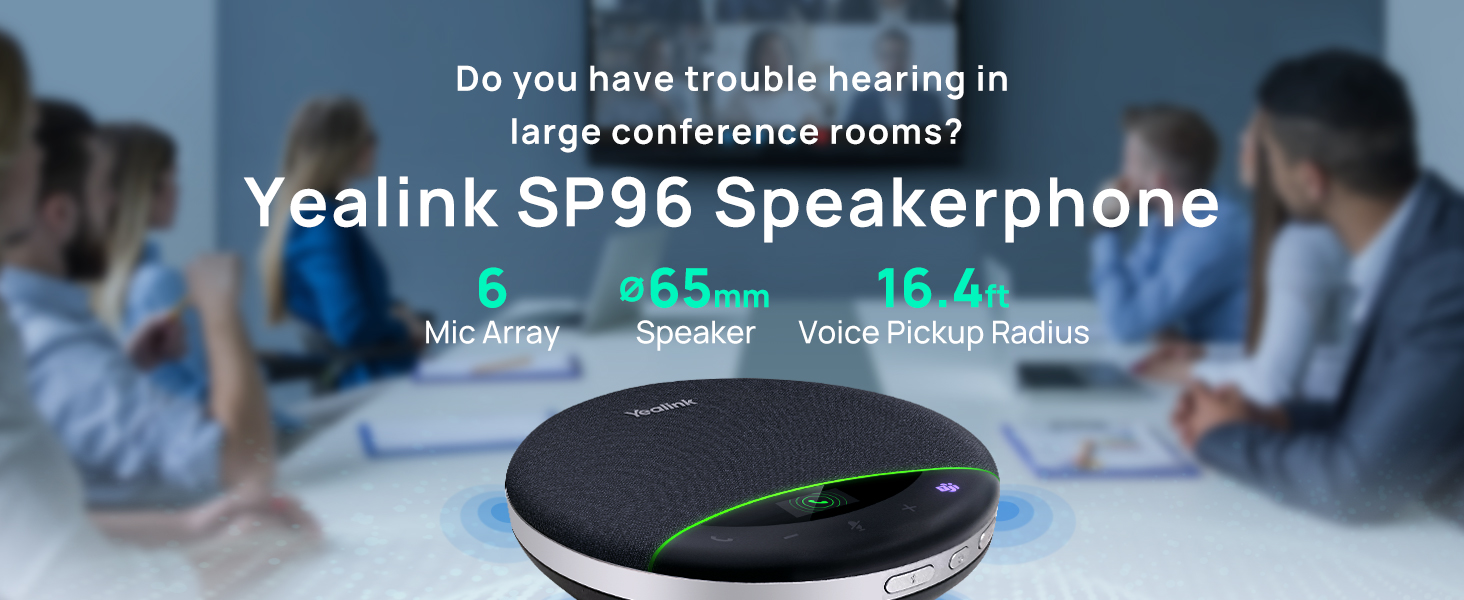
The Yealink SP96 Speakerphone is designed for clear audio in various meeting sizes, featuring a 6-mic array, 65mm speaker, and 16.4ft voice pickup radius.
What's in the Box
- SP96 Speakerphone
- Carrying Case
- USB C to C Cable
- Quick Start Guide
- USB C/A adapter

Illustration of the SP96 package contents, including the speakerphone, carrying case, USB-C to C cable, quick start guide, and USB C/A adapter.
Product Overview
The Yealink SP96 features a sleek, compact design with intuitive controls. The top surface is covered with a durable fabric, while the base houses the speaker and microphone array. An integrated LCD screen provides real-time status updates, and touch-sensitive buttons allow for easy call management, volume control, and mute functions.

The Yealink SP96 speakerphone, showcasing its compact and user-friendly design.
Setup
Charging the Device
Before first use, fully charge the SP96 speakerphone using the provided USB C to C cable and USB C/A adapter. Connect the USB-C end to the speakerphone's charging port and the other end to a power source (e.g., computer USB port or wall adapter).
Connecting to Your Device
The SP96 offers both USB and Bluetooth connectivity for flexible use.
USB Connection
For a direct wired connection, use the provided USB C to C cable. If your computer only has USB-A ports, use the included USB C/A adapter. Simply plug the cable into the speakerphone and your computer. The device will be recognized automatically.
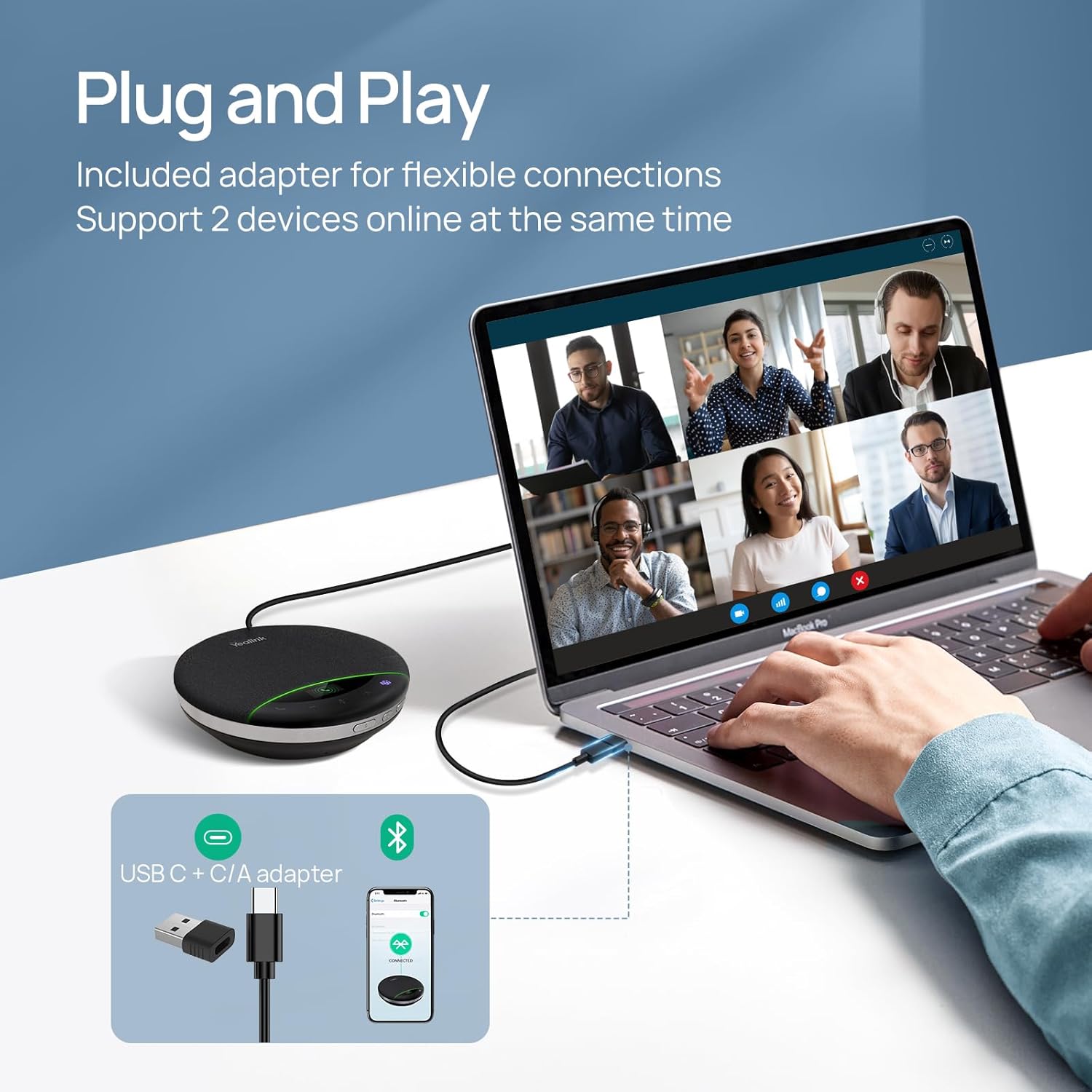
The SP96 offers plug-and-play connectivity via USB-C, with an included USB-A adapter for broader compatibility.
Bluetooth Connection
- Press and hold the Bluetooth button on the SP96 until the LED indicator flashes blue, indicating pairing mode.
- On your smartphone, laptop, or other Bluetooth-enabled device, go to Bluetooth settings.
- Select 'Yealink SP96' from the list of available devices to pair.
- Once connected, the LED indicator will turn solid blue.

The SP96 offers universal compatibility with various UC platforms and operating systems, connecting seamlessly via Bluetooth or USB.
Official product video demonstrating the features and connectivity options of the Yealink SP9X Series Speakerphone, including USB and Bluetooth connections.
Operating Instructions
Basic Controls
- Power On/Off: Press and hold the power button.
- Answer/End Call: Press the call button (green phone icon).
- Volume Up/Down: Use the '+' and '-' buttons.
- Mute/Unmute Microphone: Press the microphone icon button. The LCD screen will indicate mute status.
- Teams Button: For Microsoft Teams users, press the Teams button to launch the application or interact with Teams features.
LCD Screen Indicators
The Liquid Crystal Display (LCD) provides intuitive feedback on the speakerphone's status:
- Connection status (Bluetooth, USB)
- Battery level
- Mute status
- Call status
Usage Scenarios

Ideal for small to medium-sized conference rooms, ensuring clear audio for all participants.

Perfect for home office setups, providing seamless audio for remote work.

Portable design makes it suitable for business travel and temporary workspaces.
Key Features
Outstanding Audio Quality
The SP96 is equipped with a 65mm speaker, delivering ultra-wideband calling technology for clear and vivid conversations. Experience rich and compelling low frequencies thanks to Virtual Bass Technology.

The 65mm speaker ensures extended sound coverage and crystal-clear audio output.
Crystal-Clear Voice Pickup with AI Noise-Canceling
With six microphones and advanced 360° sound pickup technology, the SP96 captures high-quality sound from any angle within a 5-meter (16.4ft) radius, making it ideal for 8-12 person conference rooms. Yealink's self-developed AI noise reduction algorithm effectively eliminates over 1,000 types of ambient noise, such as keyboard taps or AC hum, ensuring accurate speech reproduction.

Superior voice pickup with 6 microphones for clear conference calls, covering up to 12 people with 360° range.

AI Noise Cancellation ensures your voice is crystal clear by eliminating background distractions.

The SP96 processes audio to deliver every nuance, from muffled to crystal-clear, with advanced noise and echo cancellation.
Natural Full-Duplex Conversation
Premium duplex communication technology allows all parties in a meeting to speak simultaneously without interruption, ensuring every word is clearly transmitted for a natural conversation flow.

Zero-lag full duplex allows for simultaneous talking and hearing, creating a face-to-face communication experience.
Daisy Chain Expansion
Expand your audio coverage by wirelessly daisy-chaining two SP96 devices. This feature allows the audio coverage range to expand from 20 m² to 40 m², accommodating larger meeting spaces and up to 20 participants.

One-tap room expansion by wirelessly daisy-chaining two SP96 units, increasing coverage from 12 to 20 people.

Daisy-chaining SP96 units provides 40ft full coverage, expanding seating capacity from 12 to 20 people.
Long Battery Life
The built-in rechargeable battery supports up to 26 hours of talk time or 35 hours of music playback per charge, sufficient for all-day meetings. It fully recharges in approximately 2.5 hours with a 5V/2A source and offers a standby time of up to 1 week.

The SP96 features an ultra-long 6000mAh battery, providing up to 26 hours of talk time.
Universal Compatibility
The SP96 is Microsoft Teams Certified and compatible with a wide range of Unified Communications (UC) platforms, including Zoom, Google Meet, Cisco Webex, 8x8, Mitel, RingCentral, Genesys, and Netsapiens. It runs seamlessly on Windows, macOS, and Android operating systems.
Maintenance
To ensure the longevity and optimal performance of your Yealink SP96 speakerphone, follow these maintenance guidelines:
- Cleaning: Use a soft, dry cloth to wipe the exterior of the device. Do not use liquid cleaners or aerosols directly on the speakerphone.
- Storage: When not in use, store the speakerphone in its carrying case to protect it from dust and physical damage. Avoid extreme temperatures and direct sunlight.
- Battery Care: For optimal battery health, avoid fully discharging the battery frequently. If storing for an extended period, charge the battery to about 50% before storage.
Troubleshooting
| Problem | Possible Cause | Solution |
|---|---|---|
| No power/Device won't turn on | Low battery; Power cable not connected properly. | Charge the device fully. Ensure USB cable is securely connected to both the speakerphone and power source. |
| No audio/Poor audio quality | Volume too low; Incorrect audio output selected; Bluetooth connection unstable. | Increase volume on both speakerphone and connected device. Check audio settings on your computer/smartphone to ensure SP96 is selected as output. Re-pair Bluetooth or use USB connection. |
| Microphone not working/Muted | Microphone muted; Incorrect audio input selected. | Press the mute button to unmute. Check audio settings on your computer/smartphone to ensure SP96 is selected as input. |
| Bluetooth pairing issues | Device not in pairing mode; Out of range; Interference. | Ensure SP96 is in pairing mode (flashing blue LED). Move devices closer. Turn off other Bluetooth devices to reduce interference. |
Specifications
| Feature | Detail |
|---|---|
| Product Dimensions | 5.28 x 1.38 x 5.28 inches |
| Item Weight | 14.1 ounces (400g) |
| Speaker Size | 65mm |
| Microphones | 6-microphone array |
| Voice Pickup Radius | 5 meters (16.4 feet) |
| Connectivity | Bluetooth 5.3 (30m range), USB-C (with USB-A adapter) |
| Battery Life (Talk Time) | Up to 26 hours |
| Battery Life (Music Time) | Up to 35 hours |
| Charging Time | Approx. 2.5 hours (with 5V/2A source) |
| Compatibility | Microsoft Teams Certified, Zoom, Google Meet, Cisco Webex, Windows, macOS, Android |
| Daisy Chain | Yes, for expanded coverage (up to 2 units) |
Warranty and Support
Yealink products are backed by a manufacturer's warranty. For detailed warranty information, product registration, and technical support, please visit the official Yealink website or contact their customer service. Keep your purchase receipt for warranty claims.
You can also visit the Yealink Direct Store on Amazon for additional resources and product information.