
Introduction
Thank you for choosing the Reaks Electric Heated Throw Blanket. This manual provides important information regarding the safe operation, maintenance, and care of your new heated blanket. Please read all instructions carefully before use and retain this manual for future reference.
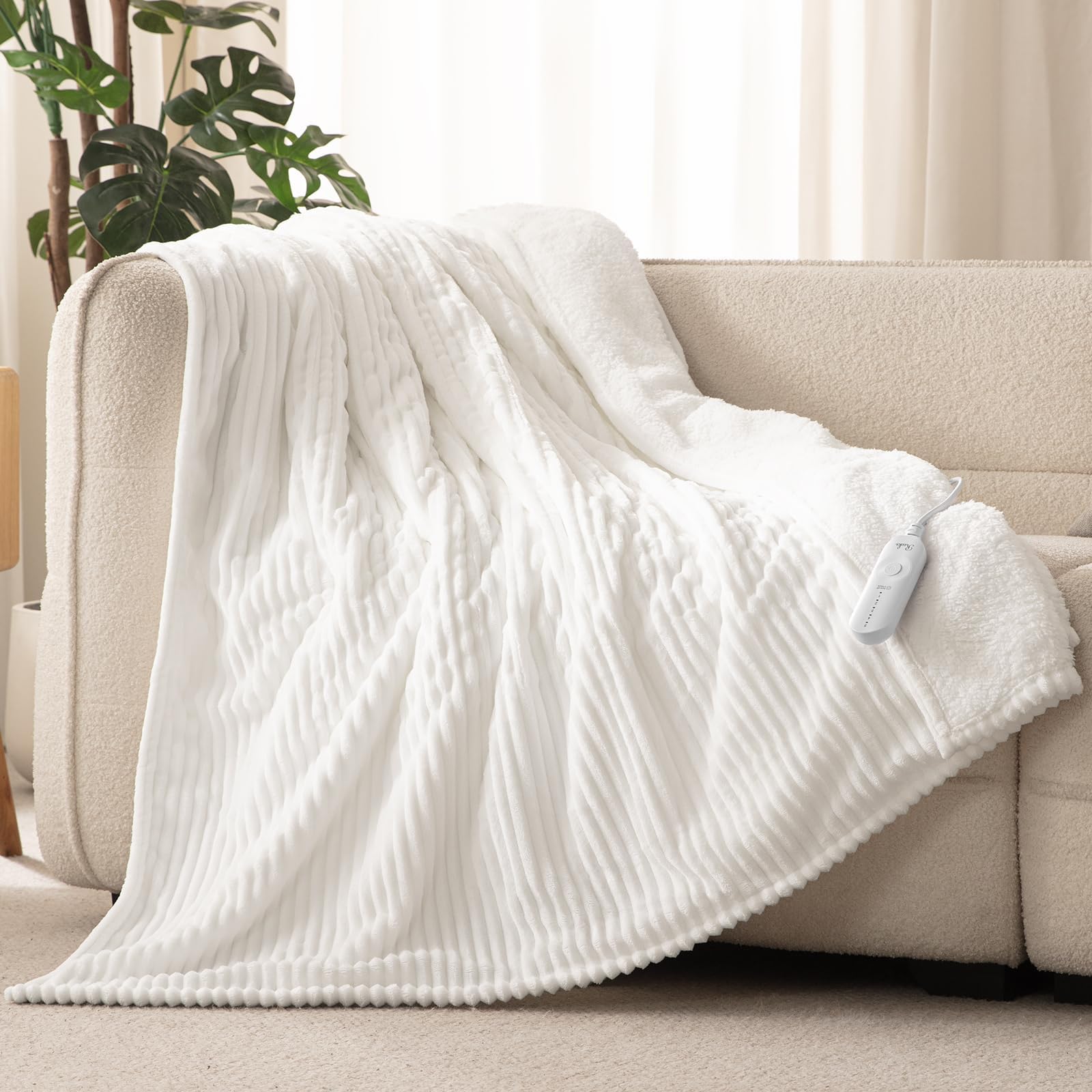
Image: Reaks Electric Heated Throw Blanket in white, draped over a couch, with a woman comfortably using the controller.
Important Safety Information
Your safety is paramount. Please observe the following precautions:
- The Reaks heated throw blanket is ETL and FCC safety certified, meeting rigorous safety standards.
- Features a 3-hour auto-off function to prevent overheating and ensure safety.
- Do not use with infants, children, incapacitated persons, or individuals insensitive to heat.
- Do not use if wet.
- Always remove the controller and cord before washing.
- Do not dry clean.
- Do not use pins or other metallic objects with the blanket.

Image: Diagram illustrating the multi-layered construction of the heated blanket, highlighting the heating wires and safety certifications (ETL, FCC).
Product Components
The package includes:
- 1 Electric Blanket (50" x 60")
- 1 Controller
Setup Instructions
- Unpack the heated throw blanket and controller from its packaging.
- Locate the connector on the blanket. Ensure the blanket is laid flat and free of wrinkles or folds.
- Connect the controller cord securely to the blanket's connector. Ensure a firm fit.
- Plug the power cord into a standard 120V AC electrical outlet. Ensure the outlet is easily accessible.

Image: A woman relaxing on a couch, covered by the Reaks heated throw blanket, with the controller visible in her hand.
Operating Instructions
The Reaks Electric Heated Throw Blanket features an intuitive controller for easy operation.
- Power On/Off: Press the power button on the controller to turn the blanket on or off.
- Adjust Heat Levels: The blanket offers 5 precise heating levels, ranging from 86°F to 113°F. Press the heat level button to cycle through the settings (1 being the lowest, 5 being the highest). The indicator lights will show the current heat level.
- Auto-Off Feature: The blanket is equipped with a 3-hour auto-off function for safety and energy saving. It will automatically turn off after 3 hours of continuous use.
- Rapid Heating: The blanket is designed for fast and efficient warming, reaching desired temperatures quickly.
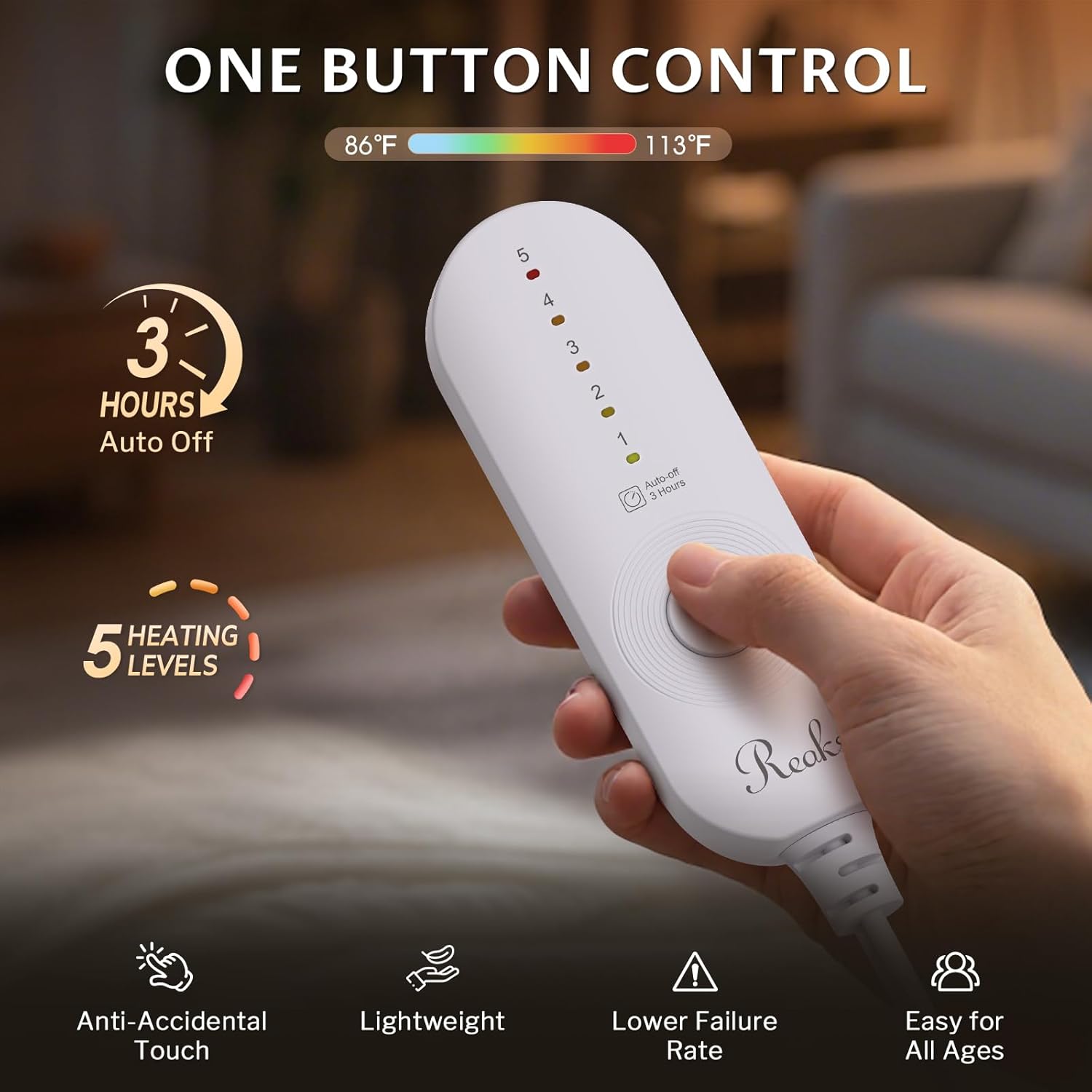
Image: A hand operating the Reaks heated blanket controller, displaying the five heat level indicators and the 3-hour auto-off function.
Maintenance and Care
Proper care ensures the longevity and performance of your heated blanket.
- Machine Washable: This electric blanket throw is fully machine washable.
- Before Washing: Always remove the controller and cord from the blanket before washing.
- Washing Instructions: Pre-soak the blanket for 15 minutes in cold water with mild soap. Then, machine wash on a gentle or delicate cycle in cold water.
- Drying Instructions: Tumble dry on low heat for 5-10 minutes, or air dry over a line or shower rod. Ensure the blanket is completely dry before reconnecting the controller and using it.
- Storage: Store the blanket in a cool, dry place when not in use.

Image: A modern washing machine in a clean laundry room, illustrating the machine washable nature of the blanket. An inset shows the detachable connector.
Troubleshooting
If your Reaks Electric Heated Throw Blanket is not functioning as expected, please refer to the following common issues and solutions:
- Blanket not heating: Ensure the power cord is securely plugged into a working electrical outlet and the controller is firmly connected to the blanket. Check if the power button on the controller is pressed and a heat level is selected.
- Controller lights not illuminating: Verify the power connection. If the issue persists, try plugging into a different outlet.
- Blanket feels too hot or not warm enough: Adjust the heat level using the controller. Remember there are 5 settings to choose from.
- Automatic shut-off: The blanket is designed to turn off automatically after 3 hours. This is a safety feature, not a malfunction. Simply turn it back on if you wish to continue use.
- Uneven heating: Ensure the blanket is laid flat and not bunched or folded, which can affect heat distribution.
If these steps do not resolve the issue, please contact customer support.
Specifications
| Feature | Detail |
|---|---|
| Brand | Reaks |
| Model Number | TW1-G-F |
| Size | Throw 50" x 60" |
| Color | White |
| Material | Flannel, Sherpa (100% Polyester) |
| Heat Levels | 5 (86-113°F) |
| Auto-Off Timer | 3 Hours |
| Power Consumption | 100W |
| Safety Certifications | ETL, FCC |
| Care Instructions | Machine Washable (Controller detachable) |
| Recommended Uses | Napping, Reading, Working |
Warranty and Support
Reaks is committed to your satisfaction. If you are not fully satisfied or encounter any issues with your heated blanket, please contact our dedicated customer support team. We will work with you to quickly resolve your concerns.
For support, please visit the Reaks Store on Amazon or refer to the contact information provided with your product packaging.
