
1. Introduction
Thank you for choosing the Lenyes S216 Bluetooth Pocket Speaker. This manual provides essential information for setting up, operating, and maintaining your speaker. Please read these instructions carefully before use to ensure optimal performance and longevity of your device.
2. Package Contents
Ensure all items are present in the box:
- Lenyes S216 Bluetooth Pocket Speaker
- Power Cable (USB charging cable)
- Quick Start Guide (This manual)
3. Product Overview
The Lenyes S216 is a compact and portable Bluetooth speaker designed for clear audio and deep bass. It features IPX7 waterproofing, TWS stereo pairing, Bluetooth 5.0 connectivity, and TF card support.
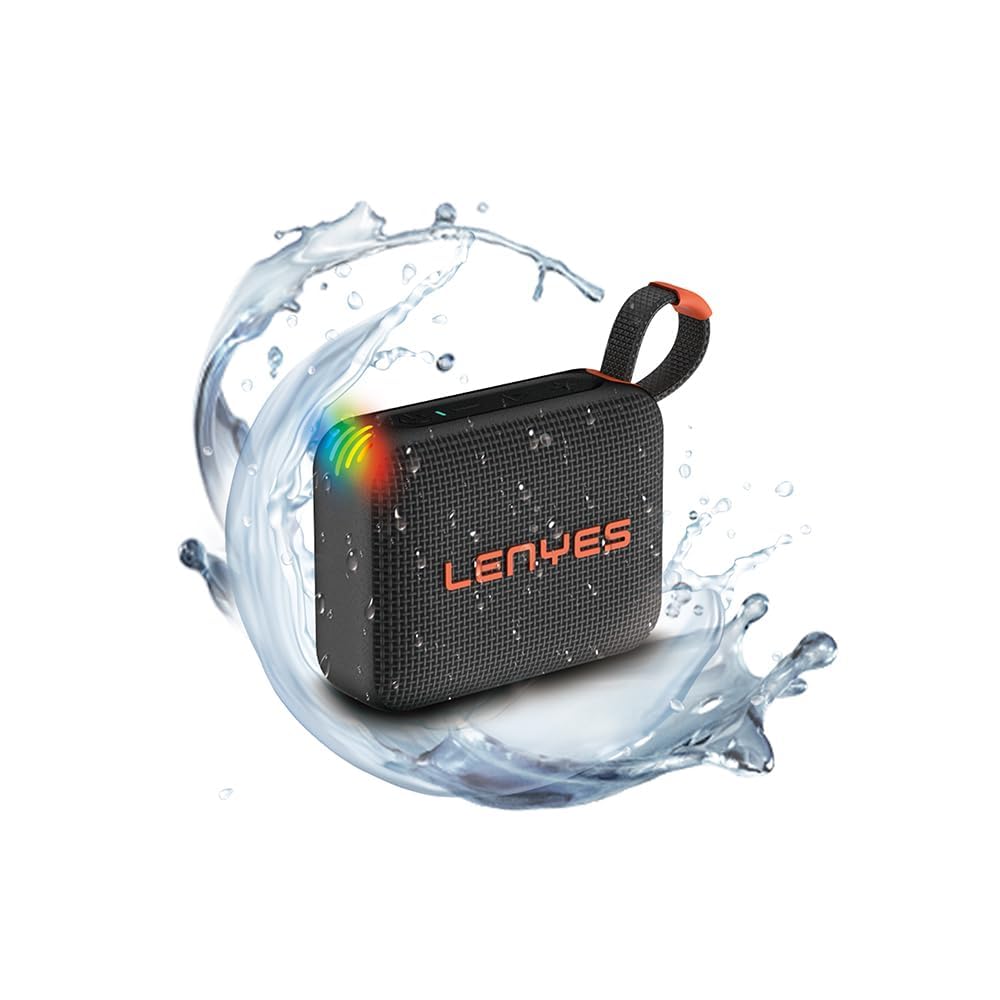
Image: Front view of the Lenyes S216 Bluetooth Pocket Speaker, showcasing its compact design and speaker grille.
Controls and Ports

Image: Top view of the Lenyes S216 speaker, highlighting the control buttons and RGB lighting. Buttons include Power, Volume Down, Play/Pause, and Volume Up.
- Power Button: Press and hold to power on/off. Short press to play/pause.
- Volume Up (+): Short press to increase volume. Long press for next track.
- Volume Down (-): Short press to decrease volume. Long press for previous track.
- RGB Lights: Integrated lights that flash and pulse with music.

Image: Side view of the Lenyes S216 speaker, showing the TF card slot and charging port, protected by a rubber flap.
- TF Card Slot: For playing music directly from a MicroSD card.
- Charging Port (DC 5V): For charging the speaker's internal battery.
- Carry Strap: Integrated strap for easy portability.
4. Setup
4.1 Initial Charging
Before first use, fully charge the speaker. Connect the provided power cable to the speaker's charging port and a USB power adapter (not included). The charging indicator light will show charging status and turn off or change color when fully charged.
4.2 Powering On/Off
- To Power On: Press and hold the Power button for approximately 3 seconds until you hear an audible prompt and the indicator lights illuminate.
- To Power Off: Press and hold the Power button for approximately 3 seconds until you hear an audible prompt and the indicator lights turn off.
5. Operating Instructions
5.1 Bluetooth Pairing
- Ensure the speaker is powered on and in Bluetooth pairing mode (indicator light will flash).
- On your device (smartphone, tablet, laptop), enable Bluetooth and search for available devices.
- Select "Lenyes S216" from the list of devices.
- Once paired, the speaker will emit an audible confirmation, and the indicator light will remain solid.
5.2 TWS (True Wireless Stereo) Pairing
To achieve a wider stereo sound, you can pair two Lenyes S216 speakers together:

Image: Two Lenyes S216 speakers wirelessly connected, illustrating the TWS stereo pairing feature for an amplified audio experience.
- Ensure both S216 speakers are powered on and not connected to any Bluetooth device.
- On one speaker (this will be the primary speaker), double-press the Power button. The speaker will enter TWS pairing mode.
- The two speakers will automatically search for and connect to each other. You will hear a confirmation tone once connected.
- Once TWS paired, connect your device to the primary speaker via Bluetooth as described in section 5.1.
5.3 TF Card Playback
The speaker supports playing audio files directly from a TF (MicroSD) card:
- Insert a TF card (with supported audio files) into the TF card slot on the speaker.
- The speaker will automatically switch to TF card mode and begin playing music.
- Use the Play/Pause, Volume Up, and Volume Down buttons to control playback.
5.4 Volume Control
- Increase Volume: Short press the '+' button.
- Decrease Volume: Short press the '-' button.
5.5 RGB Lighting
The Lenyes S216 features dynamic RGB lights that synchronize with your music, enhancing the listening experience visually.

Image: The Lenyes S216 speaker displaying its vibrant RGB lighting, which adds a visual element to the audio playback.
5.6 IPX7 Waterproof Feature
The S216 speaker is IPX7 rated, meaning it can be submerged in up to 1 meter of water for 30 minutes without damage. This makes it suitable for use near water, such as at the pool, beach, or in the shower.

Image: The Lenyes S216 speaker being splashed with water, demonstrating its IPX7 waterproof capability, allowing it to continue playing even when wet.
Important: Ensure the charging port and TF card slot rubber flap is securely closed before exposing the speaker to water.
6. Maintenance
- Cleaning: Wipe the speaker with a soft, damp cloth. Do not use harsh chemicals or abrasive cleaners.
- Storage: Store the speaker in a cool, dry place away from direct sunlight and extreme temperatures.
- Battery Care: To prolong battery life, avoid fully discharging the speaker frequently. Charge it regularly, even if not in use for extended periods.
- Water Protection: Always ensure the port cover is firmly sealed when using the speaker near water.
7. Troubleshooting
| Problem | Possible Cause | Solution |
|---|---|---|
| Speaker won't turn on | Low battery; Power button not held long enough | Charge the speaker; Press and hold the Power button for 3 seconds |
| Cannot pair via Bluetooth | Speaker not in pairing mode; Device Bluetooth off; Speaker already paired to another device | Ensure speaker is flashing (pairing mode); Enable Bluetooth on your device; Disconnect from other devices |
| No sound | Volume too low; Device not connected; Corrupt audio file (TF card) | Increase speaker/device volume; Re-pair Bluetooth; Try a different TF card or audio file |
| TWS pairing fails | Speakers too far apart; One speaker already connected to a device | Ensure speakers are close; Disconnect both speakers from any Bluetooth devices before TWS pairing |
8. Specifications
| Feature | Detail |
|---|---|
| Brand | Lenyes |
| Model Number | S216 |
| Speaker Maximum Output Power | 6 Watts |
| Connectivity Technology | Bluetooth 5.0 |
| Audio Output Mode | Stereo (with TWS) |
| Water Resistance Level | IPX7 (Waterproof) |
| Battery Average Life | 5 Hours |
| Battery Capacity | 1000 Milliamp Hours |
| Bluetooth Range | 10 Metres |
| Control Method | Push Button |
| Compatible Devices | Laptop, Smartphone, Tablet |
| Item Dimensions (D x W x H) | 4D x 7.7W x 9H Centimeters |
| Item Weight | 228 Grams |
| Enclosure Material | Acrylonitrile Butadiene Styrene (ABS), Metal |
9. Warranty Information
The Lenyes S216 Bluetooth Pocket Speaker comes with a 1 Year Limited warranty. This warranty is non-transferrable and valid for 1 year from the original date of purchase. Please retain your proof of purchase for warranty claims.
10. Support
For further assistance, technical support, or warranty inquiries, please refer to the contact information provided with your purchase or visit the official Lenyes website. You may also contact the retailer where you purchased the product.