
Introduction
Thank you for choosing the idomars Men's Smartwatch. This device is designed to enhance your daily life with advanced health monitoring, communication features, and fitness tracking. It features a 1.56-inch AMOLED HD display, ECG and HRV functions, 24/7 health monitoring including heart rate, blood pressure, and blood oxygen, over 50 sports modes, and Bluetooth call capabilities. This manual provides essential instructions for setup, operation, and maintenance to ensure optimal performance and user experience.

Image: The idomars smartwatch displaying various health metrics on its circular AMOLED screen, including heart rate, steps, and calories. A smaller inset shows the body composition feature.
1. Setup Guide
1.1 Charging the Smartwatch
Before initial use, fully charge your smartwatch.
- Connect the provided charging cable to the charging port on the back of the smartwatch.
- Plug the USB end of the cable into a standard USB power adapter (not included) or a computer's USB port.
- The watch screen will display a charging indicator. A full charge typically takes approximately 2 hours.

Image: An illustration showing the smartwatch with a charging icon, indicating a 440mAh battery, 9-14 days battery life, 30 days standby time, and 2 hours charge time.
1.2 App Installation and Pairing
To unlock the full potential of your smartwatch, download and install the companion application on your smartphone.
- Search for the "H-Band" app in your smartphone's app store (Google Play Store for Android, Apple App Store for iOS).
- Download and install the app.
- Ensure your smartwatch is charged and powered on.
- Enable Bluetooth on your smartphone.
- Open the H-Band app, create an account or log in, and follow the on-screen instructions to search for and pair with your smartwatch. The smartwatch supports Bluetooth 5.3 and is compatible with Android 5.0+ and iOS 10.0+ systems.
2. Operating Instructions
2.1 Basic Navigation
The smartwatch features a 1.56-inch AMOLED touchscreen. Swipe left, right, up, or down to navigate through menus and functions. Tap to select an option.
2.2 Health Monitoring
Your smartwatch offers comprehensive health monitoring features.
- ECG + HRV Test: To perform an ECG or HRV test, navigate to the respective function on your watch. Place your finger on the side electrode of the watch and remain still for approximately 60 seconds. The results will be generated and can be viewed in detail within the H-Band app.
- Heart Rate Monitoring: The watch continuously monitors your heart rate.
- Blood Pressure Monitoring: Track your blood pressure readings throughout the day.
- Blood Oxygen Monitoring: Measure your blood oxygen saturation levels.
- Sleep Monitoring: The watch automatically records deep sleep, light sleep, and wake times, providing a comprehensive analysis of your sleep patterns in the app.
- Pedometer: Counts your daily steps, calories burned, and distance traveled.
- Body Composition Measurement: Provides insights into BMI, body fat, and protein. Ensure proper contact with the electrode for accurate readings.
- Temperature and Blood Lipid Testing: The watch can estimate body temperature and blood lipid levels, which can be combined with activity data for a broader health overview.
Note: This product is not a professional medical device. The data provided is for reference purposes only and should not be used for medical diagnosis or treatment. Consult a healthcare professional for any health concerns.

Image: The smartwatch screen showing an EKG waveform and heart rate. Another image illustrates the HRV Smart Analytics feature, instructing the user to place a finger on the side of the watch.

Image: A visual representation of the smartwatch's automatic health monitoring features, including heart rate, blood pressure, sleep duration, and blood oxygen levels, with corresponding icons.

Image: The smartwatch displaying body temperature and an app interface showing detailed body composition measurements like BMI, body fat, and protein.
2.3 Communication Features
- Bluetooth Calls: Once paired with your smartphone, you can answer incoming calls directly from your watch. You can also make calls using the watch's interface.
- Notifications: Receive real-time notifications for SMS, calls, WhatsApp, Telegram, Outlook, and other applications directly on your smartwatch screen.
2.4 Sports Modes
The smartwatch supports over 50 sports modes, including running, cycling, and fast walking. Select your desired mode before starting an activity to track relevant data such as steps, calories, distance, and heart rate in real-time.

Image: The smartwatch displaying a weather query and response, demonstrating Bluetooth communication. Below, an illustration shows runners and the watch tracking steps, calories, and distance for outdoor activities.
2.5 Daily Functions
The smartwatch includes several convenient daily tools:
- Music Control: Control music playback on your smartphone directly from your watch.
- Weather Forecast: View current weather conditions and forecasts.
- Alarm Clock: Set alarms to wake you up or remind you of tasks.
- Timer: Use the stopwatch or countdown timer functions.
- Flashlight: Activate a convenient flashlight mode for low-light situations.
3. Maintenance
3.1 Cleaning Your Smartwatch
To maintain the appearance and functionality of your smartwatch:
- Wipe the screen and body with a soft, lint-free cloth.
- For stubborn smudges, slightly dampen the cloth with water. Avoid using harsh chemicals or abrasive materials.
- Ensure the charging contacts are clean and dry before charging.
3.2 Water Resistance
The smartwatch is IP67 waterproof, meaning it is resistant to splashes, rain, and brief immersion in water. You can wear it while washing hands or in light rain. However, it is not suitable for swimming, diving, or high-pressure water activities. Avoid exposing the watch to hot water or steam.
3.3 Battery Care
To prolong battery life:
- Charge the watch fully when the battery is low.
- Avoid extreme temperatures, which can affect battery performance.
- If storing the watch for an extended period, charge it to about 50% to prevent deep discharge.
4. Troubleshooting
If you encounter issues with your smartwatch, refer to the following common solutions:
- Watch not turning on: Ensure the watch is fully charged. Connect it to the charger and wait a few minutes before attempting to power it on again.
- Cannot pair with smartphone:
- Ensure Bluetooth is enabled on your smartphone and the watch.
- Make sure the watch is within range of your smartphone.
- Restart both your smartphone and the smartwatch.
- Check if the H-Band app is updated to the latest version.
- If previously paired, try unpairing and re-pairing the device through the app.
- Inaccurate health readings:
- Ensure the watch is worn snugly on your wrist, about one finger's width above the wrist bone.
- Keep the sensor clean and free from dirt or sweat.
- Remain still during measurements, especially for ECG/HRV.
- Remember that environmental factors and individual physiology can affect readings.
- Notifications not appearing:
- Check notification settings within the H-Band app to ensure they are enabled for desired applications.
- Verify that your smartphone's notification permissions allow the H-Band app to access and forward notifications.
- Ensure the watch is connected via Bluetooth.
- Short battery life:
- Reduce screen brightness.
- Disable continuous heart rate monitoring if not needed.
- Limit the number of active notifications.
- Ensure the watch is fully charged each time.
For further assistance, refer to the H-Band app's help section or contact customer support.
5. Specifications
| Model | MT800bk |
| Brand | idomars |
| Screen | 1.56 inch AMOLED Touch Screen, 480 x 480 Resolution |
| Battery Capacity | 440 mAh |
| Usage Time | 9-14 days |
| Standby Time | 30 days |
| Charging Time | Approx. 2 hours |
| Waterproof Rating | IP67 |
| Connectivity | Bluetooth 5.3 |
| Compatibility | Android 5.0 and above, iOS 10.0 and above |
| Health Monitoring | ECG, HRV, Heart Rate, Blood Pressure, Blood Oxygen, Sleep, Pedometer, Body Composition, Temperature, Blood Lipid (estimated) |
| Sports Modes | 50+ modes (e.g., running, cycling, fast walking) |
| Other Functions | Bluetooth Calls, Message Push, Music Control, Weather, Alarm Clock, Timer, Flashlight |
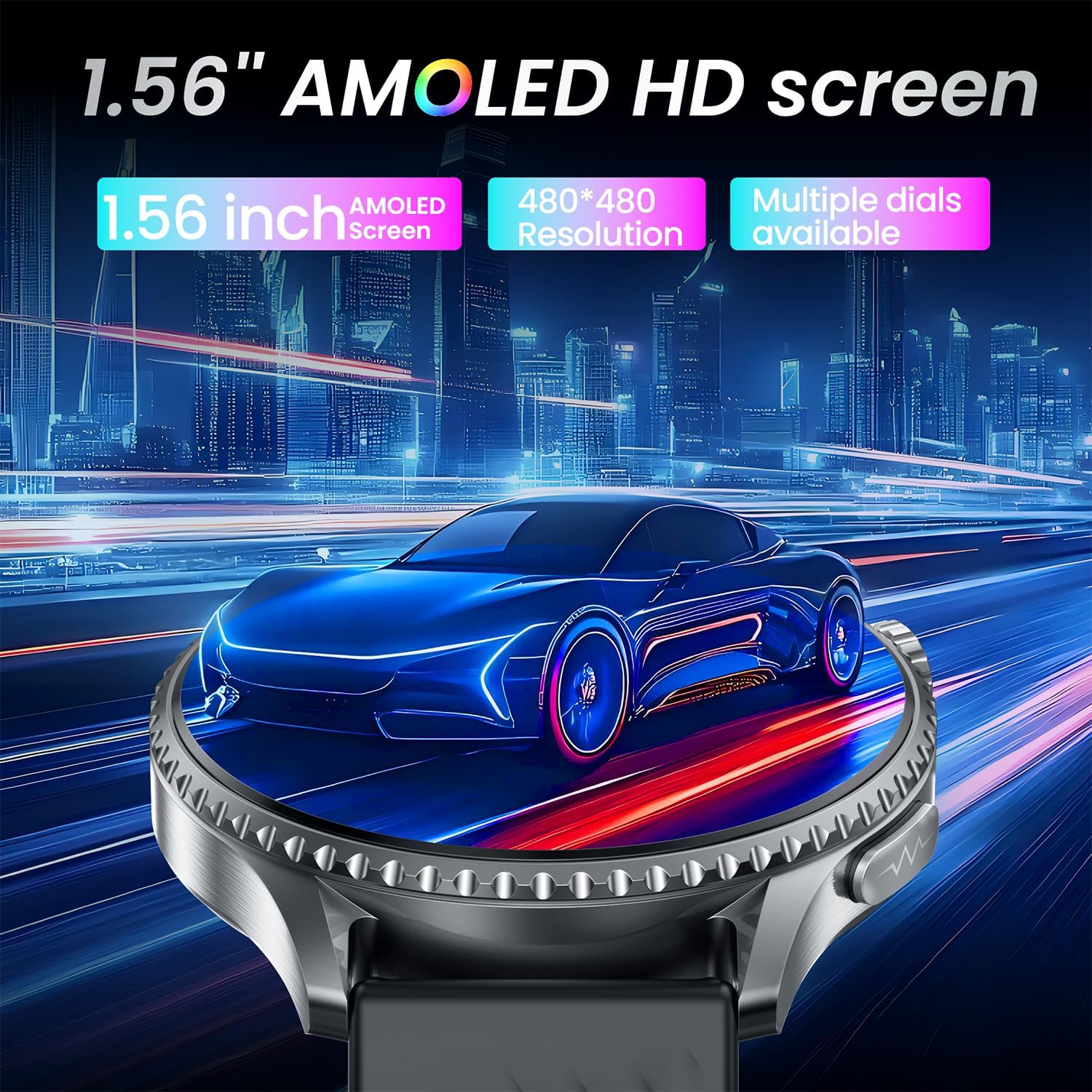
Image: A close-up of the smartwatch screen, emphasizing its 1.56-inch AMOLED HD display with 480x480 resolution and multiple dial options.
6. Warranty and Support
For information regarding warranty coverage, please refer to the warranty card included with your product packaging or contact the retailer where you purchased the device.
For technical support or further inquiries, please visit the official idomars website or contact their customer service department.