
1. Introduction
This manual provides essential information for the safe and effective use of your idomars Smartwatch. Please read it thoroughly before operating the device to ensure optimal performance and longevity. This smartwatch is designed to assist in monitoring various health and fitness parameters, and to provide convenient access to notifications and communication features.

Figure 1.1: The idomars Smartwatch, showcasing its main display with health tracking features and a side view of the watch.
2. Getting Started
2.1 Charging the Device
Before first use, fully charge your smartwatch. The device features a 440mAh lithium-polymer battery. A full charge takes approximately 2.5 hours using the provided USB-C charging cable. Connect the magnetic charging base to the back of the watch and plug the USB-C end into a compatible power adapter (not included).

Figure 2.1: Battery specifications and charging method for the smartwatch. The watch offers 3-7 days of typical use and over 20 days of standby time.
2.2 Connecting to the App
To unlock the full functionality of your smartwatch, download and connect to the companion application, 'H-band App', from your device's app store. The smartwatch is compatible with Android 5.0+ and iOS 10.0+ devices, utilizing Bluetooth 5.3 for stable connectivity.
- Download the 'H-band App' from your app store.
- Activate Bluetooth on your mobile phone and search for available devices.
- Open the 'H-band App', find 'MT800' or 'MT800sl' in the device list, and select to connect and pair.
- Once paired, the watch can receive and make calls directly.

Figure 2.2: Step-by-step instructions for pairing the smartwatch with your smartphone via the H-band app.
3. Key Features & Operation
3.1 Display and Watch Faces
The smartwatch features a 1.56-inch spherical AMOLED display with a resolution of 480x480 pixels, providing clear and vibrant visuals. You can customize your watch face from over 100 available dials or create your own personalized designs.

Figure 3.1: The 1.56-inch AMOLED HD screen of the smartwatch, highlighting its resolution and multiple dial options.

Figure 3.2: Examples of over 100 available watch faces and the DIY customization feature.
3.2 Health Monitoring
The smartwatch offers comprehensive health monitoring features, providing continuous data and alerts for your well-being. Note: This product is not a professional medical device, and the data is for reference only.
- ECG and HRV Monitoring: Advanced cardiovascular analysis with an EKG sensor chip. Place your finger on the side electrode for about 40 seconds to perform a real-time ECG measurement and HRV analysis. The device can help detect abnormalities and provide early detection of arrhythmias.
- Heart Rate, Blood Oxygen (SpO2), and Blood Pressure: Monitors these vital signs 24 hours a day to provide continuous insight into your physical condition.
- Sleep Monitoring: Professional sleep monitoring analyzes sleep cycles (light sleep, deep sleep, REM, awake time) to help optimize your rest quality.
- Body Composition Measurement: Analyzes body composition including BMI, body fat, body oil, and protein in less than 10 seconds using advanced sensors and algorithms.
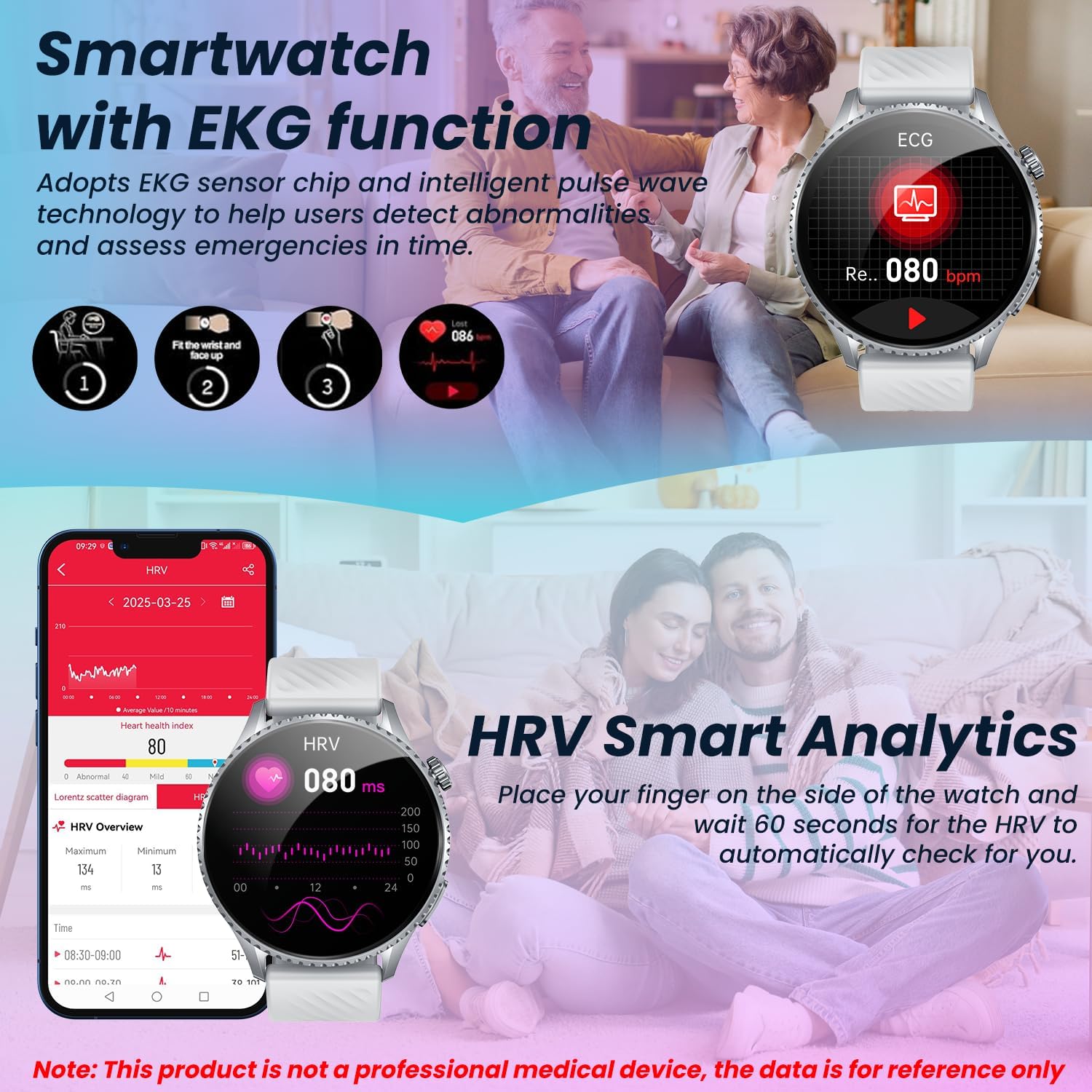
Figure 3.3: The smartwatch's EKG function and HRV Smart Analytics, showing how to place a finger for measurement.

Figure 3.4: Real-time ECG monitoring interface on the smartwatch and the location of the electrode for measurement.
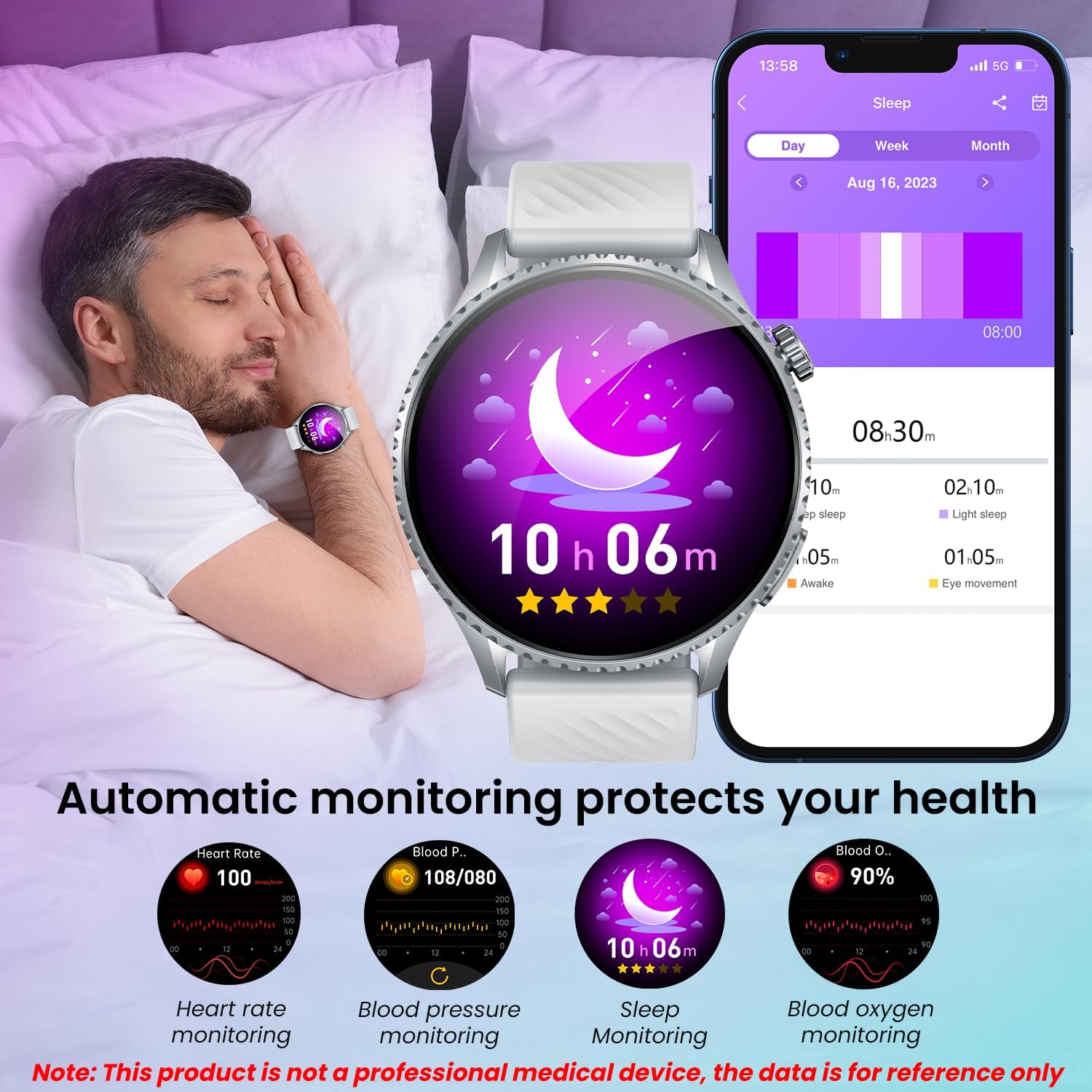
Figure 3.5: Automatic monitoring of heart rate, blood pressure, sleep, and blood oxygen levels.

Figure 3.6: Scientific sleep monitoring, showing detection of sleep disturbances and optimization of sleep quality.

Figure 3.7: Body Composition Measurement feature, providing detailed insights into body metrics.

Figure 3.8: Body composition analysis, showing how the watch measures muscle mass, body fat, and protein.
3.3 Sports Modes
The smartwatch supports over 50 professional training modes, automatically recognizing specific movements for each activity. It monitors heart rate, steps, and calories burned in real-time, generating multi-dimensional training reports.
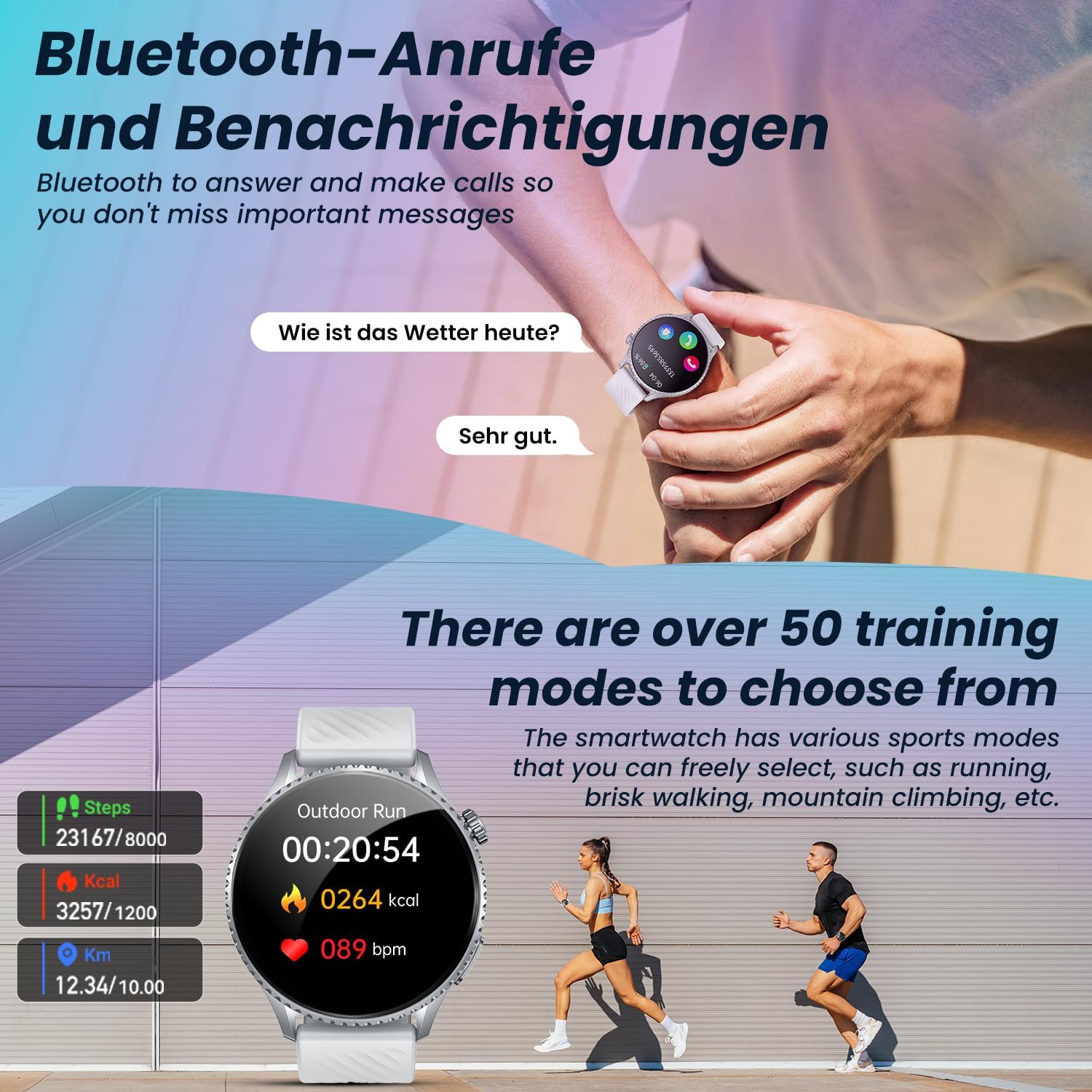
Figure 3.9: The smartwatch's sports tracking capabilities, including over 50 training modes and real-time data display.

Figure 3.10: Multiple exercise modes available on the smartwatch, allowing users to track various activities like running, cycling, and ball games.
3.4 Notifications and Calls
Receive real-time notifications from social media applications like WhatsApp and Instagram directly on your watch. The smartwatch supports Bluetooth calls, allowing you to answer and make calls without needing to take out your phone.

Figure 3.11: Message notification feature, showing real-time alerts from various social media platforms.
3.5 SOS Function
In case of emergency, pressing the SOS button on the smartwatch automatically sends a notification to a pre-set emergency contact. This feature requires the watch to be connected to your mobile phone, and up to 5 emergency contacts can be set.
3.6 LED Flashlight
The smartwatch includes a convenient LED flashlight mode, useful in various situations such as outdoor activities, mountain climbing, or camping. It offers different lighting modes including fixed light, intermittent, and flash.

Figure 3.12: The convenient flashlight mode, illustrating its utility in various outdoor settings.

Figure 3.13: The handheld flashlight feature, alongside other useful functions like weather forecasts, alarms, and a calculator.
4. Maintenance
4.1 Water Resistance
The smartwatch has an IP67 waterproof rating, making it reliable for use during workouts, in the rain, or in humid environments. It is resistant to splashes and brief immersion. However, it is not suitable for extremely high temperatures, hot springs, or seawater, and should not be used for swimming or diving.

Figure 4.1: The IP67 water resistance feature, indicating suitability for various environments but cautioning against extreme conditions.
4.2 Cleaning
Wipe the watch and strap regularly with a soft, dry cloth. Avoid using harsh chemicals or abrasive materials that could damage the device.
5. Troubleshooting
- Device not turning on: Ensure the watch is fully charged. Connect it to the charger and wait a few minutes before attempting to power it on again.
- Cannot connect to phone: Ensure Bluetooth is enabled on your phone and the watch. Make sure the 'H-band App' is open and you are attempting to pair within the app. If issues persist, try restarting both the watch and your phone.
- Inaccurate health data: Ensure the watch is worn snugly on your wrist, but not too tight. Clean the sensors on the back of the watch regularly. Remember that the data is for reference only and not for medical diagnosis.
- Notifications not appearing: Check app permissions in your phone settings to ensure the 'H-band App' has access to notifications. Verify that notifications are enabled within the app settings for specific applications.
6. Specifications
| Feature | Specification |
|---|---|
| Brand | idomars |
| Model Number | Montre Connectée MT800sl |
| Screen Size | 1.56 Inches |
| Display Type | AMOLED (480x480 resolution) |
| Battery Capacity | 440 mAh Lithium-Polymer |
| Battery Life (Typical Use) | Up to 7 days |
| Standby Time | Up to 30 days |
| Charging Time | Approx. 2.5 hours |
| Wireless Type | Bluetooth 5.3 |
| Human Interface Input | Touchscreen |
| Water Resistance | IP67 |
| Item Weight | 150 g |
| Package Dimensions | 17.2 x 10 x 3.1 cm |
| Compatibility | Android 5.0+, iOS 10.0+ |

Figure 6.1: Product dimensions, including watch face diameter, thickness, and strap length.
7. Warranty and Support
For warranty information and customer support, please refer to the documentation included with your purchase or contact the manufacturer directly through their official website. Keep your proof of purchase for any warranty claims.


