
Scrubuz HK66
Scrubuz HK66 Drone with Camera User Manual
Model: HK66
Introduction
This manual provides detailed instructions for the safe operation and maintenance of your Scrubuz HK66 Drone with Camera. Please read this manual thoroughly before operating the drone to ensure proper usage and to maximize your flying experience. The Scrubuz HK66 is designed for both beginners and experienced pilots, offering advanced features such as a 2K HD camera, GPS positioning, and intelligent flight modes.

Image: The Scrubuz HK66 Drone with its complete accessories, including the remote control, two batteries, charging cables, spare propellers, and a protective carrying case.
What's in the Box
Verify that all components are present in your package:
- Foldable GPS Drone x 1
- Remote Control x 1
- Intelligent Rechargeable Battery x 2
- Portable Bag x 1
- Type-C USB Cable x 2
- Spare Propeller A x 4
- Spare Propeller B x 4
- Screwdriver x 1
- Screw x 2
- Propeller Guards x 4
- Quick Start Guide x 1
- User Manual x 1
- Gift Box x 1

Image: A visual representation of all items included in the Scrubuz HK66 Drone package.
Setup
1. Battery Charging and Installation
The drone comes with two intelligent rechargeable batteries. Ensure both batteries are fully charged before use. Use the provided USB charging cables to charge the batteries. Insert the charged batteries securely into the drone's battery compartment.
2. Remote Control Setup
The remote control features a phone holder that can be adjusted to fit your mobile device. Power on the remote control by short-pressing the power button. The remote control and drone will automatically connect once both are powered on and in close proximity.
3. App Installation and Connection
Download and install the "HK66 DRONE FLY" app on your mobile device. After powering on the drone and remote control, open your mobile phone's Wi-Fi list and connect to the Wi-Fi network named "HK66DRONE_XXXXXX". This establishes the FPV real-time transmission link.
4. Calibration
Proper calibration is crucial for stable flight. Perform the following calibrations before each flight and after any crash:
- Compass Calibration: Press the compass calibration button on the remote, or access the HK66 DRONE FLY app, navigate to "GO TO FLY" -> "Setting" -> "Calibrate". Follow the on-screen instructions to complete the calibration.
- Gyro Calibration: Place the drone on a level surface with its front pointing forward. After connecting the drone and remote, move both the left and right joysticks of the remote controller to the 7 o'clock position simultaneously. This initiates gyro calibration, which helps the drone fly more steadily.
Operating Instructions
Basic Flight Controls
- One-Tap Take Off/Landing: Press the designated button on the remote control for automatic take-off or landing.
- Altitude Hold: The drone maintains a stable altitude, allowing for easier control and clearer aerial photography.
- Headless Mode: In Headless Mode, the drone's orientation is irrelevant to the control inputs. Press the headless function button on the remote for approximately 4 seconds to activate. Press again to exit.

Image: Visual guide for One-Tap Take Off and Landing features of the HK66 Drone.

Image: Illustration of the Headless Mode feature, showing simplified directional control.
Advanced Flight Modes (GPS Enabled)
The HK66 Drone utilizes GPS positioning for enhanced flight stability and intelligent features:
- GPS Auto Return-to-Home (RTH): The drone will automatically return to its take-off point under conditions such as low battery, lost signal, or when commanded via the remote control.
- Waypoint Fly (Trajectory Flight): Draw a flight path on the HK66 DRONE FLY app interface, and the drone will follow the designated route. It is recommended to draw straight lines or simple arcs for initial attempts in open areas.
- Circle Fly (Point of Interest): This intelligent flight mode allows the drone to automatically orbit a designated subject, keeping it centered in the camera's view for dynamic footage.
- Follow Me: Using the GPS position from your smartphone, the drone will follow you at a set distance, capturing your movements.

Image: The drone performing GPS-enabled flight functions including Auto Return, Waypoints, and Circle Fly.

Image: Detailed illustration of the GPS Auto Return to Home (RTH) function.

Image: The drone executing a pre-programmed Trajectory Flight path.

Image: The drone in Point of Interest mode, circling a central subject.
Image: The drone actively following a moving subject using GPS tracking.
Camera Operation
- 2K HD Camera & 5G FPV: The drone is equipped with a 2K HD camera and 5G Wi-Fi for stable, real-time video transmission to your mobile device. The camera has a 90° electric adjustable angle and a 110° wide-angle lens.
- Gesture Control: Use specific hand gestures to initiate photo capture or video recording.
- Filters and Music: The HK66 DRONE FLY app offers various filters and music options to enhance your captured photos and videos.
- Zoom In & Out: Utilize the app's interface to digitally zoom in and out, allowing for flexible framing of your shots.
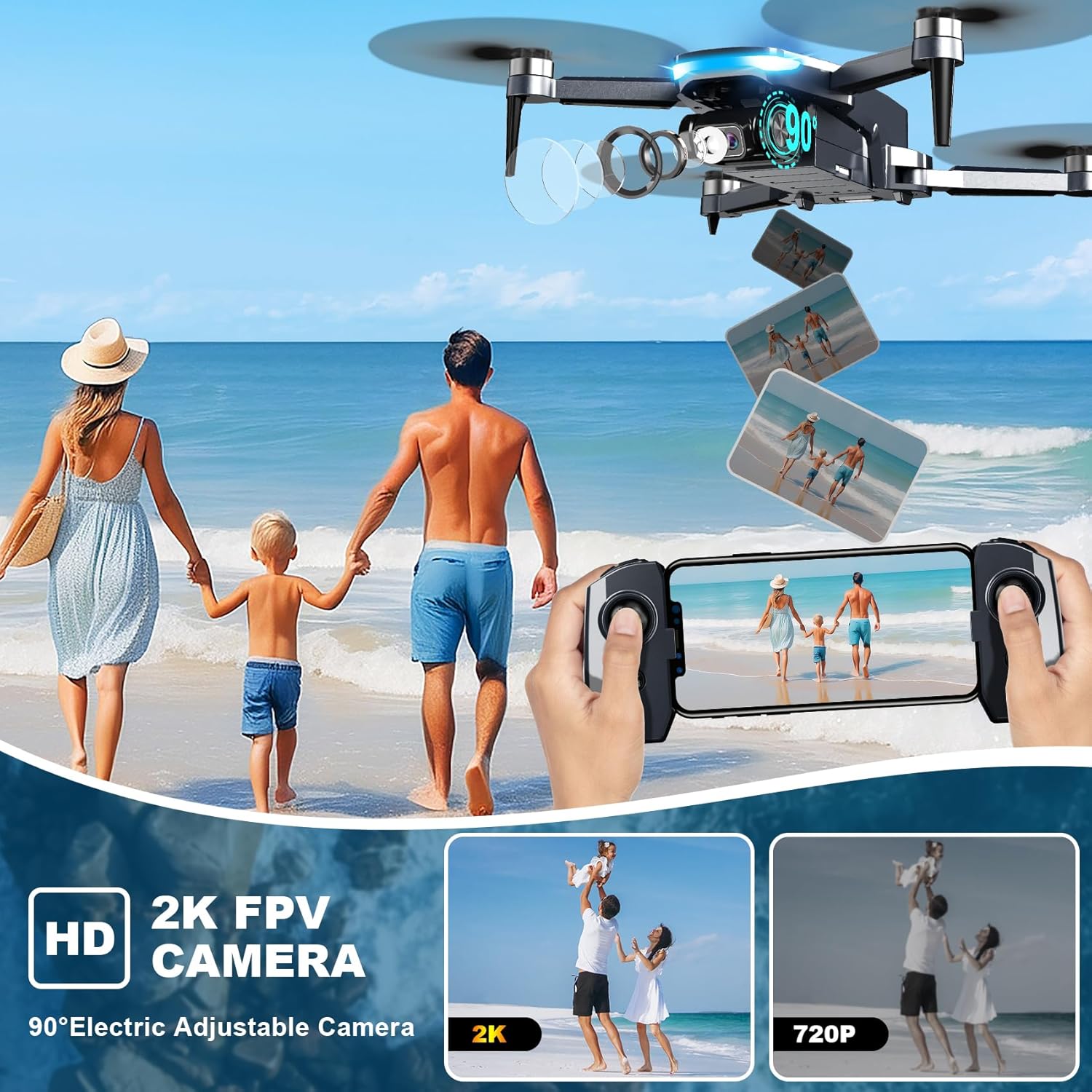
Image: The drone's 2K HD FPV camera capturing a scenic view with a family.

Image: Demonstrating the use of hand gestures for photo and video capture.

Image: Screenshot of the HK66 DRONE FLY app showing available filters for media.

Image: Smartphone interface illustrating the digital zoom feature of the drone's camera.
Speed Modes
The drone offers two speed modes: Low and High. Select the appropriate speed based on your skill level and environmental conditions for a comfortable flight experience.

Image: The drone flying at both low and high speeds, indicating the two available speed modes.
Features Overview
- Brushless Motors: Equipped with high-efficiency brushless motors, the HK66 drone provides powerful thrust, Level 5 wind resistance, and stable flight. These motors have a lifespan of up to 20,000 hours.
- Lightweight and Foldable Design: The drone features a lightweight (under 249g) and foldable design, making it easy to transport and store. No FAA registration is required for drones under 250g in many regions (always check local regulations).
- Propeller Guards: Included propeller guards protect the drone from collisions and enhance user safety during flight.

Image: Comparison of brushless and brushed motors, emphasizing the benefits of brushless technology.
Image: The foldable design of the HK66 Drone, highlighting its portability and lightweight nature.

Image: The drone equipped with propeller guards, demonstrating their protective function.
Maintenance
Regular maintenance ensures the longevity and optimal performance of your drone:
- Cleaning: Gently wipe the drone's body and camera lens with a soft, dry cloth after each flight to remove dust and debris.
- Propeller Inspection: Regularly check propellers for any signs of damage (cracks, bends). Replace damaged propellers immediately using the provided spare blades and screwdriver. Ensure propellers are installed correctly (A and B types).
- Battery Care: Store batteries in a cool, dry place. Do not overcharge or fully discharge batteries. If storing for extended periods, charge them to approximately 50-60%.
- Motor Inspection: Ensure motors are free from obstructions. Avoid flying in sandy or dusty environments that could damage the motors.
Troubleshooting
If you encounter issues, refer to the following common solutions:
- Drone Unstable/Drifting: Perform Gyro Calibration as described in the Setup section. Ensure the drone is placed on a level surface during calibration.
- GPS Not Locking/Poor Positioning: Ensure you are flying in an open area with a clear view of the sky. Perform Compass Calibration as described in the Setup section. Avoid areas with strong magnetic interference.
- No FPV Feed/App Connection Issues: Verify that your mobile device is connected to the drone's Wi-Fi network ("HK66DRONE_XXXXXX"). Restart the app, drone, and remote control. Ensure your phone's Wi-Fi is enabled and not connected to other networks.
- Short Flight Time: Ensure batteries are fully charged. Check for any obstructions on propellers or motors that might increase power consumption.
- Drone Not Responding to Remote: Ensure both the drone and remote control are powered on and properly paired. Re-pair if necessary by following the initial connection steps.
Specifications
| Feature | Detail |
|---|---|
| Brand | Scrubuz |
| Model Name | HK66 |
| Color | Black |
| Video Capture Resolution | 2048x1088 P (2K HD) |
| Effective Still Resolution | 2.1 MP |
| Connectivity Technology | Wi-Fi (5G Transmission) |
| Control Type | Remote Control |
| Material | Plastic |
| Item Weight | 1.48 pounds (under 249g for drone itself) |
| Product Dimensions | 8"L x 7.8"W x 2.7"H |
| Battery Type | Lithium Ion (2 included) |
| Special Features | 2K Camera, 5G Transmission, Under 249g, GPS Positioning, GPS Auto RTH, GPS Follow, Circle Fly, Waypoint Fly, Brushless Motor, Gesture Control, Long Flight Time |
Customer Support
For any questions, technical assistance, or support, please contact Scrubuz customer service:
- Phone: (888)742-6588
- Email: support@scrubuz.com
- Hours: 9:00 AM - 6:00 PM (PST), Business Days

Image: Scrubuz customer support team ready to assist.
Ask a question about this manual
Ask about setup, troubleshooting, compatibility, parts, safety, or missing instructions. Manuals+ will review the question and use this page’s manual context to help answer it.