
1. Introduction and Product Overview
This Parthcksi AC/DC Adapter is designed to provide reliable power to compatible HP DeskJet 3050, 3050A, and J610 series All-in-One Inkjet Printers. The adapter features a compact design and incorporates smart IC technology to deliver optimal charging current. It is compatible with a wide range of input voltages (100-240V) and includes multiple built-in safety mechanisms to protect your devices.

Image 1: Parthcksi AC/DC Adapter showing the main unit, AC power cord, and DC output cable with purple connector.
2. Safety Information
Please read all safety instructions before using this product to prevent injury or damage. Keep this manual for future reference.
- This adapter is equipped with built-in surge protection, temperature control, and short-circuit prevention systems.
- The product is certified by CE, FCC, and RoHS standards, ensuring compliance with safety and environmental regulations.
- Do not expose the adapter to water, moisture, or extreme temperatures.
- Avoid dropping or subjecting the adapter to severe impact.
- Do not attempt to disassemble or modify the adapter. Refer all servicing to qualified personnel.
- Ensure the power outlet used is easily accessible and properly grounded.
Proposition 65 Warning: This product may contain chemicals known to the State of California to cause cancer and birth defects or other reproductive harm.
3. Package Contents
Verify that all items are present in the package:
- 1 x Parthcksi AC/DC Adapter Unit
- 1 x AC Input Power Cord
- 1 x DC Output Cable with Printer Connector (integrated with adapter unit)
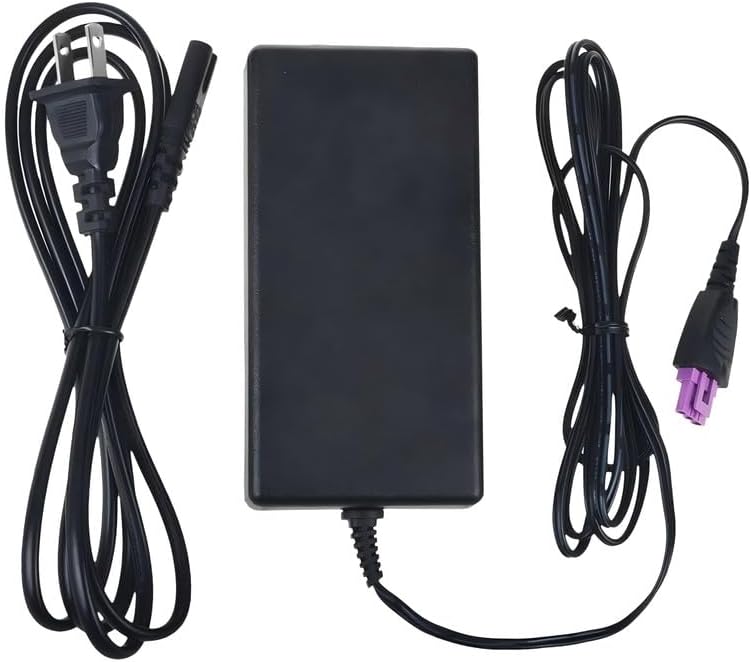
Image 2: Contents of the package, including the adapter unit, AC power cord, and DC output cable.
4. Setup Instructions
Follow these steps to connect your AC/DC adapter to your printer and power source:
- Connect the AC Input Power Cord: Insert the AC input power cord into the designated port on the Parthcksi AC/DC adapter unit. Ensure it is firmly seated.
- Connect to Power Outlet: Plug the other end of the AC input power cord into a standard wall outlet. The adapter supports AC100-240V, 50/60Hz.
- Connect to Printer: Locate the power input port on your HP DeskJet 3050, 3050A, or J610 printer. Carefully insert the purple DC output connector from the adapter into this port. Ensure the connector is fully inserted and secure.

Image 3: Detailed views of the purple DC output connector, highlighting its specific shape for correct printer connection.
5. Operating Instructions
Once the adapter is correctly connected to both the power outlet and your HP printer, the printer should be ready for operation. Power on your printer using its dedicated power button. The adapter will continuously supply the necessary power for your printer's functions.
6. Maintenance
To ensure the longevity and optimal performance of your Parthcksi AC/DC adapter, follow these maintenance guidelines:
- Cleaning: Use a soft, dry cloth to wipe the adapter clean. Do not use liquid cleaners or solvents.
- Storage: When not in use, store the adapter in a cool, dry place away from direct sunlight and moisture. Avoid tightly coiling the cables to prevent damage.
- Inspection: Periodically inspect the adapter and cables for any signs of damage, such as frayed wires or cracked casing. Discontinue use if damage is observed.
7. Troubleshooting
If you encounter issues with your adapter, refer to the following common troubleshooting steps:
- Printer Not Powering On:
- Ensure all cable connections are secure at both the adapter and the printer.
- Verify that the AC input power cord is firmly plugged into a working wall outlet. Test the outlet with another device if necessary.
- Adapter Feels Warm: It is normal for the adapter to feel warm during operation. If it becomes excessively hot, disconnect it immediately and contact support. The adapter has built-in temperature control to prevent overheating.
- Intermittent Power: Check for any loose connections. Ensure the adapter is not being overloaded by connecting it to incompatible devices.
The adapter includes short circuit, over current, and over voltage protection. If the adapter stops functioning, these protections may have been activated due to an electrical anomaly. Disconnect and reconnect after a few minutes. If the issue persists, the adapter may require replacement.
8. Specifications
| Brand | Parthcksi |
| Manufacturer | Parthcksi |
| Input Voltage | AC 100-240V, 50/60Hz |
| Compatible Devices | HP DeskJet 3050, 3050A, J610 All-in-One Inkjet Printers |
| Connector Type | Plug (Specific to HP DeskJet series) |
| Special Features | Short Circuit Protection, Over Current Protection, Over Voltage Protection, Temperature Control, Surge Protection |
| Certifications | CE, FCC, RoHS, CCC |
| Material | Composite, Metal, Plastic |
| Color | Black |
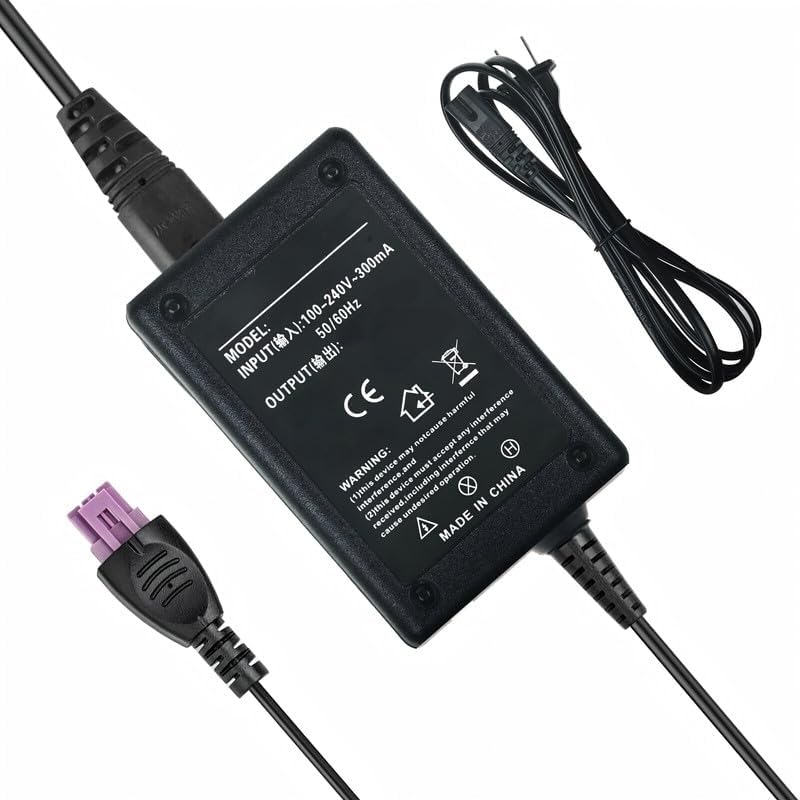
Image 4: Rear view of the adapter unit displaying product label with input specifications and safety markings.
9. Warranty and Support
Specific warranty details for this Parthcksi AC/DC Adapter are not provided in this manual. For information regarding warranty coverage, technical support, or customer service, please contact the manufacturer, Parthcksi, directly through their official channels or the retailer from whom the product was purchased.