
1. Introduction
Thank you for choosing the YIYEIE Digital Torque Wrench. This manual provides essential information for the safe and effective operation, maintenance, and troubleshooting of your new tool. Please read this manual thoroughly before use and retain it for future reference.
2. Safety Information
⚠ WARNING:
- Do not overload the wrench. Exceeding 110% of the maximum torque capacity can cause damage to the tool and potential injury.
- Avoid dropping or striking the wrench.
- Protect the wrench from water and excessive heat.
- Always wipe the wrench dry after use.
- Do not use alcohol or harsh chemicals for cleaning.
3. Package Contents
Verify that all items are present in your package:
- Digital Torque Wrench 1/2" Drive (Model Y0082)
- 1/2" Dr. Extension bar 5"
- 1/2"F x 3/8"M Adapter
- Sockets x 5 (17mm, 19mm, 21mm, 22mm, 24mm)
- Storage case
- Instruction Manual
- ASME & DIN-ISO traceable calibration certificate
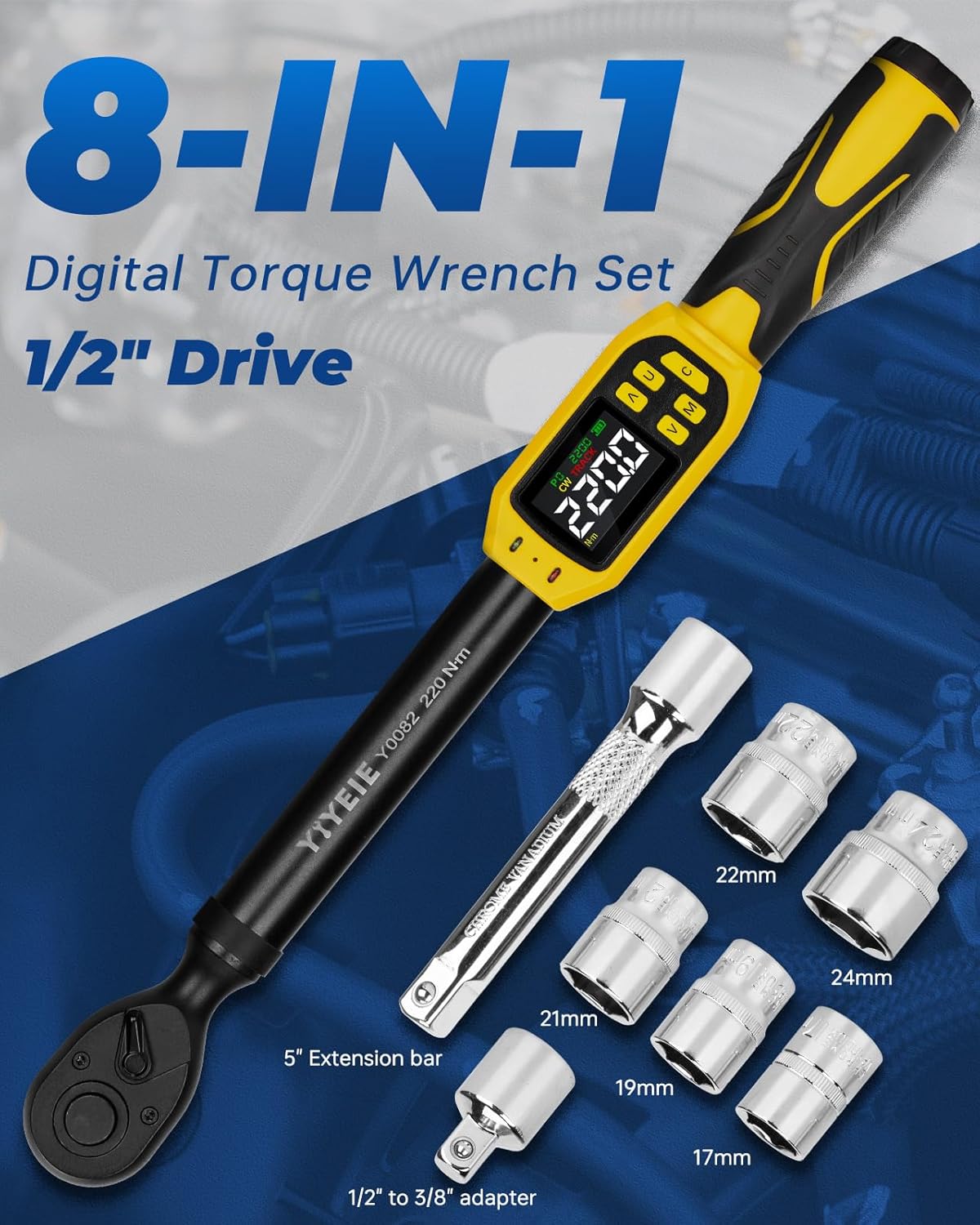
4. Product Features
- High Accuracy: ±1% certified accuracy, maintained for 35,000 cycles.
- Multiple Units & Modes: 5 measurement units (N·m, ft-lb, in-lb, kg-cm, kg-m) and 3 operating modes (Peak, Track, Preset).
- Data Storage: Stores up to 500 data sets.
- Alert System: LED lights and buzzer provide visual and audible alerts as target torque is approached and reached.
- Color LCD Screen: Provides clear torque value readings.
- Preset Values: Ability to set and switch between 10 preset torque values.
- Quick-Release Design: 72-tooth quick-release for secure fit and rapid socket changes.
- Power Saving: 3-minute auto-shutdown feature.
- Durable Construction: Premium chrome-vanadium steel, anti-slip grip, IP54 fluid-resistant.

5. Setup
- Install Batteries: Open the battery compartment and insert the required AAA batteries (not included). Ensure correct polarity.
- Power On: Press the 'C' (Power) button to turn on the wrench.
- Attach Socket/Adapter: Securely attach the appropriate socket or adapter to the 1/2-inch drive head.

6. Operating Instructions
6.1. Unit Selection
Press the 'U' button to cycle through the available measurement units: N·m, ft-lb, in-lb, kg-cm, kg-m. Select the desired unit for your application.
6.2. Mode Selection (Peak, Track, Preset)
Press the 'M' (Function) button to switch between the three operating modes:
- Track Mode: Displays the real-time torque value as it is applied.
- Peak Mode: Captures and displays the maximum torque value applied during an operation.
- Preset Mode: Allows you to set a target torque value. The wrench will alert you when this value is approached and reached.

6.3. Setting Preset Values
In Preset Mode, use the '▲' (Up) and '▼' (Down) buttons to adjust the target torque value. The wrench supports 10 preset values (P0-P9) for quick access. Press 'C' to confirm the torque setting.
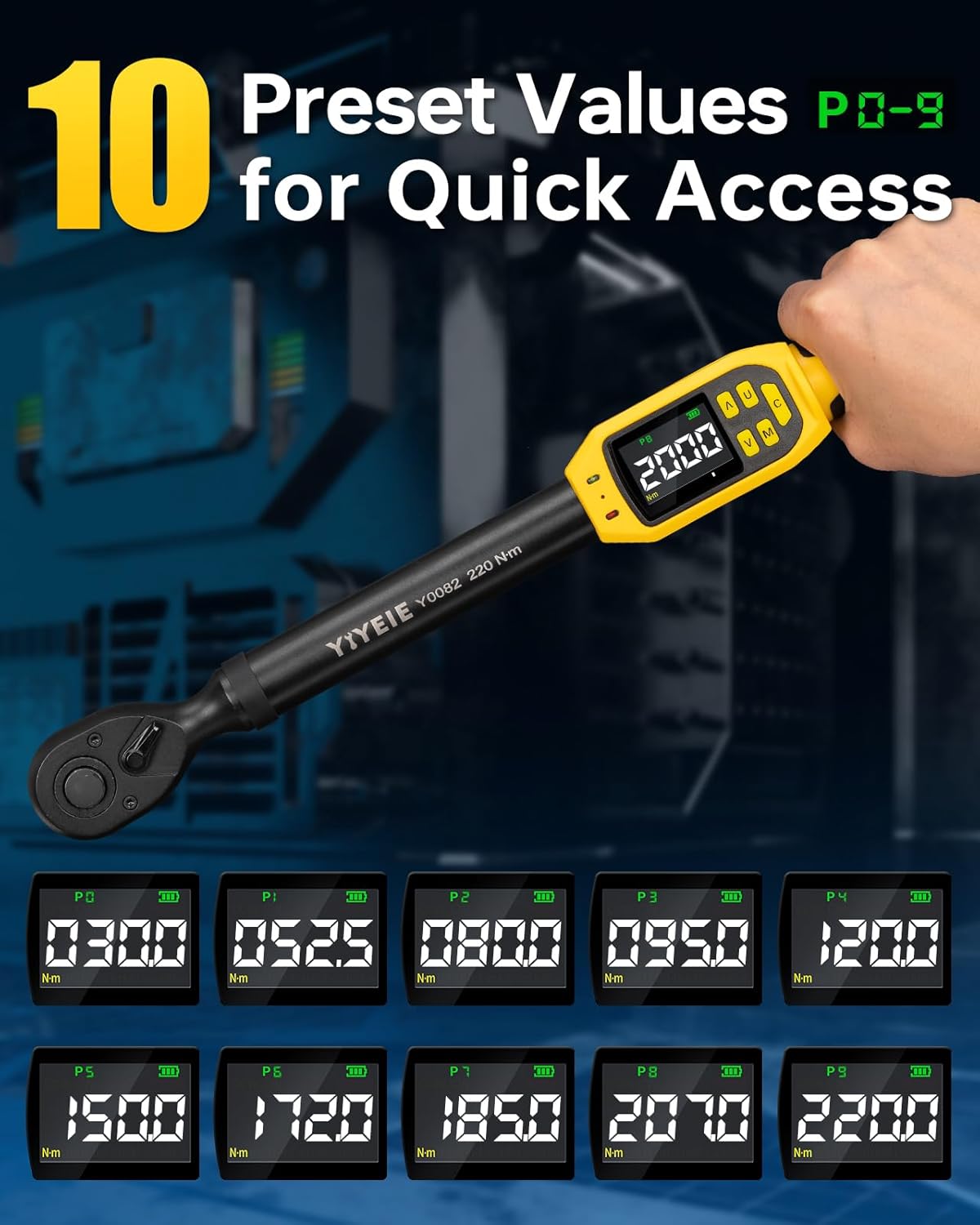
6.4. LED & Buzzer Alert System
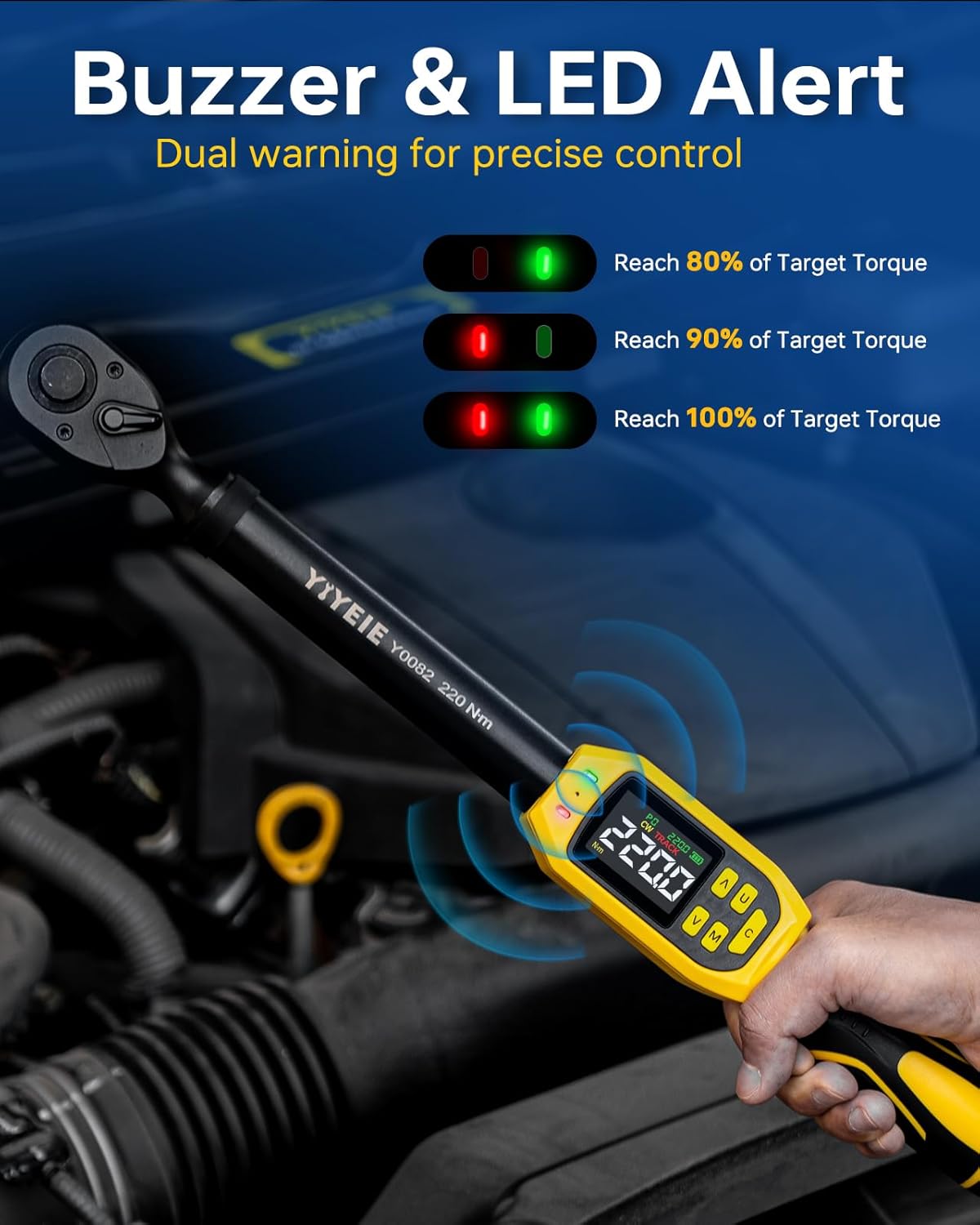
When approaching the target torque in Preset Mode, the wrench provides visual and audible alerts:
- Green LED: Activates at 80% of the target torque.
- Red LED: Activates at 90% of the target torque.
- Both LEDs ON & Buzzer: Activates at 100% of the target torque, indicating the desired torque has been reached. This helps prevent overtightening.
6.5. Applying Torque
Once the desired settings are configured, apply steady force to the wrench until the target torque is reached, indicated by the LED and buzzer alerts. Avoid sudden movements.
7. Maintenance
- Cleaning: Wipe the wrench with a clean, dry cloth after each use. Do not use water, alcohol, or corrosive cleaning agents.
- Storage: Store the wrench in its protective case in a dry, cool place, away from direct sunlight and extreme temperatures.
- Battery Replacement: Replace batteries when the low battery indicator appears on the display. Remove batteries if the tool will not be used for an extended period.
- Calibration: For continued accuracy, periodic calibration by a certified service center is recommended, especially after significant use or impact.
8. Troubleshooting
| Problem | Possible Cause | Solution |
|---|---|---|
| Wrench does not power on. | Dead or incorrectly installed batteries. | Check battery polarity or replace with new AAA batteries. |
| Inaccurate torque readings. | Wrench needs calibration or has been damaged. | Ensure proper technique. If issues persist, contact support for calibration or repair. |
| Buzzer/LED alerts not functioning. | Not in Preset Mode or alert settings are off. | Ensure the wrench is in Preset Mode. Check the manual for specific alert setting adjustments if available. |
9. Specifications
| Feature | Detail |
|---|---|
| Model Number | Y0082 |
| Drive Size | 1/2-Inch |
| Torque Range | 8.5-160 Ft-lb / 10-220 N·m |
| Accuracy | ±1% (Clockwise & Counter-Clockwise) |
| Measurement Units | N·m, ft-lb, in-lb, kg-cm, kg-m |
| Operating Modes | Peak, Track, Preset |
| Data Storage | Up to 500 sessions |
| Alerts | Buzzer and LED (Green at 80%, Red at 90%, Both at 100%) |
| Auto-Shutdown | 3 minutes of inactivity |
| Material | Chrome-vanadium steel |
| Protection Rating | IP54 fluid-resistant |
| Item Length | 16.5 Inches (42 cm) |
| Item Weight | 2.3 Kilograms |
10. Product Videos
10.1. YIYEIE Digital Torque Wrench Overview
Video: This video demonstrates the key features and operation of the YIYEIE Digital Torque Wrench, including setting preset values and the functionality of the buzzer and LED alerts during torque application.
10.2. Digital Torque Wrench in Use (3/8" Model)
Video: This video shows a YIYEIE digital torque wrench (3/8" drive model) being used for automotive applications, illustrating the practical application of the tool for precise fastening.
11. Warranty Information
The YIYEIE Digital Torque Wrench comes with a 1-year warranty from the date of purchase. This warranty covers defects in materials and workmanship under normal use. Please retain your proof of purchase for warranty claims. The warranty does not cover damage due to misuse, abuse, unauthorized modifications, or failure to follow the instructions in this manual.
12. Support
For technical assistance, warranty claims, or general inquiries, please contact YIYEIE customer support through the retailer's platform or visit the official YIYEIE website for contact details.