1. Introduction
Thank you for choosing the QuanSheng TK11(5) Multi-Band Walkie Talkie. This device is designed for reliable and versatile communication across various frequency bands, offering features such as dual-band simultaneous reception, high-power transmission, NOAA weather alerts, and advanced frequency analysis capabilities. This manual provides detailed instructions for setup, operation, maintenance, and troubleshooting to ensure optimal performance and user safety.
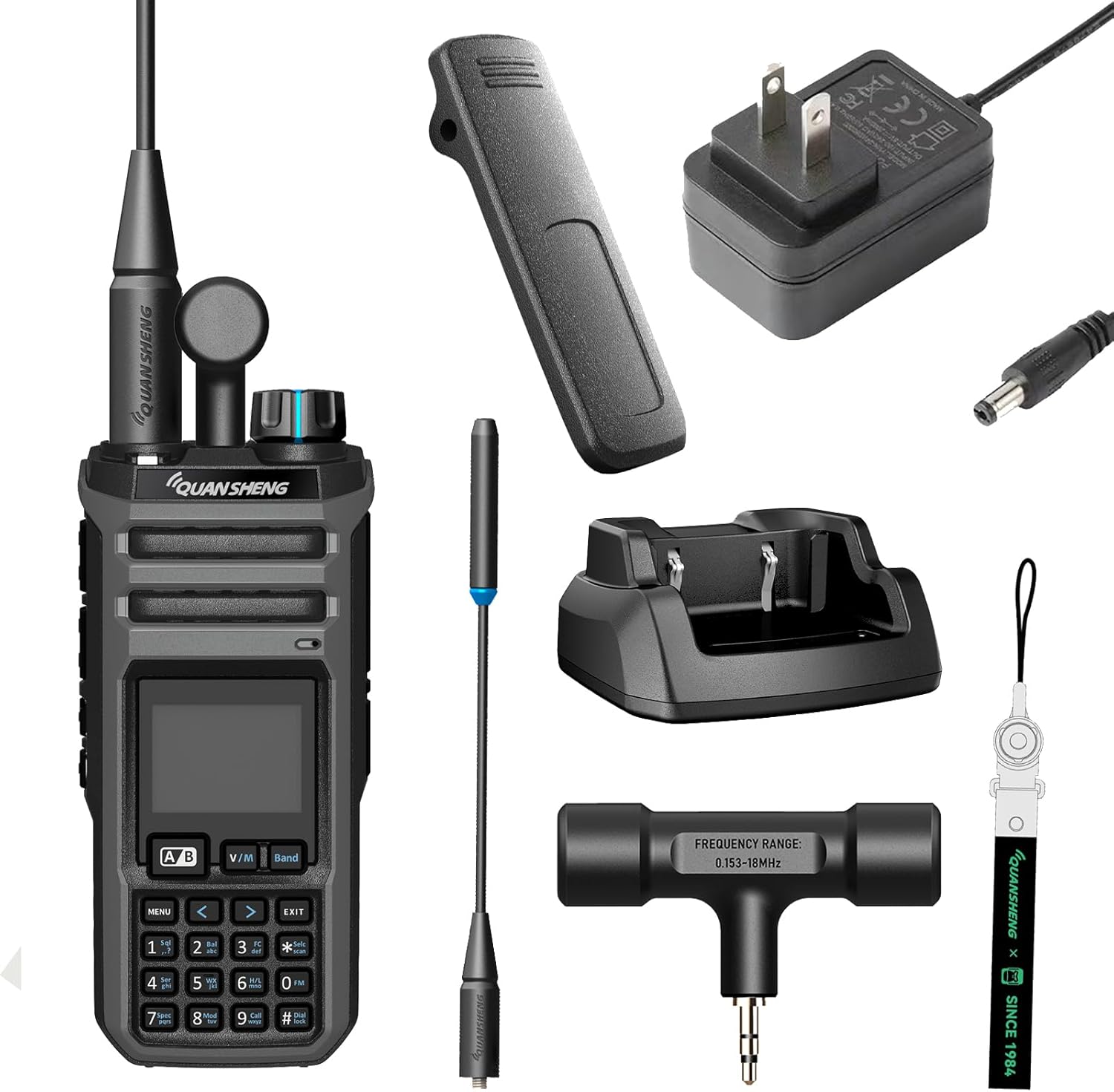
Image: The QuanSheng TK11(5) walkie talkie displayed with its full set of accessories, including the main unit, two antennas, belt clip, charging base, power adapter, and lanyard.
2. Package Contents
Please check the package carefully to ensure all items are present and in good condition:
- QuanSheng TK11-5 Walkie Talkie Unit (1)
- Belt Clip (1)
- Charger Base (1)
- Power Adapter (1)
- 2500mAh Battery (1)
- Antenna (2) - Typically one standard and one high-gain or T-shape antenna.
- Lanyard (1)
- User Manual (1)

Image: A visual representation of the accessories included with the TK11(5) walkie talkie, such as the battery, high gain antenna, T-shape antenna, adapter, charger, lanyard, and belt clip.
3. Product Overview
The TK11(5) is a robust portable multi-band transceiver designed for diverse communication needs. Familiarize yourself with its key components:
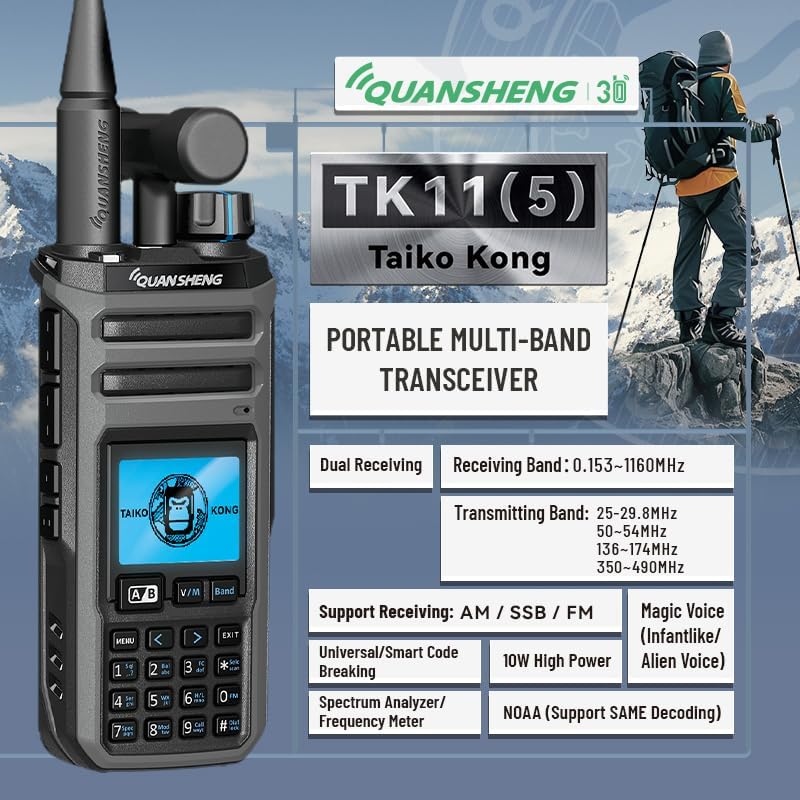
Image: A detailed view of the TK11(5) walkie talkie, showcasing its display, keypad, and various function buttons, along with a summary of its main capabilities like dual receiving, wide frequency range, 10W high power, NOAA support, spectrum analyzer, and magic voice.
Key Features:
- Dual-Band Simultaneous Receive: Monitor two frequencies concurrently.
- Wide-band Reception & Multi-band Transmit: Supports AM/SSB/FM modes for aviation, marine, amateur radio, weather, and public safety bands.
- 10W High-Power Output: Ensures superior signal penetration and reliable communication.
- NOAA Weather Alert with SAME Decoding: Provides targeted local emergency alerts.
- Frequency Meter & Spectrum Analyzer: Advanced tools for signal analysis.
- Magic Voice Function: Offers voice variation options (Infantlike/Alien Voice).
- Type-C Charging & 2500mAh Battery: Convenient charging and extended battery life.
- IP54 Water Resistance: Provides protection against dust and splashing water.
4. Setup Guide
4.1. Battery Installation
- Ensure the walkie talkie is powered off.
- Locate the battery compartment on the back of the unit.
- Align the 2500mAh battery with the contacts and gently push it into place until it clicks securely.
- Slide the battery latch (if present) to lock the battery.
4.2. Charging the Battery
Before first use, fully charge the battery. The TK11(5) supports both Type-C direct charging and charging via the included desktop charger base.
- Using the Charger Base:
- Connect the power adapter to the charger base and plug it into a standard AC outlet.
- Place the walkie talkie (with battery installed) into the charger base. Ensure the charging contacts align.
- The charging indicator light on the base will illuminate (e.g., red for charging, green for fully charged).
- Using Type-C Direct Charging:
- Connect a Type-C USB cable (not included, but compatible with the port) to the walkie talkie's Type-C port.
- Connect the other end to a compatible USB power source (e.g., computer, USB wall adapter).
- The device's screen or an indicator light will show charging status.
4.3. Antenna Attachment
The TK11(5) comes with two antennas. Choose the appropriate antenna for your desired frequency range and screw it clockwise onto the antenna connector on top of the radio until it is finger-tight.
4.4. Attaching the Belt Clip and Lanyard
- Belt Clip: Align the belt clip with the screw holes on the back of the radio and secure it with the provided screws.
- Lanyard: Thread the lanyard through the designated loop on the radio for convenient carrying.
5. Operating Instructions
5.1. Power On/Off and Volume Control
- Power On: Rotate the power/volume knob clockwise until you hear a click and the display illuminates.
- Power Off: Rotate the power/volume knob counter-clockwise until you hear a click and the display turns off.
- Volume Adjustment: Rotate the power/volume knob to adjust the audio output level.
5.2. Frequency and Channel Selection
The TK11(5) supports both VFO (Variable Frequency Oscillator) mode for direct frequency input and Channel mode for pre-programmed channels.
- Switching Modes: Press the V/M button to toggle between VFO mode and Channel mode.
- VFO Mode: Use the keypad to directly input the desired frequency. Use the up/down arrow keys or the rotary knob for fine-tuning.
- Channel Mode: Use the up/down arrow keys or the rotary knob to select a pre-programmed channel (1-999).
5.3. Transmitting and Receiving
- Receiving: When a signal is detected on the selected frequency/channel, the radio will automatically open the squelch and output the audio.
- Transmitting: Press and hold the PTT (Push-To-Talk) button on the side of the radio. Speak clearly into the microphone. Release the PTT button to stop transmitting and return to receive mode.
5.4. Dual Receiving Function
The TK11(5) allows you to monitor two different frequencies simultaneously. This is useful for keeping track of two active channels without manually switching.

Image: The TK11(5) walkie talkie shown with two other radios, illustrating its ability to receive voice from two different frequencies at the same time, indicated by signal waves connecting to the main unit.
To activate dual receive, refer to the on-screen menu options, typically accessed via the MENU button. Navigate to the dual receive setting and enable it. You can then set the two frequencies (A/B) you wish to monitor.
5.5. Multi-Band Receiving & Transmitting
This radio offers extensive frequency coverage for both receiving and transmitting:
- Wide-band Receiving: 0.153-1160MHz
- Multi-band Transmitting:
- 25-29.8MHz
- 50-54MHz
- 136-174MHz
- 350-490MHz

Image: The TK11(5) walkie talkie against a mountainous backdrop, highlighting its wide-band receiving range (0.153-1160MHz) and multi-band transmitting ranges (25-29.8MHz, 50-54MHz, 136-174MHz, 350-490MHz).
5.6. NOAA Weather Alert with SAME Decoding
The integrated NOAA weather radio provides critical weather and hazard alerts. With SAME (Specific Area Message Encoding) decoding, you receive targeted alerts for your specific location.
- To access NOAA weather channels, navigate through the radio's menu or dedicated NOAA function button.
- Ensure your location's SAME code is correctly entered for localized alerts.
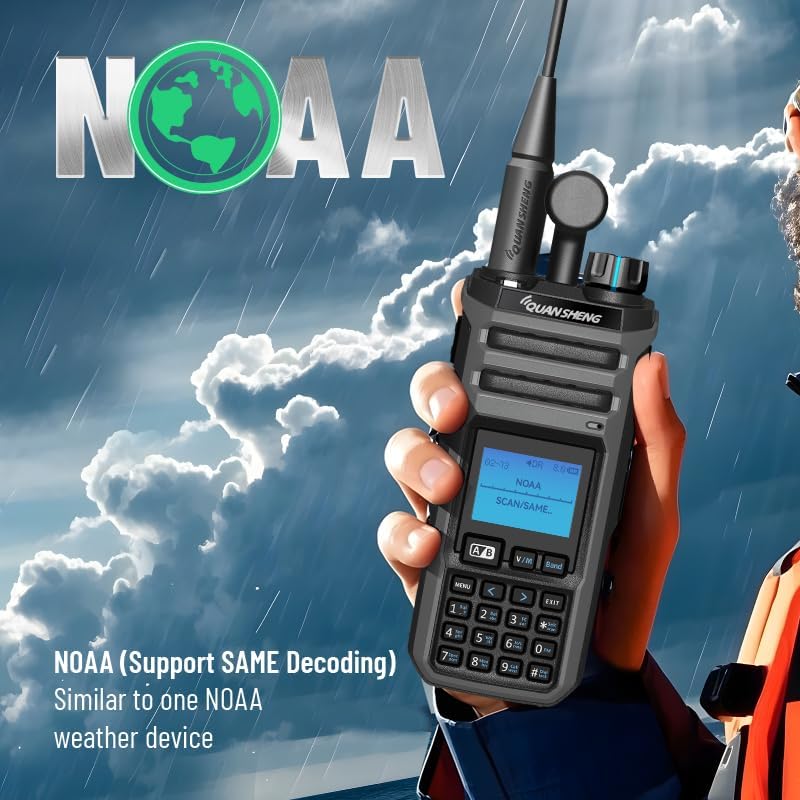
Image: The TK11(5) walkie talkie held by a person in a rain jacket, with a stormy sky background, showing "NOAA Scan/SAME" on its display, indicating its weather alert capabilities.
5.7. Spectrum Analyzer and Frequency Meter
The TK11(5) includes advanced tools for radio enthusiasts:
- Spectrum Analyzer: Allows you to visualize signal activity across a range of frequencies, helping identify active channels or interference.
- Frequency Meter: Can measure the frequency of an incoming signal, useful for identifying unknown transmissions.

Image: The TK11(5) walkie talkie positioned alongside professional spectrum analyzer equipment, emphasizing its built-in spectrum analysis feature.
5.8. AM/SSB/FM Receiving
The TK11(5) supports various modulation types for receiving, including AM (Amplitude Modulation), SSB (Single Sideband), and FM (Frequency Modulation), providing versatility for different communication environments, including aviation.

Image: The TK11(5) walkie talkie with an airplane in the background, indicating its support for AM, SSB, and FM receiving modes, particularly for aviation communication.
5.9. Magic Voice Function
Add a fun element to your communications with the Magic Voice feature, offering different voice variations like "Infantlike" or "Alien Voice". This feature can be accessed through the radio's menu settings.
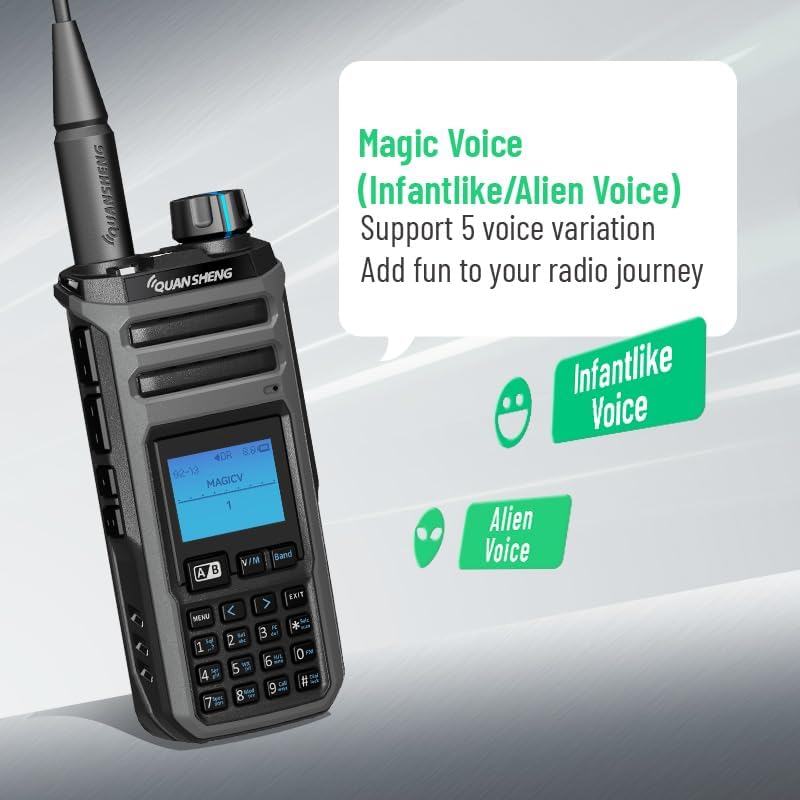
Image: The TK11(5) walkie talkie showing "MAGICV" on its screen, with icons for "Infantlike Voice" and "Alien Voice," demonstrating its voice variation feature.
6. Maintenance
- Cleaning: Use a soft, damp cloth to clean the radio's surface. Do not use harsh chemicals or abrasive cleaners.
- Battery Care:
- Avoid overcharging or completely draining the battery.
- If storing the radio for an extended period, remove the battery and store it in a cool, dry place, ideally at about 50% charge.
- Storage: Store the radio in a dry, dust-free environment away from direct sunlight and extreme temperatures.
- Water Resistance: While rated IP54 (splash-proof), avoid submerging the radio in water. Ensure all port covers are securely closed.
7. Troubleshooting
| Problem | Possible Cause | Solution |
|---|---|---|
| Radio does not power on. | Battery is not installed correctly or is depleted. | Ensure battery is securely installed. Charge the battery fully. |
| Cannot transmit or receive. | Incorrect frequency/channel, antenna not attached, or out of range. | Verify frequency/channel. Ensure antenna is securely attached. Move closer to the other radio. Check squelch settings. |
| Poor audio quality. | Low battery, weak signal, or incorrect squelch setting. | Charge battery. Adjust squelch level. Try a different antenna or location. |
| NOAA alerts not received. | Incorrect SAME code or out of NOAA broadcast range. | Verify and enter the correct SAME code for your area. Check NOAA broadcast coverage. |
8. Technical Specifications
| Feature | Specification |
|---|---|
| Model Number | TK-11(5) |
| Brand | HYSHIKRA (QuanSheng) |
| Number of Channels | 999 |
| Receiving Band | 0.153-1160MHz |
| Transmitting Band | 25-29.8MHz, 50-54MHz, 136-174MHz, 350-490MHz |
| Output Power | 10W |
| Battery Type | 2500mAh Nonstandard Battery (included) |
| Charging | Type-C, Charger Base |
| Water Resistance Level | IP54 (Waterproof / Splash-proof) |
| Tuner Technology | UHF/VHF/HF |
| Item Weight | 1.65 pounds |
| Package Dimensions | 8.78 x 8.54 x 3.58 inches |
9. Warranty and Support
9.1. Warranty Information
This QuanSheng TK11(5) walkie talkie comes with a 3-month warranty from the date of purchase. This warranty covers manufacturing defects and malfunctions under normal use. It does not cover damage caused by misuse, accidents, unauthorized modifications, or natural disasters.
Please retain your proof of purchase for warranty claims.
9.2. Customer Support
For technical assistance, troubleshooting beyond this manual, or warranty inquiries, please contact the manufacturer or your point of purchase. Refer to the contact information provided with your product packaging or visit the official HYSHIKRA store on Amazon: