1. Introduction
The RYR NEO100 Wireless Gaming Earbuds are designed to provide an immersive audio experience for gaming and everyday use. Featuring ultra-low latency via a 2.4Ghz dongle, dual connectivity (2.4Ghz and Bluetooth), and noise-cancelling microphones, these earbuds offer versatility across multiple platforms including Meta Quest, PS5, Steam Deck, Switch, PC, and mobile devices. The integrated LED display on the charging case provides clear battery status, ensuring uninterrupted playtime.
2. What's in the Box
- RYR NEO100 Wireless Gaming Earbuds (Left and Right)
- Charging Case
- 2.4Ghz USB-C Transmitter (Dongle)
- USB-C to USB-A Adapter
- USB-C Charging Cable
- Eartips (3 pairs: S, M, L)
- User Manual (this document)
3. Product Overview
Familiarize yourself with the components of your RYR NEO100 Wireless Gaming Earbuds.

Figure 3.1: The RYR NEO100 Wireless Gaming Earbuds, showing the left and right earbuds, the charging case with its digital display, and the detachable USB-C 2.4Ghz dongle.

Figure 3.2: The charging case features a dual LED display indicating the battery level of the case itself and the individual earbuds (L for left, R for right).
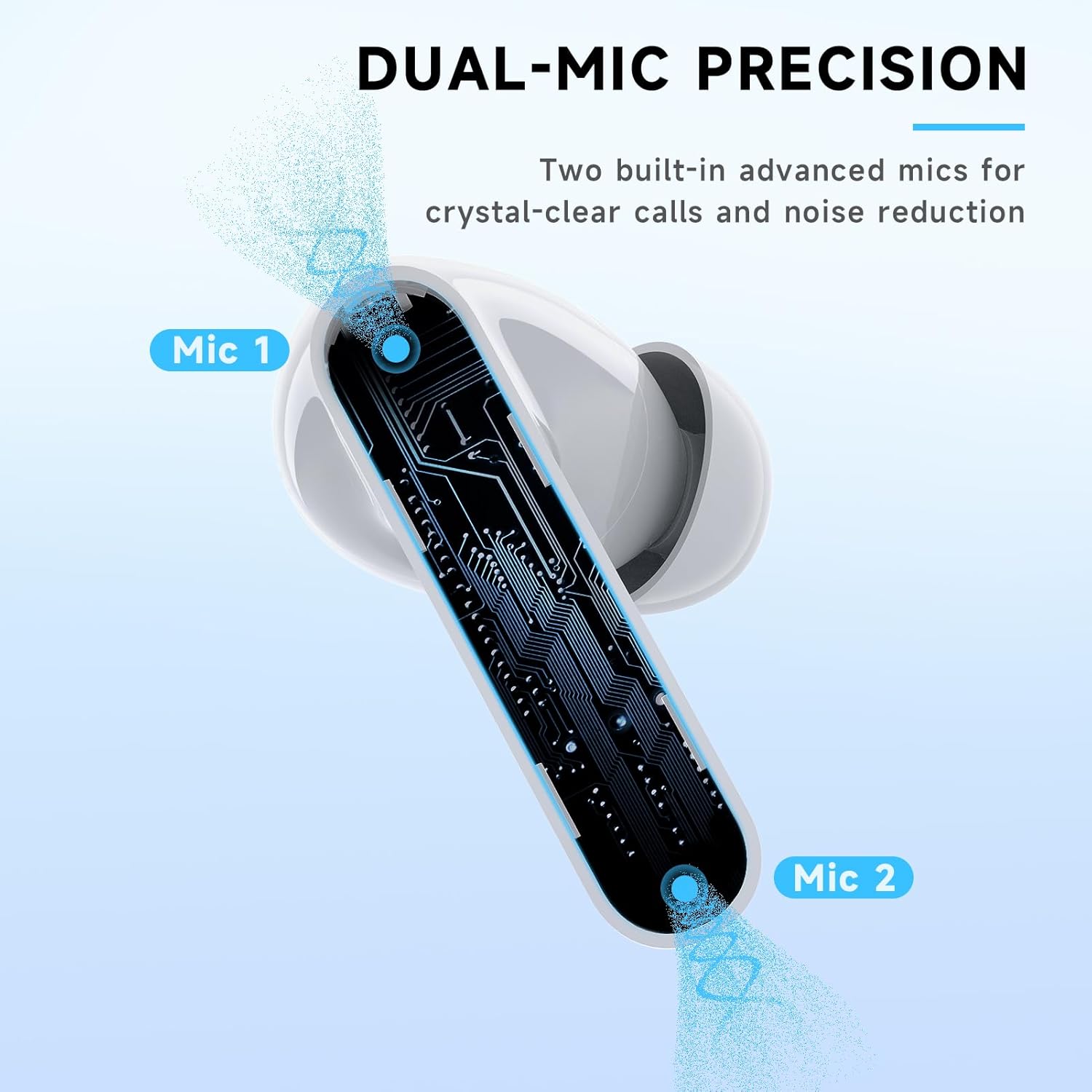
Figure 3.3: Each earbud is equipped with two built-in microphones for enhanced voice clarity and noise reduction during calls and in-game chat.
4. Setup
4.1 Charging the Earbuds and Case
Before first use, fully charge the earbuds and the charging case. The charging case provides up to 3.5 extra charges, offering a total of up to 36 hours of playtime.
- Place the earbuds into the charging case. Ensure they are properly seated.
- Connect the USB-C charging cable to the charging port on the case and the other end to a USB power source.
- The LED display on the case will show the charging status. A full charge for the case takes approximately 1.5 hours.
4.2 Connecting to Devices
The RYR NEO100 earbuds support dual connection modes: 2.4Ghz wireless via the USB-C dongle for ultra-low latency gaming, and Bluetooth for general use with mobile devices.
4.2.1 2.4Ghz Wireless Connection (Gaming Mode)
This mode provides ultra-low latency (under 20ms) for a seamless gaming experience.
- Insert the USB-C 2.4Ghz transmitter (dongle) into the USB-C port of your gaming device (e.g., Meta Quest 3/2, PS5, PS4, Steam Deck, Nintendo Switch, PC). If your device only has a USB-A port, use the included USB-C to USB-A adapter.
- The earbuds will automatically connect to the dongle when removed from the charging case. A blue indicator light on the dongle will confirm connection.
- Ensure your device's audio output is set to the RYR NEO100 earbuds.

Figure 4.1: The earbuds connect instantly to gaming devices like Meta Quest 3/2 via the 2.4Ghz dongle for a lag-free experience.
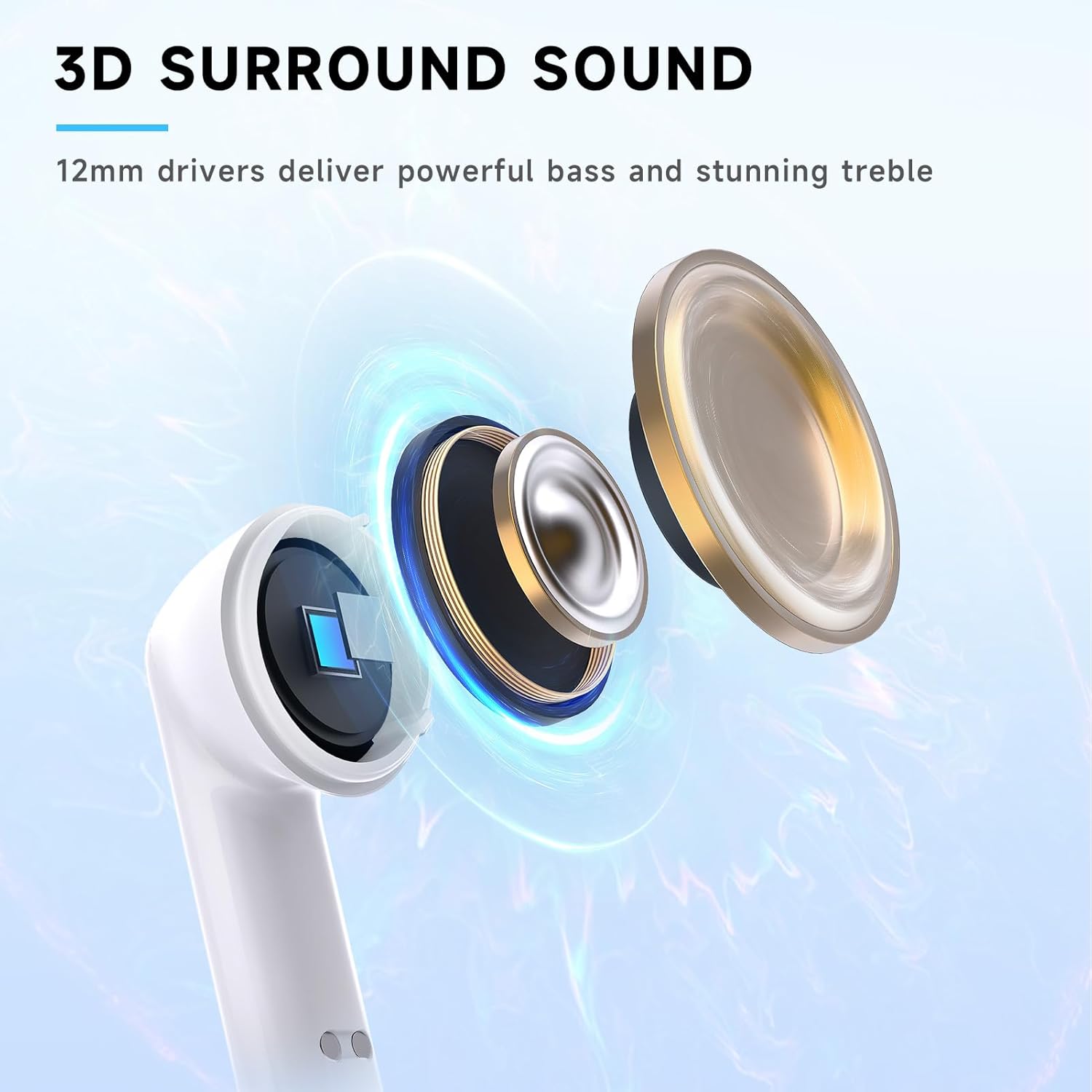
Figure 4.2: Experience real-time audio synchronization with less than 20ms latency, crucial for competitive gaming.
4.2.2 Bluetooth Connection
Use Bluetooth for connecting to smartphones, tablets, and other Bluetooth-enabled devices.
- Ensure the earbuds are in the charging case.
- Open the charging case. The earbuds will enter pairing mode (indicator lights will flash).
- On your device, go to Bluetooth settings and select "RYR NEO100" from the list of available devices.
- Once connected, the earbud indicator lights will stop flashing.
4.2.3 Dual Connection and Switching
The RYR NEO100 earbuds can connect to both a 2.4Ghz device and a Bluetooth device simultaneously. This allows you to receive calls on your phone while gaming without interruption.
- When a call comes in on your Bluetooth-connected phone, the earbuds will automatically switch to the phone audio.
- After the call ends, the earbuds will automatically switch back to your 2.4Ghz gaming audio.
- To manually switch between 2.4Ghz and Bluetooth audio, triple-tap either earbud.
5. Operating Instructions
5.1 Smart Touch Controls
The RYR NEO100 earbuds feature intuitive touch controls on each earbud for managing audio playback, calls, and connection modes.

Figure 5.1: Touch control functions for the RYR NEO100 earbuds.
| Action | Control | Function |
|---|---|---|
| Play/Pause | Double-tap (Either earbud) | Toggles playback. |
| Previous Track | Press and hold (Left earbud) | Skips to the beginning of the current track or the previous track. |
| Next Track | Press and hold (Right earbud) | Skips to the next track. |
| Answer/Hang up Call | Double-tap (Either earbud) | Answers an incoming call or ends an active call. |
| Reject Call | Long press (1.5s) (Either earbud) | Declines an incoming call. |
| Link Switch (2.4Ghz/Bluetooth) | Triple-tap (Either earbud) | Manually switches between 2.4Ghz and Bluetooth audio sources. |
5.2 Audio Features
The RYR NEO100 earbuds are equipped with 12mm dynamic drivers for powerful bass, crisp treble, and balanced mids, providing an immersive audio experience for both gaming and music.
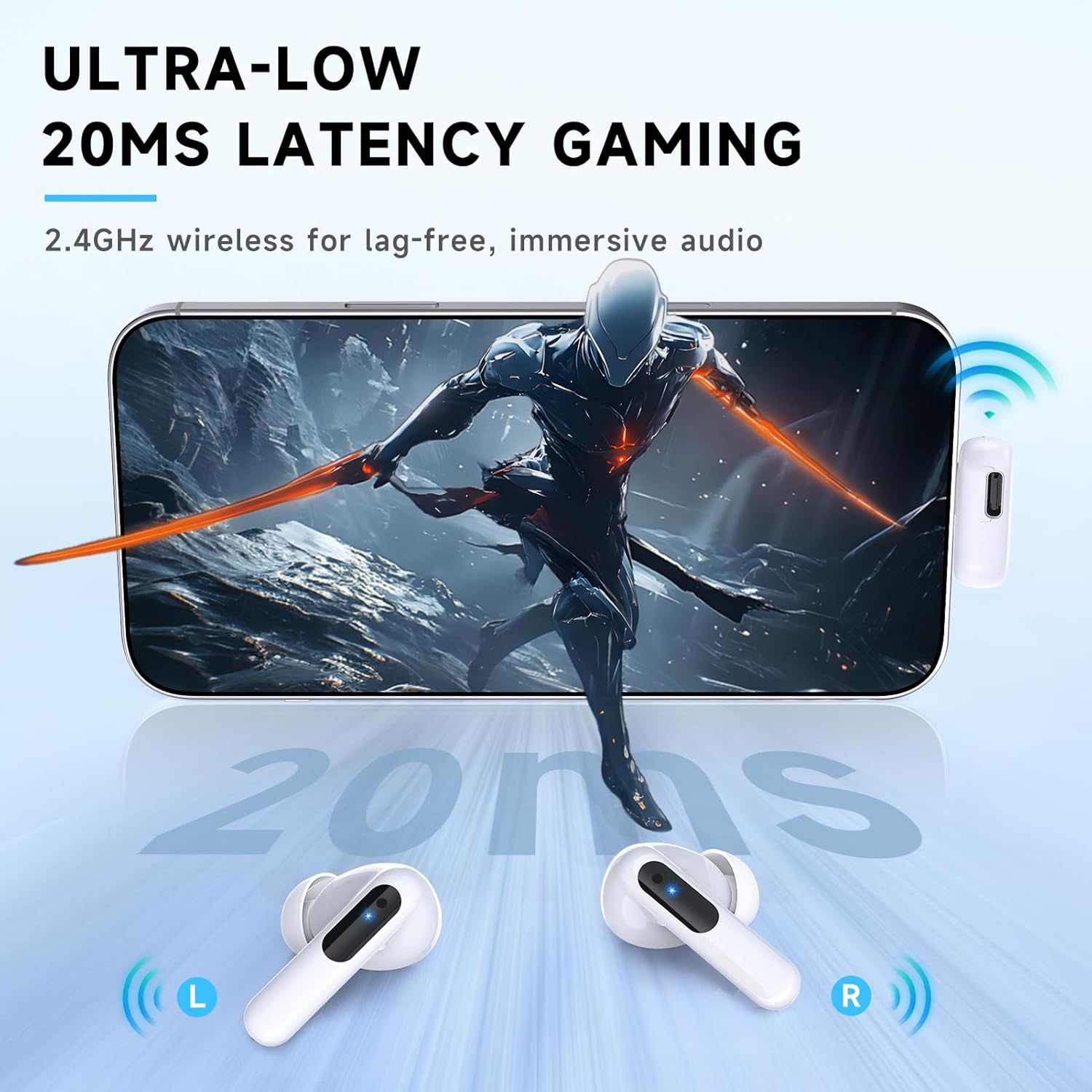
Figure 5.2: The 12mm drivers are engineered to deliver rich, detailed sound.
Dual built-in microphones with noise reduction technology ensure your voice is clear during communication, minimizing background noise.
5.3 Pass-Through Charging with Dongle
The 2.4Ghz USB-C dongle supports pass-through charging, allowing you to charge your gaming device (e.g., Meta Quest 2/3, Nintendo Switch) while using the earbuds for audio.

Figure 5.3: Charge your device simultaneously while enjoying wireless audio through the dongle.
6. Maintenance
- Cleaning: Regularly clean the earbuds, especially the eartips and charging contacts, with a soft, dry, lint-free cloth. Do not use harsh chemicals or abrasive materials.
- Eartips: Remove eartips periodically and clean them with mild soap and water. Ensure they are completely dry before reattaching.
- Storage: When not in use, store the earbuds in their charging case to protect them and keep them charged.
- Water Resistance: The earbuds are IPX4-rated, meaning they are resistant to sweat and splashes. Do not submerge them in water or expose them to heavy rain.
- Battery Care: To prolong battery life, avoid fully discharging the earbuds and charging case frequently. Charge them regularly, even if not in constant use.
7. Troubleshooting
If you encounter issues with your RYR NEO100 earbuds, refer to the following common solutions:
| Problem | Possible Cause | Solution |
|---|---|---|
| No sound from earbuds | Earbuds not connected; low battery; incorrect audio output selected on device. | Ensure earbuds are charged and connected. Check device's audio output settings. Re-pair if necessary. |
| Earbuds not pairing/connecting | Out of range; interference; pairing mode not active. | Ensure earbuds are close to the device. Turn off and on Bluetooth/dongle. Place earbuds in case, close, then open to re-enter pairing mode. |
| Charging case not charging | Faulty cable/adapter; dirty charging port. | Try a different USB-C cable and power adapter. Clean the charging port on the case. |
| Microphone not working clearly | Microphone blocked; environmental noise; incorrect input device selected. | Ensure microphones are not covered. Move to a quieter environment. Check device's audio input settings. |
| Audio latency/lag | Using Bluetooth for gaming; interference. | For gaming, ensure you are connected via the 2.4Ghz dongle. Minimize other wireless devices nearby. |
8. Specifications
| Feature | Detail |
|---|---|
| Model Name | NEO100 |
| Connectivity Technology | Wireless (2.4Ghz & Bluetooth) |
| Bluetooth Version | 5.3 |
| Audio Latency | 20 Milliseconds (via 2.4Ghz) |
| Audio Driver Size | 12 Millimeters |
| Noise Control | Sound Isolation |
| Microphones | Dual built-in with noise reduction |
| Control Type | Touch Control |
| Water Resistance Level | IPX4 (Water Repellent) |
| Carrying Case Battery Capacity | 500 mAh |
| Total Playtime (with case) | Up to 36 Hours |
| Single Charge Playtime | Up to 8 Hours |
| Carrying Case Charging Time | Approx. 1.5 Hours |
| Compatible Devices | Meta Quest 3/2, iPhone, PS5/PS4, Steam Deck, PC, Nintendo Switch |
| Material | ABS+Plastic |
| Item Weight | 0.13 Kilograms (earbuds + case) |
9. Warranty and Support
RYR products are manufactured to high-quality standards. For information regarding warranty coverage and terms, please refer to the warranty card included with your product or visit the official RYR support website.
If you require further assistance or have questions not covered in this manual, please contact RYR customer support through the contact information provided on the product packaging or the official RYR website. You may also find additional resources, including a PDF version of this user manual, at the following link: RYR NEO100 User Manual (PDF).


