
Light My Bricks 2.0-21356
Light My Bricks 2.0 Light Kit for LEGO River Steamboat #21356 Instruction Manual
Model: 2.0-21356 | Brand: Light My Bricks
Product Overview
This Light My Bricks 2.0 Light Kit is designed to enhance the LEGO River Steamboat #21356 (LEGO set not included) with realistic and vibrant lighting. The kit features a variety of lighting components to bring your model to life, including red and green astro lights for navigation markers, gentle deck spotlights, and a warm interior glow from micro meteor lights. It incorporates innovative flux touch plates for seamless lighting integration.
The kit is engineered for an optimal building experience, offering flexibility to install lights either during the LEGO build process or after the model is completed. Detailed 3D installation guides are provided to ensure clear and precise assembly.
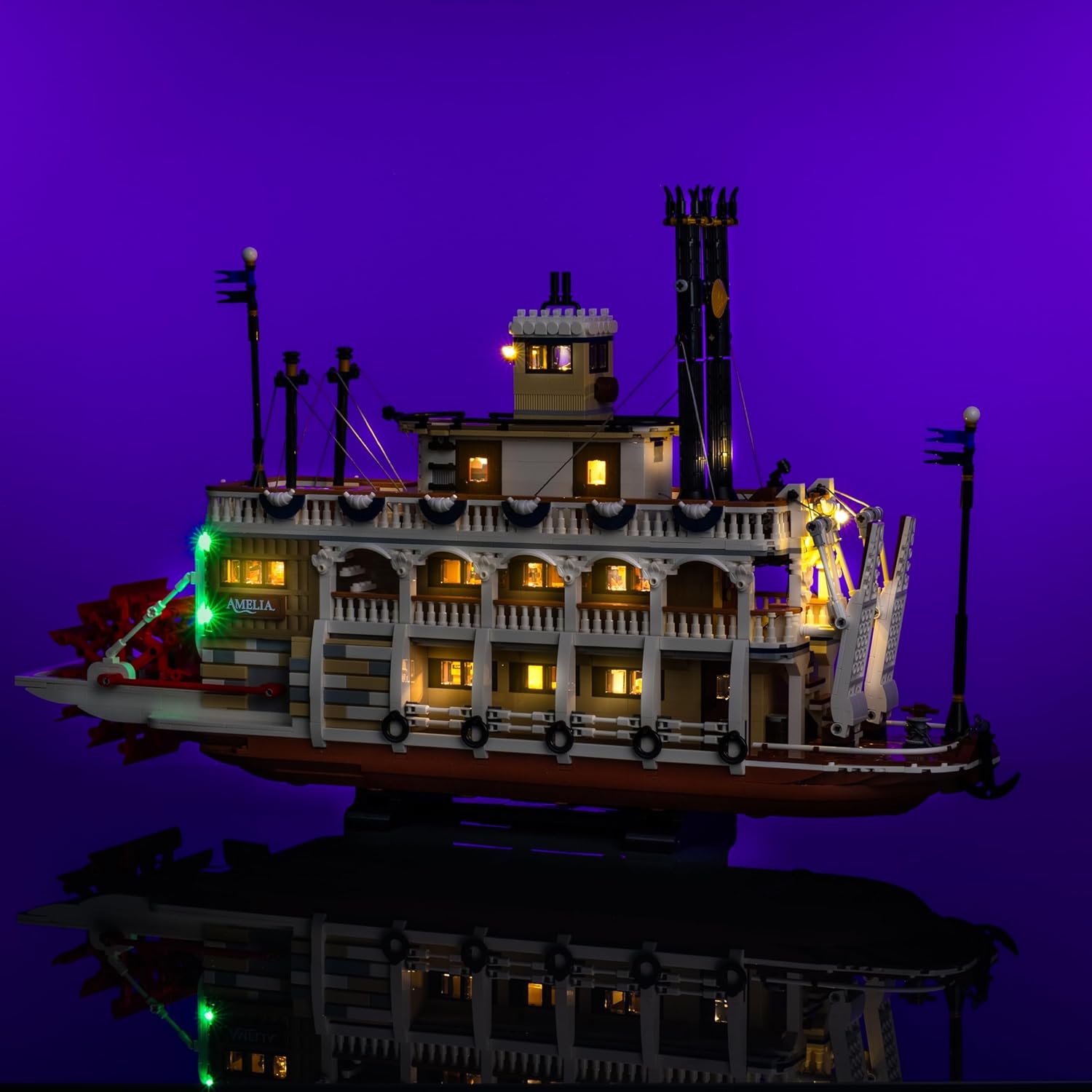
Image: The LEGO River Steamboat model illuminated by the Light My Bricks kit, showcasing the overall lighting effect.
Safety Information
Warning: Choking Hazard - small parts. Not for children under 3 years.
Please keep all small components out of reach of young children to prevent accidental ingestion.
What's in the Box
The Light My Bricks 2.0 Light Kit for LEGO River Steamboat #21356 includes the following components:
- 19 x Lights
- 7 x Belts
- 3 x Docks
- 6 x Flux Touch Plates
- 1 x Flux Power
- 12 x Accessories
- 18 x Assorted Bricks
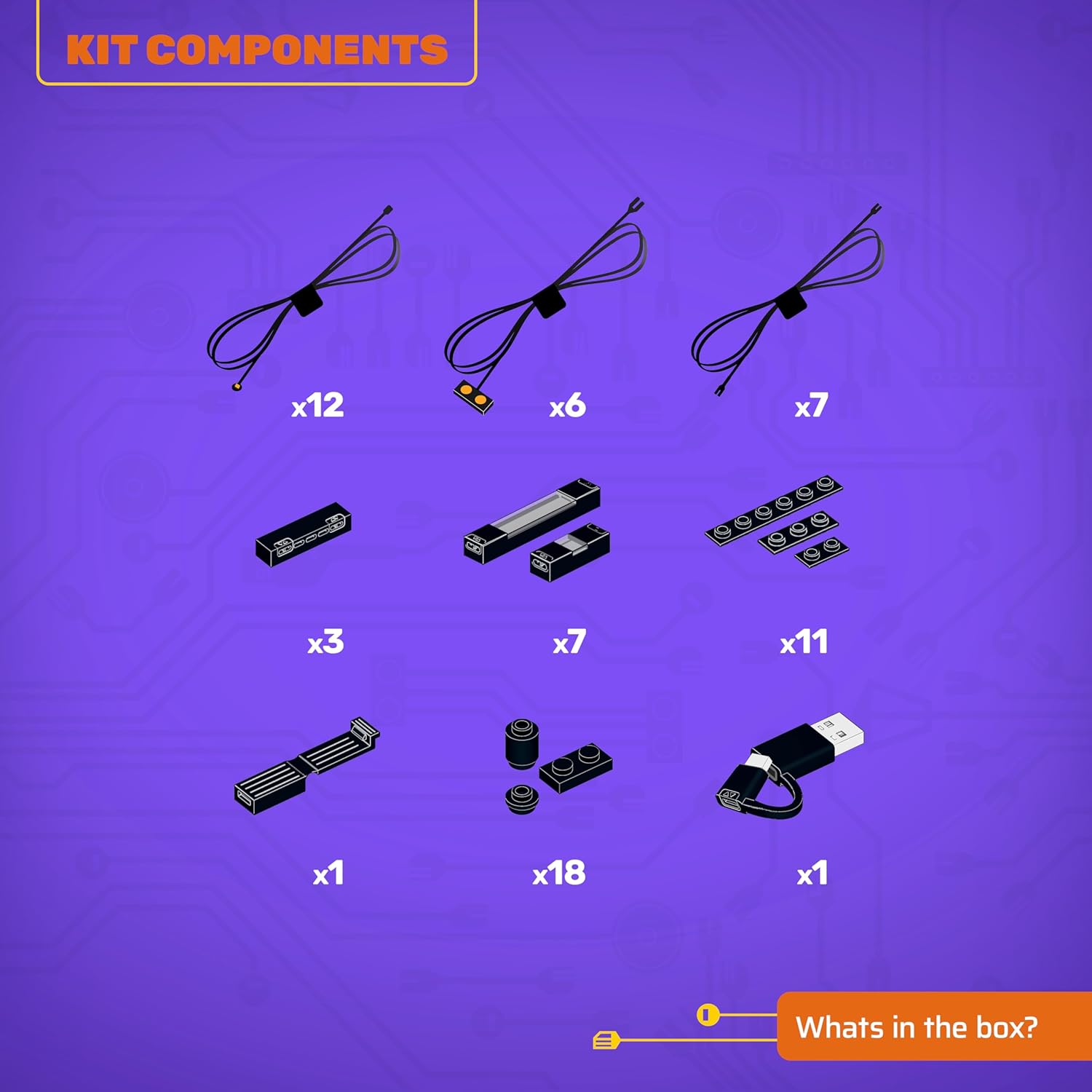
Image: A visual representation of the kit components included in the package.
Setup and Installation
This light kit is designed for flexible installation. You can choose to integrate the lighting components as you build your LEGO River Steamboat, or you can install them after the LEGO model is fully assembled.
Installation Guide Access:
To access the detailed 3D installation guides, please scan the QR code located on the side of the product box. These guides provide step-by-step instructions to ensure accurate placement of every brick and component.
Powering the Light Kit:
It is recommended to power this light kit using a USB Power Bank or a USB Wall Adaptor for connection to a mains outlet. Please note that these power components are not included with the light kit and must be acquired separately.

Image: Detail of the interior lighting, demonstrating the warm glow through the windows.

Image: Detail of the green navigation lights on the side of the steamboat.
Operating the Light Kit
Once installed and connected to a power source, the Light My Bricks kit will illuminate your LEGO River Steamboat. The kit features:
- Red and Green Astro Lights: Positioned to serve as authentic port and starboard navigation markers.
- Gentle Deck Spotlights: Designed to highlight the intricate details of the steamboat's deck.
- Warm Interior Glow: Achieved using micro meteor lights, providing a cozy and realistic ambiance inside the model.
- Flux Touch Plates: These innovative components ensure seamless and integrated lighting throughout the model, allowing for a clean and organized appearance without visible wires.

Image: The top deck area with spotlights illuminating the details.

Image: Detail of the red navigation lights on the side of the steamboat.

Image: The front deck area with spotlights illuminating the details.
Maintenance
To ensure the longevity and optimal performance of your Light My Bricks kit, please follow these general maintenance guidelines:
- Handling: Handle the illuminated LEGO model with care, especially around the wired components, to avoid disconnections or damage.
- Cleaning: Use a soft, dry cloth to gently dust the light components and wires. Avoid using liquids or abrasive cleaners.
- Storage: When not in use, store the model in a clean, dry environment away from direct sunlight and extreme temperatures.
- Power Disconnection: Always disconnect the power source when moving or performing any adjustments to the light kit.
Troubleshooting
If you encounter any issues with your Light My Bricks kit, consider the following troubleshooting steps:
- No Lights:
- Ensure the USB power source is properly connected and functioning.
- Verify that all cables and connectors are securely plugged into their respective ports.
- Check for any visible damage to wires or components.
- Flickering Lights:
- Inspect connections for looseness.
- Ensure the power source provides sufficient and stable power.
- Individual Light Not Working:
- Check the specific connection for that light.
- Carefully inspect the light component itself for any damage.
For persistent issues, refer to the official Light My Bricks 3D installation guides or contact customer support.
Specifications
| Feature | Detail |
|---|---|
| Product Dimensions | 5.71 x 4.53 x 2.74 inches |
| Item Weight | 7 ounces |
| ASIN | B0FCWHGZZN |
| Item Model Number | 2.0-21356 |
| Manufacturer Recommended Age | 12 years and up |
| Manufacturer | Light My Bricks |
Warranty and Support
Warranty information for your Light My Bricks product is typically provided with your purchase documentation or on the manufacturer's official website. Please retain your proof of purchase for warranty claims.
For further assistance, technical support, or detailed product information, please visit the official Light My Bricks website or contact their customer service department. You can often find contact details on the product packaging or through the brand's online presence.
Visit the Light My Bricks Store on Amazon for more products and information.
Ask a question about this manual
Ask about setup, troubleshooting, compatibility, parts, safety, or missing instructions. Manuals+ will review the question and use this page’s manual context to help answer it.