
Introduction
The WLU UFO8 Rechargeable Hearing Aids are designed to enhance sound for individuals with mild to moderate hearing loss. Featuring advanced 16-channel AI sound DSP chip technology, these hearing aids offer adaptive noise cancellation and clear voice recognition. They are designed for ease of use with no complex apps or Bluetooth connections required.
This manual provides comprehensive instructions for the proper setup, operation, maintenance, and troubleshooting of your WLU UFO8 hearing aids to ensure optimal performance and comfort.
Safety Information
Important Safety Instructions:
- These hearing aids are suitable for individuals with mild to moderate hearing impairment only. They are NOT suitable for severe hearing loss.
- Keep this product out of reach of children.
- Avoid exposing the device to high temperatures.
- Intended for adults 18 years and older to compensate for impaired hearing.
What's in the Box
Upon opening your WLU UFO8 package, you should find the following components:
- 2 x Hearing Aid Headsets (Left and Right)
- 1 x Charging Box
- 8 x Pairs of Domes (Earplugs) in various sizes (L, M, S, XS, single and double layer)
- 1 x Type-C Charging Cable
- 1 x Cleaning Brush
- 1 x Small Cleaning Cloth
- 1 x User Manual (this document)

Image: All components included in the WLU UFO8 hearing aid package.
Setup
1. Initial Charging
Before first use, fully charge the hearing aids and the charging box. Place the hearing aids into the charging box. Connect the Type-C cable to the charging box and a power source. A full charge for the hearing aids takes approximately 1.5 hours, and the charging box also takes about 1.5 hours to fully charge.

Image: WLU UFO8 hearing aids in their charging case, showing charging indicators and battery life information.
The charging box provides up to 48 hours of total power, allowing the hearing aids to work continuously for up to 10 hours on a single charge.
2. Selecting Ear Domes
Choose the ear dome (earplug) size that provides the most comfortable and secure fit in your ear canal. The package includes various sizes (L, M, S, XS) and types (single and double layer) to ensure a proper seal and optimal sound delivery.

Image: Various ear dome sizes and shapes for customized fit.
3. Wearing the Hearing Aids
Identify the left and right hearing aids. The hearing aids are ergonomically designed to fit discreetly behind your ear. Gently place the ear dome into your ear canal and position the main body of the hearing aid behind your ear, ensuring a secure and comfortable fit. The lightweight design (5g per headset) allows for extended wear without discomfort.

Image: Illustration of the discreet and comfortable fit of the WLU UFO8 hearing aids.

Image: Gradual adaptation guide for new hearing aid users.
Adaptation Period: It is recommended to gradually adapt to wearing the hearing aids. Start with 1-4 hours daily in the first week, increasing to 1-8 hours in the second week, and 1-16 hours in the third week to fully adjust to the enhanced sounds.
Operation
1. Power On/Off
The hearing aids automatically power on when removed from the charging case and power off when placed back into the charging case. No manual power button operation is required for daily use.

Image: Overview of the simple and intuitive operation features.
2. Adjusting Modes and Volume
The WLU UFO8 hearing aids feature intuitive buttons for easy mode switching and volume adjustment. Each hearing aid can be controlled independently.
- Mode Button: Short press to cycle through the 4 available hearing modes.
- Mode 1 (Normal Mode): Suitable for mild hearing loss.
- Mode 2 (Normal Mode with Noise Reduction): Suitable for mild hearing loss in noisy environments.
- Mode 3 (Enhanced Normal Mode): Suitable for moderate hearing loss.
- Mode 4 (Enhanced Normal Mode with Noise Reduction): Suitable for moderate hearing loss in noisy environments.
- Volume Buttons (+/-): Short press to adjust the volume level. There are 5 levels of volume adjustment (23, 26, 29, 32, 35dB gain).
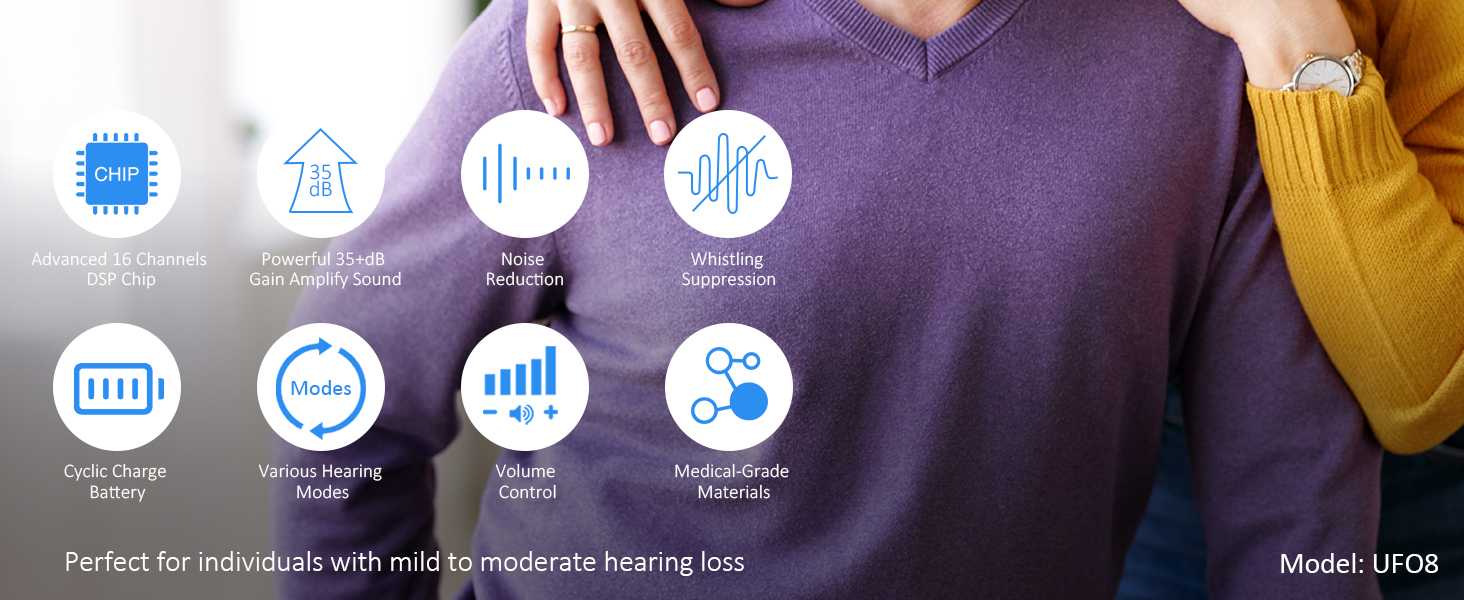
Image: Controls for hearing modes and volume levels.
The device includes a sound memory function that retains your last selected hearing mode and volume level for convenience.
3. Using in Different Scenarios
The WLU UFO8 hearing aids are designed to improve your hearing in various daily situations. For relatively quiet environments like watching TV or conversations, Normal Mode (Mode 1 or 3) is recommended. For noisy environments such as construction sites or busy streets, activate a Noise Reduction Mode (Mode 2 or 4).

Image: Recommended hearing modes for different environments.
Maintenance
Regular cleaning and proper care will extend the lifespan and maintain the performance of your WLU UFO8 hearing aids.
- Daily Cleaning: After each use, gently wipe the hearing aids and ear domes with the provided small cleaning cloth to remove any earwax or debris.
- Deep Cleaning: Use the cleaning brush to carefully remove earwax from the ear dome and sound outlet. Ensure no moisture enters the device.
- Storage: When not in use, store the hearing aids in their charging case to protect them from dust, moisture, and physical damage.
- Avoid Moisture: Do not immerse the hearing aids in water or expose them to excessive moisture. Remove them before showering, swimming, or using hairspray.
- Battery Care: Keep the charging case and hearing aids charged regularly to maintain battery health.
Troubleshooting
If you encounter any issues with your WLU UFO8 hearing aids, please refer to the following common troubleshooting steps:
| Problem | Possible Cause | Solution |
|---|---|---|
| No Sound or Weak Sound |
|
|
| Whistling or Feedback Sound |
|
|
| Distorted Sound |
|
|
| Hearing Aids Not Charging |
|
|
If the problem persists after trying these steps, please contact customer support.
Specifications
| Feature | Detail |
|---|---|
| Brand | WLU |
| Model Name | UFO8 |
| Color | Black |
| Material | Acrylonitrile Butadiene Styrene (ABS), Plastic |
| Power Source | Battery Powered (Rechargeable Lithium Ion) |
| Audio Sensitivity (Peak Gain) | Up to 35 dB |
| Noise Control | Environmental Noise Cancellation |
| Continuous Working Time | Up to 10 hours (single charge) |
| Total Power Duration (with charging case) | Up to 48 hours |
| Charging Time (Headset) | 1.5 hours |
| Charging Time (Case) | 1.5 hours |
| Weight (Single Headset) | 5g |
| Control Type | Button Control |
| Special Features | Echo Cancellation, Lightweight, Noise Cancellation, Rechargeable, Volume Control |
| Recommended Use | Mild to moderate hearing impaired individuals |
Warranty and Support
WLU provides a 12-month warranty for your hearing aids (model UFO8). This warranty covers manufacturing defects and ensures product quality.
If you have any questions, concerns, or require assistance with your product, please do not hesitate to contact our customer service team. We offer a 24-hour response time for all inquiries.
- Professional after-sales service to assist with product use.
- Support for replacement of damaged, defective, or lost products.
- Free return and exchange within 30 days (unconditional return).

Image: WLU customer service team ready to assist.
Product Videos
Watch the official product video for a visual guide on the WLU UFO8 rechargeable hearing aids.
Video: An overview of the WLU rechargeable hearing aids, demonstrating their features and ease of use.