1. Introduction
Thank you for choosing the Kicinn Ice Maker. This compact, fast, and self-cleaning appliance is designed to provide you with fresh ice cubes efficiently. Capable of producing up to 12 kg of ice per day, it is ideal for various settings, from home kitchens to offices or outdoor events. Please read this manual carefully before operating the appliance to ensure safe and optimal performance.
2. Safety Instructions
To reduce the risk of fire, electric shock, or injury, always follow these basic safety precautions:
- Read all instructions before using the appliance.
- Do not touch the evaporator or ice cubes when the machine is operating to avoid frostbite.
- Do not immerse the appliance, power cord, or plug in water or other liquids.
- Unplug the appliance from the power outlet when not in use and before cleaning.
- Do not operate any appliance with a damaged cord or plug, or after the appliance malfunctions or has been damaged in any manner.
- Ensure the appliance is placed on a stable, level surface.
- Keep the appliance away from heat sources and direct sunlight.
- Ensure adequate ventilation around the unit, as warm air is expelled from the sides. Maintain at least 15 cm (6 inches) of clearance on all sides.
- This appliance is for household use only.
3. Product Overview
Familiarize yourself with the components of your Kicinn Ice Maker:
- Ice Maker Unit
- Ice Basket
- Ice Scoop
- Control Panel with LED Indicators
- Water Reservoir (internal)
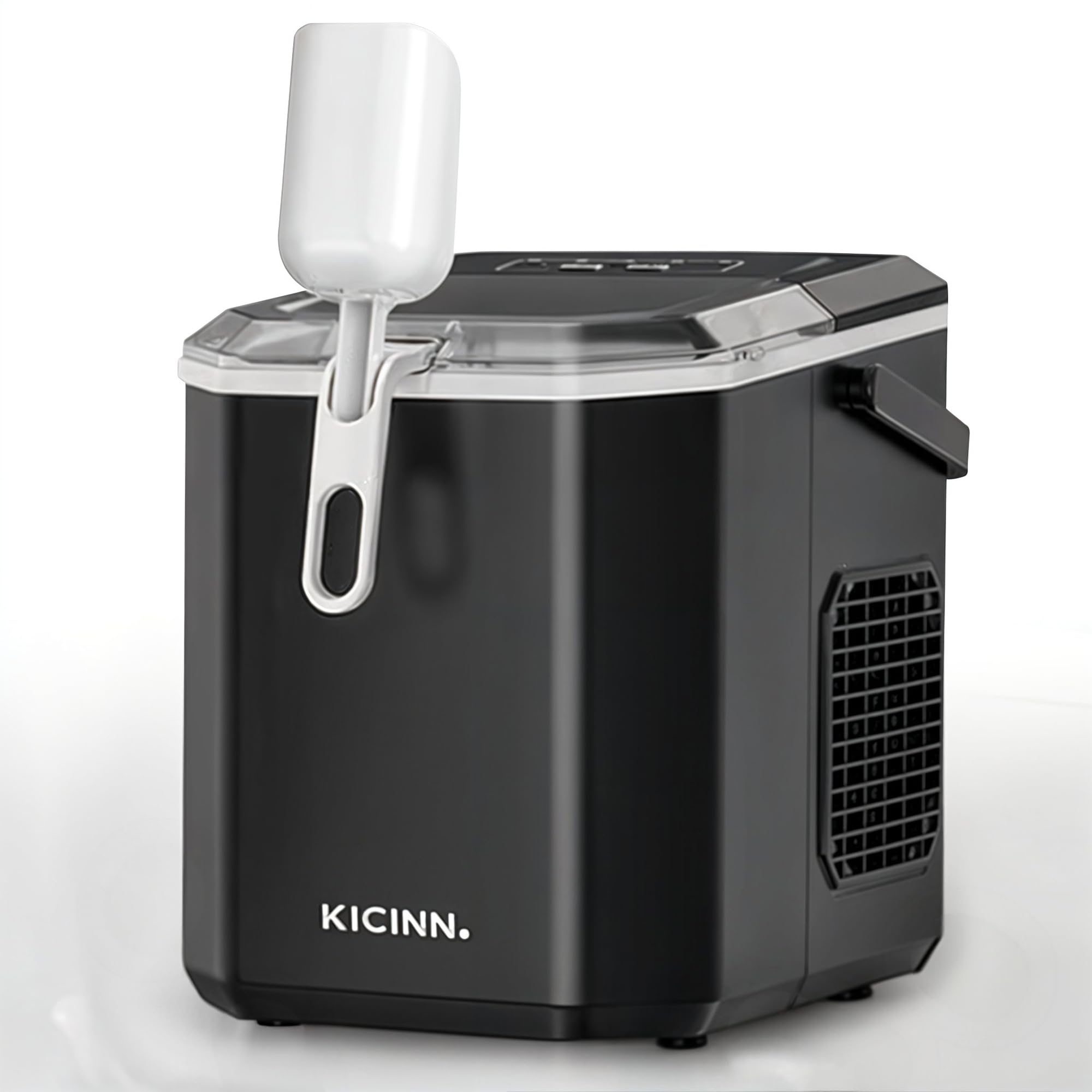
Image 3.1: The Kicinn Ice Maker showing its key features: 12 kg ice production per 24 hours, 9 cubes per cycle, ice cubes within 6-12 minutes, and options for large (24x30mm) or small (22x28mm) ice sizes. An ice basket and scoop are visible next to the machine.

Image 3.2: This image highlights the Kicinn Ice Maker's 1.3-liter water capacity and its compact, portable design, making it easy to carry and store.
4. Setup
- Unpacking: Carefully remove the ice maker from its packaging. Remove all packing materials, including any tape or labels.
- Placement: Place the ice maker on a flat, stable, and level surface. Ensure there is at least 15 cm (6 inches) of clearance around the unit for proper ventilation, especially on the sides where warm air is expelled. Avoid placing it near heat sources or in direct sunlight.
- Initial Cleaning: Before first use, clean the interior of the ice maker. Refer to the 'Maintenance and Cleaning' section for detailed instructions.
- Power Connection: Plug the power cord into a grounded electrical outlet. Ensure the voltage matches the appliance's requirements (240 Volts).
5. Operating Instructions
Operating your Kicinn Ice Maker is straightforward:
- Fill Water Reservoir: Open the lid and fill the water reservoir with clean, potable water up to the MAX fill line. Do not overfill. The reservoir has a capacity of 2 liters.
- Power On: Press the POWER button on the control panel to turn on the ice maker.
- Select Ice Size: Use the SELECT button to choose your desired ice cube size: S for Small (22x28mm) or L for Large (24x30mm). The corresponding LED indicator will light up.
- Ice Production: The ice maker will begin its cycle. The first batch of ice cubes (approximately 9 cubes) will be ready in about 6-12 minutes, depending on the selected size and ambient temperature. The machine can produce up to 12 kg of ice in 24 hours.
- Monitor Indicators:
- The ADD WATER indicator will light up when the water reservoir is low. Refill with water to continue ice production.
- The ICE FULL indicator will light up when the ice basket is full. Remove ice to resume production.
- Serving Ice: Use the provided ice scoop to remove ice from the basket.
- Power Off: Press the POWER button again to turn off the ice maker when you are finished.

Image 5.1: A close-up view of the Kicinn Ice Maker's control panel, showing the LED indicators for 'ADD WATER', 'ICE FULL', 'POWER', and the 'SELECT' button for choosing ice sizes (S for Small, L for Large). The 'ON/OFF CLEAN' button is also visible.
6. Maintenance and Cleaning
Regular cleaning ensures optimal performance and hygiene of your ice maker.
- Self-Cleaning Function: The Kicinn Ice Maker features an integrated self-cleaning function. To activate, ensure the water reservoir is filled, then press and hold the ON/OFF CLEAN button for a few seconds. The machine will run a cleaning cycle. Once complete, drain the water.
- Daily Cleaning: After each use, or at least daily, drain any remaining water from the reservoir. Remove the ice basket and clean it with mild detergent and warm water. Rinse thoroughly and dry.
- Interior Cleaning: Periodically, clean the interior surfaces with a soft cloth dampened with a solution of water and vinegar or a mild disinfectant. Rinse with clean water and wipe dry.
- Exterior Cleaning: Wipe the exterior of the ice maker with a soft, damp cloth. Do not use abrasive cleaners or solvents.
- Storage: If storing the ice maker for an extended period, ensure it is completely dry. Store it in a cool, dry place.
7. Troubleshooting
If you encounter issues with your ice maker, refer to the following table for common problems and solutions:
| Problem | Possible Cause | Solution |
|---|---|---|
| Ice maker not turning on | No power supply | Check if the power cord is securely plugged in and the outlet is functional. |
| ADD WATER indicator is on | Water reservoir is empty | Fill the water reservoir with clean water. |
| ICE FULL indicator is on | Ice basket is full | Remove ice from the basket. |
| No ice production | Lack of water, high ambient temperature, or air blockage | Ensure water reservoir is full. Place the unit in a cooler environment. Check for proper ventilation around the unit. |
| Ice cubes are too small or soft | Water temperature too high, or ambient temperature too high | Use colder water. Place the unit in a cooler environment. Select the 'Large' ice size setting. |
8. Specifications
| Feature | Specification |
|---|---|
| Model Number | KIC-IJSBM-ZR-1224-ZW |
| Dimensions (L x W x H) | 29.5 x 22 x 29 cm |
| Weight | 6.2 Kilograms |
| Water Reservoir Capacity | 2 Liters |
| Power | 100 Watts |
| Voltage | 240 Volts |
| Daily Ice Production | Up to 12 Kilograms |
| Material | ABS Plastic |
| Noise Level | Approximately 40dB |
| Included Components | 1x Ice Scoop, 1x Removable Ice Basket |

Image 8.1: A diagram illustrating the dimensions of the Kicinn Ice Maker: 29.5 cm depth, 22 cm width, and 29 cm height.

Image 8.2: This image compares the noise level of the Kicinn Ice Maker (40dB) to other common sounds like background noise (20dB), refrigerator (30dB), normal conversation (45dB), and music (70dB), indicating its relatively quiet operation.
9. Warranty and Support
For warranty information or technical support, please contact Kicinn customer service. Information regarding spare parts availability is currently not provided.
Please retain your proof of purchase for any warranty claims.