
1. Introduction
Thank you for purchasing the Philips Series 700 Compact Electric Shaver S791/06. This manual provides essential information for the safe and effective use, maintenance, and troubleshooting of your new shaver. Please read these instructions carefully before first use and retain them for future reference.
2. Safety Information
WARNING: To reduce the risk of electric shock, injury, or damage to the appliance:
- Avoid contact with water and electricity.
- Exercise extreme caution when handling the blades.
- Due to the wireless charging function, avoid contact with water or moisture when charging.
- Do not immerse the charging cable or adapter in water.
- Keep the appliance out of reach of children.
- Only use the appliance for its intended purpose as described in this manual.
3. Product Overview
The Philips Series 700 Compact Electric Shaver S791/06 is designed for a close and comfortable shave. It features a compact design, powerful motor, and durable blades for efficient performance.
Key Features:
- Deep Shave Technology: Lifts hairs from the root for a deep shave of -0.08mm below the skin.
- Wireless Charging: Supports Qi-compatible wireless charging pads for convenient cable-free charging. (Wireless charging pad not included; charging is also possible with the included cable.)
- Swipe Power Operation: Touch-sensor power button for intuitive on/off control.
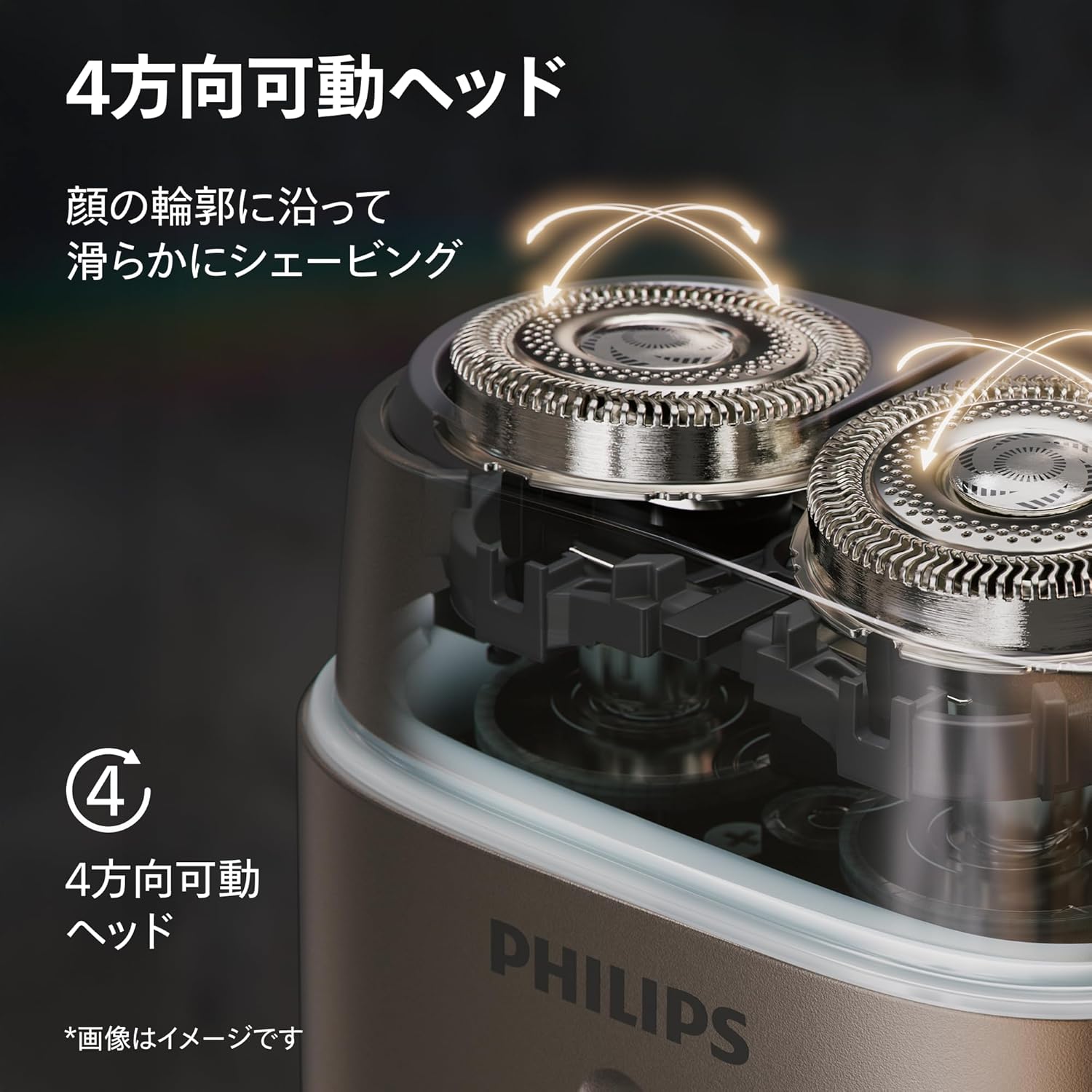
- 4-Direction Flexible Head: Adapts to facial contours for a smooth shave.
- Powerful Motor: Ensures a robust and efficient shaving experience.
- Durable Blades: European-made stainless steel blades for long-lasting sharpness.
- Wet & Dry Use: Suitable for wet shaving with foam or gel, and the body is fully washable.
- Nose Trimmer Attachment: For additional grooming needs.
- Portability: Includes a protective cap and travel case for easy transport and storage.


4. Setup
4.1 Initial Charging
Before using your shaver for the first time, ensure it is fully charged. A full charge provides approximately 60 minutes of shaving time.
- Using the Charging Cable: Connect the small end of the included charging cable to the shaver's charging port and the USB end to a compatible USB power adapter (not included) or a powered USB port.
- Using a Wireless Charging Pad (Sold Separately): Place the shaver directly onto a Qi-compatible wireless charging pad. Ensure the shaver is correctly positioned for charging to begin.
The charging indicator light on the shaver will illuminate during charging and change when fully charged (refer to the indicator light section in your quick start guide for specific behavior).

5. Operating Instructions
5.1 Power On/Off
The shaver features a touch-sensor power button for intuitive control.
- To turn on, slide your finger upwards along the touch-sensor power button.
- To turn off, slide your finger downwards along the touch-sensor power button.

5.2 Shaving
For optimal results, ensure your skin is clean and dry for a dry shave, or apply shaving foam/gel for a wet shave.
- Turn on the shaver.
- Gently press the shaver head against your skin.
- Move the shaver in small, circular motions across your face and neck. The 4-direction flexible head will adapt to your facial contours.
- For a closer shave, stretch your skin with your free hand.
- After shaving, turn off the shaver.

5.3 Using the Nose Trimmer Attachment
The nose trimmer attachment can be used for grooming nose and ear hair.
- Ensure the shaver is turned off.
- Remove the shaving head by gently pulling it upwards.
- Attach the nose trimmer by aligning it with the shaver body and pushing it down until it clicks into place.
- Turn on the shaver.
- Carefully insert the trimmer into your nostril or ear canal.
- Move the trimmer gently to remove unwanted hair.
- After use, turn off the shaver and remove the trimmer for cleaning.

6. Maintenance
Regular cleaning and maintenance will ensure optimal performance and extend the lifespan of your shaver.
6.1 Cleaning the Shaver
The shaver body is fully washable, making cleaning simple.
- After each use, turn off the shaver.
- Hold the shaver under warm running water to rinse the shaving head.
- For a more thorough cleaning, remove the shaving head by gently pulling it upwards.
- Rinse the inside of the shaving unit and the individual cutters under running water.
- Shake off excess water and allow the components to air dry before reassembling.
- Do not use abrasive cleaning agents or harsh chemicals.

6.2 Replacing Shaving Heads
For continued optimal performance, it is recommended to replace the shaving heads approximately every 12 months. Replacement heads can be purchased from authorized Philips retailers or online.
- Turn off the shaver and disconnect it from any power source.
- Remove the old shaving head by gently pulling it upwards.
- Dispose of the old shaving head responsibly.
- Place the new shaving head onto the shaver body, ensuring it aligns correctly, and push down until it clicks into place.
7. Troubleshooting
If you encounter any issues with your Philips Series 700 Compact Electric Shaver, refer to the following common problems and solutions:
| Problem | Possible Cause | Solution |
|---|---|---|
| Shaver does not turn on. | Battery is depleted. Incorrect swipe gesture. | Charge the shaver fully. Ensure you slide your finger firmly upwards along the power button. |
| Poor shaving performance. | Shaving heads are dirty or worn. | Clean the shaving heads thoroughly. Replace shaving heads if they are older than 12 months. |
| Shaver makes unusual noise. | Shaving head not properly attached. Debris inside the shaver head. | Ensure the shaving head is securely attached. Clean the shaving head thoroughly. |
| Wireless charging not working. | Shaver not correctly positioned on the charging pad. Charging pad is not Qi-compatible or not powered. | Adjust the shaver's position on the charging pad. Ensure the charging pad is powered and Qi-compatible. Use the included charging cable as an alternative. |
If the problem persists after trying these solutions, please contact Philips customer support.
8. Specifications
| Feature | Specification |
|---|---|
| Model Number | S791/06 |
| Brand | Philips |
| Color | Ash Gold |
| Size | Compact |
| Wattage | 5 W |
| Battery Type | Lithium Ion (Built-in) |
| Battery Life | 60 minutes |
| Blade Material | Stainless Steel |
| Head Type | Rotary |
| Package Weight | 0.45 kg |
| Other Features | Portable, Rechargeable, Wet & Dry Use, Wireless Charging Compatible |
9. Warranty and Support
9.1 Manufacturer's Warranty
This Philips Series 700 Compact Electric Shaver S791/06 comes with a 2-year manufacturer's warranty from the date of purchase. This warranty covers defects in materials and workmanship under normal use. It does not cover damage caused by misuse, neglect, accidents, or unauthorized modifications.
9.2 Customer Support
For product support, warranty claims, or to purchase replacement parts and accessories, please visit the official Philips website or contact their customer service department. You can find contact information on the Philips website or in the documentation included with your product.
Online Resources:
- Philips Official Website: www.philips.com
- Philips Store on Amazon: Philips Store


