
LEFXMOPHY Silicone Remote Control Cover Instruction Manual
For TCL RC833A / 2025 C71K 4K Voice TV Remote Control
1. Product Overview
This LEFXMOPHY silicone cover is designed to provide protection and enhanced usability for your TCL RC833A or 2025 C71K 4K Voice TV remote control. It features a durable, soft silicone material that helps prevent damage from drops, scratches, and dust. The cover also includes a glow-in-the-dark function for easy location in low-light conditions.

Image 1: The LEFXMOPHY silicone cover in blue, shown alongside a compatible TCL remote control, highlighting its protective design and precise fit.
2. Compatibility
This silicone cover is specifically engineered for the following remote control models:
- TCL RC833A 4K Voice TV Remote Control
- TCL 2025 C71K 4K Voice TV Remote Control
Please verify your remote control model before installation to ensure proper fit. This cover is not compatible with other TCL remote models such as TCL RC716 or TCL RC923A.

Image 2: A visual guide illustrating the specific compatibility of the cover with the TCL RC833A remote, and incompatibility with other models like RC716 and RC923A.
3. Key Features
- High-Quality Silicone Material: Constructed from environmentally friendly silicone, offering a delicate, skin-friendly, and comfortable grip. The material is safe, non-toxic, and washable.
- Precise Fit: Designed with 1:1 real machine molding, ensuring accurate hole positions and a perfect fit for the remote control, preventing it from easily falling off.
- Shock Protection: The elastic silicone material instantly rebounds on impact, providing protection against daily bumps and knocks.
- Glow-in-the-Dark Function: The luminous material allows the cover to glow in the dark after exposure to light for several minutes, making your remote easier to find.
- Enhanced Grip: Features a diamond texture on the back for improved grip and reduced slippage.

Image 3: Depicts the key material properties of the silicone cover, emphasizing its eco-friendly, safe, non-toxic, skin-friendly, and washable characteristics.

Image 4: Illustrates the precise manufacturing of the cover, showing how it perfectly matches the remote's contours and button placements.

Image 5: Shows the shock-absorbing properties of the silicone material, demonstrating its ability to protect the remote from impacts.
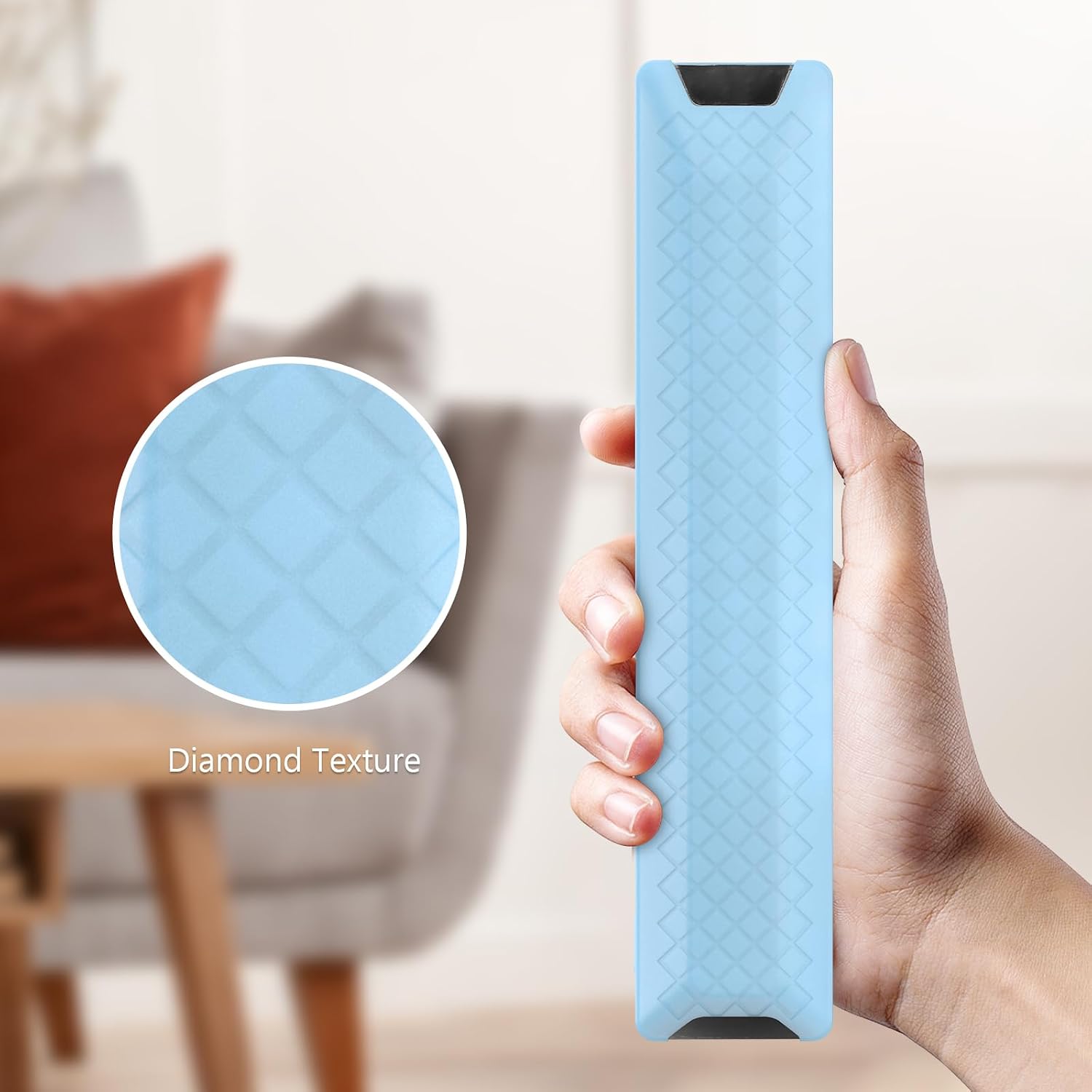
Image 6: A close-up view of the diamond texture on the back of the cover, designed to enhance grip and prevent slipping.
4. Setup and Installation
Installing the LEFXMOPHY silicone cover is a simple, one-step process:
- Ensure your remote control is clean and dry.
- Gently slide the remote control into the silicone cover, starting from one end and working your way down.
- Adjust the cover to ensure all buttons and ports are properly aligned and accessible.

Image 7: Illustrates the straightforward process of installing the silicone cover onto the remote control.
Video 1: A demonstration of how to install a LEFXMOPHY silicone cover onto a similar TCL remote control, showcasing the flexibility of the material and the ease of fitting. This video also briefly demonstrates the glow-in-the-dark feature.
5. Operating Instructions
Once installed, the silicone cover functions as a protective layer for your remote control. All buttons, ports, and functions remain fully accessible. The primary operational aspect of the cover is its glow-in-the-dark feature:
- To activate the glow, expose the cover to a light source (e.g., room light, sunlight) for several minutes.
- The longer the exposure time, the brighter and longer the cover will glow in the dark.
6. Maintenance
To keep your LEFXMOPHY silicone cover clean and in optimal condition:
- The cover is washable. You can rinse it with water and mild soap if it becomes dirty.
- Allow the cover to air dry completely before re-installing it on your remote control.
- Avoid using harsh chemicals or abrasive materials, as these may damage the silicone.
7. Troubleshooting
- Cover does not glow in the dark: Ensure the cover has been exposed to sufficient light for an adequate period. The glow effect is temporary and requires light absorption.
- Cover does not fit: Double-check the model number of your TCL remote control. This cover is specifically designed for TCL RC833A and 2025 C71K models. Refer to the compatibility section.
- Buttons are difficult to press: Re-adjust the cover to ensure it is seated correctly and not obstructing any buttons.
8. Specifications
| Attribute | Detail |
|---|---|
| Brand | LEFXMOPHY |
| Compatible Devices | TCL RC833A, TCL 2025 C71K 4K Voice TV Remote |
| Material | Silicone |
| Form Factor | Cover |
| Shell Type | Soft |
| Item Weight | 0.74 ounces |
| Package Dimensions | 8.27 x 2.76 x 0.39 inches |
9. Support Information
For further assistance or inquiries regarding your LEFXMOPHY silicone remote control cover, please contact the manufacturer directly. Refer to the product packaging or the retailer's website for specific contact details.