1. Introduction
Thank you for choosing the ABOK Ark7200 Portable Power Station. This manual provides essential information for the safe and efficient operation, maintenance, and troubleshooting of your device. Please read this manual thoroughly before using the product and retain it for future reference.
The ABOK Ark7200 is a high-capacity, dual-voltage portable power station designed to provide reliable electricity for various applications, including home backup, construction sites, forestry operations, and outdoor activities. It features a 9792Wh LiFePO4 battery, 7200W AC output, and multiple charging options.
2. Safety Instructions
General Safety:
- Read all instructions before use.
- Do not disassemble, repair, or modify the unit.
- Keep the unit away from water, fire, and extreme temperatures.
- Ensure adequate ventilation during operation to prevent overheating.
- Do not block the ventilation openings.
- Use only original or certified accessories.
- Keep out of reach of children and pets.
Battery Safety (LiFePO4):
- The unit contains a LiFePO4 battery. Do not expose it to fire or high temperatures.
- Avoid puncturing, dropping, or crushing the battery.
- If the battery leaks, avoid contact with skin and eyes. Rinse with water and seek medical attention.
3. Package Contents
Verify that all items are included in your package:
- ABOK Ark7200 Portable Power Station
- AC Cable (100V-120V)
- AC Cable (200V-240V)
- MC4 to XT90 Cable
- Cigarette Lighter Output to XT60 Cable
- User Manual

4. Product Overview
4.1 Components and Features
The ABOK Ark7200 is built with industrial-grade materials for durability and portability.


4.2 Ports and Controls
Familiarize yourself with the various ports and controls on your power station:

- LCD Screen: Displays battery status, input/output power, and other operational information.
- Power ON/OFF Button: Press to turn the unit on or off.
- USB-A QC3.0: Quick Charge 3.0 USB-A output port.
- USB-C PD100: Power Delivery 100W USB-C output port.
- USB-C PD20: Power Delivery 20W USB-C output port.
- USB ON/OFF Button: Activates/deactivates USB output ports.
- AC ON/OFF Button: Activates/deactivates AC output ports.
- AC 100V-120V 20A x 4: Standard AC output ports.
- 20A Overload Protector: Resettable circuit breaker for 20A AC outputs.
- AC 120V/240V 50A: High-power AC output port.
- AC 120V/240V 30A: High-power AC output port.
- AC Input: Port for charging the power station via AC wall outlet.
- High Voltage PV Input (120V-450V): For connecting high-voltage solar panels.
- Photovoltaic Switch: Activates/deactivates PV input.
- Grounding Wire Port: For connecting a grounding wire for safety.
- Parallel Port x2: For connecting multiple Ark7200 units in parallel to increase capacity and output.
- XT90 Input: For connecting low-voltage solar panels or other DC input sources.
- XT60 Input: For connecting car charging cable or other DC input sources.
5. Setup
5.1 Initial Charging
Before first use, fully charge the ABOK Ark7200. Connect the provided AC charging cable to the AC Input port on the power station and then to a wall outlet. The LCD screen will indicate charging status. A full charge typically takes approximately 2 hours with hybrid AC+Solar charging.
5.2 Placement Considerations
Place the power station on a stable, flat surface. Ensure there is sufficient space around the unit for proper ventilation. Avoid placing it in direct sunlight or near heat sources. For optimal performance and safety, operate the unit in a dry, well-ventilated area.
6. Operating Instructions
6.1 Turning On/Off
Press and hold the Power ON/OFF Button for a few seconds to turn the unit on or off. The LCD screen will illuminate upon activation.
6.2 AC Output
The Ark7200 provides both 120V and 240V AC outputs. Press the AC ON/OFF Button to enable AC output. Connect your devices to the appropriate AC outlets.
- 120V Output: Use the standard 100V-120V 20A outlets for most household appliances and tools.
- 240V Output: Use the 120V/240V 30A or 50A outlets for high-power industrial equipment or appliances requiring 240V.


6.3 DC Output
Press the USB ON/OFF Button to enable DC output. Connect your USB-powered devices to the USB-A or USB-C ports.
- USB-A QC3.0: For fast charging compatible devices.
- USB-C PD100/PD20: For charging laptops, tablets, and other USB-C devices.
6.4 Charging the Power Station
The Ark7200 supports multiple charging methods:

- AC Charging: Connect the appropriate AC cable to the AC Input port and a wall outlet. Supports dual-phase AC input up to 5000W (240V) or single-phase AC input 1800W (120V).
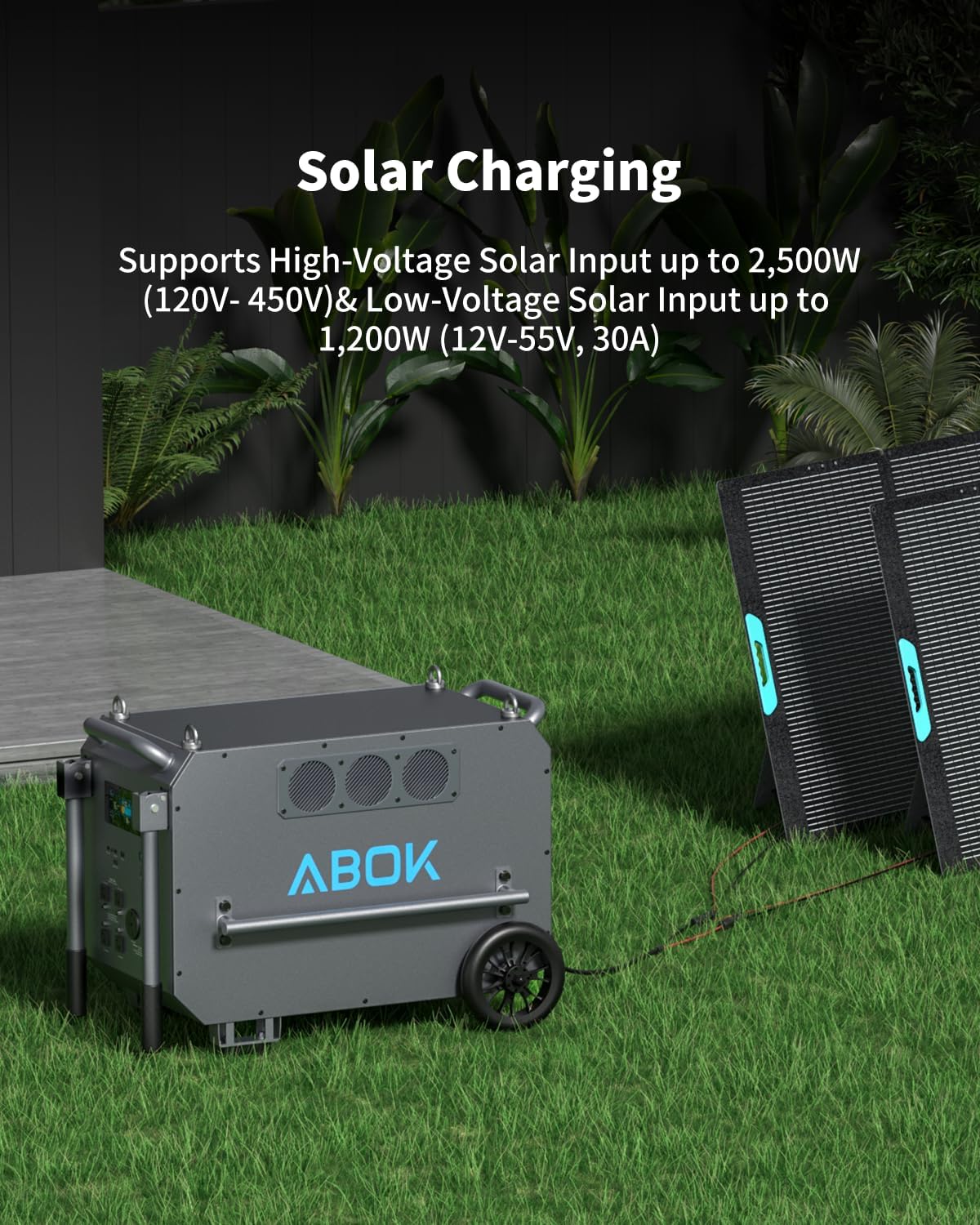
- Solar Charging: Connect solar panels to the High Voltage PV Input (120V-450V, up to 2500W) or the XT90 Input (12V-55V/30A, up to 1200W). Ensure the Photovoltaic Switch is enabled.
- Car Charging: Use the provided cigarette lighter to XT60 cable to charge from a vehicle's 12V outlet (up to 300W).
- Hybrid Fast Recharging: Combine AC and solar input for a maximum 6200W recharge, achieving a full charge in approximately 2 hours.

6.5 Uninterruptible Power Supply (UPS) Function
The Ark7200 features a built-in UPS function. When connected to an AC wall outlet and simultaneously powering devices, it can automatically switch to battery power within 10ms during a power outage. This ensures continuous operation for connected devices without interruption.

6.6 Smart App Control
Download the ABOK app to monitor and control your Ark7200 remotely. The app allows you to:
- Track real-time power consumption.
- Switch operating modes.
- Optimize output settings.

7. Maintenance
7.1 Cleaning
Regularly clean the exterior of the power station with a dry, soft cloth. Do not use abrasive cleaners or solvents. Ensure all ports are free of dust and debris.
7.2 Storage
When storing the unit for extended periods, ensure it is charged to approximately 50-80%. Store in a cool, dry place away from direct sunlight and extreme temperatures. Recharge the unit every 3-6 months to maintain battery health.
7.3 Battery Care
The Ark7200 uses an EV-grade LiFePO4 battery designed for over 6,000 charge cycles. The integrated Smart Battery Management System (BMS) provides protection against overcharge, over-discharge, over-current, and over-temperature. No specific user maintenance is required for the internal battery beyond proper charging and storage practices.


8. Troubleshooting
If you encounter issues with your ABOK Ark7200, refer to the following common problems and solutions:
| Problem | Possible Cause | Solution |
|---|---|---|
| Unit does not turn on | Battery is depleted; Power button not pressed correctly. | Charge the unit; Press and hold the Power ON/OFF button for a few seconds. |
| AC output not working | AC output not enabled; Overload; Device power exceeds unit capacity. | Press the AC ON/OFF button; Reduce load or reset 20A overload protector; Check device wattage. |
| DC/USB output not working | DC/USB output not enabled; Overload. | Press the USB ON/OFF button; Reduce load. |
| Unit not charging | Charging cable not connected properly; Faulty cable/adapter; PV switch off for solar. | Ensure secure connections; Try a different cable/adapter; Enable Photovoltaic Switch for solar charging. |
| Overheating warning | Poor ventilation; Excessive load; High ambient temperature. | Ensure clear ventilation paths; Reduce connected load; Move unit to a cooler environment. |
If the problem persists, please contact ABOK customer support for assistance.
9. Specifications
| Specification | Detail |
|---|---|
| Brand | ABOK |
| Model Name | ABOK 7200 (Ark7200) |
| Wattage | 7200 watts |
| Running Wattage | 7200 Watts |
| Output Wattage | 7200 |
| Voltage | 120 Volts (Dual 120V/240V Output) |
| Battery Capacity | 9792Wh LiFePO4 |
| Battery Cycle Life | 6,000+ cycles |
| Power Source | Battery Powered & Solar Powered |
| AC Input (Single-Phase) | 1800W (120V) |
| AC Input (Dual-Phase) | 5000W (240V) |
| High-Voltage PV Input | 2500W (120V-450V) |
| Low-Voltage PV Input | 1200W (12V-55V, 30A) |
| Car Charging Input | 300W |
| Hybrid Fast Recharging | Up to 6200W (AC + Solar) |
| UPS Function | 10ms automatic switchover |
| Product Dimensions | 32"L x 20.3"W x 23.3"H |
| Material | Steel/Aluminum (Frame & Housing), Plastic/Rubber (Insulation), LiFePO4 (Battery) |
10. Warranty and Support
ABOK provides a 2+3-year extended service period for the Ark7200 portable power station. This includes a standard 2-year warranty with an additional 3 years upon product registration or specific conditions. Please refer to the warranty card included in your package for full details.
For any issues or inquiries, please contact our dedicated after-sales support team. Our multiple U.S. warehouses and service centers ensure prompt and reliable assistance.
Returns are handled in accordance with Amazon’s return policy for a worry-free experience.
11. Product Video
Watch this official product video for a visual overview of the ABOK Ark7200 Portable Power Station: