
1. Product Overview
The LEFXMOPHY Silicone Cover is designed to provide protection and enhance the grip of your compatible TCL Voice TV Remote Control. Made from high-quality silicone, it offers a comfortable feel and helps safeguard your remote from daily wear and tear.

Image 1: LEFXMOPHY Silicone Cover (Red) installed on a TCL RC833A remote control, showcasing its protective design and included lanyard.
2. Compatibility
This silicone cover is specifically designed for the following remote control models:
- TCL RC833A Voice TV Remote Control
- TCL 2025 C71K 4K Voice TV Remote Control
Important: This cover is NOT compatible with other TCL remote control models such as TCL RC716 or TCL RC923.

Image 2: Visual guide illustrating compatibility with the TCL RC833A remote and incompatibility with other models like RC716 and RC923.
3. Features
- High-Quality Silicone Material: Made from environmentally friendly, delicate, and skin-friendly silicone for a comfortable grip.
- Precise Cutouts: Designed with 1:1 real machine molding for accurate hole positions, ensuring full access to all buttons, ports, and functions.
- Enhanced Protection: Soft and lightweight rubber sleeves protect your remote from slipping, cracking, scratching, and dust.
- Shockproof Design: High-elasticity silicone material instantly rebounds on impact, providing protection against daily bumps and knocks.
- Diamond Texture: Features a textured back for improved grip and reduced slippage.
- Washable: Easy to clean and maintain.
- Lanyard Included: For added security and convenience, preventing accidental drops.

Image 3: Depiction of the silicone cover's material qualities, emphasizing its eco-friendly, safe, skin-friendly, and washable properties.

Image 4: Multiple angles of the remote control with the silicone cover, demonstrating the precise fit and accurate button alignment.

Image 5: Illustration of the cover's shock-absorbing capabilities, protecting the remote from impacts.
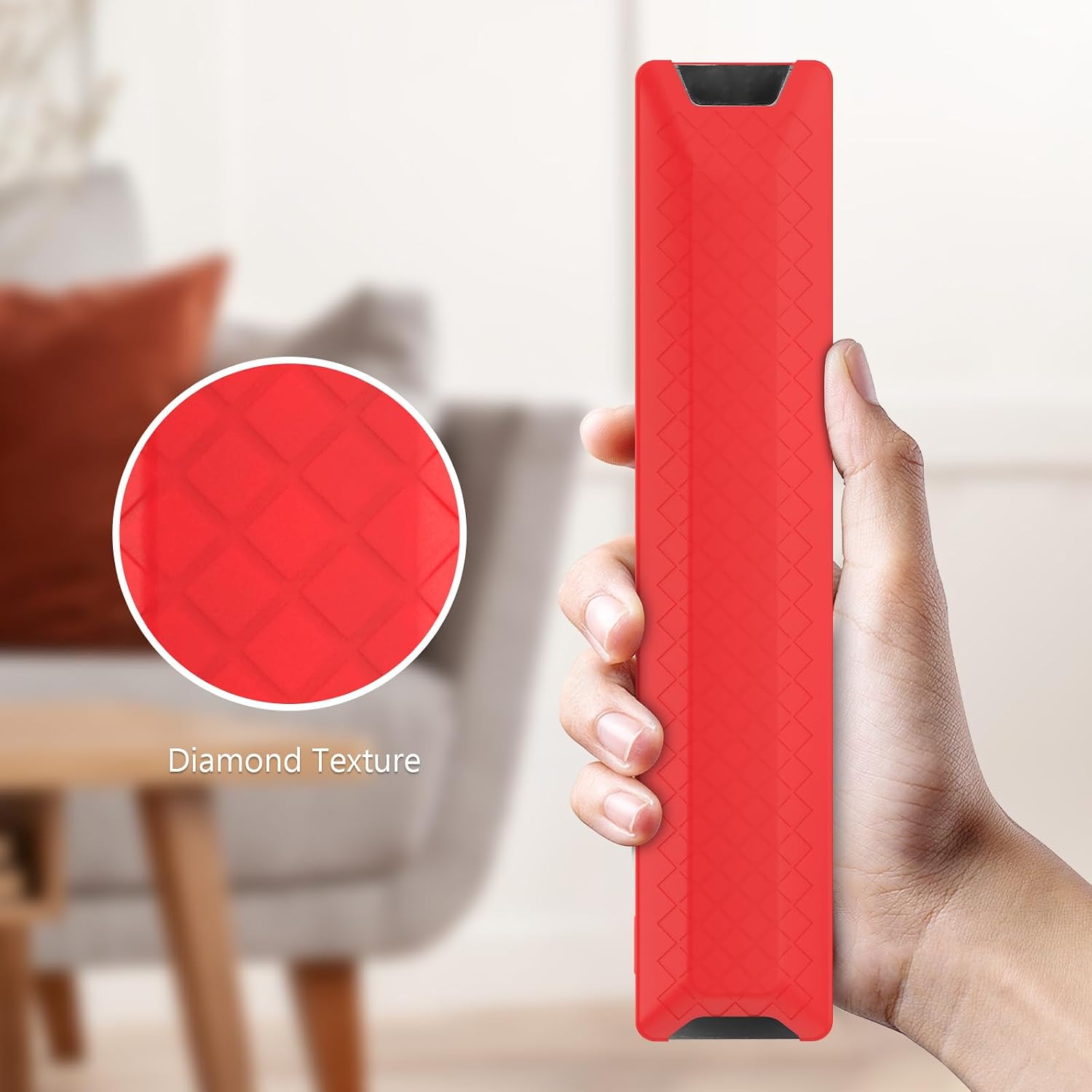
Image 6: Detailed view of the diamond texture on the back of the silicone cover, designed for enhanced grip.
4. Installation Instructions
Installing the LEFXMOPHY Silicone Cover is a simple, one-step process:
- Hold the silicone cover with one hand and your compatible TCL remote control with the other.
- Gently slide the remote control into the silicone cover, starting from the top (power button end).
- Adjust the cover to ensure all buttons and ports are properly aligned and accessible.

Image 7: Step-by-step visual guide demonstrating the easy installation of the silicone cover onto the remote control.
5. Maintenance
To keep your silicone cover clean and in optimal condition:
- Wipe the cover regularly with a soft, damp cloth to remove dust and smudges.
- For deeper cleaning, the cover can be gently washed with mild soap and water. Ensure it is completely dry before re-installing on the remote.
- Avoid using harsh chemicals or abrasive materials, as these may damage the silicone.
6. Specifications
| Brand | LEFXMOPHY |
| Compatible Devices | TCL RC833A, TCL 2025 C71K 4K Voice TV Remote |
| Material | Silicone |
| Form Factor | Cover |
| Shell Type | Soft |
| Item Weight | 0.74 ounces |
7. Warranty and Support
For information regarding product warranty, returns, or technical support, please refer to the seller's policies on the platform where the product was purchased. You may also contact LEFXMOPHY customer service directly through their official channels for assistance.