
1. Introduction
Thank you for choosing the Parfesod Q28S AI Translation Earbuds. These earbuds are designed to facilitate seamless communication across language barriers, offering real-time translation, noise cancellation, and extended battery life. This manual provides detailed instructions for setup, operation, and maintenance to ensure optimal performance and user experience.

Image: Parfesod Q28S AI Translation Earbuds in white and black, highlighting key features.
2. Product Overview
2.1 Package Contents
- Parfesod Q28S AI Translation Earbuds (Left and Right)
- Charging Case
- USB Charging Cable
- User Manual
- Ear Tips (various sizes)
2.2 Key Features
- Real-Time Translation: Supports 166 languages and accents for online translation.
- Offline Translation: Includes 8 free offline language packs (Chinese, English, French, Japanese, Korean, Spanish, Russian, German).
- Noise Canceling: Enhanced noise reduction for clearer communication.
- Extended Battery Life: Up to 6 hours of continuous translation, 60 hours total with charging case.
- Multi-Translating Modes: Business, Personal, Custom (Earbuds + Phone, Split Earbuds, One-way Instant).
- Lifetime App Access: No subscription fees or hidden costs for core app functions.
- Compatibility: Supports iOS and Android devices.

Image: Parfesod Q28S AI Translation Earbuds in their charging case.
3. Setup
3.1 Charging the Earbuds and Case
Before first use, fully charge the earbuds and the charging case. Connect the charging case to a power source using the provided USB cable. The digital display on the case will indicate the battery level.
- Insert earbuds into the charging case.
- Close the case to begin charging the earbuds.
- Connect the USB cable to the charging port on the case and a power adapter.
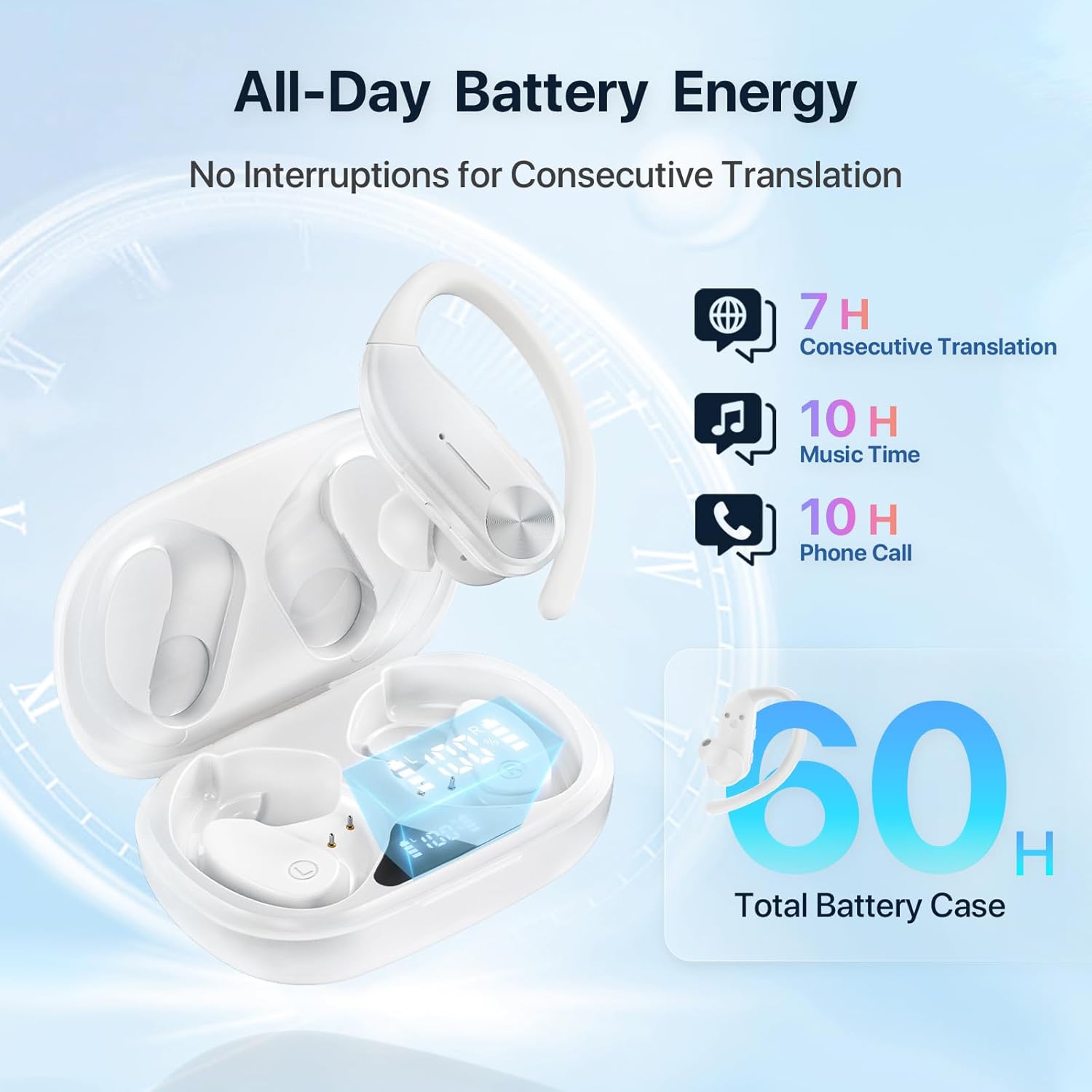
Image: Battery life indicators for the Parfesod Q28S earbuds and charging case.
3.2 App Download and Installation
The Parfesod Q28S earbuds require a dedicated mobile application for full functionality. The app is named "ObtuneAI".
- Ensure your phone's cellular data is on or connected to a stable Wi-Fi network.
- Open your phone's app store (App Store for iOS, Google Play Store for Android).
- Search for "ObtuneAI" and download the application.
- Follow the on-screen instructions to register and log in.

Image: Steps for downloading the ObtuneAI app.
3.3 Bluetooth Pairing
Pairing the earbuds with your smartphone is a quick process.
- Take the earbuds out of the charging case. They will automatically power on.
- On your smartphone, go to Bluetooth settings and ensure Bluetooth is enabled.
- Locate "Q28S" in the list of available devices and tap to connect. The earbuds will connect in approximately 3 seconds.

Image: Bluetooth pairing instructions.
3.4 Wearing the Earbuds
For optimal comfort and sound quality, ensure the earbuds are worn correctly.
- Insert the ear tips into your ear canal.
- Place the ear hook over your earlobes.
- Gently rotate the earbud to ensure a secure and comfortable fit.

Image: Instructions for wearing the earbuds.
4. Operating Instructions
4.1 Translation Modes
The ObtuneAI app offers various translation modes to suit different communication scenarios.
- Business Mode: Ideal for private negotiations, business presentations, and corporate visits.
- Personal Mode: Suitable for class learning, enjoying talks or shows, and academic exchanges.
- Custom Mode: Includes options for Earbuds + Phone Translation, Split Earbuds Translation, and One-way Instant Translation.

Image: Overview of available translation modes.
4.2 Online Translation (166 Languages)
Once connected to the app and an internet connection, select your desired languages within the app to begin real-time translation. Speak clearly into the earbud's microphone, and the translation will be delivered to the other earbud or displayed on your phone.

Image: Real-time translation in action.
4.3 Offline Translation (8 Language Packs)
For situations without internet access, utilize the offline translation feature.
- While online, navigate to the offline translation section in the ObtuneAI app.
- Download the required language packs (e.g., Chinese, English, French, Japanese, Korean, Spanish, Russian, German).
- Once downloaded, the earbuds can perform translation for these languages even without a network connection.

Image: Offline translation feature with language pack download.
4.4 AI Talk Feature
Engage with the embedded AI language partner for instant responses and boundless conversations. This feature processes natural language, translates phrases, clarifies grammar, and provides context-specific interpretations.

Image: AI Talk feature interface.
4.5 Record Assistant
The Record Assistant feature allows for seamless audio capture and effortless recall of conversations, perfect for meetings or lectures. Activate it within the app for precise sound capture. Recordings can be edited and exported directly from the app.

Image: Record Assistant feature in a meeting setting.
4.6 General Earbud Functions
Beyond translation, the earbuds can be used for music playback and phone calls. Refer to the app for specific controls related to these functions.
5. Maintenance
- Cleaning: Regularly clean the earbuds and charging case with a soft, dry cloth. Avoid using liquids or abrasive cleaners.
- Storage: Store the earbuds in their charging case when not in use to protect them and keep them charged.
- Battery Care: To prolong battery life, avoid fully discharging the earbuds and case frequently. Charge them regularly.
- Avoid Extreme Conditions: Do not expose the earbuds to extreme temperatures, humidity, or direct sunlight.
6. Troubleshooting
| Problem | Possible Cause | Solution |
|---|---|---|
| Earbuds not powering on | Low battery | Charge the earbuds and charging case. |
| Unable to pair via Bluetooth | Bluetooth off, earbuds not in pairing mode, or too far from device. | Ensure Bluetooth is on, earbuds are out of case, and within range. Restart phone and try again. |
| Translation not working | No internet connection (for online mode), incorrect language selection, or app issue. | Check internet connection. Verify language settings in the app. Restart the app. Ensure offline packs are downloaded for offline use. |
| Poor translation accuracy | Noisy environment, unclear speech, or accent not fully supported. | Speak clearly and at a moderate pace. Move to a quieter environment if possible. |
| App not responding | Software glitch or outdated app version. | Close and reopen the app. Check for app updates in your app store. |
7. Specifications
- Model Number: Q28S
- Package Dimensions: 4.09 x 3.66 x 1.5 inches
- Item Weight: 5 ounces
- Battery: 1 Lithium Polymer battery (included)
- Continuous Translation Time: Up to 6 hours
- Total Battery Life (with case): Up to 60 hours
- Online Translation Languages: 166+
- Offline Translation Languages: 8 (Chinese, English, French, Japanese, Korean, Spanish, Russian, German)
- Manufacturer: Shenzhen XingHaiSheng Technology Co.,Ltd
8. Warranty and Support
For warranty information and customer support, please refer to the documentation included with your purchase or contact the manufacturer directly. Our customer service team is available to assist with any questions or difficulties you may encounter.
Contact Information: Please refer to the product packaging or the official Parfesod website for the most current support contact details.