
1. Introduction
The Hosyond Mini DC UPS Battery Backup (Model H077) is an uninterruptible power supply designed to provide continuous power to various low-voltage electronic devices during power outages. It features multiple output options, including USB, DC, and Power over Ethernet (POE), making it suitable for routers, modems, IP cameras, Raspberry Pi, and other compatible equipment. This manual provides essential information for the safe and efficient use of your device.
2. Product Features
- Uninterrupted Power: Automatically switches to battery backup during power outages, ensuring continuous operation for connected devices.
- Versatile Output Options: Supports wide AC input (85V–265V) and offers multiple output ports: 1x USB 5V/2A, 1x DC 5V/2A, 1x DC 9V/2A, 1x DC 12V/2A, 1x POE 15V/1A, 1x POE 24V/1A.
- Built-In Safety Protection: Includes short-circuit prevention, overcharge and deep-discharge protection, voltage regulation, thermal control, and overcurrent protection.
- Real-Time Battery Indicator: LED indicators display the remaining battery capacity.
- Wide Compatibility: Compatible with routers, modems, IP cameras, Raspberry Pi, LED light strips, security systems, and more.
3. Package Contents
Please check the package for the following items:
- Hosyond Mini DC UPS Uninterruptible Power Supply (1 unit)
- 0.8m AC power cable (1 unit)
- 0.3m One-to-One 5.5*2.5 male to 5.5*2.5 male DC Power Cable (1 unit)
- 0.3m One-to-Two 5.5*2.5 male to 5.5*2.5 male DC Power Cable (1 unit)
- User's manual (1 unit)

Image: The package includes the Mini DC UPS unit, an AC power cable, a one-to-one DC power cable, and a one-to-two DC power cable, along with the user manual.
4. Safety Warnings
Failure to follow these warnings may result in electric shock, fire, or serious injury.
- Always verify the working voltage, current, and polarity of your devices (loads) before connecting them to the UPS. Select the corresponding voltage output on the UPS.
- Charge the unit fully before initial use to ensure optimal performance.
- Do not drop, hit, disassemble, or attempt to repair the unit privately. Unauthorized modifications can be dangerous and will void the warranty.
- This mini UPS has a maximum output power of 18W. Do not connect multiple devices if their combined power consumption exceeds 18W.

Image: The UPS features multiple safety protections including short circuit, voltage stabilizing, timed shutdown, overdischarge, restoration, overcharge, overcurrent, and temperature protection.
5. Setup
5.1 Component Identification

Image: This diagram identifies the various ports and controls on the UPS, including the On/off switch, Reset button, POE and LAN Ethernet interfaces, Output voltage selector (15V/24V), USB (5Vdc) output port, Output interfaces for 5V, 9V, and 12V, and the AC input socket.
5.2 Initial Charging
Before first use, connect the provided AC power cable to the UPS's AC input socket and then to a wall outlet. Allow the unit to charge fully. The battery capacity LED indicators will show the charging progress.
5.3 Connecting Devices
- Determine Device Voltage: Check the input voltage and current requirements of the device you wish to power (e.g., router, modem).
- Select Output Voltage: If using the 15V/24V POE output, use the selector switch to choose the correct voltage. For other DC outputs (5V, 9V, 12V) and USB (5V), no selection is needed as they are fixed.
- Connect DC Cables: Use the appropriate DC power cable (one-to-one or one-to-two) to connect your device to the corresponding DC output port on the UPS. Ensure the polarity is correct.
- Connect POE Devices: For POE-compatible devices, connect an Ethernet cable from the UPS's POE output port to your device. Ensure the 15V/24V selector is set correctly.
- Connect USB Devices: For devices requiring 5V USB power, use a standard USB cable to connect to the USB output port.
6. Operating Instructions
6.1 Powering On/Off
Press the On/off switch located on the unit to power the UPS on or off. The working status indicator will illuminate when the unit is active.
6.2 Battery Capacity Indicator

Image: The UPS features a working status indicator light and five LED lights that indicate the current battery capacity. More illuminated LEDs mean higher battery charge.
The LED indicators on the unit display the remaining battery capacity. Monitor these lights to know when recharging is necessary.
6.3 Automatic Power Switchover
When the UPS is connected to both AC power and your devices, it will automatically provide power to your devices. In the event of an AC power failure, the UPS will seamlessly switch to its internal battery backup, ensuring your connected devices continue to operate without interruption.
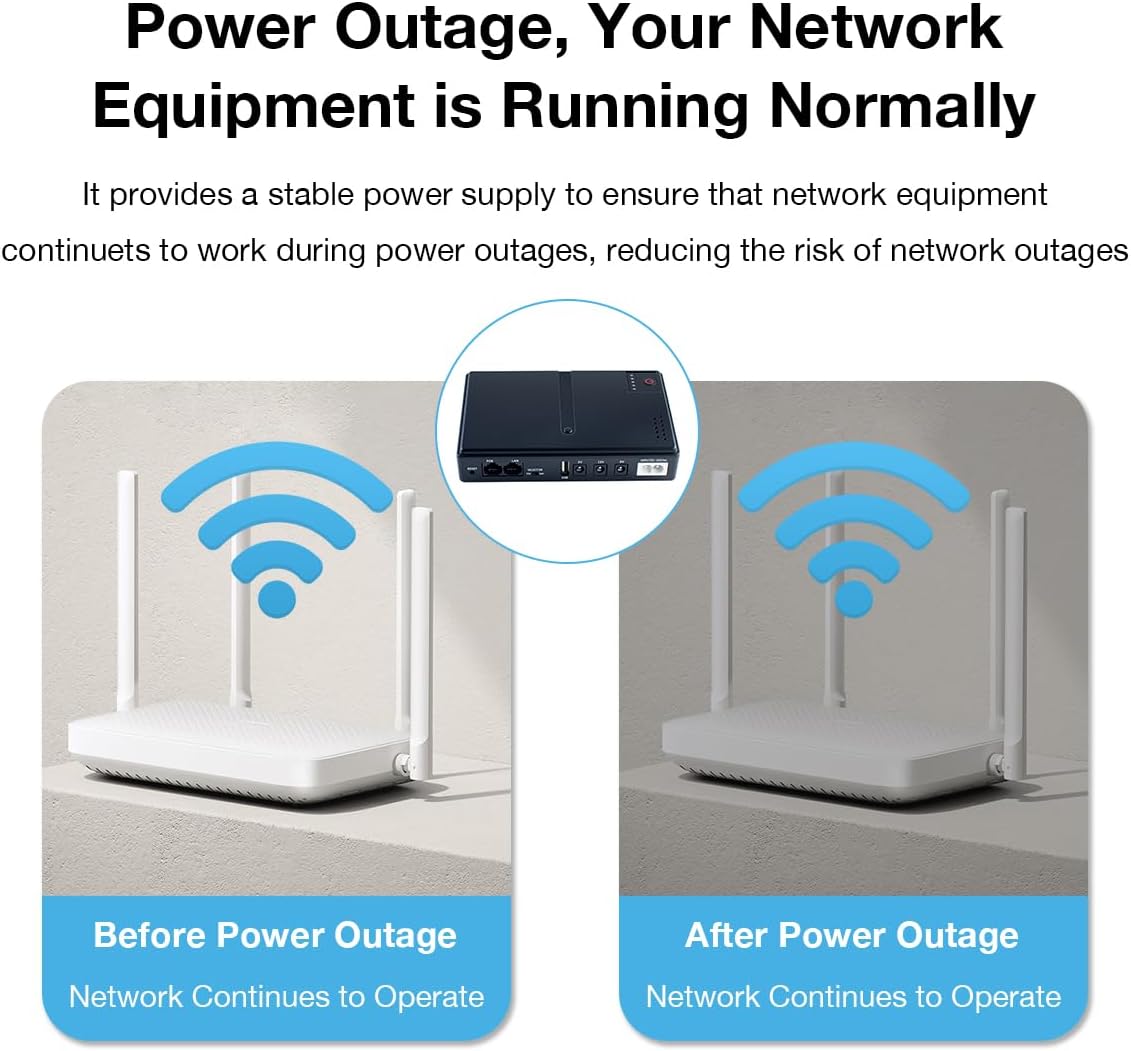
Image: This diagram shows a router operating normally before a power outage and continuing to operate normally after a power outage, thanks to the Mini DC UPS providing a stable power supply.
7. Maintenance
7.1 Charging
To maintain battery health, fully charge the UPS at least once every three months, even if not in regular use. This prevents deep discharge and prolongs battery life.
7.2 Storage
Store the UPS in a cool, dry place away from direct sunlight, extreme temperatures, and humidity. If storing for an extended period, ensure the battery is partially charged (around 50%) to prevent degradation.
7.3 Cleaning
Clean the exterior of the UPS with a soft, dry cloth. Do not use liquid cleaners or solvents, as these can damage the unit.
8. Troubleshooting
- UPS not turning on: Ensure the unit is charged. Connect it to AC power and allow it to charge for several hours.
- Connected device not receiving power:
- Verify the UPS is powered on.
- Check that the correct output voltage is selected (for POE 15V/24V).
- Ensure the DC cable is securely connected and matches the device's voltage and polarity.
- Confirm the device's power consumption does not exceed the UPS's 18W maximum output.
- Short backup time: The battery may not be fully charged, or the connected devices are drawing more power than anticipated. Reduce the number of connected devices or ensure the UPS is fully charged.
- Flashing red light: This may indicate a fault or low battery. Refer to the safety warnings and ensure the unit is properly charged. If the issue persists, contact customer support.
9. Specifications
| Feature | Specification |
|---|---|
| Model | H077 |
| Input Voltage | 85Vac-265Vac |
| Output Power (Max) | 18W |
| Output Ports | 1x USB 5V/2A, 1x DC 5V/2A, 1x DC 9V/2A, 1x DC 12V/2A, 1x POE 15V/1A, 1x POE 24V/1A |
| Battery Cell Composition | Lithium Ion |
| Item Weight | 1.12 pounds (approx. 508g) |
| Package Dimensions | 7.6 x 6.3 x 1.65 inches |
| Operating Temperature | 0°C - 45°C |
| Humidity | 10% - 90% RH |
| Color | Black |
| Material | Plastic |

Image: This image displays the physical dimensions of the UPS and a table detailing its input, output, maximum power, net weight, battery capacity, operating temperature, and humidity specifications.
10. Warranty and Support
Hosyond products are designed for reliability and performance. For warranty information, technical support, or service inquiries, please refer to the contact details provided with your purchase documentation or visit the official Hosyond website. Please have your model number (H077) and purchase date available when contacting support.