
LifeBasis RM-62
LifeBasis Radon Detector User Manual
Model: RM-62
1. Introduction
The LifeBasis Radon Detector is a high-precision, portable device designed to monitor radon gas levels in your home or office. Radon is a naturally occurring radioactive gas that can accumulate indoors and pose health risks. This detector provides accurate readings, historical data storage, and customizable alarms to help you maintain a safe indoor environment.


2. Safety Information
Please read all safety instructions before using the device. Keep the device away from water and extreme temperatures. Do not attempt to open or repair the device yourself. This device is for informational purposes and should not replace professional radon mitigation services if high levels are detected.
3. Package Contents
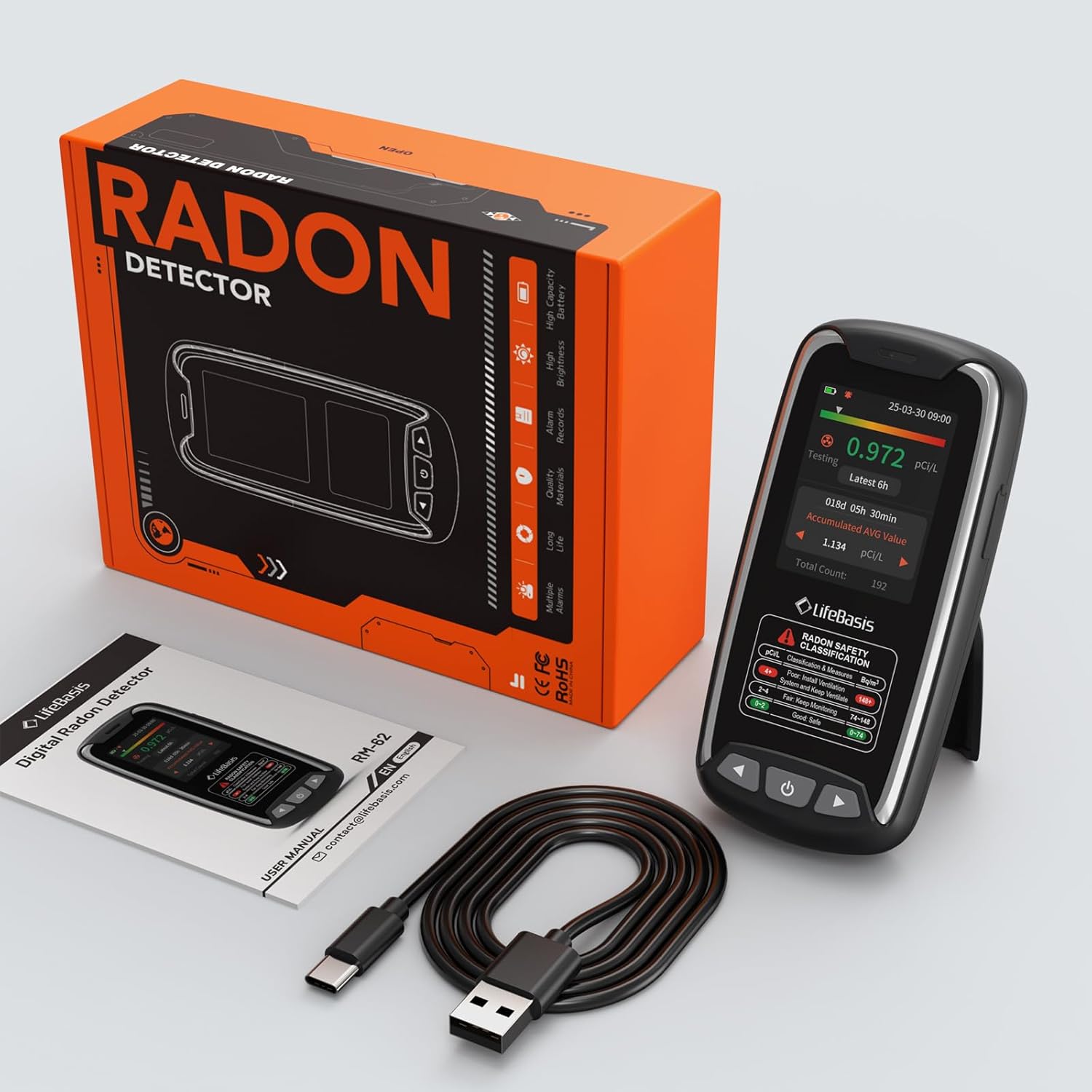
Ensure all items are present in the package:
- LifeBasis Radon Detector (RM-62)
- Type-C Charging Cable
- User Manual
4. Product Overview
The LifeBasis Radon Detector features a clear TFT color display and intuitive controls for easy operation. It is designed to be compact and portable for versatile use.

Device Components:
- TFT Color Display: Shows current radon levels, historical data, and settings.
- Control Buttons: Power, Left/Up, Right/Down for navigation and selection.
- USB-C Port: For charging the device.
- Integrated Stand: For convenient placement.

5. Setup
5.1 Charging the Device
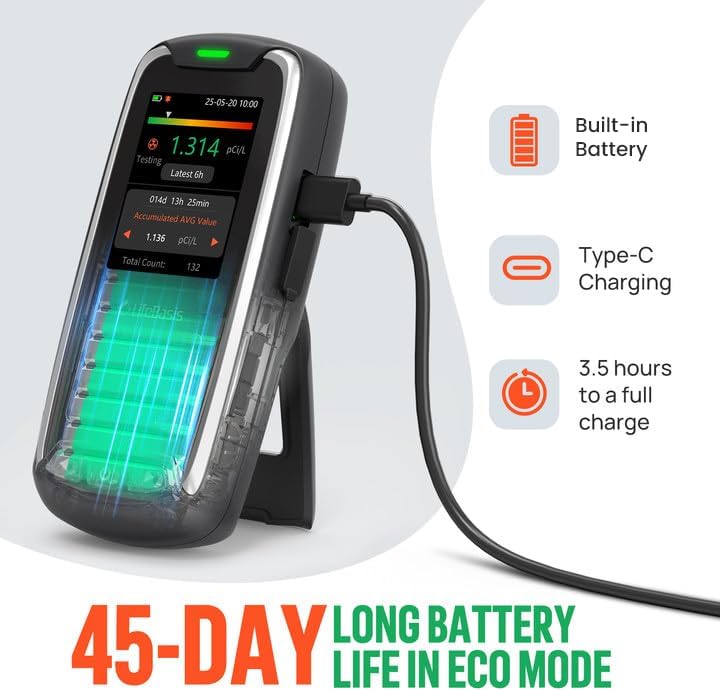
Before first use, fully charge the radon detector. Connect the provided Type-C cable to the device and a USB power adapter (not included). A full charge takes approximately 3.5 hours. The battery indicator on the display will show charging status.
5.2 Initial Placement and First Reading
Place the detector in the area you wish to monitor. For accurate readings, place it at least 20 inches (50 cm) from the floor and 6 inches (15 cm) from walls. Avoid placing it near drafts, vents, or direct sunlight. The device will display its first radon reading after 6 hours of continuous operation. Subsequent readings update every hour.

6. Operating Instructions
6.1 Powering On/Off
Press and hold the Power button to turn the device on or off.
6.2 Understanding the Display
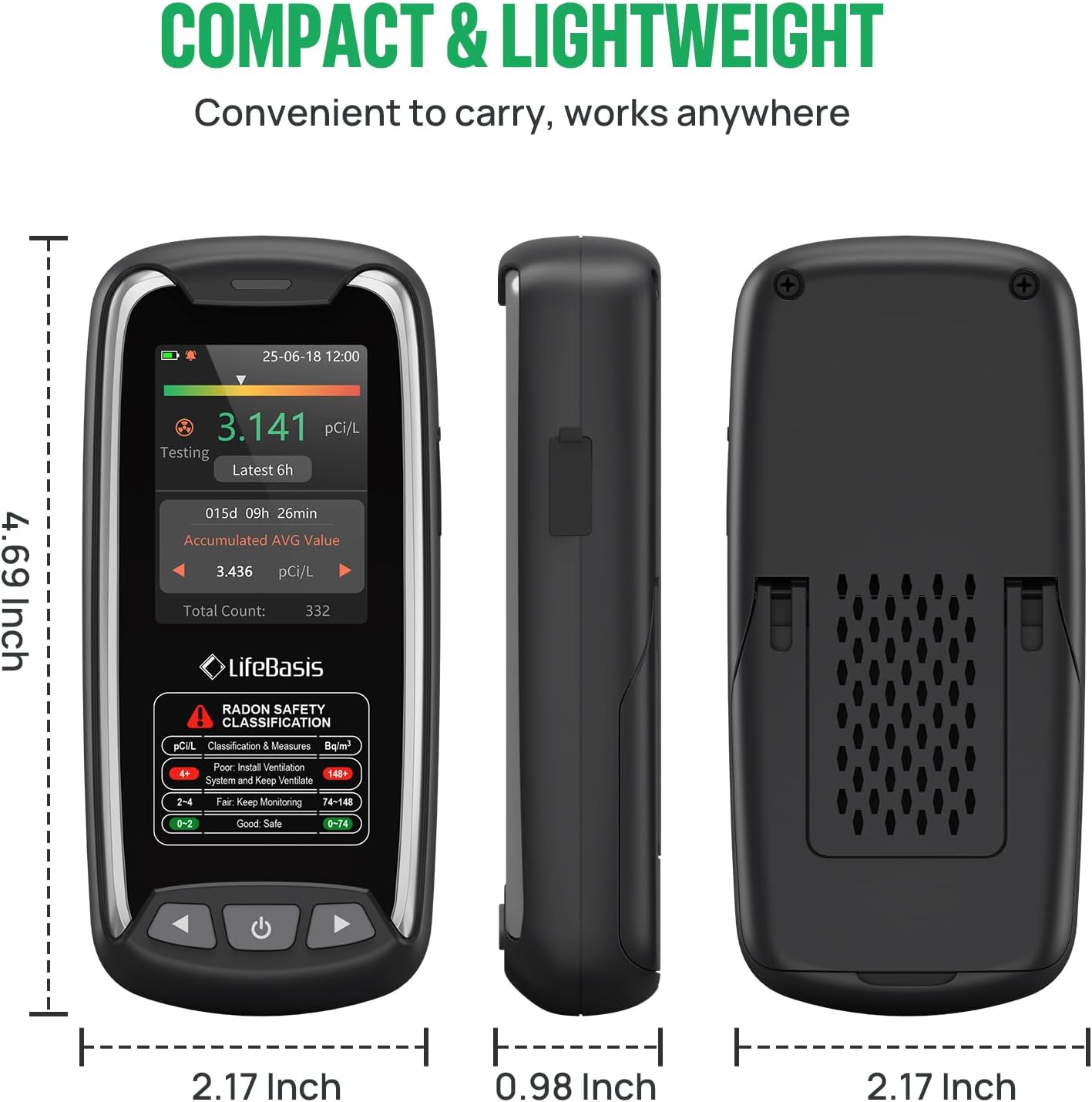
The TFT color display shows real-time radon concentration, accumulated average value, and total count. The color-coded bar indicates the safety level: Green (Good/Safe), Orange (Fair/Keep Monitoring), Red (Poor/Install Ventilation).

6.3 Changing Measurement Units
The device supports both pCi/L (picocuries per liter) and Bq/m³ (becquerels per cubic meter) units. Refer to the on-screen instructions to switch between these units based on your regional standards.

6.4 Navigating Historical Data
The detector stores long-term historical data, allowing you to view records for up to 504 days (one data point saved every 6 hours, up to 10 sets of detection records). Use the Left/Up and Right/Down buttons to navigate through the history and view different time periods (24h, 48h, 72h, 96h, Accumulated Peak Value, AVG Value).


6.5 Setting Alarm Thresholds
The device features dual alarm modes: visual (color-coded bars) and audible (buzzer). You can customize the alarm threshold according to your local security requirements. When radon levels exceed the set threshold, the device will alert you.


7. Maintenance
7.1 Cleaning
Wipe the device with a soft, dry cloth. Do not use abrasive cleaners or solvents.
7.2 Battery Care
To prolong battery life, avoid fully discharging the device frequently. Recharge when the battery indicator is low. If storing for an extended period, charge the device every few months.
7.3 Important Tip for High Concentration Readings
After measuring high concentrations of radon, there may be residual radon inside the detector. Complete decay can take between 24 hours and 3.8 days, depending on the pollution level. It is recommended to wait 24-48 hours after each change of measurement location to obtain valid data, especially after exposure to high radon levels.
8. Troubleshooting
- Device not turning on: Ensure the device is fully charged. Connect to a power source and try again.
- No reading displayed after 6 hours: Verify the device is powered on and placed correctly. If the issue persists, contact support.
- Inconsistent readings: Radon levels naturally fluctuate. Ensure the device is not near drafts or strong air currents. Allow sufficient time for stable readings (at least 24-48 hours for new locations).
- Alarm not sounding: Check the alarm settings in the device menu to ensure the audible alarm is enabled and the threshold is set appropriately.
9. Specifications
| Model | RM-62 |
| Detection Range | 0.09-1000 pCi/L (3.3 Bq/m³ - 37k Bq/m³) |
| First Reading Display | 6 hours |
| Update Period | Every hour |
| Historical Data Storage | Up to 504 days (10 sets of records, 1 data point every 6 hours) |
| Battery | 2000mAh rechargeable battery |
| Charging Time | Approx. 3.5 hours |
| Battery Life (Screen Off) | Up to 45 days |
| Display | TFT Color 2.0 screen |
| Dimensions | 4.69"H x 2.17"W x 0.98"D |
| Weight | 3.84 ounces |
| Alarm Modes | Visual (color-coded bars) & Audible (buzzer) |

10. Warranty and Support
LifeBasis provides a standard warranty for this product. For detailed warranty information, technical support, or service inquiries, please refer to the contact information provided on the LifeBasis official website or your purchase documentation. Please have your model number (RM-62) and purchase date ready when contacting support.
Related Documents - RM-62
 |
LifeBasis RM-62 Digital Radon Detector User Manual Comprehensive user manual for the LifeBasis RM-62 Digital Radon Detector, covering technical specifications, main functions, product introduction, operating instructions, safety precautions, and FAQs. Learn how to monitor radon levels in your home or environment. |
 |
LifeBasis RM-62 Digital Radon Detector User Manual User manual for the LifeBasis RM-62 Digital Radon Detector, providing detailed information on its features, specifications, operation, safety precautions, and general information about radon. |
 |
Intelligent Radon Monitor RN-PRO200 User Manual and Specifications Comprehensive user manual and technical specifications for the Lifebasis Intelligent Radon Monitor RN-PRO200. Learn about setup, placement, features, maintenance, and LED indicators for accurate radon level monitoring. |
 |
LifeBasis PTH-5 Carbon Dioxide Monitor User Manual Comprehensive user manual for the LifeBasis PTH-5 Carbon Dioxide Monitor. Details product features, specifications, operation, charging, calibration, alerts, and important notices for effective air quality monitoring. |
 |
LifeBasis D-2000 Ultrasonic Cleaner User Manual User manual for the LifeBasis D-2000 Ultrasonic Cleaner, detailing features, safety instructions, operation, maintenance, and specifications for effective cleaning of jewelry, glasses, and other items. |
 |
LifeBasis Thermal Tattoo Stencil Transfer Machine User Manual Comprehensive user manual for the LifeBasis Thermal Tattoo Stencil Transfer Machine. Includes setup, operation instructions, panel controls, and technical specifications. |
Ask a question about this manual
Ask about setup, troubleshooting, compatibility, parts, safety, or missing instructions. Manuals+ will review the question and use this page’s manual context to help answer it.