
Introduction
Thank you for choosing the Favourlite ALS-7540-US Rechargeable Pen Light Flashlight. This compact and versatile flashlight is designed for various applications, offering high brightness, dual lighting modes, and a zoomable beam. Please read this manual carefully to ensure proper use and maintenance of your device.
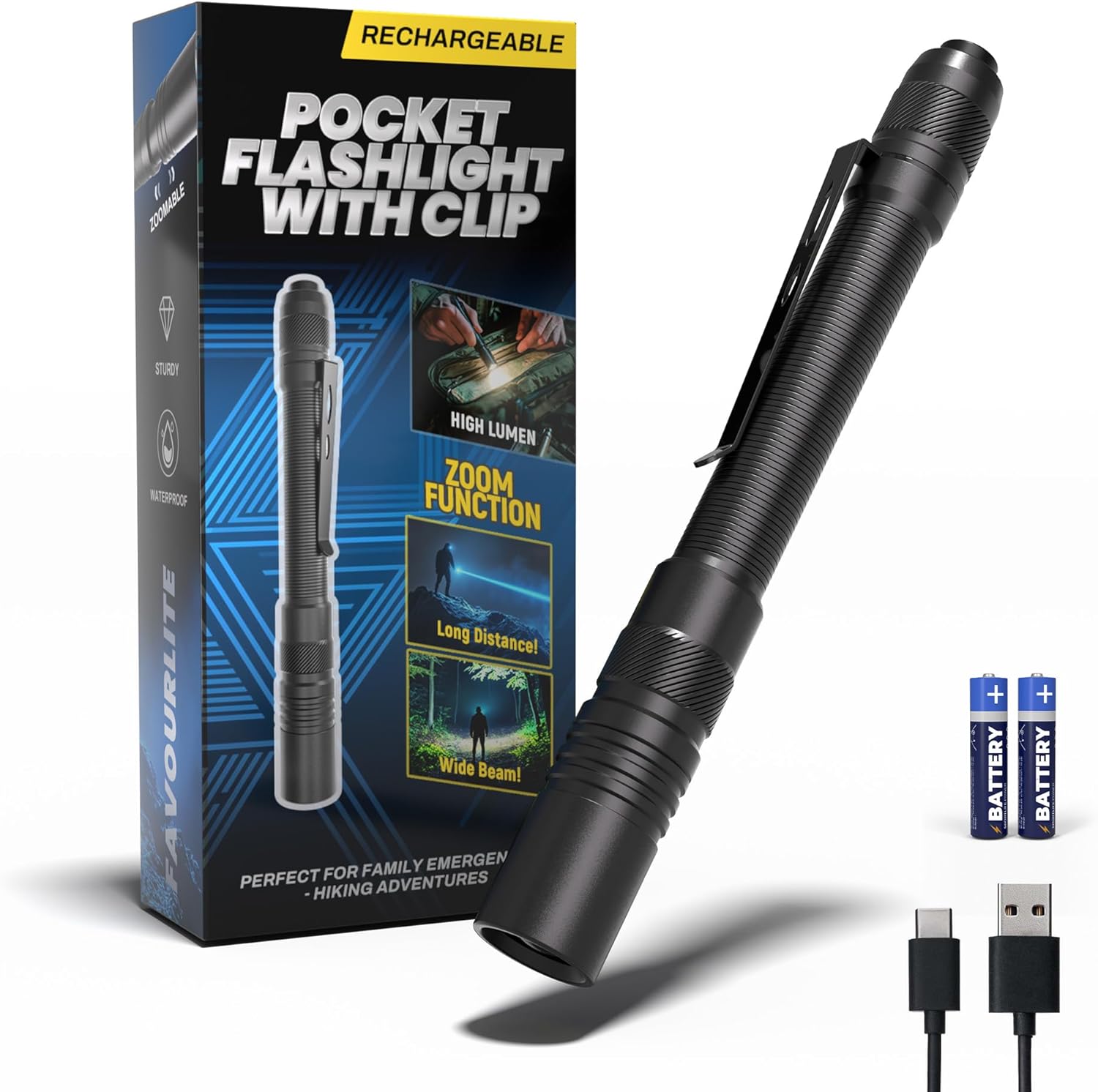
Figure 1: Favourlite ALS-7540-US Pen Light Flashlight
Product Features
- High Brightness: Up to 800 lumens with a beam distance of 180m (590ft).
- Dual Modes: High brightness and low brightness settings.
- Zoomable Design: Easily switch between a narrow spotlight and a wide-angle floodlight by rotating the flashlight head.
- Rechargeable & Dual Power: Includes a high-capacity USB-C rechargeable battery (up to 9 hours on low mode) and is compatible with 2 AAA batteries for backup.
- Durable & Waterproof: Constructed from aircraft-grade aluminum alloy, offering 1-meter impact resistance and waterproof design for use in various weather conditions.
- Compact & Portable: Measures 6.10 inches in length, less than 1 inch wide, and weighs only 2.12 oz, with a convenient clip-on design for everyday carry.

Figure 2: Overview of key product features.
Setup
Battery Installation and Charging
The Favourlite pen light comes with a rechargeable battery and is also compatible with AAA batteries.
- Accessing the Battery: To access the rechargeable battery or insert AAA batteries, rotate the tail cap of the flashlight counter-clockwise to remove it.
- Charging the Rechargeable Battery:
- Remove the blue rechargeable battery from the flashlight body.
- Locate the USB-C charging port on the side of the battery.
- Connect the provided USB-C cable to the battery and a power source (e.g., USB wall adapter, computer USB port).
- The indicator light on the battery will show Red while charging and turn Green when fully charged.
- Inserting Batteries:
- For the rechargeable battery: Insert the battery into the flashlight body with the charging port facing downwards (towards the tail cap).
- For AAA batteries: Insert two AAA batteries into the flashlight body, ensuring correct polarity (+/-).
- Securing the Tail Cap: Once the battery is inserted, screw the tail cap back onto the flashlight body clockwise until secure.

Figure 3: Battery charging method.
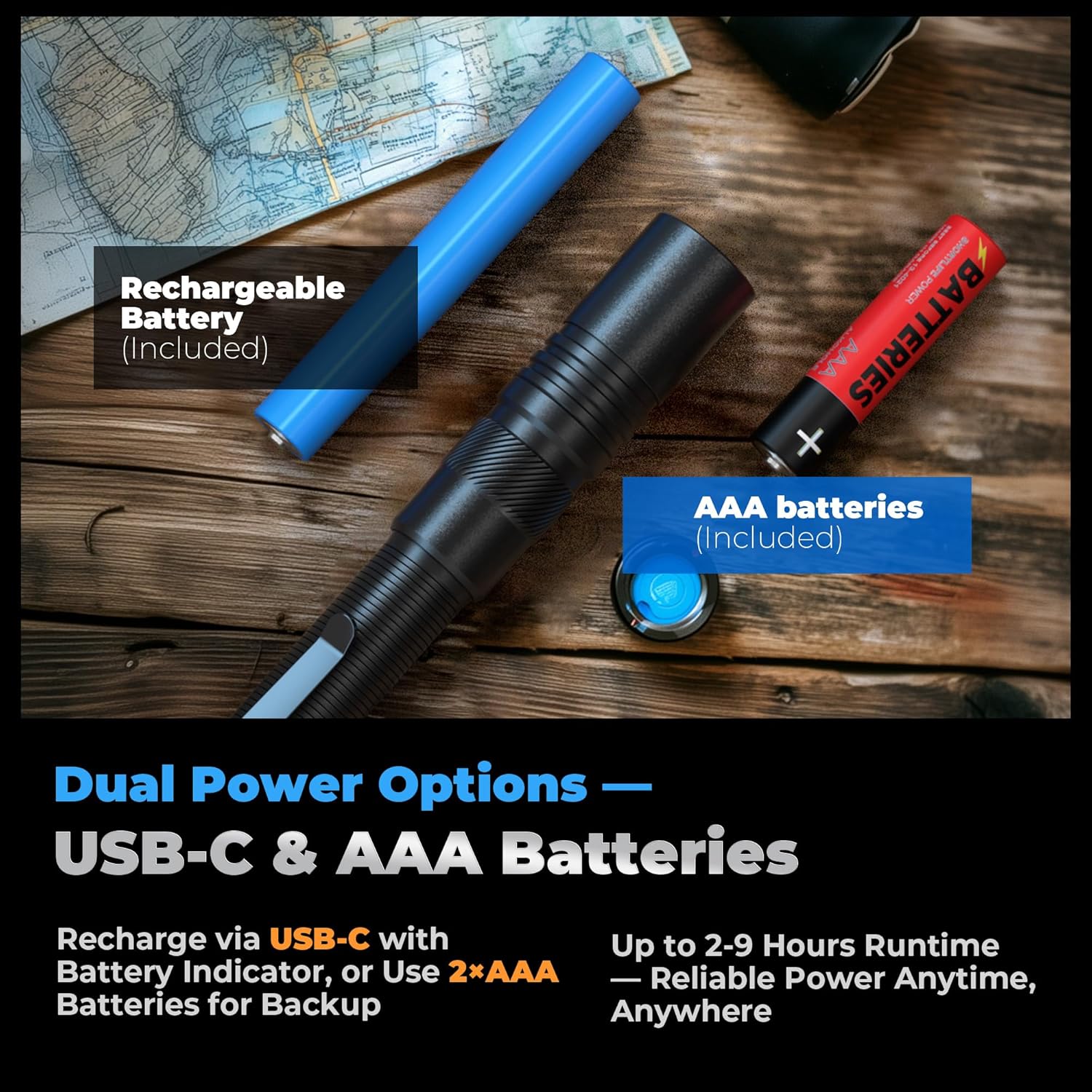
Figure 4: Dual power options with USB-C rechargeable and AAA batteries.
Operating Instructions
Power On/Off and Mode Selection
- Power On/Off: Press the switch on the tail of the flashlight fully to turn the light ON or OFF.
- Brightness Modes: With the flashlight ON, half-press the tail switch to cycle between the two brightness modes: High and Low.

Figure 5: Brightness modes of the Favourlite pen light.
Zoom Function
The Favourlite pen light features a zoomable head to adjust the beam type:
- Spotlight: Rotate the flashlight head clockwise to narrow the beam for a focused spotlight.
- Floodlight: Rotate the flashlight head counter-clockwise to widen the beam for a broad floodlight.
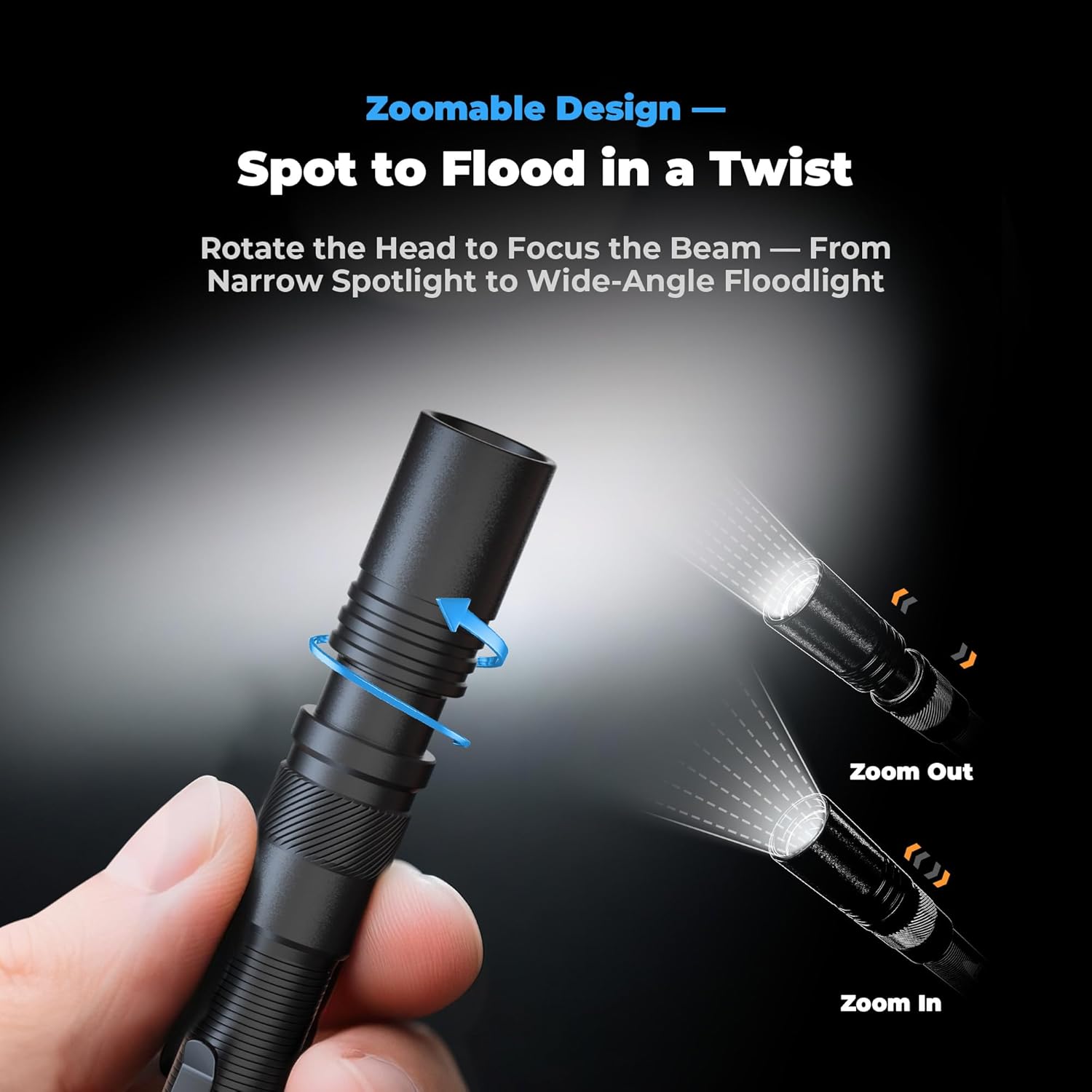
Figure 6: Zoomable design for spot to flood beam adjustment.
Video Demonstration: Zoomable Pen Flashlight
Video 1: Demonstrates the zoom functionality of the Favourlite pen light, showing how to switch between narrow and wide beams.
Video Demonstration: Rotatable Pen Flashlight
Video 2: Shows the rotatable head feature for adjusting the focus of the pen light.
Maintenance
Cleaning
- Wipe the flashlight body with a soft, damp cloth.
- Do not use abrasive cleaners or solvents.
Battery Care
- For optimal performance, fully charge the rechargeable battery before first use.
- If using AAA batteries, ensure they are fresh and inserted with correct polarity.
- Remove batteries if the flashlight will not be used for an extended period to prevent leakage.
Storage
- Store the flashlight in a cool, dry place away from direct sunlight and extreme temperatures.
- Keep out of reach of children.
Troubleshooting
- Flashlight does not turn on:
- Check if the battery is correctly inserted with the charging port facing downwards.
- Ensure the rechargeable battery is charged, or replace AAA batteries if using them.
- Verify the tail cap is fully tightened.
- Light is dim or flickers:
- The battery may be low. Recharge the internal battery or replace AAA batteries.
- Ensure battery contacts are clean and free from debris.
- Zoom function is stiff:
- Clean the area around the rotating head to remove any dirt or grit.
- Avoid forcing the mechanism.
Specifications
| Feature | Specification |
|---|---|
| Model Number | ALS-7540-US |
| Brightness | 800 Lumens (Max) |
| Beam Distance | Up to 180m / 590ft |
| Light Source Type | LED |
| Power Source | Rechargeable Lithium Polymer Battery (USB-C) or 2x AAA Batteries |
| Material | Aircraft-Grade Aluminum |
| Water Resistance Level | Waterproof |
| Impact Resistance | 1 Meter |
| Product Dimensions | 4.29"D x 0.71"W x 0.71"H (10.9cm x 1.8cm x 1.8cm) |
| Item Weight | 2.12 ounces (60g) |
| Included Components | USB Cable |

Figure 7: Durability and waterproof features.

Figure 8: Compact size and clip-on design for portability.
Warranty and Support
For warranty information or customer support, please refer to the product packaging or contact Favourlite customer service directly. Contact details are typically provided on the product box or the official Favourlite website.