
1. Introduction
Thank you for choosing the NAFYRE N11 PRO GPS Drone. This manual provides essential information for the safe operation, setup, and maintenance of your drone. Please read it thoroughly before first use to ensure optimal performance and to prevent damage or injury.
The N11 PRO is a lightweight, foldable GPS drone equipped with a 4K UHD camera, brushless motors, and intelligent flight features. Its design prioritizes ease of use and portability, making it suitable for various outdoor activities.

Image 1.1: NAFYRE N11 PRO Drone highlighting its core features.
2. Safety Guidelines
Operating a drone requires responsibility. Adhere to the following safety guidelines to ensure a safe and enjoyable flight experience:
- Pre-Flight Check: Always inspect the drone, remote controller, and batteries for any damage before each flight.
- Environmental Conditions: Do not fly in strong winds, rain, snow, or fog. Maintain a clear line of sight to the drone.
- Flight Zones: Avoid flying near airports, restricted airspace, power lines, or crowded areas. Respect local regulations and privacy.
- Battery Safety: Use only original NAFYRE batteries. Do not overcharge or puncture batteries. Discontinue use if batteries are damaged or swollen.
- Propeller Safety: Keep hands, face, and loose clothing away from rotating propellers. Ensure propellers are correctly installed and free from obstructions.
- Weight Classification: The N11 PRO weighs under 0.55lb (249g), which typically exempts it from FAA registration requirements in the United States. However, always verify current local regulations.

Image 2.1: The N11 PRO drone's lightweight design, exempting it from FAA registration.
3. Product Components
3.1 Package Contents
Verify that all items are present in your package:
- NAFYRE N11 PRO Drone
- Remote Controller
- Intelligent Flight Batteries (x3)
- USB Charging Cable
- Spare Propellers
- Screwdriver
- User Manual
- Carrying Case
3.2 Drone Overview

Image 3.1: Front view of the NAFYRE N11 PRO Drone.
- Propellers
- Brushless Motors
- Front LED Indicators
- 4K UHD Camera with EIS
- Battery Compartment
- Optical Flow Sensor (bottom)
- Power Button
3.3 Remote Controller Overview
The remote controller provides intuitive control over the drone's flight and camera functions.
- Control Sticks (Left: Throttle/Yaw, Right: Forward/Backward/Left/Right)
- Power Button
- One-Key Takeoff/Landing Button
- Return to Home (RTH) Button
- Photo/Video Button
- Speed Mode Switch
- Phone Holder
4. Setup and Preparation
4.1 Battery Charging and Installation
Ensure all batteries (drone and remote controller) are fully charged before flight.
- Drone Battery: Connect the drone battery to the USB charging cable and plug into a 5V/2A USB adapter. Charging typically takes 3-4 hours. The LED indicator on the battery will show charging status.
- Remote Controller Battery: Connect the remote controller to the USB charging cable. The indicator light will show charging status.
- Installation: Insert the fully charged drone battery into the battery compartment until it clicks securely.

Image 4.1: N11 PRO intelligent flight batteries, providing up to 90 minutes of flight time with three batteries.
4.2 Drone Preparation
- Unfold Arms: Gently unfold the drone's arms until they lock into place.
- Propeller Check: Ensure all propellers are securely attached and free from damage. Replace any damaged propellers using the provided screwdriver.
4.3 App Installation and Connection
Download the official NAFYRE drone app from your device's app store. The app is essential for accessing advanced features and real-time video feed.
- Power on the drone and remote controller.
- On your smartphone, connect to the drone's Wi-Fi network (e.g., 'NAFYRE-N11PRO-XXXX').
- Open the NAFYRE app. The app should automatically connect to the drone.
4.4 Calibration
Perform calibration before each flight, especially when flying in a new location.
- Compass Calibration: Follow the on-screen instructions in the app to perform compass calibration. This typically involves rotating the drone horizontally and vertically.
- Gyro Calibration: Place the drone on a flat, level surface and initiate gyro calibration via the app.
4.5 GPS Signal Acquisition
For stable outdoor flight and intelligent features, ensure the drone acquires sufficient GPS satellites.
- Place the drone in an open outdoor area.
- Wait for the GPS indicator in the app to show a strong signal (usually 7+ satellites).
- The drone's rear indicator lights will turn solid green when GPS is locked.
5. Operating Instructions
5.1 Takeoff and Landing
- One-Key Takeoff: After GPS lock, press the One-Key Takeoff button on the remote controller or in the app. The drone will automatically ascend to a safe height and hover.
- Manual Takeoff: Push both control sticks down and outwards to start the motors. Then, gently push the left stick up to ascend.
- One-Key Landing: Press the One-Key Landing button. The drone will descend and land automatically.
- Manual Landing: Gently pull the left control stick down to descend. Once landed, push both sticks down and inwards to stop the motors.
5.2 Flight Controls
Use the control sticks on the remote controller to maneuver the drone:
- Left Stick (Throttle/Yaw): Up/Down for altitude, Left/Right for rotation (yaw).
- Right Stick (Pitch/Roll): Up/Down for forward/backward flight, Left/Right for sideward flight.
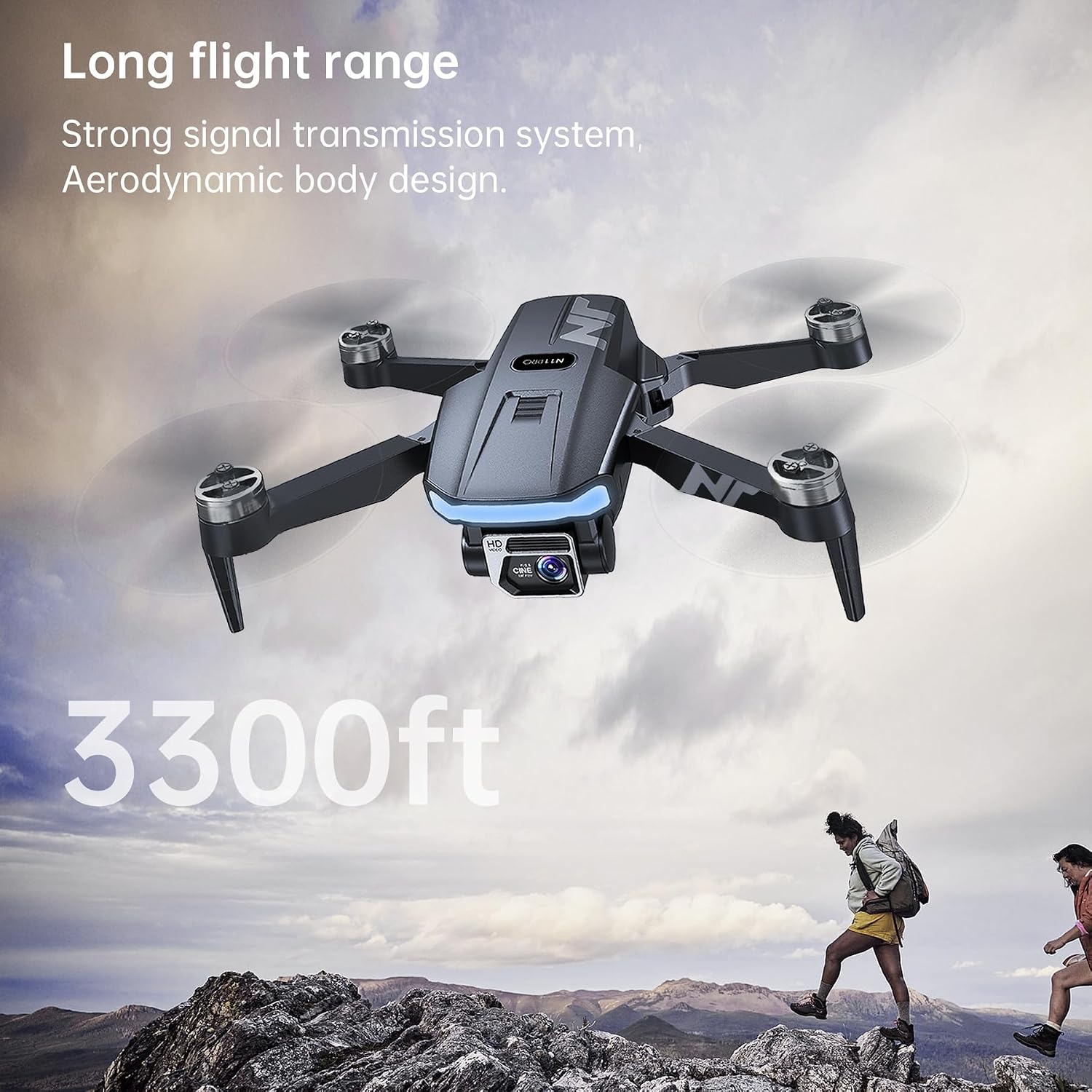
Image 5.1: The N11 PRO drone's extended flight range of 3300 feet.
5.3 Intelligent Flight Modes
The N11 PRO features several GPS-assisted intelligent flight modes:
- Return to Home (RTH): The drone will automatically return to its takeoff point if the battery is low, signal is lost, or the RTH button is pressed.
- Follow Me: The drone will follow the remote controller or smartphone, recording your movements.
- Tap Fly (Waypoint Flight): Tap points on the map in the app, and the drone will fly along the designated path.
- Point of Interest (Orbit Flight): Select a central point and radius, and the drone will orbit around it, capturing footage.

Image 5.2: Intelligent Return to Home (RTH) functionality of the N11 PRO drone.
5.4 Camera Operation
The N11 PRO is equipped with an Advanced EIS 4K UHD Camera.
- Photo/Video: Use the dedicated buttons on the remote controller or the app interface to capture photos or start/stop video recording.
- Gimbal Adjustment: The camera angle can be adjusted remotely via the app or remote controller.
- EIS (Electronic Image Stabilization): This feature helps reduce blur and shake in your footage, providing smoother video.

Image 5.3: Details of the N11 PRO's 4K UHD camera with EIS.
6. Maintenance
Regular maintenance ensures the longevity and optimal performance of your NAFYRE N11 PRO drone.
- Cleaning: Use a soft, dry cloth to clean the drone body and camera lens. Avoid using harsh chemicals.
- Propeller Replacement: Inspect propellers for cracks or damage after each flight. Replace damaged propellers immediately using the provided screwdriver and spare parts. Ensure correct propeller type (A or B) is installed on the corresponding motor.
- Battery Care: Store batteries in a cool, dry place. Do not fully discharge batteries for extended periods. Charge them to about 50-60% for long-term storage.
- Storage: When not in use, fold the drone and store it in its carrying case to protect it from dust and physical damage.
7. Troubleshooting
If you encounter issues, refer to the following common problems and solutions:
| Problem | Possible Cause | Solution |
|---|---|---|
| Drone does not power on. | Low battery; Battery not installed correctly. | Charge battery; Reinstall battery securely. |
| No video feed in app. | Not connected to drone Wi-Fi; App not open. | Connect to drone's Wi-Fi; Restart app. |
| Drone drifts during flight. | Improper calibration; Strong wind. | Perform compass and gyro calibration; Avoid flying in strong winds. |
| GPS signal weak or unavailable. | Flying indoors; Obstructions (buildings, trees). | Fly in open outdoor areas; Wait for more satellites. |
| Drone flies away uncontrollably. | Loss of signal; GPS interference; Improper calibration. | Immediately press RTH button; Ensure proper calibration and strong GPS signal before flight. |
8. Specifications
| Feature | Detail |
|---|---|
| Model Name | N11 PRO |
| Brand | NAFYRE |
| Item Weight | 180 Grams (6.3 ounces) |
| Product Dimensions | 4.72"L x 2.95"W x 1.96"H (Folded) |
| Video Capture Resolution | 4K UHD |
| Video Capture Format | MP4 |
| Connectivity Technology | Wi-Fi (5G FPV) |
| Control Type | Remote Control |
| Battery Capacity | 2000 mAh (per battery) |
| Flight Time | Up to 90 minutes (with 3 batteries) |
| Control Range | Approximately 3328 Feet |
| Motor Type | Brushless |
| Optical Sensor Technology | CMOS |
| Frequency | 2440–2468mhz |
| Output Power | 2mW |
9. Warranty and Support
NAFYRE provides the following support for your N11 PRO drone:
- 1-Year Warranty: A 1-year warranty is provided for replacing damaged parts.
- 30-Day Money Back Guarantee: A 30-day money-back guarantee is offered for any reason.
For technical assistance, troubleshooting, or warranty claims, please contact NAFYRE customer support through the official website or your purchase platform. Please have your model number (N11 PRO) and purchase details ready.


