
ECOSELF HAP602
ECOSELF HAP602 HEPA Air Purifier Instruction Manual
Brand: ECOSELF | Model: HAP602
1. Introduction
The ECOSELF HAP602 HEPA Air Purifier is designed to enhance your indoor air quality by effectively removing airborne particles and odors. Featuring a built-in PM2.5 sensor and a 3-stage advanced filtration system, this device provides real-time air quality monitoring and efficient purification for spaces up to 2400 sq ft.
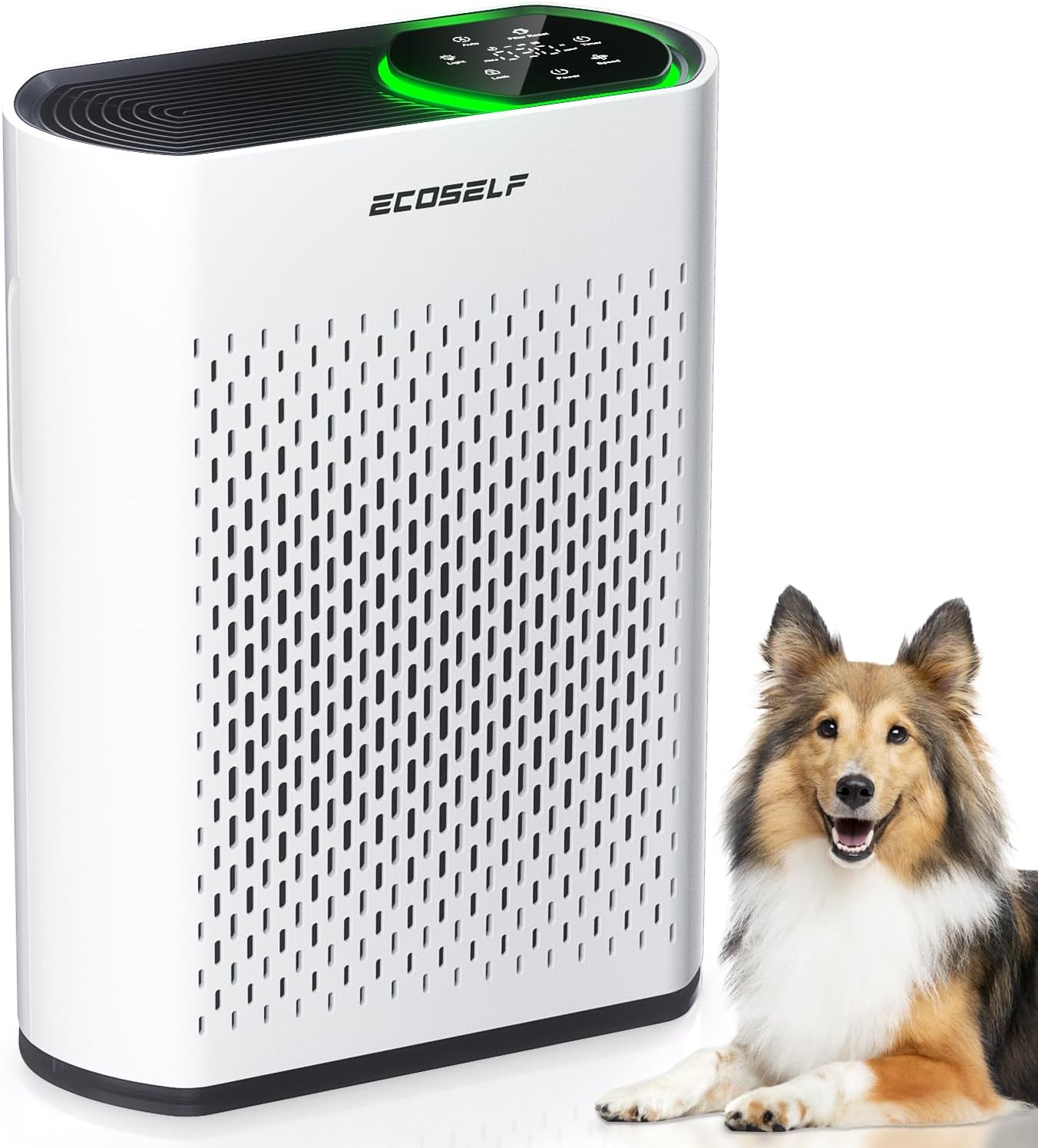
Image 1.1: The ECOSELF HAP602 HEPA Air Purifier, a white rectangular unit with a black top panel, shown next to a dog, highlighting its pet-friendly design.
2. Safety Information
Legal Disclaimer:
Statements regarding dietary supplements have not been evaluated by the FDA and are not intended to diagnose, treat, cure, or prevent any disease or health condition. This product is an air purifier and should be used according to the instructions provided to ensure safe and effective operation.
- Always unplug the air purifier before cleaning or performing any maintenance.
- Do not block air inlets or outlets.
- Keep the device away from water or other liquids.
- Ensure the power cord is not damaged or placed under heavy objects.
- This appliance is not intended for use by persons (including children) with reduced physical, sensory or mental capabilities, or lack of experience and knowledge, unless they have been given supervision or instruction concerning use of the appliance by a person responsible for their safety.
3. Product Overview
Key Features:
- Air Quality Monitoring: Built-in PM2.5 sensor with real-time display and color-coded indicator (Green, Blue, Yellow, Red) for current air quality.
- Remarkable Filtration: Effectively refreshes air in spaces up to 2400 sq ft (223 m²) every 30 minutes.
- 3-Stage Advanced Filtration: Combines a pre-filter, activated carbon filter, and true HEPA filter to capture 99.97% of particles 0.3 microns or larger.
- User-Friendly Design: Intuitive control panel with adjustable fan speeds (3 levels + Auto Mode), timer, and child lock function.
- Peaceful Operation: Features a 20dB Sleep Mode for quiet operation and dimmed lights.
Components:

Image 3.1: An exploded view of the ECOSELF HAP602 air purifier showing its internal components, including the pre-filter, activated carbon filter, and main HEPA filter, with air flowing through them.
The 3-stage filtration system includes:
- Pre-Filter: Captures larger particles like dust, lint, and pet fur/hair, extending the life of subsequent filters.
- Activated Carbon Filter: Absorbs odors, smoke, and volatile organic compounds (VOCs) such as formaldehyde.
- True HEPA Filter: Filters fine dust, smoke, pollen, mold spores, bacteria, viruses, and other airborne allergens and impurities down to 0.3 microns.
Control Panel:

Image 3.2: A close-up of the ECOSELF HAP602's touch control panel, displaying various icons for Auto mode, Filter Reset, Timer, Light, Lock, Power, and Speed settings, with a digital PM2.5 reading.
The intuitive touch control panel provides access to all functions:
- Power Button: Turns the unit on/off.
- Speed Button: Cycles through fan speeds (Low, Medium, High) and Sleep Mode.
- Auto Mode: Automatically adjusts fan speed based on detected air quality.
- Light Button: Controls the ambient light indicator.
- Timer Button: Sets an auto-off timer (1-24 hours).
- Lock Button: Activates/deactivates the child lock function.
- Filter Reset: Indicates when the filter needs replacement and resets the filter life counter.
4. Setup
4.1 Unpacking and Filter Installation
Before first use, the protective plastic packaging must be removed from the filter.
Image 4.1: A four-step visual guide demonstrating how to install the filter: 1. Take out the filter cover. 2. Remove the outer plastic package. 3. Replace the new filter to the correct position. 4. Hold and press the 'Filter Reset' icon on the air purifier until you hear a 'beep'.
- Carefully remove the filter cover from the air purifier.
- Take out the filter and remove all plastic packaging.
- Insert the filter back into the unit, ensuring it is correctly positioned.
- Replace the filter cover securely.
4.2 Initial Placement and Activation
For optimal performance, place the air purifier in a well-ventilated area.

Image 4.2: A three-step guide for new purifier setup: Step 1: Place in a ventilated area. Step 2: Run at MAX Fan Speed. Step 3: Let it work continuously for 24-48 hours.
- Place the air purifier on a flat, stable surface in your desired room.
- Plug the power cord into a suitable electrical outlet.
- For initial activation, run the unit at maximum fan speed continuously for 24-48 hours to ensure thorough air purification.
5. Operating Instructions
5.1 Power On/Off
Press the Power button on the control panel to turn the air purifier on or off.
5.2 Fan Speed Adjustment
Press the Speed button to cycle through the available fan speeds:
- Low: For quiet, continuous operation.
- Medium: For moderate purification.
- High: For rapid air cleaning.
- Sleep Mode: Reduces fan speed to its lowest setting (20dB) and dims/turns off indicator lights for undisturbed rest.
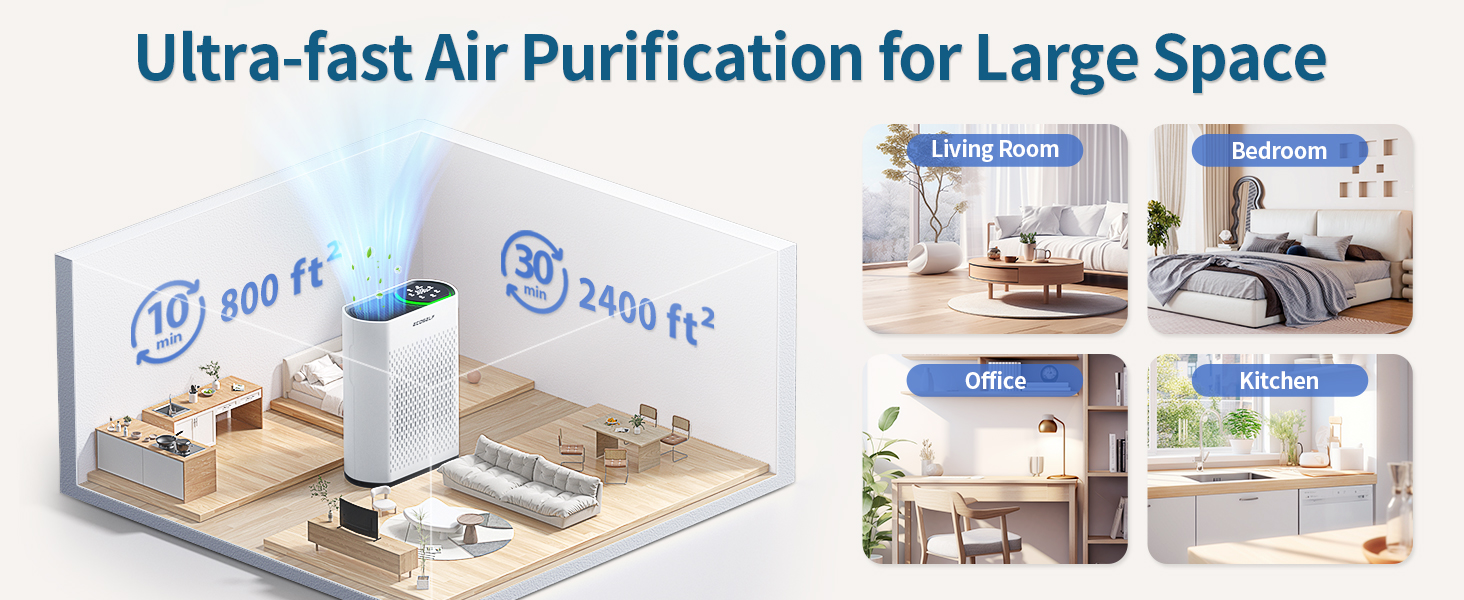
Image 5.1: A visual representation of the four fan speeds (Sleep, Low, Medium, High) and their recommended uses, such as sleeping, working, pet areas, and cooking.
5.3 Auto Mode
Press the Auto button to activate Auto Mode. The air purifier will automatically detect the PM2.5 level and adjust the fan speed accordingly to maintain optimal air quality.
5.4 Air Quality Indicator
The ambient light ring on the control panel changes color to indicate the current air quality:
- Green: Excellent air quality.
- Blue: Good air quality.
- Yellow: Moderate air quality.
- Red: Poor air quality.

Image 5.2: The ECOSELF HAP602 air purifier displaying its color-coded air quality indicator, showing green for 'Very Good' (0-50 µg/m³), blue for 'Good' (50-100 µg/m³), yellow for 'Moderate' (100-150 µg/m³), and red for 'Bad' (>150 µg/m³).
Video 5.1: Demonstrates how the ambient light on the ECOSELF HAP602 air purifier changes colors (red, yellow, blue, green) to visually indicate the current air quality level, providing immediate feedback to the user.
5.5 Timer Function
Press the Timer button to set an automatic shut-off time. You can set the timer from 1 to 24 hours.
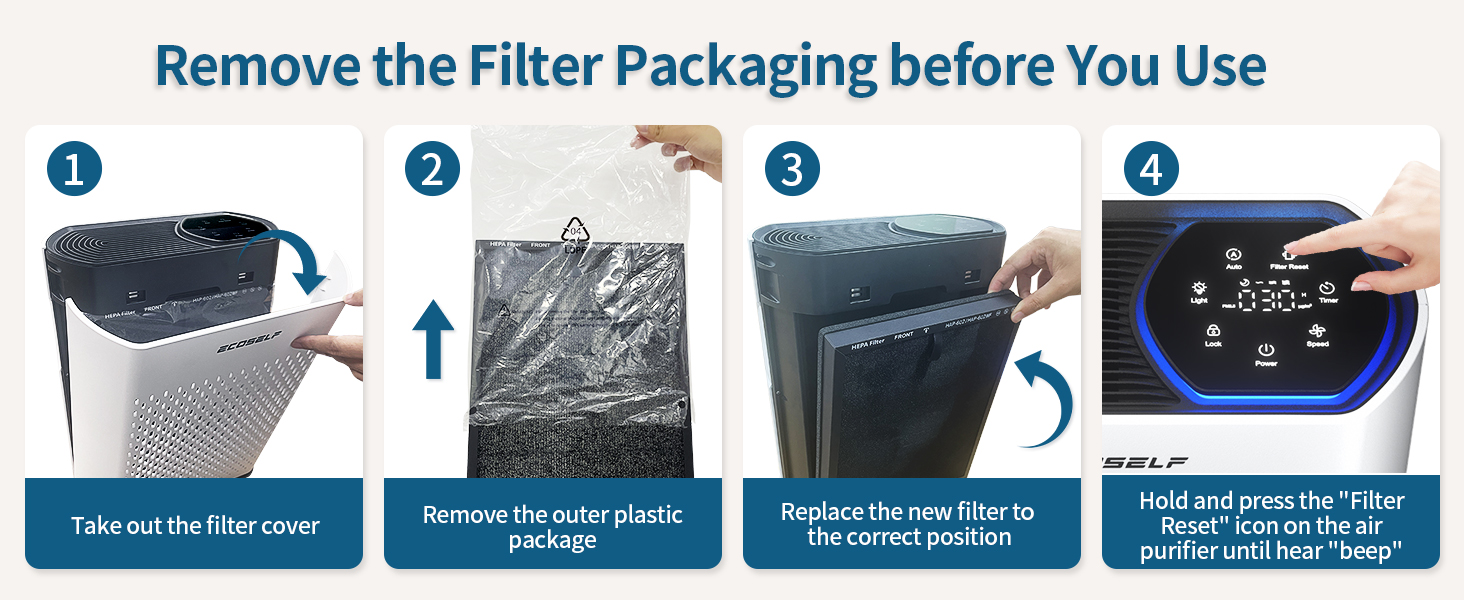
Image 5.3: The ECOSELF HAP602 air purifier with a graphic overlay illustrating its countdown timer function, allowing users to set it for 1, 2, 3, up to 24 hours.
5.6 Child Lock
Press and hold the Lock button for 3 seconds to activate or deactivate the child lock. This prevents accidental changes to settings by children or pets.
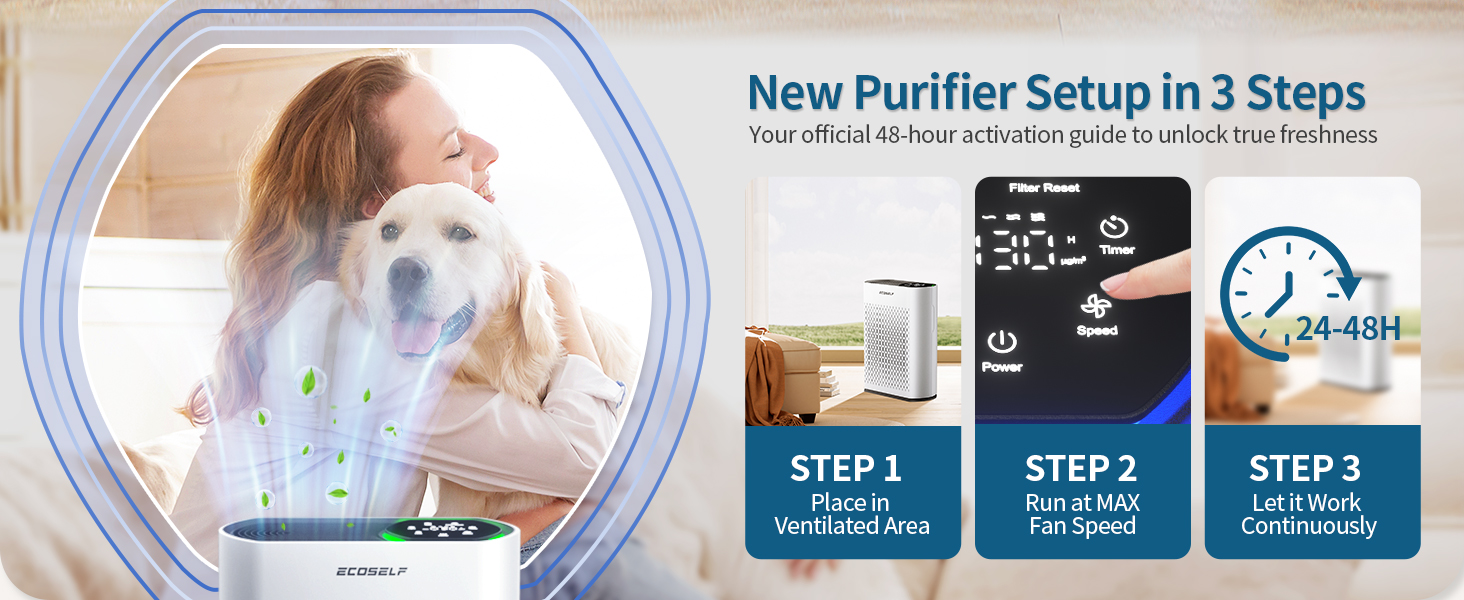
Image 5.4: The ECOSELF HAP602 air purifier shown with a child and a dog, emphasizing the child/pet lock feature to prevent unintended operation.
6. Maintenance
6.1 Filter Replacement
The filter needs to be replaced every 3 to 6 months, depending on usage and air quality. The Filter Reset indicator light will illuminate when replacement is due.

Image 6.1: The ECOSELF HAP602 air purifier with a graphic overlay showing the filter replacement indicator light, signaling when a new filter is needed.
To replace the filter:
- Unplug the air purifier.
- Remove the filter cover and the old filter.
- Dispose of the old filter properly.
- Install a new ECOSELF HAP602 replacement filter (ensure plastic packaging is removed).
- Replace the filter cover.
- Plug in the air purifier and press and hold the Filter Reset button until you hear a 'beep' to reset the filter life counter.
Note: The filter must not be cleaned with water or other liquids.
6.2 General Cleaning
Wipe the exterior of the air purifier with a soft, dry cloth. Do not use abrasive cleaners or solvents.
7. Troubleshooting
If your ECOSELF HAP602 air purifier is not functioning as expected, please refer to the following common issues and solutions:
- Unit does not turn on: Ensure the power cord is securely plugged into a working outlet. Check if the power button has been pressed.
- Airflow is weak: Check if the filter is clogged and needs replacement. Ensure air inlets and outlets are not obstructed.
- Unusual noise: Verify that the filter is correctly installed. Check for any foreign objects inside the unit.
- Air quality indicator is always red/yellow: Ensure the unit is in Auto Mode. Consider replacing the filter if it's near the end of its lifespan.
- Buttons are unresponsive: Check if the child lock function is activated. Deactivate it by pressing and holding the Lock button for 3 seconds.
For further assistance, please contact ECOSELF customer support.
8. Specifications
| Feature | Specification |
|---|---|
| Product Dimensions | 5.7 x 11.8 x 15.75 inches; 8.38 Pounds (5.7"D x 11.8"W x 15.75"H) |
| Item Model Number | HAP602 |
| Brand | ECOSELF |
| Color | White |
| Specification Met | CARB Certified |
| Noise Level | 20 Decibels (in Sleep Mode) |
| Manufacturer | Kaifeng mingyueting Trading Co., Ltd |
| Date First Available | June 10, 2025 |
9. Warranty and Support
9.1 Protection Plans
Extended protection plans are available for your ECOSELF HAP602 Air Purifier:
- 3-Year Protection Plan: Available for $11.99.
- 4-Year Protection Plan: Available for $15.99.
- Complete Protect: One plan covers all eligible past and future purchases for $16.99/month.
For detailed terms and conditions of these protection plans, please refer to the respective plan providers.
9.2 Customer Support
For any questions, technical support, or warranty claims, please contact the manufacturer:
Manufacturer: Kaifeng mingyueting Trading Co., Ltd
Please refer to your purchase documentation for specific contact details or visit the ECOSELF official website.