
1. Introduction
The otinsile Pilot Smart Glasses GT30 combine classic Pilot design with advanced Bluetooth technology. These smart glasses offer immersive audio, hands-free calling, and UV400 polarized lenses for eye protection. They are designed for convenience and functionality in various daily activities.

Image 1.1: otinsile Pilot Smart Glasses GT30, Silver Frame Gray Lens.

Image 1.2: A user wearing the otinsile Pilot Smart Glasses GT30, illustrating the lightweight metal frame (35g).
2. Setup
2.1 Package Contents
Please verify that all items are present in the package:
- otinsile Pilot Smart Glasses GT30
- Magnetic Charging Cable
- Cleaning Cloth
- User Manual

Image 2.1: Contents of the otinsile Pilot Smart Glasses GT30 package, including glasses, charging cable, cleaning cloth, and user manual.
2.2 Charging the Glasses
Before first use, fully charge the smart glasses. The magnetic charging system ensures easy power-up.
- Connect the magnetic charging cable to the charging port on the glasses.
- Connect the other end of the cable to a USB power source (e.g., computer, wall adapter).
- The charging indicator will show the charging status.
- A full charge typically takes approximately 1 hour.

Image 2.2: Illustration of magnetic charging and battery life estimates for music playback and calls.
2.3 Power On/Off
The glasses feature Hall sensor auto-on/off technology:
- Power On: Unfold the temple arms of the glasses. They will automatically power on and enter pairing mode or reconnect to the last paired device.
- Power Off: Fold the temple arms of the glasses. They will automatically power off and disconnect from your device.
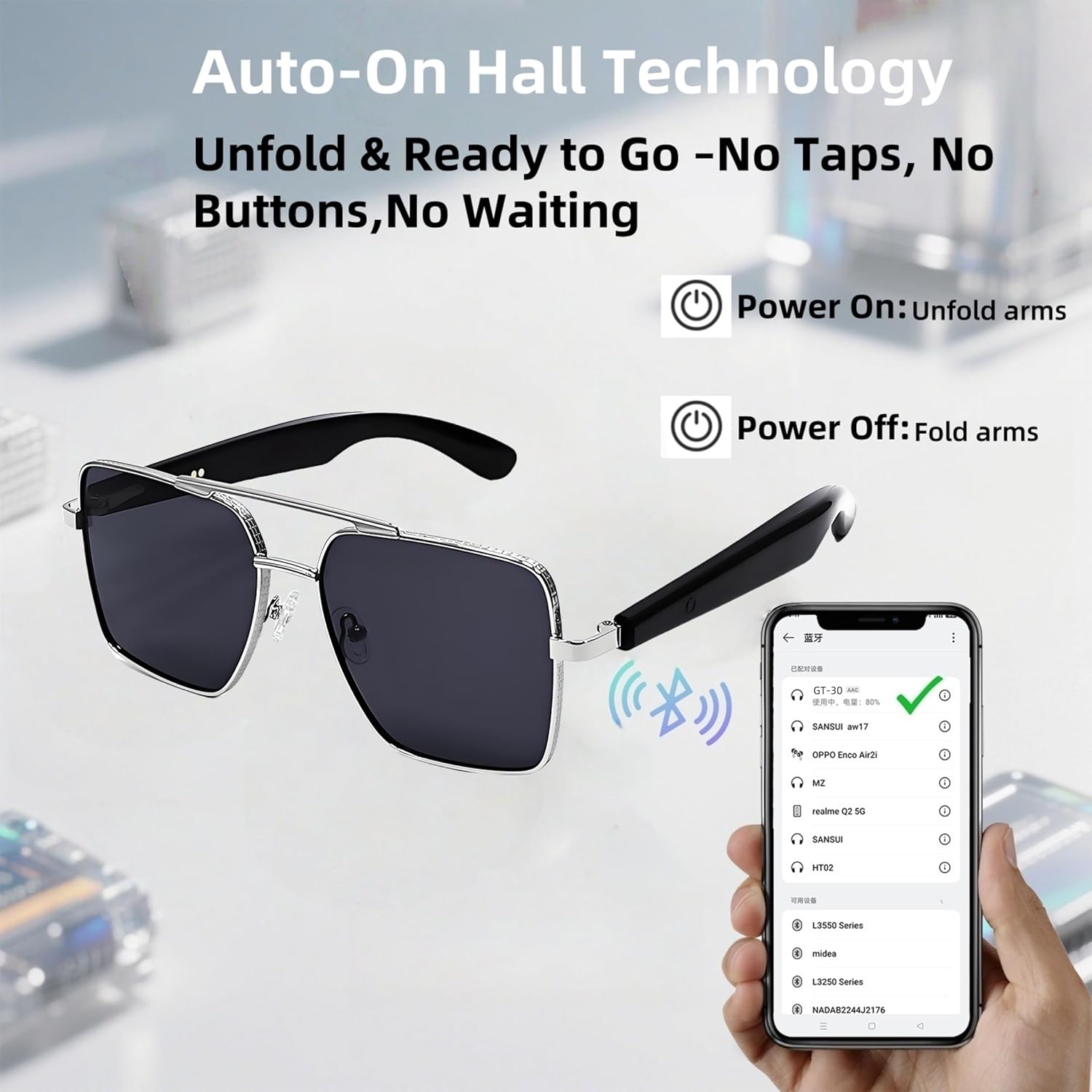
Image 2.3: Visual guide for automatic power on by unfolding and power off by folding the glasses.
2.4 Bluetooth Pairing
To connect your smart glasses to a device:
- Ensure the glasses are powered on (unfold the temple arms).
- On your smartphone or Bluetooth-enabled device, navigate to the Bluetooth settings.
- Search for available devices. The glasses will appear as "GT30" or a similar name.
- Select "GT30" to pair. Once connected, you will hear an audio confirmation.

Image 2.4: Diagram showing the Bluetooth pairing process with a smartphone.
3. Operating Instructions
The otinsile Pilot Smart Glasses GT30 feature intuitive touch controls located on the temple arms.
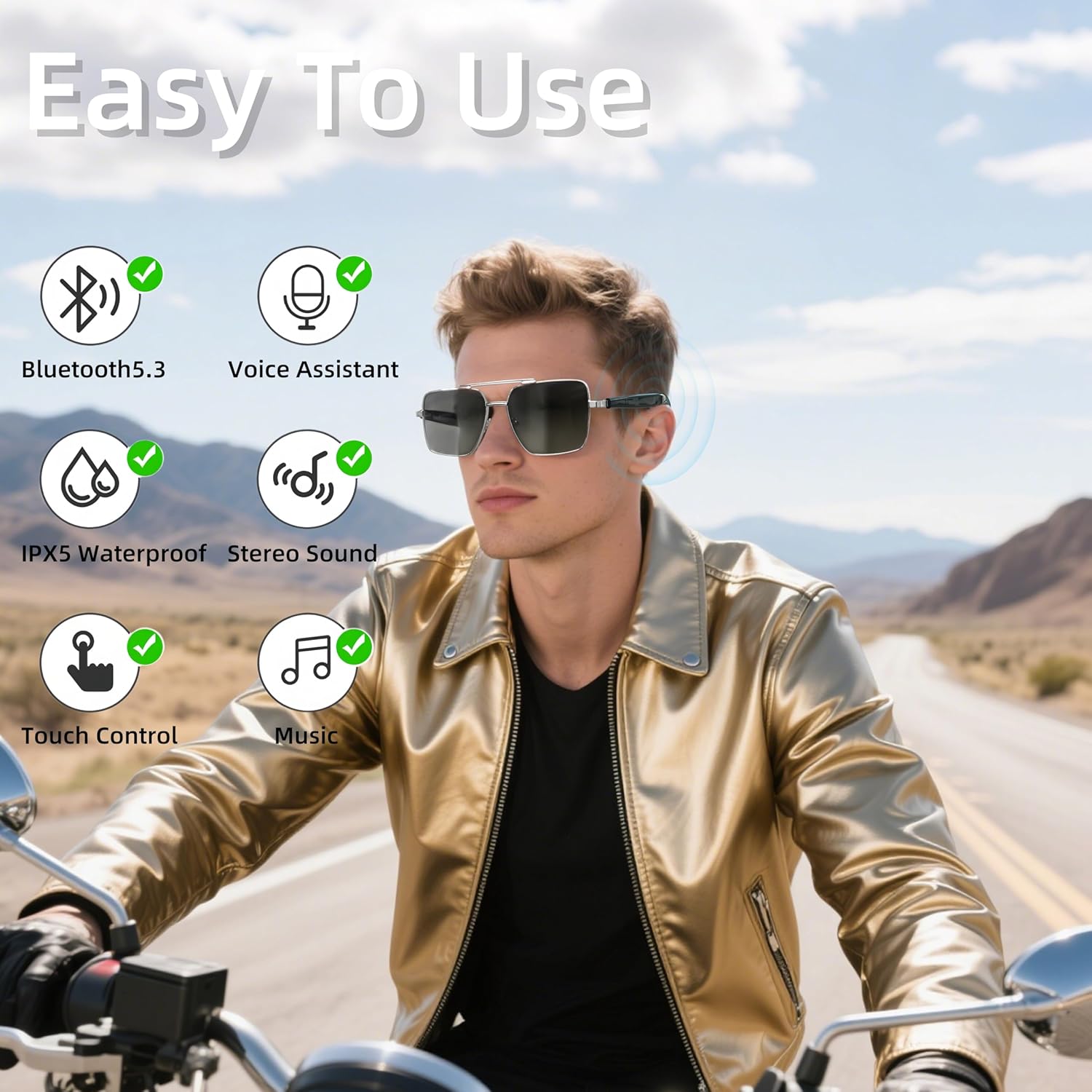
Image 3.1: User wearing the smart glasses, illustrating key features like Bluetooth 5.3, Voice Assistant, IPX5 Waterproof, Stereo Sound, Touch Control, and Music.
3.1 Touch Controls
Utilize the touch-sensitive areas on the temple arms for various functions:
| Action | Function |
|---|---|
| Touch twice (right) | Pause/Play music |
| One click (left) | Previous song |
| One click (right) | Next song |
| Touch twice (left) | Answer/Hang up phone call |
| Press and hold for 3 seconds (left/right) | Refuse to answer calls |
| Touch three times (left) | Activate Voice Assistant |
| Long press for 1.5 seconds (left) | Volume down |
| Long press for 1.5 seconds (right) | Volume up |
| Touch three times (right) | Remote control camera (after turning on the camera function) |

Image 3.2: Detailed diagram of touch control functions on the smart glasses.
3.2 Making and Receiving Calls
The built-in noise-canceling microphone ensures clear communication.
- Answer/End Call: Double-tap the left temple arm.
- Reject Call: Press and hold either temple arm for 3 seconds.
3.3 Voice Assistant
Activate your phone's voice assistant for hands-free commands.
- Activate: Triple-tap the left temple arm.
3.4 Remote Photography
Capture photos remotely using your smart glasses.
- Capture Photo: Triple-tap the right temple arm after enabling the camera function on your connected device.

Image 3.3: A user demonstrating the remote photography feature of the smart glasses.
4. Maintenance
4.1 Cleaning
- Use the provided cleaning cloth to gently wipe the lenses and frame.
- Avoid using harsh chemicals or abrasive materials that could damage the lenses or frame.
- For stubborn smudges, use a lens cleaning solution specifically designed for eyewear.
4.2 Storage
- When not in use, store the glasses in their protective case to prevent scratches and damage.
- Avoid exposing the glasses to extreme temperatures or direct sunlight for extended periods.
4.3 Battery Care
- To prolong battery life, avoid fully discharging the battery frequently.
- Charge the glasses regularly, even if not used for a long time.

Image 4.1: The smart glasses provide UV400 protection, safeguarding your eyes from harmful UV rays.
5. Troubleshooting
If you encounter issues with your otinsile Pilot Smart Glasses GT30, refer to the following common solutions:
- Glasses not powering on:
Ensure the glasses are fully charged. Unfold the temple arms completely to activate the Hall sensor. - Unable to pair via Bluetooth:
Make sure Bluetooth is enabled on your device. Ensure the glasses are powered on and in pairing mode. Turn off and on the glasses, then try pairing again. If previously paired, remove the device from your phone's Bluetooth list and re-pair. - No sound or poor audio quality:
Check the volume level on both the glasses and your connected device. Ensure the glasses are properly connected via Bluetooth. Move closer to your device to avoid interference. - Touch controls not responding:
Ensure your fingers are clean and dry. Try restarting the glasses by folding and unfolding the temple arms. - Charging issues:
Verify that the magnetic charging cable is securely connected to both the glasses and the power source. Try a different USB port or power adapter.
6. Specifications
| Feature | Specification |
|---|---|
| Model Number | GT30 |
| Bluetooth Version | 5.3 |
| Lens Type | Polarized, UV400 Protection |
| Audio | Dual Speakers, Stereo Sound, Noise-Canceling Mic |
| Controls | Touch Controls, Voice Assistant Support, Remote Photo Capture |
| Power On/Off | Hall Sensor Automatic |
| Charging | Magnetic Charging |
| Music Playback Time | 5-6 hours |
| Call Battery Life | 4-5 hours |
| Charging Time | Approx. 1 hour |
| Item Weight | 4.9 ounces (approx. 35g for glasses only) |
| Package Dimensions | 6.3 x 2.76 x 1.97 inches |
| Manufacturer | otinsile |
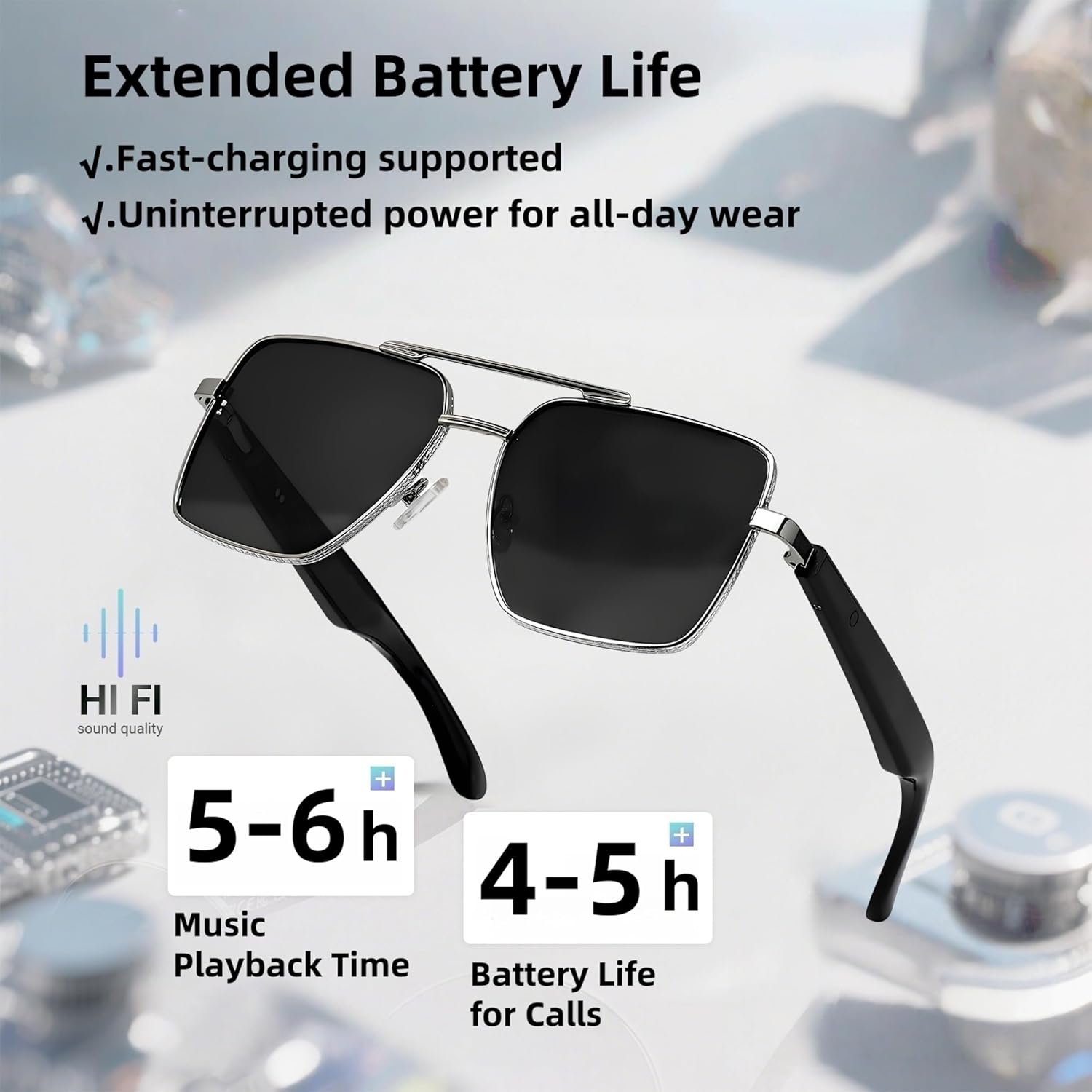
Image 6.1: Battery performance details, showing 5-6 hours music playback and 4-5 hours call time.

Image 6.2: Dimensional measurements of the otinsile Pilot Smart Glasses GT30.
7. Warranty and Support
For warranty information, technical support, or customer service inquiries, please contact otinsile customer support through the retailer where the product was purchased or visit the official otinsile website.