
1. Introduction
This manual provides essential information for the safe and efficient use of your WINAZ Small Portable Rolling Standing Desk. Please read these instructions carefully before assembly and operation, and retain them for future reference.
2. Safety Instructions
- Always use the retainer when adjusting the height to prevent the desk from slipping.
- Keep the wheels locked when the desk is in use to ensure stability.
- Do not exceed the weight limit of 15.5 pounds on the desktop.
- Ensure all bolts and connections are securely tightened before use.
- Keep children and pets away from the desk during assembly and height adjustments.
3. Package Contents
Please verify that all components are present before beginning assembly. If any parts are missing or damaged, please contact customer support.
- Desktop Panel (1)
- Main Support Frame (1)
- Base Legs with Wheels (2)
- Crossbar Support (1)
- Height Adjustment Knobs (2)
- Retainer Pins (2)
- Removable Iron Hooks (2)
- Assembly Hardware (screws, bolts, wrench)
- Instruction Manual (this document)
4. Setup & Assembly
Follow these steps to assemble your WINAZ Small Portable Rolling Standing Desk. It is recommended to have a clear, flat workspace.
- Unpack Components: Carefully remove all parts from the packaging and lay them out. Check against the package contents list.
- Attach Base Legs: Secure the two base legs to the main support frame using the provided hardware. Ensure the wheels are facing outwards.

Image: Illustration of the desk's base structure during assembly, showing the attachment points for the legs and the crossbar.
- Install Crossbar Support: Attach the crossbar support between the two vertical posts of the main frame for added stability.

Image: Detailed view of the crossbar installation, highlighting its role in reinforcing the desk's stability.
- Attach Desktop Panel: Place the desktop panel onto the top of the main support frame and secure it with the appropriate screws.
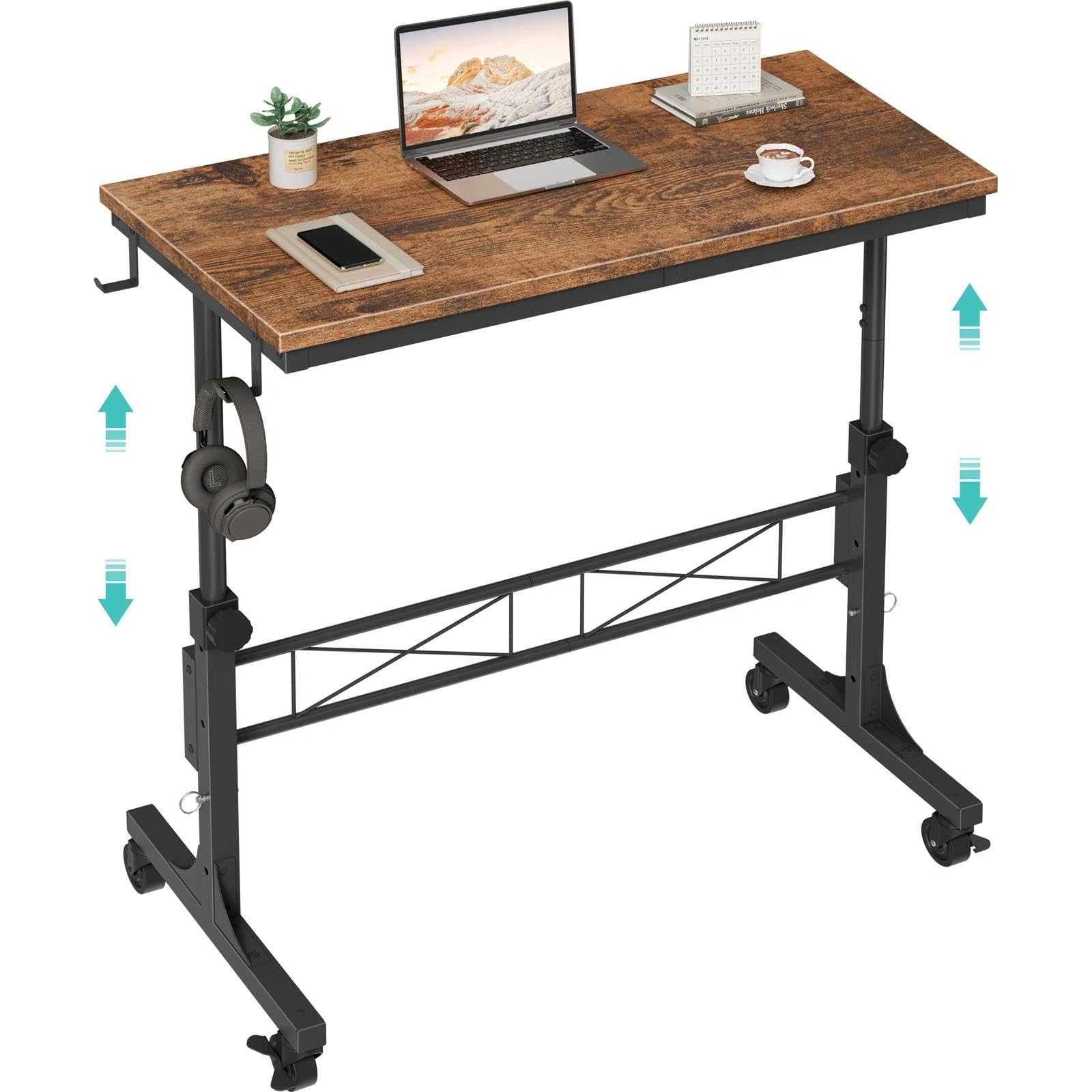
Image: The completed desk, showcasing its rustic brown desktop and black metal frame.
- Insert Retainer Pins: For initial setup, insert the retainer pins into the lowest height setting on each leg.
- Attach Removable Hooks: The two iron hooks can be attached to either side of the desktop for organizing headphones, bags, or other items.

Image: A close-up of the removable iron hooks, demonstrating their use for hanging headphones.
5. Operating Instructions
5.1. Height Adjustment
The desk features an adjustable height mechanism, allowing you to switch between sitting and standing positions. It has four fixed height settings.
- Unlock: Loosen the height adjustment knobs on both vertical posts.
- Remove Retainer Pins: Pull out the retainer pins from both posts.

Image: A detailed view of the iron bolts (retainer pins) on the desk's leg, which secure the height at one of four fixed positions.
- Adjust Height: Carefully raise or lower the desktop to your desired height. The desk offers a range from 30.7 inches to 41.9 inches.
- Secure: Once at the desired height, re-insert the retainer pins into the corresponding holes on both posts and tighten the height adjustment knobs to secure the desk.

Image: A close-up of the height adjustment knob, used to secure the desk at a chosen height.
5.2. Using the Wheels
The desk is equipped with four ball-bearing swivel casters for easy mobility. Two of these wheels include brakes for stability.
- Moving the Desk: To move the desk, ensure the wheel brakes are disengaged. The casters allow for smooth movement in any direction.
- Locking the Desk: To keep the desk stationary, engage the brakes on the two wheels. This is crucial for stability during use, especially when working or using with a treadmill.

Image: A close-up of one of the desk's swivel caster wheels, showing the locking lever for stability.
5.3. Versatile Use
This desk is designed for multiple functions:
- Treadmill Workstation: Position the desk over a walking pad for an active workspace.
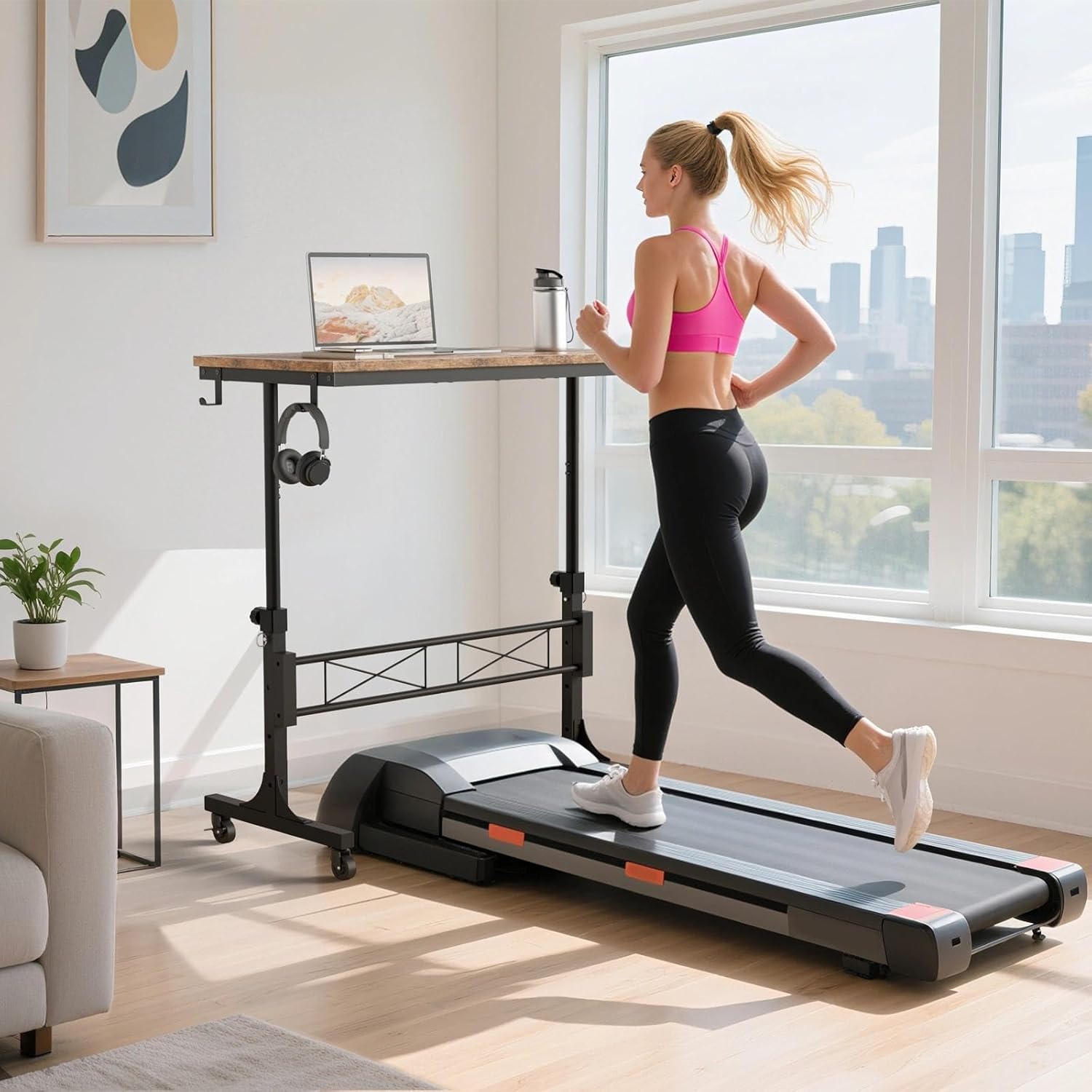
Image: A woman using the WINAZ desk as a treadmill workstation, demonstrating its compatibility with walking pads.
- Teacher Podium/Lectern: Ideal for classroom instruction or presentations.

Image: A teacher utilizing the WINAZ desk as a mobile podium in a classroom, highlighting its use for instruction.
- Couch/Sofa Side Laptop Table: Conveniently use your laptop or tablet while seated on a couch or sofa.

Image: The WINAZ desk serving as a practical side table next to a sofa, holding a laptop and other items.
6. Maintenance
- Cleaning: The desktop features a scratch-resistant, anti-collision, and waterproof finish. Wipe clean with a damp cloth and mild detergent. Avoid abrasive cleaners.
- Hardware Check: Periodically check all screws, bolts, and connections to ensure they remain tight. Re-tighten as necessary to maintain stability.
- Wheel Care: Keep the wheels free of debris to ensure smooth rolling.
7. Troubleshooting
| Problem | Possible Cause | Solution |
|---|---|---|
| Desk is wobbly/unstable. | Loose connections; uneven floor; wheels unlocked. | Ensure all bolts are tightened. Move to a flat surface. Lock the wheels. |
| Difficulty adjusting height. | Knobs not fully loosened; retainer pins stuck. | Ensure knobs are completely loose. Gently wiggle and pull retainer pins. Do not force. |
| Wheels not rolling smoothly. | Debris in casters; wheels locked. | Check for and remove any debris. Ensure wheel brakes are disengaged. |
8. Specifications
- Brand: WINAZ
- Model Number: WIN-ARD32SD-BN
- Product Dimensions (D x W x H): 15.7" x 31.5" x 29.5" (minimum height)
- Adjustable Height Range: 30.7 inches to 41.9 inches
- Working Surface Diagonal Length: 39.7 inches
- Desktop Material: Engineered Wood (Rustic Brown finish)
- Base Material: Metal (Powder Polished)
- Weight Capacity: 15.5 pounds (desktop)
- Features: Height Adjustable, Mobile with Locking Swivel Casters, Removable Hooks, Waterproof Desktop
9. Warranty & Support
WINAZ provides professional customer support and efficient replacement services for any quality issues you may encounter with your Small Portable Rolling Standing Desk.
For assistance, please refer to your purchase documentation or visit the official WINAZ website for contact information.