
Introduction
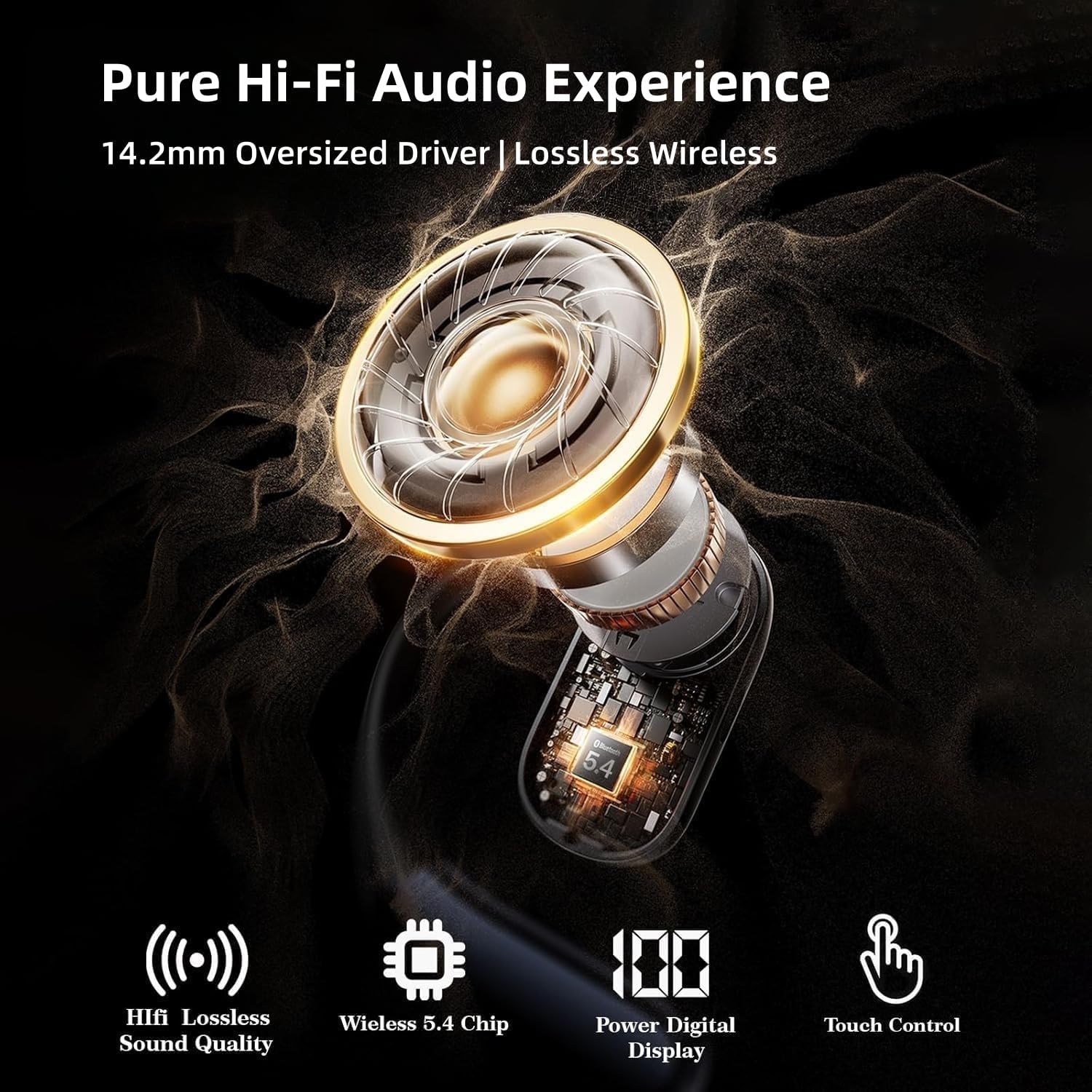
Thank you for choosing the otinsile M95 Bluetooth Earbuds. These wireless headphones are designed to provide a premium audio experience with a secure and comfortable fit, ideal for active lifestyles. Featuring advanced Bluetooth 5.4 technology, 14.2mm dynamic drivers, and IPX7 waterproof rating, these earbuds offer extended playtime and intuitive touch controls. Please read this manual carefully to ensure proper use and maintenance of your device.

Overview of otinsile M95 Bluetooth Earbuds features including Bluetooth 5.4, HiFi Sound, IPX5 Waterproofing, and Touch Control.
What's in the Box
- otinsile M95 Bluetooth Earbuds (Left and Right)
- Charging Case
- USB-C Charging Cable
- Instruction Manual
Setup
1. Charging the Earbuds and Case
Before first use, fully charge the earbuds and charging case. Connect the provided USB-C cable to the charging port on the case and a power source. The LED display on the case will show the battery percentage. A full charge takes approximately 1.5 hours for the case and provides up to 36 hours of total playtime with multiple charges.

The charging case with earbuds, illustrating the USB-C port and digital power display.
2. Wearing the Earbuds
The M95 earbuds feature an over-ear hook design for a secure and comfortable fit. Gently place the earbud over your ear, ensuring the hook rests comfortably behind your ear and the speaker sits just outside your ear canal. Adjust for optimal comfort and sound.
Proper placement of the earbud with the over-ear hook for a secure and comfortable fit.
3. Bluetooth Pairing
- Open the charging case. The earbuds will automatically enter pairing mode.
- On your device (smartphone, tablet, laptop), enable Bluetooth.
- Search for available devices and select "M95" from the list.
- Once connected, you will hear an audio prompt, and the device will show "Connected".
The earbuds will automatically reconnect to the last paired device when removed from the case, if Bluetooth is enabled on the device.

Visual representation of the Bluetooth pairing process on a smartphone.
Operating Instructions
The M95 earbuds feature intuitive touch controls on the outer surface of each earbud.
| Function | Action |
|---|---|
| Power On | Press and hold L/R earbud for 3 seconds |
| Power Off | Press and hold L/R earbud for 5 seconds |
| Play/Pause | Double-tap L/R earbud |
| Next Song | Triple-tap R earbud |
| Previous Song | Triple-tap L earbud |
| Volume Up | Single-tap R earbud |
| Volume Down | Single-tap L earbud |
| Answer/End Call | Double-tap L/R earbud |
| Reject Call | Press and hold L/R earbud for 2 seconds |
| Activate Voice Assistant | Press and hold L/R earbud for 2 seconds (when not on a call) |

Detailed illustration of touch control functions on the earbuds.
Maintenance
- Cleaning: Regularly clean the earbuds and charging case with a soft, dry, lint-free cloth. Avoid using harsh chemicals or abrasive materials.
- Water Resistance: The earbuds are IPX7 waterproof, meaning they can withstand submersion in up to 1 meter of water for 30 minutes. However, the charging case is not waterproof. Ensure earbuds are dry before placing them back in the charging case.
- Storage: Store the earbuds in their charging case when not in use to protect them and keep them charged. Avoid extreme temperatures.
Troubleshooting
| Problem | Solution |
|---|---|
| Earbuds not pairing | Ensure earbuds are charged. Turn off and on Bluetooth on your device. Forget "M95" from your device's Bluetooth list and re-pair. |
| No sound from one earbud | Place both earbuds back in the case, close it, then reopen to reset. Check device's audio balance settings. |
| Charging case not charging | Ensure the USB-C cable is properly connected to both the case and power source. Try a different cable or power adapter. |
| Touch controls unresponsive | Ensure your fingers are clean and dry. Try resetting the earbuds by placing them in the case and closing it. |
Specifications
| Feature | Detail |
|---|---|
| Model Name | M95 |
| Brand | otinsile |
| Connectivity Technology | Wireless (Bluetooth 5.4) |
| Ear Placement | Over Ear |
| Audio Driver Size | 14.2 mm |
| Battery Life (Earbuds) | 8 hours (single charge) |
| Total Playtime (with Case) | 36 hours |
| Charging Time | 1.5 hours (for case) |
| Water Resistance Level | IPX7 (Earbuds only) |
| Control Type | Touch Control |
| Noise Control | Sound Isolation |
| Compatible Devices | iOS, Android, tablets, laptops, Bluetooth-enabled devices |
| Item Weight | 7 Grams (each earbud) |
| Product Dimensions | 1.1 x 0.98 x 0.71 inches |
Warranty and Support
For warranty information and customer support, please refer to the contact details provided with your purchase or visit the official otinsile website. Keep your proof of purchase for any warranty claims.