
Introduction
Thank you for choosing the PEFUPEW J56 Wireless Earbuds. This manual provides essential information for setting up, operating, and maintaining your new earbuds. Please read it carefully to ensure optimal performance and longevity of your device.
What's in the Box
- Earbuds compartment (with Earbuds) x1
- Earplugs (S/M/L) x1 set
- USB-C data cable x1
- User Guide x1
Product Overview
The PEFUPEW J56 Wireless Earbuds are designed for a superior audio experience with advanced features.
Key Features:
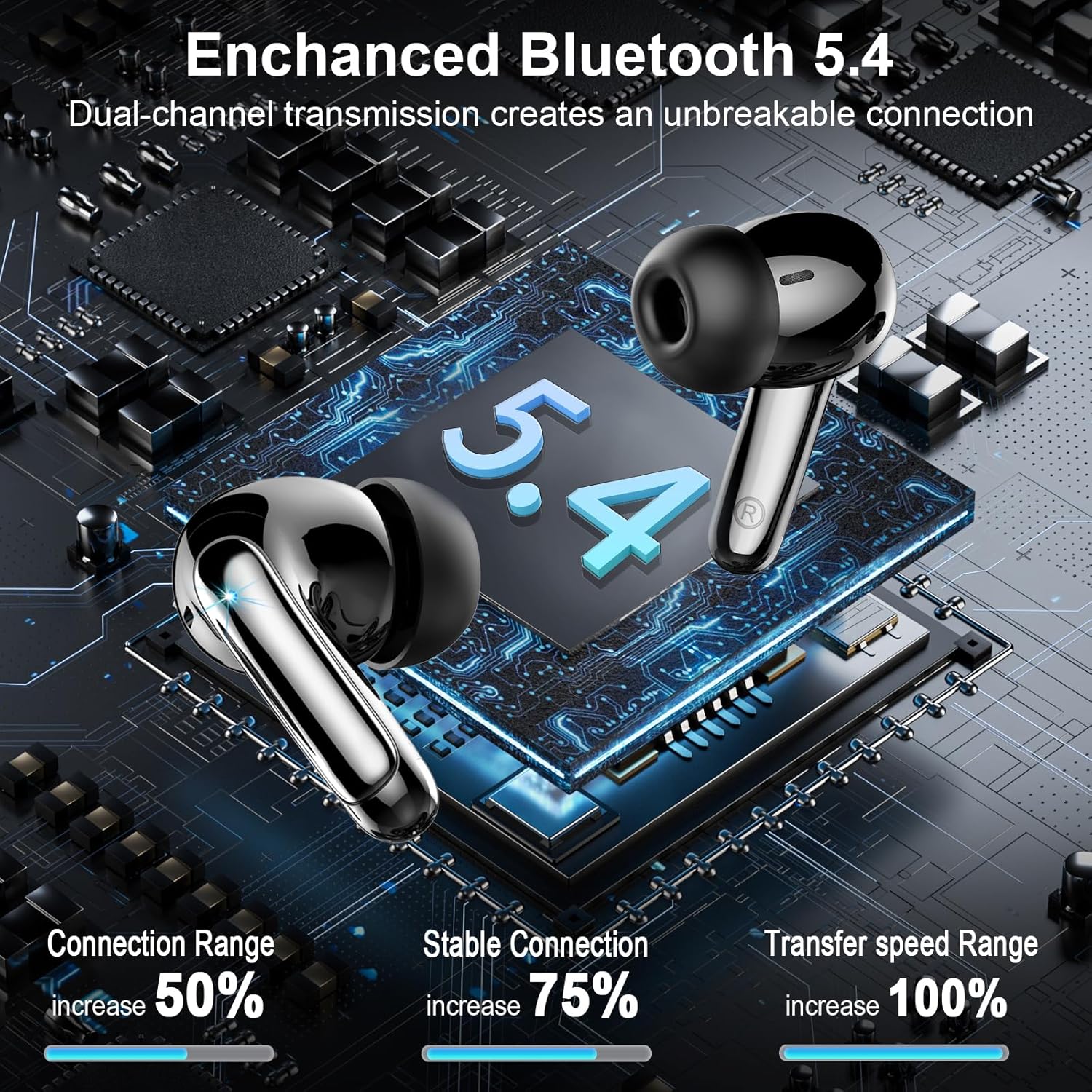
- Bluetooth 5.4 Technology: Offers faster transmission speeds, stable connection, and minimal lag.
- ENC Noise Reduction: Effectively filters background noise for clear calls.
- 14.2mm Dynamic Drivers: Delivers deep bass, crisp vocals, and pure treble.
- 48H Playtime: Up to 8 hours on a single charge, extended to 40 hours with the charging case.
- Dual LED Display: Shows battery percentage of both earbuds and the charging case.
- IP7 Waterproof: Resists sweat and rain, suitable for sports and outdoor activities.
- Ergonomic Design: In-ear design with soft silicone earbuds for comfortable and secure fit.
- Smart Touch Control: Manage music, calls, and voice assistant with simple touches.


Setup
Initial Pairing
- Ensure the earbuds are charged.
- Open the charging case. The earbuds will automatically power on and enter pairing mode.
- On your device (smartphone, tablet, etc.), enable Bluetooth.
- Search for available Bluetooth devices and select "J56" from the list.
- Once connected, the earbuds are ready for use.
Thanks to magnetic Hall-effect technology, after initial pairing, simply remove the earbuds from the charging case for an instant connection.

Operating Instructions
Power On/Off
- Power On: Open the charging case, and the earbuds will power on automatically.
- Power Off: Place the earbuds back into the charging case and close the lid. They will power off and begin charging.
Smart Touch Controls
The earbuds are equipped with highly sensitive smart touch sensors for easy control:
- Play/Pause: Double-tap either earbud.
- Next Song: Long press the right earbud for 1.5 seconds.
- Previous Song: Long press the left earbud for 1.5 seconds.
- Answer/End Call: Single-tap either earbud.
- Reject Call: Long press either earbud for 2 seconds.
- Activate Voice Assistant (Siri/Google Assistant): Triple-tap either earbud.
- Volume Up: Single-tap the right earbud.
- Volume Down: Single-tap the left earbud.

Charging
The PEFUPEW J56 earbuds offer extended playtime and convenient charging.
- Earbud Charging: Place the earbuds into the charging case. They will automatically begin charging.
- Case Charging: Connect the provided USB-C data cable to the charging port on the case and to a power source.
- Battery Indicator: The dual LED display on the charging case shows the battery percentage (0-100%) of the case and the individual earbuds.
A full charge provides up to 8 hours of music playback for the earbuds, and the compact 400mAh charging case extends the total playtime to 40 hours. The case supports 2-hour fast charging.

Maintenance
- Cleaning: Regularly clean the earbuds and charging case with a soft, dry cloth. Avoid using harsh chemicals or abrasive materials.
- Ear Tips: Remove and clean the silicone ear tips periodically. Ensure they are completely dry before reattaching.
- Storage: When not in use, store the earbuds in their charging case to protect them and keep them charged.
- Water Exposure: While IP7 waterproof, avoid prolonged submersion in water. Dry thoroughly if exposed to moisture.
Troubleshooting
| Problem | Possible Cause | Solution |
|---|---|---|
| Earbuds not pairing | Earbuds are not in pairing mode or device Bluetooth is off. | Ensure earbuds are in the case, open the lid to activate pairing. Turn on Bluetooth on your device and select "J56". |
| No sound from earbuds | Low battery, not connected, or volume too low. | Charge earbuds. Reconnect to your device. Increase volume on both earbuds and device. |
| Charging case not charging | Cable or power source issue. | Check USB-C cable connection. Try a different power adapter or USB port. |
| Poor call quality | Environmental noise or weak signal. | Ensure ENC is active. Move closer to your connected device. |
Specifications
- Model Name: J56
- Brand: PEFUPEW
- Connectivity Technology: Wireless (Bluetooth 5.4)
- Bluetooth Range: 15 Meters
- Noise Control: Environmental Noise Cancellation (ENC)
- Audio Driver Type: Dynamic Driver (14.2mm)
- Battery Life (Earbuds): 8 Hours
- Total Playtime (with Case): 48 Hours
- Charging Time: 1.5 Hours
- Water Resistance Level: IP7 Waterproof
- Control Method: Touch
- Material: Silicone
- Item Weight: 3.52 ounces
- Included Components: Earbuds, Charging Case, Earplugs (S/M/L), USB-C data cable, User Guide
- Compatible Devices: iOS/Android phones, laptops, tablets (various models listed in product data)
Official Product Video
Safety Information
- Do not disassemble or modify the earbuds or charging case.
- Keep away from extreme temperatures, direct sunlight, and open flames.
- Avoid dropping or subjecting the device to strong impacts.
- Keep out of reach of children and pets.
- Use only the provided charging cable or a certified equivalent.
- Do not use the earbuds at high volume for extended periods to prevent hearing damage.
Warranty and Support
For warranty information and customer support, please refer to the contact details provided with your purchase or visit the official PEFUPEW website. Keep your proof of purchase for any warranty claims.