
1. Introduction
This manual provides comprehensive instructions for the installation, operation, and maintenance of your Chshn Electric Smart Curtain System. Please read this manual thoroughly before installation and use to ensure proper function and safety. Keep this manual for future reference.
2. Safety Information
- Ensure all power is disconnected before installation or maintenance.
- This product is designed for indoor use only.
- Do not allow children to play with the curtain system or its controls.
- Keep hands and loose clothing clear of moving parts during operation.
- Use only the provided components and accessories.
- If any damage is observed, discontinue use and contact customer support.
3. Product Features
- Smart Control: Compatible with Tuya App for remote operation.
- Voice Control: Integrates with Amazon Alexa and Google Home for hands-free operation.
- Remote Control: Includes a dedicated remote for convenient local control.
- Manual Override: Curtains can be operated manually in case of power outage or preference.
- Timer Settings: Schedule curtain opening and closing times.
- Group Control: Control multiple curtain systems simultaneously.
- Durable Construction: Features stainless steel drive shaft and aluminum track.

Figure 3.1: Overview of the Chshn Electric Smart Curtain System, showcasing its compatibility with remote control, Amazon Alexa, Google Home, and the Tuya smartphone application.
4. Specifications
| Feature | Specification |
|---|---|
| Product Dimensions | 160 x 6 x 6 inches (for 165-inch model) |
| Item Weight | 10.36 pounds |
| Voltage | 100-240V AC |
| Motor Size | 289 x 51 x 60mm |
| Speed | 18cm/s |
| Decibel Level | 30db |
| Protection Class | IP41 |
| Insulation Class | E |
| Radio Frequency | 433.92MHz |
| Maximum Load (Single Curtain) | 132 lbs |
| Maximum Load (Double Curtain) | 264 lbs |
| Material | Aluminum, Stainless Steel |
| Color | Silver |

Figure 4.1: Visual representation of the product's technical specifications, including motor dimensions and performance metrics.
5. Setup and Installation
5.1. Component Overview

Figure 5.1: Detailed view of key components: the durable stainless steel drive shaft, the 12mm wide steel-reinforced belt, the 2.1mm thick aluminum track, and the elegantly concealed motor.
5.2. Mounting Methods
The Chshn Smart Curtain System supports both ceiling and wall mounting. Choose the method that best suits your installation environment.
- Ceiling Mounted: Suitable for installations with or without a curtain box.
- Wall Mounted: Typically used without a curtain box. Ensure adequate support for the track.

Figure 5.2: Illustrations of ceiling and wall mounting options. For ceiling mounting with a curtain box, reserve more than 10cm for a single system and more than 20cm for a double system. Measurements for curtain cover window (AB+40CM) and curtain cover wall (AB-4cm) are also shown.
5.3. Curtain Opening Configurations
The system can be configured for various curtain opening styles:
- Single Curtain System: Can open from one side (left or right) or from the center to both sides.
- Double Curtain System: Can open from one side (left or right) or from the center to both sides.

Figure 5.3: Visual guide to various curtain opening methods and the flexibility of motor placement on either the left or right side of the track.
5.4. Initial Setup and App Connection
- Install the curtain track and motor according to the chosen mounting method and curtain configuration.
- Connect the motor to a power source.
- Download the TuyaSmart app from your smartphone's app store.
- Register or log in to your TuyaSmart account.
- Follow the in-app instructions to add your smart curtain device. This typically involves putting the device into pairing mode (refer to the motor's specific pairing instructions) and connecting it to your Wi-Fi network.
- Once connected, you can control the curtains via the TuyaSmart app.
6. Operating Instructions
6.1. Remote Control Operation
Use the provided remote control to operate your curtains. The remote typically has buttons for opening, closing, and stopping the curtains.

Figure 6.1: The hangable remote control allows for convenient operation. The image also illustrates the manual control feature, where curtains can be operated by hand, especially useful during a power outage.
6.2. TuyaSmart App Control
The TuyaSmart app provides comprehensive control over your smart curtains from anywhere.
- Open/Close/Stop: Control curtain movement directly from the app interface.
- Curtain Position Setting: Adjust the opening percentage for precise control.
- Away Mode: Control your curtains remotely when you are not home.

Figure 6.2: The TuyaSmart app interface for setting curtain position, allowing for precise control over opening percentage and movement speed profiles (gentle start, normal speed, gentle stop).
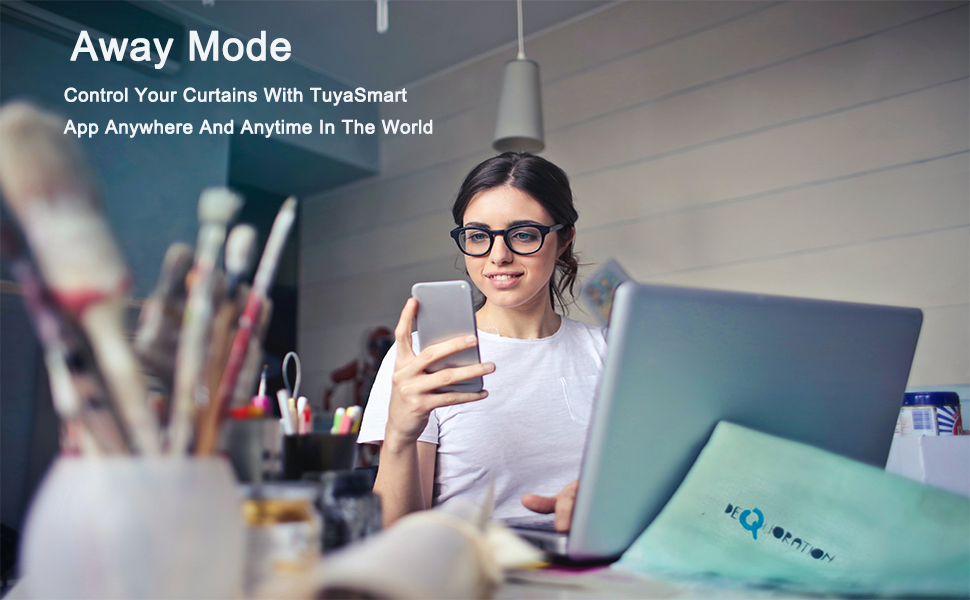
Figure 6.3: The 'Away Mode' feature, enabling users to control their curtains remotely via the TuyaSmart App from any location, enhancing security and convenience.
6.3. Voice Control (Alexa/Google Home)
Integrate your smart curtains with Amazon Alexa or Google Home for hands-free voice commands.
- Ensure your smart curtain system is successfully connected to the TuyaSmart app.
- Open the Amazon Alexa or Google Home app.
- Enable the 'TuyaSmart' skill/service within the Alexa/Google Home app.
- Link your TuyaSmart account when prompted.
- Discover devices. Your smart curtains should now appear.
- Use voice commands such as:
- "Alexa, open the curtains."
- "Hey Google, close the bedroom curtains."
- "Alexa, set curtains to 50%."

Figure 6.4: A family interacting with Google Assistant to control their smart curtains, highlighting the convenience of hands-free voice commands compatible with Amazon Alexa and Google Assistant.
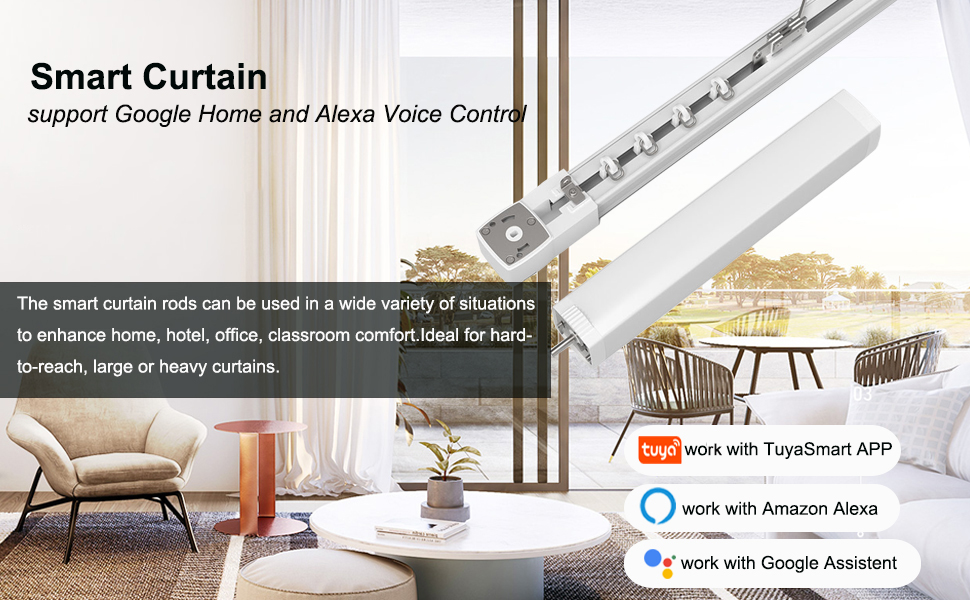
Figure 6.5: The smart curtain system seamlessly integrates with Google Home and Alexa for voice control, suitable for various settings like homes, hotels, offices, and classrooms, especially for hard-to-reach or heavy curtains.
6.4. Smart Timer Setting
Automate your curtains by setting schedules in the TuyaSmart app.
- In the TuyaSmart app, navigate to the device settings for your curtains.
- Select 'Schedule' or 'Timer'.
- Add new timers for opening and closing at specific times or based on events like sunrise/sunset.

Figure 6.6: The Smart Timer Setting interface within the TuyaSmart app, allowing users to program automatic curtain movements, such as opening at sunset and closing at bedtime.
6.5. Group Control
Control multiple smart curtain systems simultaneously by creating groups in the TuyaSmart app.
- In the TuyaSmart app, go to the main screen or device management.
- Look for an option to 'Create Group' or 'Group Management'.
- Select the curtain devices you wish to group together.
- Name your group (e.g., "Living Room Curtains").
- Now, a single command or tap can control all curtains in that group.

Figure 6.7: The Group Control feature enables simultaneous operation of multiple smart curtain systems across different rooms, such as bedrooms, study rooms, kitchens, children's rooms, and living rooms, all managed from a single interface.
6.6. Device Sharing
Share control of your smart curtains with family members through the TuyaSmart app.
- In the TuyaSmart app, select the smart curtain device.
- Look for the 'Share Device' option.
- Enter the TuyaSmart account details of the family member you wish to share with.

Figure 6.8: The 'Share Device' function allows users to grant control of their smart curtains to other family members, promoting shared convenience.
7. Maintenance
- Cleaning: Wipe the track and motor housing with a soft, dry cloth. Do not use abrasive cleaners or solvents.
- Track Inspection: Periodically check the curtain track for any obstructions or debris that might hinder smooth operation.
- Lubrication: The internal components are generally maintenance-free. Do not attempt to lubricate the belt or motor unless specifically instructed by customer support.
- Power Cord: Ensure the power cord is not pinched or damaged.
8. Troubleshooting
| Problem | Possible Cause | Solution |
|---|---|---|
| Curtains do not move | No power; Motor disconnected; Obstruction in track; Remote/App not paired. | Check power connection; Ensure motor is securely connected; Remove any obstructions; Re-pair remote/app. |
| Curtains move slowly or with difficulty | Track obstruction; Curtains too heavy; Motor issue. | Clear track; Ensure curtain weight is within specifications; Contact support if motor seems faulty. |
| Remote control not working | Batteries low/dead; Remote not paired; Signal interference. | Replace batteries; Re-pair remote; Reduce interference sources. |
| App control not working | Wi-Fi disconnected; Device offline in app; App outdated. | Check Wi-Fi connection; Verify device status in TuyaSmart app; Update app to latest version. |
| Voice control not responding | Alexa/Google Home not linked to TuyaSmart; Device offline; Incorrect commands. | Ensure TuyaSmart skill is enabled and linked; Check device status; Use correct voice commands. |
9. Warranty and Support
This Chshn Electric Smart Curtain System comes with a standard manufacturer's warranty. For specific warranty details, please refer to the product packaging or contact your retailer. If you encounter any issues or require technical assistance, please contact Chshn customer support through the contact information provided with your purchase or on the official Chshn website.