
Introduction
The Favero Assioma PRO RS-1 is a high-performance, single-sensing pedal-based power meter designed for road cycling. It offers full SPD-SL compatibility and provides accurate, consistent power data for advanced training and performance analysis. This manual provides essential instructions for the proper setup, operation, maintenance, and troubleshooting of your Assioma PRO RS-1 power meter pedals.
Setup
What's in the Box
- 1x Favero Assioma PRO RS-1 Power-meter Cycling Pedals (MPN 773-20-01)
- 1x Pair of Assioma PRO RS | Shimano compatible SPD-SL cleats (6 Degree)
- 1x Magnetic Charging Connector
- 1x USB Type-C 2-way Charging Cable
- 4x Washers
- 1x Greasing Tools Kit
- 1x RiseUP Cleaning Cloth

Image: All components included with the Favero Assioma PRO RS-1 power meter pedals, laid out for inspection.
Installation
The Assioma PRO RS-1 pedals are designed for easy installation and can be moved between bikes without special tools, similar to standard pedals. Ensure your crank arms are clean and properly threaded before installation.
- Apply a thin layer of grease to the pedal threads.
- Carefully thread the pedals into the crank arms. The left pedal is marked with an 'L' and the right with an 'R'.
- Tighten the pedals securely using an appropriate pedal wrench. Refer to your bicycle's crank arm specifications for torque recommendations.
- The pedals are compatible with the included SPD-SL cleats or original Shimano SM-SH10, SM-SH11, or SM-SH12 cleats. Install cleats onto your cycling shoes according to the cleat manufacturer's instructions.
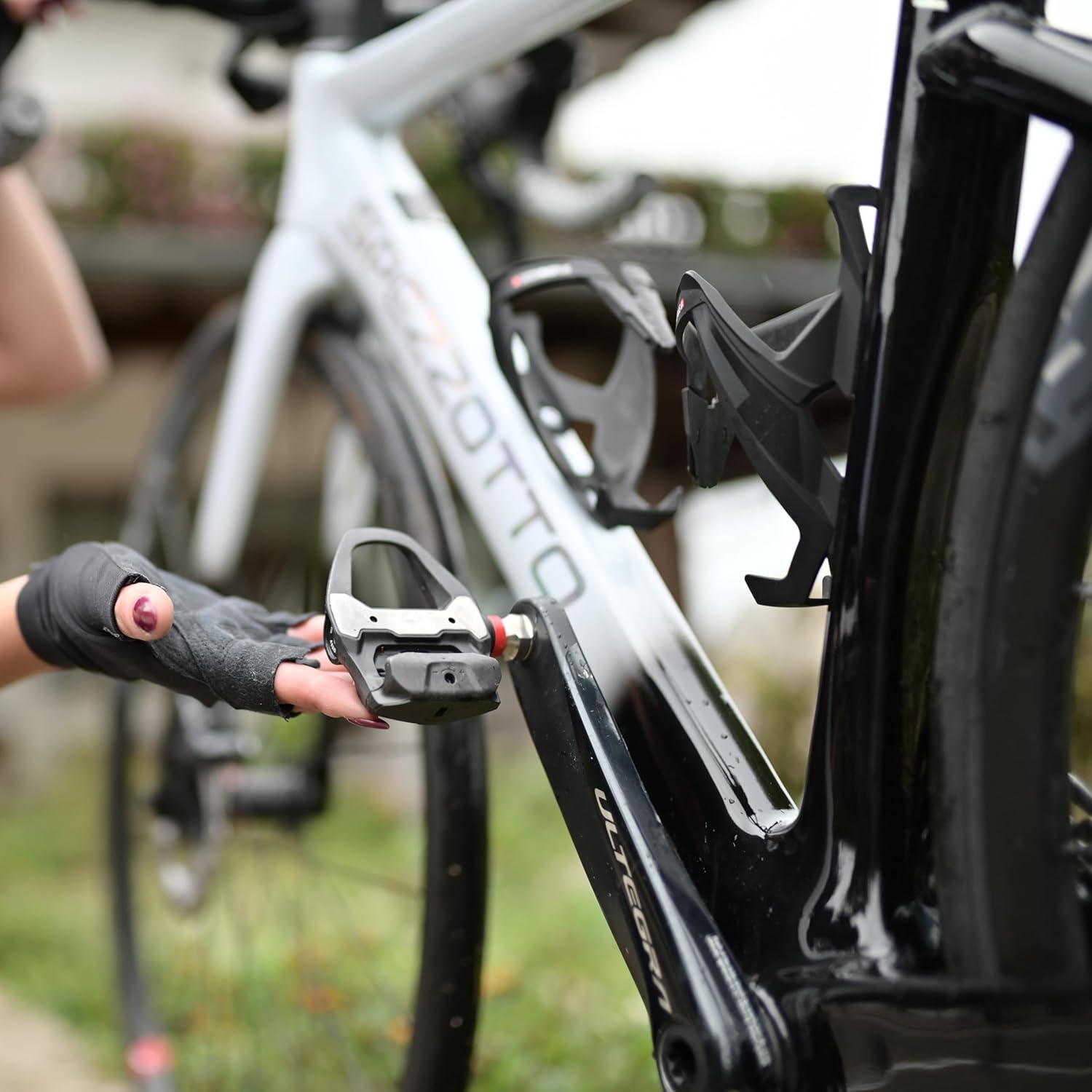
Image: A user preparing to install a Favero Assioma PRO RS-1 pedal onto a bicycle, highlighting the simple installation process.
Initial Charging
Before first use, fully charge your Assioma PRO RS-1 pedals. The integrated rechargeable batteries provide over 60 hours of operational use on a single charge.
- Connect the magnetic charging connector to the charging port on each pedal.
- Connect the USB Type-C cable to the magnetic connector and a suitable USB power source.
- The LED indicator on the pedal will show charging status. Refer to the full Favero manual for specific LED indications.
Pairing with Devices
The Assioma PRO RS-1 pedals support both Bluetooth and ANT+ connectivity, allowing pairing with a wide range of bike computers, cycling GPS units, and smartphones.
- Ensure your bike computer or smartphone's Bluetooth or ANT+ is enabled.
- Spin the pedals a few times to wake them up.
- On your device, search for new sensors. The pedals should appear as 'Assioma PRO RS-1'.
- Select the pedals to pair. Follow any on-screen prompts.
Operating Instructions
Power Measurement and Accuracy
The Assioma PRO RS-1 utilizes an advanced IAV Power System with an integrated three-axis gyroscope. This technology accounts for every pedaling variation, delivering a high degree of accuracy of ±1% in all situations, not just laboratory conditions.
Automatic Temperature Compensation (ATC) ensures accurate watt measurements with consistency and stability in actual on-road use conditions, across temperatures ranging from -10°C to 55°C.

Image: A cyclist in motion, demonstrating the real-time power data and advanced metrics provided by the Assioma PRO RS-1 pedals.
Advanced Cycling Metrics
The pedals provide a comprehensive suite of advanced cycling metrics to help you analyze and improve your performance:
- Power: Total power output in watts.
- Cadence: Pedaling revolutions per minute (RPM).
- L/R Balance: Although single-sensing, the system may provide an estimated left/right balance or focus on left leg power.
- Platform Center Offset (PCO): Indicates where force is applied on the pedal platform.
- Power Phase (PP): Shows the angle at which power is generated during the pedal stroke.
- Pedal Smoothness (PS): Measures the uniformity of power delivery throughout the pedal stroke.
- Torque Effectiveness (TE): Quantifies how effectively torque is applied to the crank.
- Rider Position: Data related to rider position on the bike.

Image: The Favero Assioma app displaying detailed cycling metrics, including power, cadence, and advanced pedal analysis.
Maintenance
Charging
Recharge your pedals when the battery indicator on your paired device or the Favero Assioma app shows low battery. The magnetic charging system is designed to prevent damage from accidental tugging of the cable.
Cleaning
Regularly clean your pedals with a damp cloth to remove dirt and debris. Avoid using harsh chemicals or abrasive materials that could damage the pedal body or electronic components. Ensure the charging contacts are clean and dry before charging.
Modular Design
The Assioma PRO RS-1 features a modular design, allowing you to swap the pedal body in seconds. This enables switching between road and MTB setups (e.g., PRO MX and PRO RS pedal bodies) while retaining the same power sensor. Refer to Favero's official documentation for instructions on pedal body replacement.

Image: Detailed view of the Favero Assioma PRO RS-1 pedals, showcasing the durable design and spindle where electronics are housed.
Troubleshooting
If you experience issues with your Assioma PRO RS-1 pedals, consider the following:
- No Power Data: Ensure the pedals are fully charged and awake (spin them a few times). Verify they are correctly paired with your bike computer or smartphone.
- Inaccurate Readings: Perform a zero-offset calibration through your bike computer or the Favero Assioma app. Ensure pedals are installed correctly and tightened to the recommended torque.
- Connectivity Issues: Check that Bluetooth/ANT+ is enabled on your device and that no other devices are interfering. Try unpairing and re-pairing the pedals.
- Battery Life Concerns: Ensure the pedals are fully charged. If battery life is significantly shorter than expected, contact support.
For further assistance, consult the Favero Assioma app for diagnostics or refer to the official Favero Assioma support resources.
Specifications
| Feature | Detail |
|---|---|
| Model | Favero Assioma PRO RS-1 |
| Power Sensor | Left pedal only (single-sensing) |
| Pedal Type | SPD-SL Road Cycling |
| Accuracy | ±1% |
| Connectivity | ANT+, Bluetooth |
| Battery Type | Integrated rechargeable (Nonstandard Battery) |
| Battery Life | 60+ hours |
| Operating Temperature | -10°C to 55°C |
| Special Features | Waterproof, Automatic Temperature Compensation (ATC), IAV Power System, Modular Design |
| Item Weight | Approximately 2 pounds (total package) |
| Manufacturer | RiseUP |
Warranty and Support
For warranty information, technical support, or service inquiries regarding your Favero Assioma PRO RS-1 pedals, please refer to the official Favero Assioma website or contact RiseUP customer service directly. Keep your proof of purchase for warranty claims.