
Tensky GTX20
Tensky Smart Watch User Manual
Model: GTX20
1. Introduction
Welcome to the Tensky Smart Watch user manual. This guide provides detailed instructions on how to set up, operate, and maintain your Tensky Smart Watch (Model GTX20). This device is designed to enhance your daily life with smart features, health monitoring, and fitness tracking capabilities.
The Tensky Smart Watch features a vibrant 1.85-inch AMOLED HD touchscreen, Bluetooth 5.3 for calls and notifications, comprehensive health monitoring (heart rate, SpO2, sleep), over 100 sports modes, 3ATM water resistance, and an AI voice assistant.

Image: Tensky Smart Watch in pink with display showing time and AI voice interface.
2. Setup
2.1. What's in the Box
- Tensky Smart Watch (Model GTX20)
- Charging Cable (1)
2.2. Charging the Device
Before first use, fully charge your Tensky Smart Watch. Connect the provided charging cable to the charging port on the back of the watch and plug the USB end into a compatible power adapter (not included) or a computer USB port. A full charge takes approximately 2.5 hours.

Image: Illustration showing the smartwatch connected to a charging cable, indicating 56% battery and charging status.
2.3. Connecting to Your Phone (VeryFit App)
To unlock the full potential of your Tensky Smart Watch, connect it to your smartphone using the VeryFit app. The watch is compatible with smartphones running iOS 10+ or Android 6.0+.
- Download the VeryFit App: Search for "VeryFit" in your phone's app store (App Store for iOS, Google Play Store for Android) and install it.
- Enable Bluetooth: Ensure Bluetooth is enabled on your smartphone.
- Open VeryFit App: Launch the VeryFit app and follow the on-screen instructions to create an account or log in.
- Add Device: In the app, navigate to the device section (usually indicated by a watch icon or "Add Device"). The app will search for nearby devices.
- Select Your Watch: From the list of found devices, select "GTX20" to initiate the connection.
- Confirm Pairing: Follow any prompts on both your watch and phone to confirm the pairing.
- Enable Notifications: Once connected, go to the "VeryFit" app settings and enable call/SMS/app reminders as desired.

Image: Visual guide demonstrating the steps to connect the Tensky Smart Watch to a smartphone via the VeryFit app and Bluetooth settings.
3. Operating the Smart Watch
3.1. Display and Navigation
The 1.85-inch AMOLED HD touchscreen offers a smooth and responsive experience with 390x450 resolution and a 60FPS refresh rate. It supports an always-on display function for convenient time viewing.

Image: Close-up of the Tensky Smart Watch display highlighting its 1.85-inch AMOLED screen with high resolution and vibrant colors.
Swipe left/right, up/down, and tap to navigate through menus, access features, and select options. The watch also features physical buttons for quick access to certain functions.
3.2. Bluetooth Calling and Notifications
With Bluetooth 5.3, the watch allows you to make and answer calls directly from your wrist using its built-in microphone and high-definition speakers. You can also receive real-time notifications from various apps like Facebook, WhatsApp, Instagram, and SMS.

Image: Diagram illustrating the Bluetooth 5.3 call functionality of the smartwatch, showing call interface and icons for making/answering calls, number dial, contacts, and voice assistants.
You can add frequently used contacts to the watch for quick dialing. Notification ringtone and vibration volume can be customized in the app.
3.3. AI Voice Assistant
The integrated AI intelligent voice assistant allows you to perform tasks using simple voice commands, such as setting alarms, checking the weather, and more.

Image: Depiction of the AI Voice Assistant and message reminder features, showing the watch displaying notifications and voice command prompts.
3.4. Multi-functional Features
Beyond core functions, the watch includes various utilities:
- Always-On Display (AOD): Keep the time visible without raising your wrist.
- Calculator: Perform basic calculations.
- Phone Finder: Locate your misplaced phone.
- Camera Control: Remotely control your phone's camera.
- Music Playback: Control music playing on your phone.
- Calendar: View dates and events.
- Weather Forecast: Get 7-day weather updates.
- Built-in Games: Enjoy simple games on your wrist.
- Watch Faces: Choose from over 100 watch faces, including dynamic options.
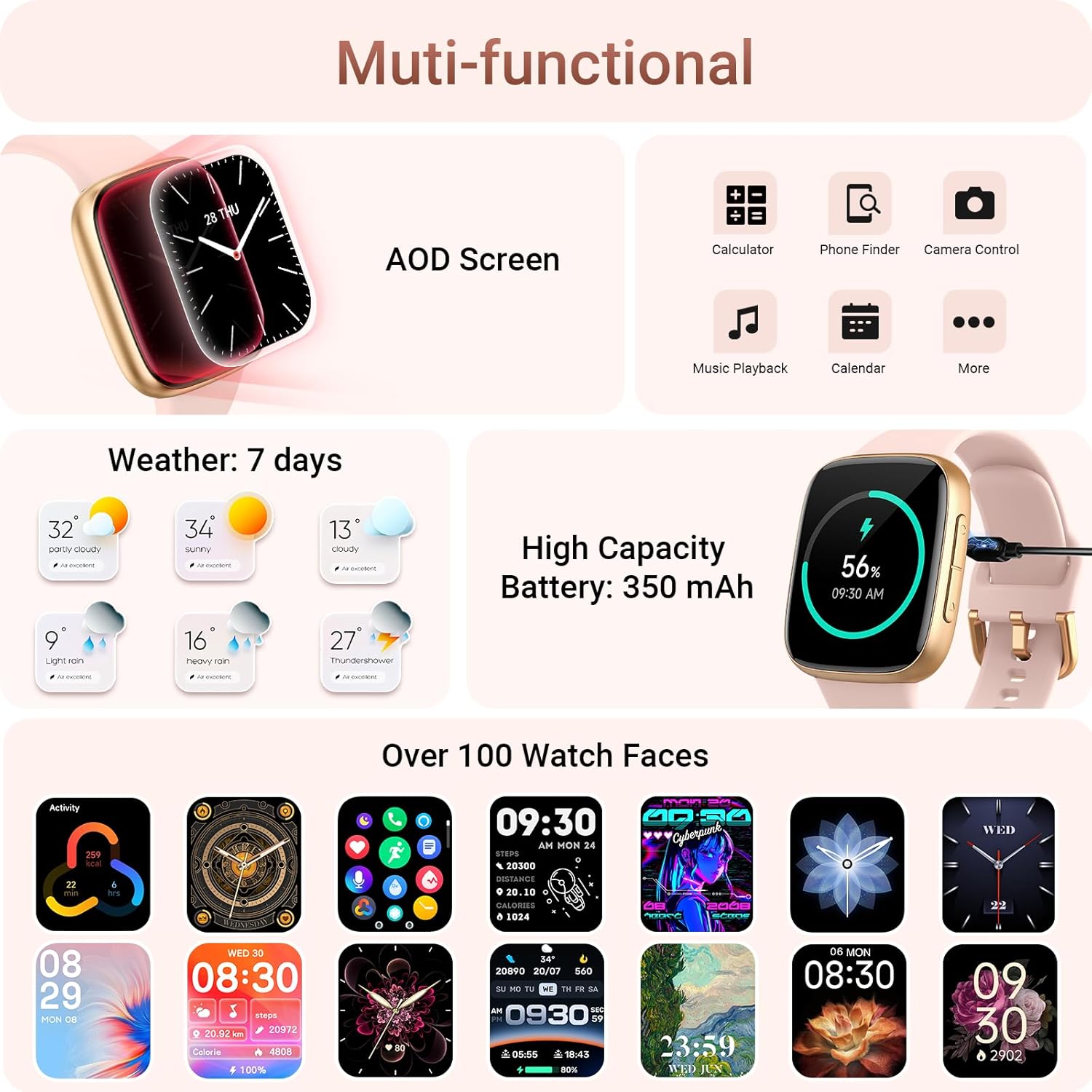
Image: Overview of the smartwatch's multi-functional capabilities, including AOD screen, calculator, phone finder, camera control, music playback, calendar, weather, battery status, and a selection of watch faces.
4. Health Monitoring
The Tensky Smart Watch provides comprehensive 24/7 health monitoring, recording and analyzing your health data through its upgraded optical sensor.
4.1. Heart Rate, SpO2, and Pressure Monitoring
Continuously track your heart rate, blood oxygen saturation (SpO2), and pressure levels. View real-time data and historical trends in the VeryFit app.

Image: Visual representation of the 24-hour health monitoring features, including heart rate, blood oxygen, fatigue, and sleep tracking, with a person exercising in the background.
4.2. Sleep Tracking
The watch automatically monitors your sleep status, distinguishing between deep sleep, light sleep, and REM sleep. This helps you understand your sleep patterns and develop healthier habits.
4.3. Women's Health Tracking
For women, the smartwatch supports tracking of health cycles, helping to monitor menstrual regularity and predict periods.
4.4. Reminders
The watch can be set to remind you to drink water and move around when you've been sedentary for too long, promoting overall well-being.
5. Sports Modes and Activity Tracking
The Tensky Smart Watch is equipped with over 100 sports modes to accurately track your workouts and daily activity.
5.1. 100+ Sports Modes
Choose from a wide range of activities including running, cycling, swimming, yoga, basketball, walking, and many more. The watch monitors real-time data such as steps, distance, calorie consumption, heart rate, blood oxygen, and exercise time, helping you adjust intensity for better results.
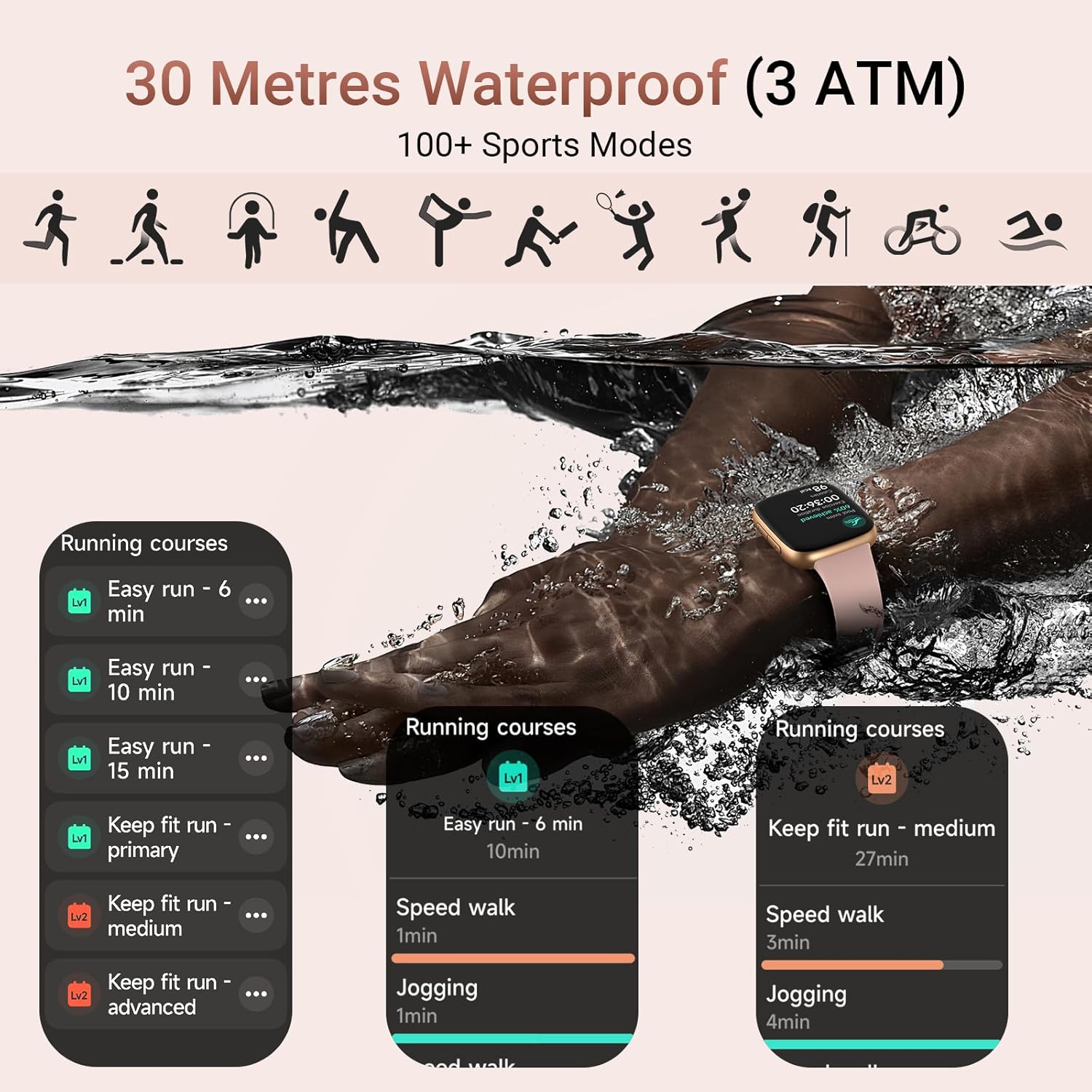
Image: Illustration of various sports icons and a person swimming, highlighting the 100+ sports modes and 3ATM waterproof rating of the smartwatch.
5.2. Pedometer
The built-in pedometer accurately tracks your daily steps and calorie consumption, encouraging an active lifestyle.
5.3. 3ATM Waterproof
With a 3ATM waterproof rating, the watch is safe for use during rainy days, daily hand washing, and swimming, making it suitable for various sports and daily scenarios.
6. Maintenance
6.1. Cleaning Your Smart Watch
Regularly clean your watch to ensure optimal performance and hygiene. Use a soft, lint-free cloth to wipe the screen and watch body. For stubborn smudges, slightly dampen the cloth with water. Avoid using harsh chemicals or abrasive materials.
6.2. Band Care
If your watch band is removable, clean it separately. For silicone bands, mild soap and water can be used. Ensure the band is completely dry before reattaching it to the watch.
6.3. Storage
When not in use for extended periods, store the watch in a cool, dry place away from direct sunlight and extreme temperatures. It is recommended to charge the watch to about 50% before long-term storage to preserve battery health.
7. Troubleshooting
If you encounter issues with your Tensky Smart Watch, refer to the following common problems and solutions:
| Problem | Possible Solution |
|---|---|
| Watch won't turn on | Ensure the watch is fully charged. Connect it to the charging cable and leave it for at least 30 minutes. |
| Cannot pair with phone | Make sure Bluetooth is enabled on your phone and the watch is within range. Restart both the watch and phone. Clear previous Bluetooth connections on your phone. Ensure the VeryFit app has necessary permissions. |
| Notifications not received | Check notification settings in the VeryFit app. Ensure app permissions are granted on your phone. Make sure the watch is connected via Bluetooth. |
| Inaccurate health data | Ensure the watch is worn snugly on your wrist, not too tight or too loose. Clean the sensor on the back of the watch. Avoid excessive movement during measurements. |
| Short battery life | Reduce screen brightness, disable always-on display if not needed, limit frequent heart rate monitoring, and turn off unnecessary notifications. Ensure background app refresh is managed. |
If the problem persists, please contact Tensky customer support for further assistance.
8. Specifications
| Feature | Detail |
|---|---|
| Model Number | GTX20 |
| Screen Size | 1.85 Inches AMOLED HD |
| Resolution | 390*450 |
| Connectivity | Bluetooth 5.3 |
| Battery Capacity | 350 mAh Lithium Polymer |
| Charging Time | Approx. 2.5 hours |
| Battery Life (Normal Use) | Up to 12 days |
| Waterproof Rating | 3ATM |
| Operating System | Android & iOS compatible (Android 6.0+, iOS 10+) |
| Item Weight | 5.3 ounces |
| Memory Storage Capacity | 300 MB |
| GPS | GPS Via Smartphone |

Image: Diagram showing the dimensions of the Tensky Smart Watch, including band length (260mm), watch width (20mm), watch height (42mm), and wrist circumference range (180-230mm).
9. Warranty and Support
Tensky is committed to providing excellent customer service and product support.
- 2-Year Free Replacement: Your Tensky Smart Watch comes with a 2-year free replacement policy.
- 30-Day Return Policy: Enjoy a 30-day no-reason return policy.
- Lifetime Support: Tensky offers lifetime support and satisfied solutions for its products.
- 24-Hour Quick Service: For any inquiries or issues, quick service is available via email within 24 hours.
Please contact us at any time if you encounter any problems with your device. Refer to the contact information provided with your purchase or on the official Tensky website.
Related documentsGTX20


Ask a question about this manual
Ask about setup, troubleshooting, compatibility, parts, safety, or missing instructions. Manuals+ will review the question and use this page’s manual context to help answer it.