
1. Product Overview
The SHISUO A5 is a versatile 3-in-1 wireless lavalier microphone system designed for high-quality audio recording across multiple devices. It features a dual-receiver system, universal connectivity, real-time monitoring, extended range, long battery life, and advanced AI noise cancellation.

Image 1.1: The SHISUO A5 wireless lavalier microphone system, highlighting its 3-in-1 universal compatibility for various devices.
2. What's in the Box
- 1 x Charging Case
- 2 x Wireless Transmitters (Microphones)
- 2 x 3-in-1 Universal Receivers (Lightning/USB-C/USB-A)
- 2 x Monitoring Earphones
- 2 x Pro Furry Windscreens
- 1 x USB-C Charging Cable
- 1 x User Manual

Image 2.1: All components included in the SHISUO A5 wireless microphone system package.
3. Setup
Follow these steps to set up your SHISUO A5 wireless microphone system:
- Charge the System: Ensure the charging case and microphones are fully charged using the provided USB-C cable. The charging case provides up to 4 full recharges for the microphones.
- Connect the Receiver: Select the appropriate 3-in-1 universal receiver (Lightning for iPhone/iPad, USB-C for Android/PC, or USB-A for PC) and plug it into your recording device's port. The receiver will automatically power on and indicate connection readiness.
- Power On Microphones: Remove the wireless transmitters (microphones) from the charging case. They will automatically power on and attempt to pair with the receiver. A blue indicator light on the microphone signifies a successful connection.
- Attach Microphones: Clip the microphones to your clothing, ensuring they are positioned to capture your voice clearly. For outdoor use or windy conditions, attach the furry windscreens over the microphone heads.
- Real-Time Monitoring (Optional): Plug the monitoring earphones into the receiver to listen to your audio in real-time, ensuring optimal sound quality during recording.
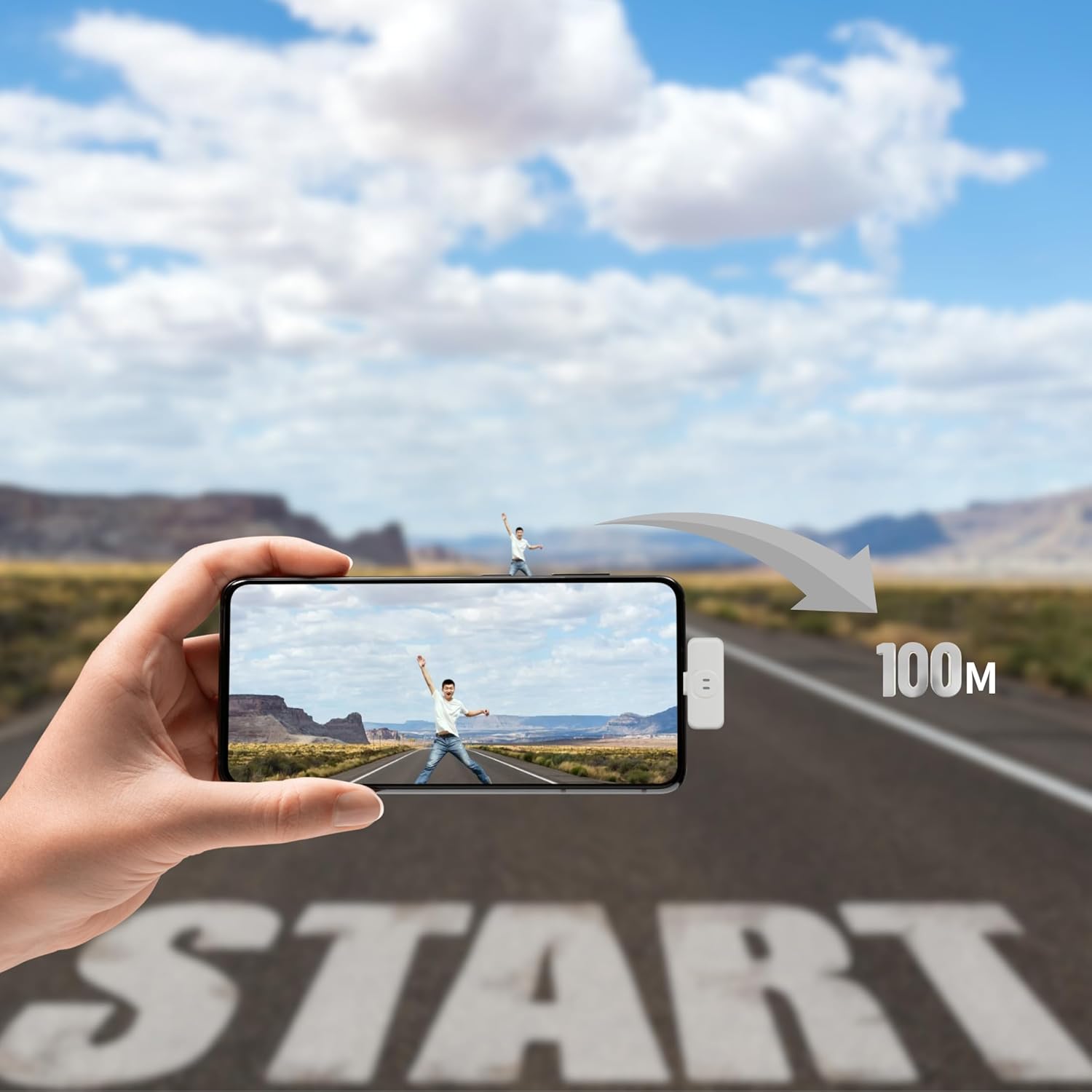
Image 3.1: Connecting the receiver to a smartphone for immediate use.

Image 3.2: Universal 3-in-1 connectivity of the SHISUO A5 system with different device types.
4. Operating Instructions
4.1 Basic Operation
- Power On/Off: Microphones power on automatically when removed from the charging case and power off when returned.
- Pairing: The microphones automatically pair with the receiver upon power-on. A solid blue light indicates a successful connection.
- Recording: Once connected, open your device's recording application and begin recording. The system will capture audio from the wireless microphones.
4.2 Advanced Features
- AI Noise Cancellation: The upgraded AI chip actively suppresses background noise. For enhanced outdoor performance, attach the furry windscreens.
- Real-Time Monitoring: Use the provided earphones plugged into the receiver to monitor audio input during recording. This helps in adjusting microphone placement and ensuring clear sound.
- Dual-Device Recording: With two receivers, you can record audio simultaneously on two separate devices, ideal for multi-camera setups or audio backup.

Image 4.1: Demonstration of AI noise cancellation for clear audio.
Video 4.2: A demonstration comparing audio quality before and after using the SHISUO A5 lavalier microphone, showcasing its noise reduction capabilities.
5. Maintenance
- Cleaning: Use a soft, dry cloth to clean the microphones and receivers. Avoid using liquids or abrasive cleaners.
- Storage: Store the system in its charging case when not in use to protect it from dust and damage, and to keep it charged.
- Battery Care: For optimal battery life, avoid fully discharging the devices frequently. Charge regularly, even if not in constant use.
6. Troubleshooting
- No Audio/Poor Quality:
- Ensure microphones and receiver are fully charged and properly connected.
- Check if the receiver is securely plugged into your device.
- Verify that your device's audio input settings recognize the external microphone (e.g., 'USB Audio 1.0' on iOS).
- Confirm that the microphone is not muted.
- If experiencing wind noise, ensure furry windscreens are properly installed.
- Connection Issues:
- Ensure both microphones and receiver are within the 328ft (100m) operating range.
- Restart both the microphones and your recording device.
- Avoid obstructions or strong electromagnetic interference that may disrupt the 2.4GHz signal.
- Device Compatibility: While designed for broad compatibility, some specific device models or operating system versions may have unique requirements. Ensure your device's software is up to date.
7. Specifications
| Feature | Detail |
|---|---|
| Model Name | A5 |
| Brand | SHISUO |
| Microphone Form Factor | Lavalier |
| Connectivity Technology | 2.4GHz, USB |
| Connector Type | USB Type-C/USB/USB-C/Lightning |
| Compatible Devices | iPhone, iPad, Android, PC, MacBook |
| Special Feature | Noise Reduction |
| Polar Pattern | Omnidirectional |
| Number of Channels | 2 |
| Signal-to-Noise Ratio | 58 dB |
| Frequency Response | 20 KHz |
| Item Weight | 3.2 Ounces |
| Item Dimensions (L x W x H) | 3.66 x 1.5 x 1.5 inches |
| Power Source | Battery Powered |
| Battery Type | Lithium Polymer |
| Battery Life (per mic) | 10 hours |
| Total Battery Life (with case) | 40 hours |
8. Warranty and Support
This product is covered by a standard 30-day return policy for refund or replacement. For further assistance, technical support, or warranty claims, please refer to the contact information provided with your purchase or visit the official SHISUO support website.