
1. Introduction
Thank you for choosing the Kinetijy Hybrid Case and Tempered Glass Screen Protector for your PCD P65R Bengal MAX phone. This product is designed to provide robust protection and enhanced functionality for your device. This manual will guide you through the installation, operation, and maintenance of your new phone accessory.
2. What's in the Box
Please verify that all items are present in your package:
- 1 x Kinetijy Hybrid Phone Case (ZJBB-Purple)
- 1 x Tempered Glass Screen Protector
3. Setup
3.1. Phone Case Installation
- Ensure your PCD P65R Bengal MAX phone is clean and free of dust or debris.
- Align the phone with the case, starting with the top or bottom edge.
- Gently press the phone into the case, ensuring all corners and edges are securely fitted. The flexible silicone frame will help absorb shock.
- Verify that all ports, buttons, and camera cutouts align correctly with your phone.

Figure 3.1: The Kinetijy case provides a secure grip and multi-functional stand capabilities. The image shows a person holding the phone with the case, highlighting the wristband for secure holding and the kickstand for hands-free viewing.
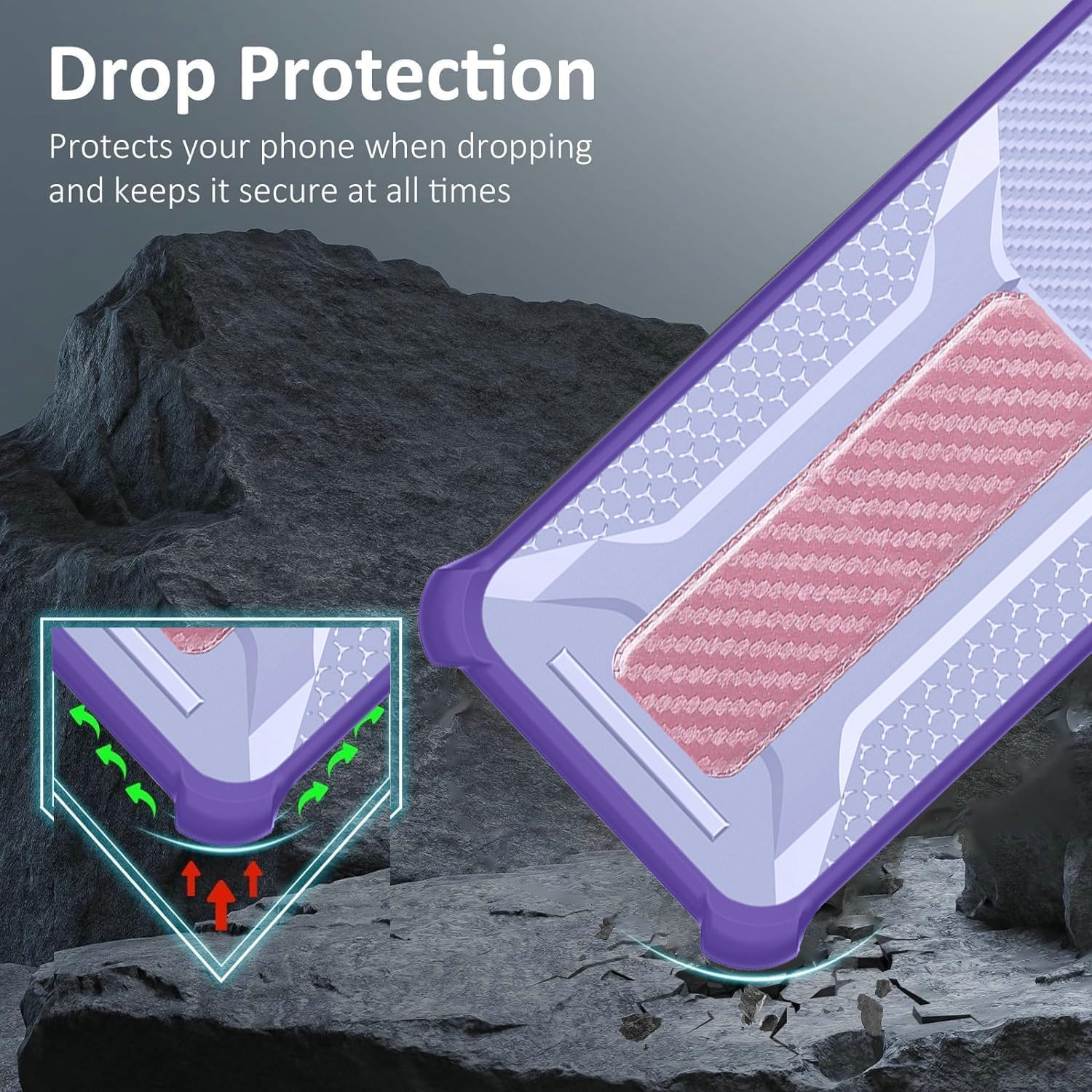
Figure 3.2: The case features reinforced corners and a hybrid design (PC hard back panel + soft silicone frame) to provide enhanced drop protection for your device.
3.2. Tempered Glass Screen Protector Installation
For optimal results, install the screen protector in a dust-free environment.
- Clean the Screen: Use an alcohol wipe (not included) to thoroughly clean your phone's screen. Follow with a microfiber cloth (not included) to remove any smudges or lint.
- Remove Dust: Use a dust-absorber sticker (not included) to remove any remaining dust particles from the screen.
- Peel Off Protective Film: Carefully peel off the protective film from the adhesive side of the tempered glass screen protector. Avoid touching the adhesive surface.
- Align and Apply: Align the screen protector precisely with your phone's screen, ensuring the cutouts for the speaker and camera are correctly positioned. Once aligned, gently lower the protector onto the screen.
- Press Down: Lightly press the center of the screen protector. The adhesive will spread automatically. If bubbles appear, gently push them towards the edges with a clean cloth.

Figure 3.3: The tempered glass screen protector offers 9H hardness for scratch resistance, perfect adhesion, shatterproof design, 99.9% transparency, case-friendly fit, and anti-fingerprint coating.

Figure 3.4: The screen protector is designed to be scratch-proof, effectively protecting your screen from sharp objects and abrasion.
4. Operating Instructions
4.1. Using the Integrated Stand
The case features a folding support that functions as a kickstand for hands-free viewing.
- To activate the stand, gently pull out the folding support from the back of the case.
- Adjust the angle to your preferred viewing position for watching videos, video calls, or browsing.
- When not in use, fold the support back into the case until it sits flush.
4.2. Magnetic Car Mount Functionality
The case includes an integrated magnetic plate compatible with magnetic car mounts (car mount not included).
- Simply attach the back of your phone case to a compatible magnetic car mount. The strong magnet will hold your phone securely in place.
- Ensure the car mount is properly installed and capable of supporting your phone's weight.
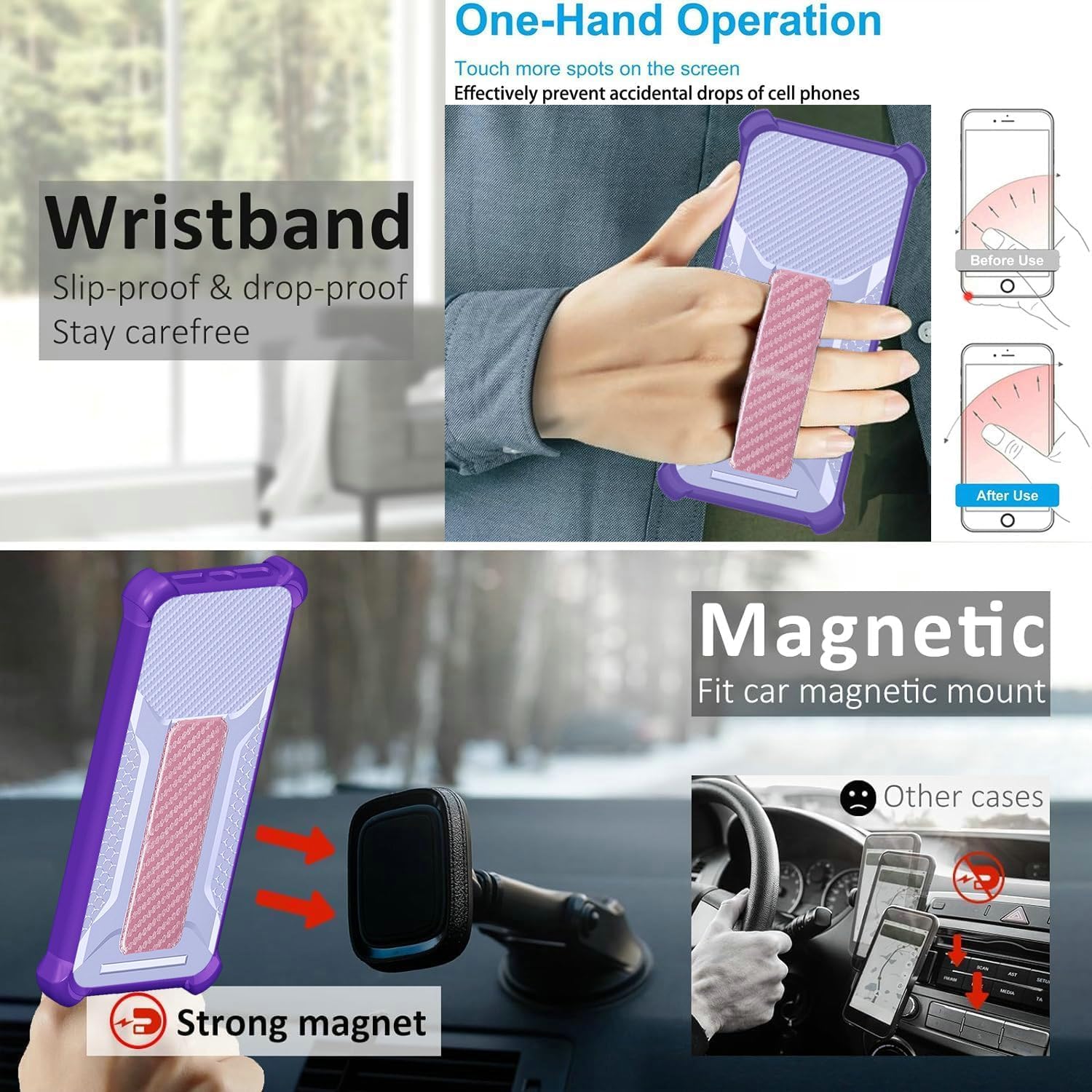
Figure 4.1: The case features a wristband for secure one-hand operation, reducing the risk of accidental drops. It also has a strong integrated magnet for compatibility with car magnetic mounts.
4.3. Finger Ring / Wristband Support
The adhesive metal finger ring support can be used for a more secure grip or as an additional stand.
- The finger ring can be rotated 360 degrees for comfortable use in any orientation.
- It can be used to prevent accidental drops during one-handed operation.
- The wristband can be used for added security when carrying your phone.
5. Maintenance
5.1. Cleaning the Phone Case
- Remove the case from your phone.
- Wipe the case with a soft, damp cloth. For stubborn dirt, a mild soap solution can be used.
- Rinse thoroughly with water if soap was used, and dry completely before reattaching to your phone.
- Avoid using harsh chemicals or abrasive cleaners, as these can damage the case material.
5.2. Cleaning the Screen Protector
- Gently wipe the screen protector with a clean, dry microfiber cloth to remove fingerprints and smudges.
- For deeper cleaning, lightly dampen the microfiber cloth with water or a screen cleaner specifically designed for electronics.
- Avoid excessive moisture or spraying cleaners directly onto the screen.
6. Troubleshooting
- Case does not fit properly:
- Ensure you have the correct model case for your PCD P65R Bengal MAX phone. Double-check that the phone is fully seated within the case and no edges are caught.
- Bubbles under screen protector:
- Small bubbles often disappear within 24-48 hours. For larger bubbles, gently lift the nearest edge of the protector and reapply, pushing the bubble out with a clean cloth. Ensure the screen is completely dust-free before application.
- Magnetic mount not holding securely:
- Verify that your car mount is a magnetic type and is properly installed. Ensure there are no obstructions between the case and the mount. The case's integrated magnet is designed for standard magnetic mounts.
7. Specifications
| Brand | Kinetijy |
| Compatible Phone Model | PCD P65R Bengal MAX |
| Material | PC hard back panel + soft silicone frame + metal support finger ring |
| Special Features | 360 Rotating Ring, Car Magnetic Fixing, Finger ring + support + car bracket magnetic suction, Frosted Anti-Fingerprint, Shock Airbags |
| Product Dimensions | 0.39 x 0.39 x 0.39 inches |
| Item Weight | 2.46 ounces |
| Screen Protector Hardness | 9H |
| Screen Protector Transparency | 99.9% |
8. Warranty and Support
For any questions, concerns, or support regarding your Kinetijy product, please contact the manufacturer or seller through the platform where you made your purchase. Please refer to your purchase documentation for specific warranty details.