
NEOQOQO A50 clip on headphones black
NEOQOQO A50 Clip-on Earbuds User Manual
Model: A50 clip on headphones black
Introduction
Thank you for choosing the NEOQOQO A50 Clip-on Earbuds. These open-ear headphones are designed for comfort and high-quality audio, allowing you to stay aware of your surroundings while enjoying your music or calls. This manual provides essential information for setting up, operating, and maintaining your earbuds.
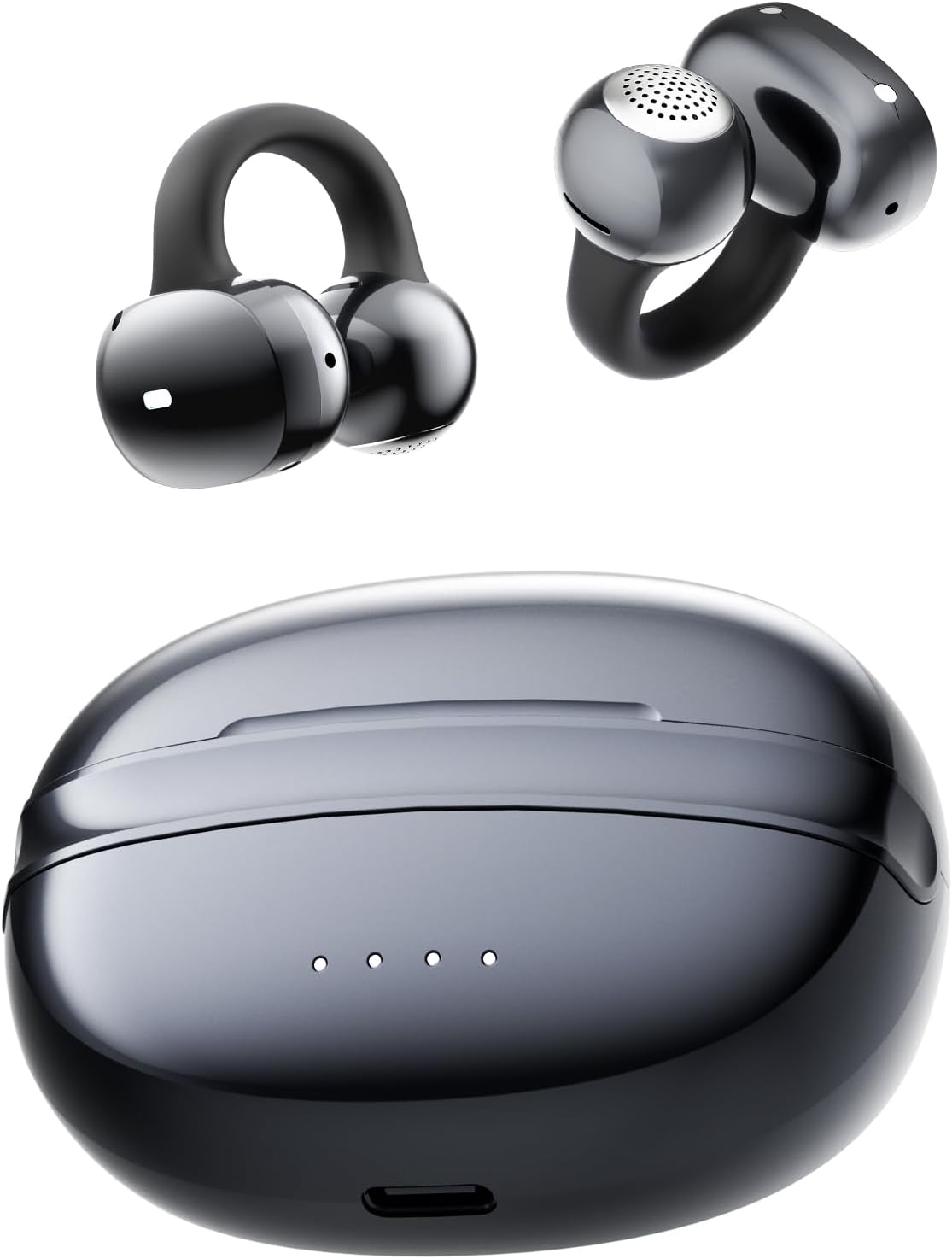
Image: The NEOQOQO A50 Clip-on Earbuds and their charging case, showcasing their sleek design.
What's in the Box
- Open-ear Bluetooth Wireless Earbuds (NEOQOQO A50)
- Charging Case
- USB A to USB C Cable
- User Manual
Setup
1. Initial Charging
Before first use, fully charge your NEOQOQO A50 earbuds and charging case. Connect the provided USB A to USB C cable to the charging port on the case and a power source. The 4-LED battery indicator on the case will show the charging status and remaining battery life.

Image: The charging case displaying its 4-LED battery indicator, showing the charge level.
A 5-minute quick charge provides up to 1 hour of playback, and a full charge offers up to 8 hours of playtime for the earbuds, with the case extending total playtime to 36 hours.
2. Wearing the Earbuds
The A50 earbuds feature a comfortable clip-on design. Follow these steps for optimal fit and sound:
- Clip the earbuds onto the thinnest part of your ear.
- Adjust the ear tips to aim at your ear canal for optimal audio performance.


Image: Visual guide for correctly clipping and adjusting the earbuds on the ear.
Weighing just 5.3g, these earbuds are designed for weightless comfort and a secure fit, even during active use like running.
Operating Instructions
1. Bluetooth Pairing
The A50 earbuds utilize Bluetooth 6.0 for fast and stable connections.
First-Time Pairing:
- Open the charging case. The earbuds will automatically enter pairing mode.
- On your device (phone, tablet, PC), enable Bluetooth and search for "NEOQOQO A50".
- Select "NEOQOQO A50" to connect. A voice prompt will confirm successful pairing.
Multipoint Connection:
The A50 supports connecting to two devices simultaneously.
- Connect headphones to Device A via Bluetooth.
- Disconnect headphones from Device A's Bluetooth settings.
- Pair with Device B as a new connection.
- Reconnect Device A. Both devices will now stay paired, allowing seamless audio switching.

Image: Illustration of the multipoint pairing feature, connecting earbuds to a phone and a laptop.
2. Touch Controls
The earbuds feature intuitive touch controls on the outer surface. Refer to the table below for functions:
| Action | Function |
|---|---|
| Long press L/R touch button | Volume +/- |
| Double taps L/R touch button | Play/Pause |
| Double taps L/R touch button | Previous/Next Track |
| Double taps L/R touch button | Answer Call |
| Double taps L/R touch button | End Call |
| Long press L/R touch button | Reject Call |
| Four taps left/right touch button | Voice Assistant |
| 6 taps both left and right touch buttons | Reset the Earbuds |

Image: Detailed illustration of the touch-sensitive area on the earbud and a list of corresponding control actions.
3. Audio Features
The A50 earbuds deliver a rich audio experience:
- 3D Soundstage: Experience immersive audio with instruments, voices, and effects placed in a 360° soundscape.
- DynamicEQ™ Algorithm: Automatically adjusts to find the perfect equilibrium, enhancing clarity and delivering deeper bass down to 20Hz.
- Direct Sound Technology: Minimizes sound leakage while maintaining rich, full-range audio with clarity, ensuring privacy and an open-ear experience.
- AI Noise Cancellation: The 4 ENC microphone array, enhanced by multi-channel DNN algorithms, filters out 98% of surrounding noise for ultra-clear conversations.

Image: Visualizing the 3D soundstage technology, showing sound waves emanating from the earbuds.

Image: Graphic illustrating the DynamicEQ algorithm's effect on sound clarity and bass.

Image: Diagram showing how Direct Sound technology directs audio towards the ear canal, minimizing leakage.

Image: Visual representation of AI noise cancellation technology, showing how ambient noise is filtered out for clear calls.
Maintenance
Proper maintenance ensures the longevity and performance of your earbuds.
- Cleaning: Gently wipe the earbuds and charging case with a soft, dry, lint-free cloth. Avoid using harsh chemicals or abrasive materials.
- Storage: When not in use, store the earbuds in their charging case to protect them from dust and damage.
- Water Resistance: The earbuds are IPX5 water-resistant, meaning they can withstand sweat and light rain. Do not submerge them in water or expose them to strong jets of water. Ensure they are dry before placing them back in the charging case.

Image: A person exercising, demonstrating the earbuds' IPX5 water resistance against sweat.
Troubleshooting
If you encounter issues with your earbuds, try the following solutions:
- No Sound/Poor Sound Quality:
- Ensure earbuds are fully charged.
- Check Bluetooth connection and ensure earbuds are paired correctly.
- Adjust the volume on both your device and the earbuds.
- Clean any debris from the earbud speakers.
- Earbuds Not Pairing:
- Ensure earbuds are in pairing mode (lights flashing).
- Turn off and on Bluetooth on your device.
- Try resetting the earbuds (refer to "Reset the Earbuds" in the Touch Controls section).
- Ensure no other devices are actively connected to the earbuds.
- Charging Issues:
- Ensure the charging cable is securely connected to both the case and the power source.
- Try a different USB-C cable or power adapter.
- Clean the charging contacts on both the earbuds and the case.
If problems persist, please contact customer support as detailed in the Warranty & Support section.
Specifications
| Feature | Detail |
|---|---|
| Model Name | A50 clip on headphones black |
| Brand | NEOQOQO |
| Connectivity Technology | Wireless |
| Wireless Communication Technology | Bluetooth 6.0 |
| Ear Placement | Open Ear |
| Form Factor | Open ear |
| Control Type | Touch Control |
| Water Resistance Level | IPX5 Water Resistant |
| Item Weight | 5.3g (0.19oz) per earbud |
| Playtime (Single Charge) | Up to 8 hours |
| Total Playtime (with Charging Case) | Up to 36 hours |
| Audio Driver Type | 11 mm Dual-Magnet High-Sensitivity Driver |
| Noise Control | None (Open-ear design) |
| UPC | 796520060845 |
Warranty & Support
NEOQOQO is committed to quality and customer satisfaction. Every product undergoes strict quality control before leaving the factory.
- Warranty: Your NEOQOQO A50 earbuds are covered by a 2-year warranty.
- Quick Replacement: Enjoy a 60-day quick replacement policy.
- Customer Support: Lifetime customer support is available.
If you encounter any issues or have questions, please contact us via Amazon message or the service address provided in the original product manual.

Image: Graphic detailing the warranty and support benefits, including quick replacement, warranty period, and lifetime support.
Official Product Video
Watch this official video for a detailed overview and demonstration of the NEOQOQO A50 Clip-on Earbuds.
Video: An official product video showcasing the features and usage of the NEOQOQO A50 Clip-on Earbuds. This video is provided by an influencer.
Ask a question about this manual
Ask about setup, troubleshooting, compatibility, parts, safety, or missing instructions. Manuals+ will review the question and use this page’s manual context to help answer it.