
Introduction
Thank you for choosing the HUANUO Electric Standing Desk with Drawers. This manual provides detailed instructions for the assembly, operation, and maintenance of your new height-adjustable desk. Please read this manual thoroughly before assembly and use to ensure safe and efficient operation.
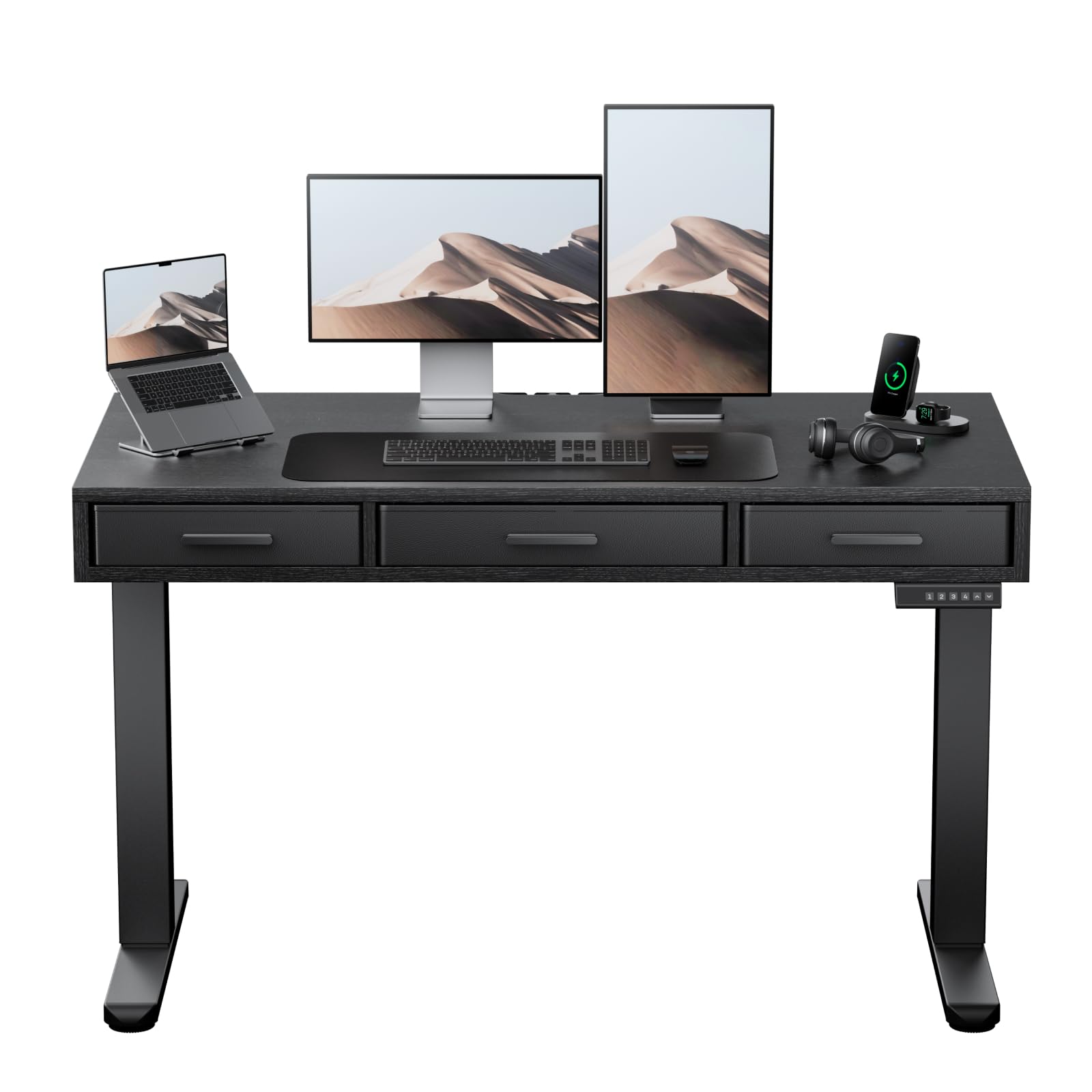
Image: The HUANUO Electric Standing Desk with Drawers, featuring a black desktop and frame, integrated drawers, and a control panel.
Safety Information
To prevent injury and damage to the product, please adhere to the following safety guidelines:
- Weight Limit: Do not exceed the maximum weight capacity of 176 pounds (80 kg). Overloading can cause instability and damage.
- Assembly: Assembly is recommended for 2 people. Ensure all components are securely fastened according to the instructions.
- Placement: Place the desk on a stable, level surface.
- Operation: Keep hands and objects clear of moving parts during height adjustment. Avoid sudden or excessive force when operating the desk.
- Children and Pets: Keep children and pets away from the desk during operation to prevent accidents.
- Power: Use only the provided power adapter. Disconnect power before cleaning or maintenance.
- Inspection: Regularly inspect the desk for any signs of wear, damage, or loose connections. Do not use if damaged.
Package Contents
Please verify that all parts are present and undamaged before beginning assembly. If any parts are missing or damaged, contact customer support.
- Desktop (48" x 24")
- Electric Lifting Columns (Legs)
- Crossbar/Frame Components
- Control Panel with Memory Settings
- Power Adapter and Cables
- Fabric Drawers (3 units)
- Assembly Hardware (screws, bolts, allen wrenches)
- Cable Management System
Setup & Assembly
Follow these steps to assemble your HUANUO Electric Standing Desk. A detailed assembly video is provided below for visual guidance.
Assembly Video Guide
Video: A step-by-step visual guide demonstrating the assembly process for the HUANUO Electric Standing Desk with Drawers.
Step-by-Step Assembly
- Assemble the Desktop: Attach the desktop sections together using the provided dowels and screws. Ensure they are aligned correctly.
- Assemble the Frame: Connect the crossbar to the lifting columns (legs) using the specified bolts. Ensure the frame is stable.
- Attach Desktop to Frame: Carefully place the assembled desktop onto the frame. Secure it using the designated screws. Ensure the desk frame remains balanced during this step to prevent tipping.
- Install Transmission Rod: Insert and secure the transmission rod between the two lifting columns. This rod synchronizes the movement of the legs.
- Attach Drawers: Assemble the fabric drawers and slide them into their designated slots under the desktop. Secure any necessary drawer components.
- Connect Cables: Connect the power cable to the control panel and the power adapter. Ensure all motor cables are securely connected to the control box.
- Cable Management: Utilize the included cable management system to organize and secure all wires, ensuring a tidy workspace.

Image: Close-up view of the desk's three spacious fabric drawers, designed for organized storage.
Operating Instructions
Your HUANUO Electric Standing Desk features an intuitive control panel for easy height adjustment and memory settings.
Operation Video Guide
Video: Demonstrating the electric height adjustment and memory preset functions of the HUANUO Standing Desk.
Control Panel Functions

Image: The convenient control panel with LED display, buttons for custom height settings (1-4), and up/down arrows for precise adjustment.
- Up/Down Buttons: Use the Up (▲) and Down (▼) arrows to manually adjust the desk height. The current height is displayed on the LED screen.
- Memory Presets (1, 2, 3, 4): Your desk features four programmable height settings. To save a height:
- Adjust the desk to your desired height using the Up/Down buttons.
- Press and hold one of the memory buttons (1, 2, 3, or 4) until the display flashes or beeps, indicating the height is saved.
- Anti-Collision System: The desk is equipped with an anti-collision system that automatically stops and slightly reverses movement if it encounters an obstacle during adjustment. This feature helps prevent damage and injury.

Image: A user standing comfortably at the HUANUO electric standing desk, illustrating the benefits of height adjustment for improved posture and reduced strain.
Features Overview
The HUANUO Electric Standing Desk is designed with user comfort and functionality in mind.
- Three Spacious Fabric Drawers: Integrated into the desktop, these drawers provide convenient storage for office essentials, helping to keep your workspace organized and clutter-free. The large central drawer measures 17.1" L x 9.5" D x 3" H, and two smaller side drawers are 13.1" L x 9.5" D x 3" H.
- C-Clamp Mount Compatibility: The desk features an extended rear edge, making it compatible with C-clamp monitor mounts. This allows for easy attachment of monitor arms to optimize your screen setup.
- Robust Construction: Built with a solid carbon steel frame and thicker legs, the desk ensures stability and durability, supporting up to 176 lbs. It has undergone rigorous 50,000-cycle lift testing for long-lasting performance.
- Quiet Operation: The electric motor operates quietly, ensuring minimal disruption in your work environment.
- Cable Management System: Slots are integrated onto the back edge of the desk to help manage and organize cables, contributing to a clean and efficient workspace.

Image: The desk's design allows for easy attachment of C-clamp monitor mounts, enhancing workspace ergonomics.

Image: Detail of the desk's thick carbon steel frame, highlighting its robust construction for enhanced stability and durability.
Maintenance
Proper maintenance will extend the life and performance of your standing desk.
- Cleaning: Wipe the desktop and frame with a soft, damp cloth. Avoid harsh chemicals or abrasive cleaners that could damage the finish.
- Drawer Care: The fabric drawers can be spot cleaned with a mild detergent and water. Allow to air dry completely.
- Cable Management: Periodically check that all cables are securely routed and not pinched or tangled.
- Fasteners: Occasionally check all screws and bolts to ensure they are tight. Retighten if necessary.
- Motor & Mechanism: Keep the lifting mechanism free from dust and debris. Do not lubricate the motor or lifting columns unless specifically instructed by the manufacturer.
Troubleshooting
If you encounter issues with your desk, refer to the following common problems and solutions:
| Problem | Possible Cause | Solution |
|---|---|---|
| Desk does not move or respond to controls. | Power cable disconnected, motor cables loose, control panel malfunction. | Check all power and motor connections. Ensure the power outlet is functional. Try resetting the desk (refer to specific reset procedure if available, or unplug for 30 seconds and replug). |
| Desk moves unevenly or makes unusual noises. | Uneven load, loose fasteners, obstruction in lifting mechanism. | Distribute weight evenly on the desktop. Check and tighten all assembly fasteners. Inspect for any obstructions under the desk. |
| Height memory settings are not saving or recalling correctly. | Incorrect saving procedure, temporary glitch. | Ensure you hold the memory button until the display confirms saving. Try resetting the desk. |
| Anti-collision system frequently activates. | Obstruction, sensitivity setting (if adjustable). | Ensure there are no objects in the path of the desk's movement. |
If the problem persists after attempting these solutions, please contact HUANUO customer support for further assistance.
Specifications
| Feature | Detail |
|---|---|
| Brand | HUANUO |
| Model Number | HNESD167B-US |
| Desktop Dimensions | 48" W x 24" D (121.9 cm x 60.9 cm) |
| Height Adjustment Range | 28.3" to 46.5" (71.9 cm to 118.1 cm) |
| Maximum Weight Capacity | 176 lbs (80 kg) |
| Material | Carbon Steel Frame, Engineered Wood Desktop |
| Number of Drawers | 3 (Fabric) |
| Special Features | Electric Adjustable Height, 4 Memory Height Settings, One-Touch Lifting, Anti-Collision System, C-Clamp Mount Compatible, Cable Management System |
| Color | Black |
| Assembly Required | Yes (2 people recommended) |
| UL Listed | Yes |
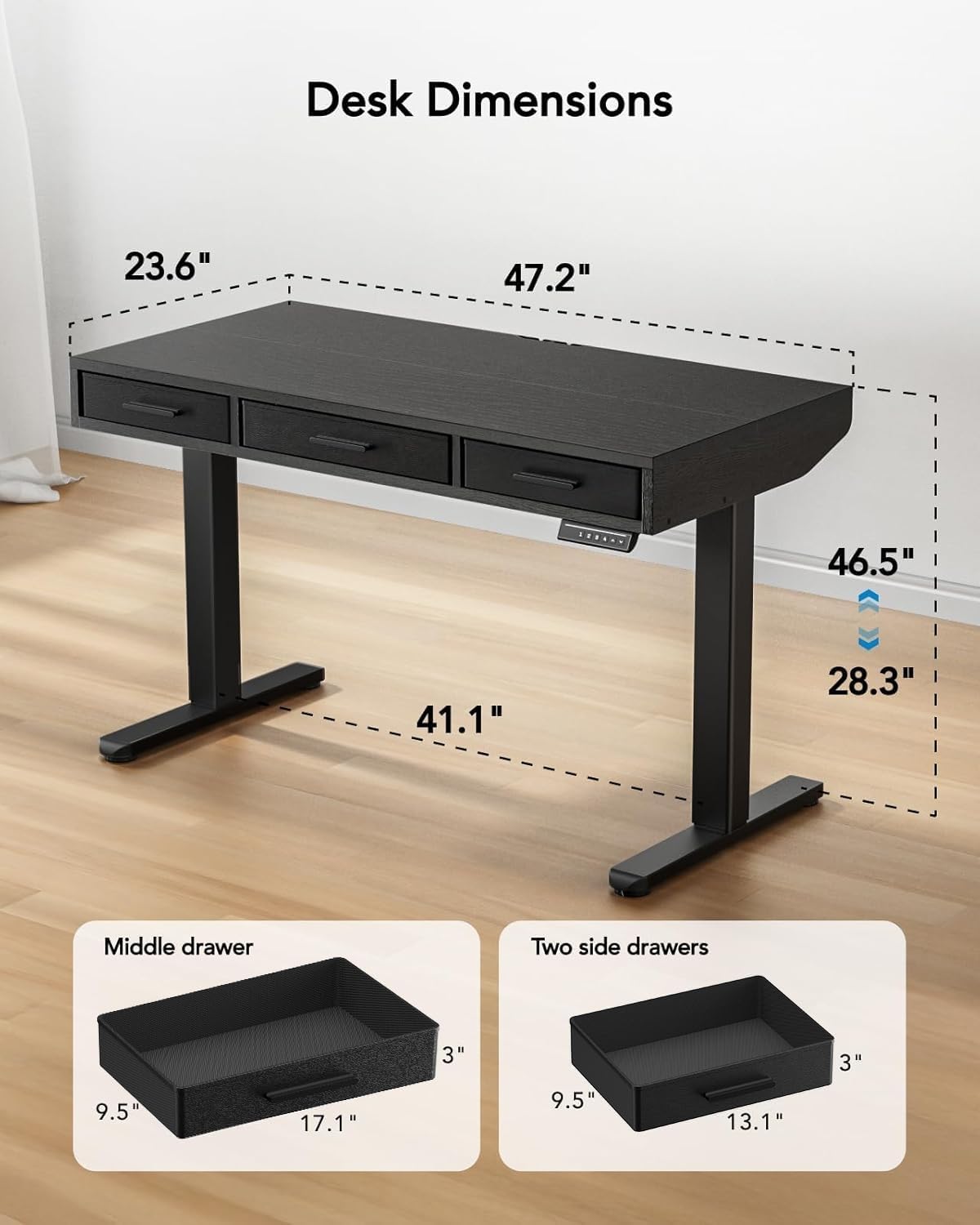
Image: Detailed diagram illustrating the dimensions of the desk, including height range (28.3"-46.5") and desktop size (47.2"x23.6").
Warranty and Support
For warranty information, technical support, or to report missing/damaged parts, please contact HUANUO customer service. Refer to your purchase documentation for specific contact details or visit the official HUANUO website.
Online Support: Visit the HUANUO Store on Amazon


