1. Introduction
The Generic M7 Car HUD Head Up Display is a dual-system device (OBD+GPS) designed to project essential driving information directly onto your windshield. This manual provides detailed instructions for its installation, operation, and troubleshooting to ensure optimal performance and safety.
The device operates in two primary modes: OBD (On-Board Diagnostics) and GPS. The OBD mode is suitable for vehicles with an OBD2 port, providing real-time data from your car's computer. The GPS mode is universally compatible and uses satellite signals to display speed and other GPS-derived information.
2. Product Features
- Dual System Operation: Seamlessly switch between OBD and GPS modes.
- Comprehensive Data Display: Shows car speed, water temperature, oil temperature, voltage, fuel consumption, RPM, single mileage, total cumulative mileage, driving time, system time, intake pressure, air-fuel ratio, and engine fault codes.
- Alarm Functions: Includes alarms for overspeed, high water temperature, low voltage, and engine faults.
- Smart Functions: Features include clearing fault codes, switching between kilometers and miles, and Fahrenheit/Celsius temperature units.
- Glare Shield: Integrated design with a glare shield for improved visibility.
3. Package Contents
Before installation, please verify that all items listed below are present in your package:
- M7 HUD Unit
- OBD Cable
- GPS Cigarette Lighter Cable
- Reflective Film
- Non-slip Mat
- User Manual (this document)

Image 3.1: Package contents of the M7 HUD Head Up Display. This image shows the main HUD unit, an OBD cable, a GPS cigarette lighter cable, a reflective film, a non-slip mat, and the user manual.
4. Setup and Installation
Follow these steps to install your M7 Car HUD Head Up Display:
- Connect Power: Plug the appropriate cable (OBD cable for OBD mode or GPS cigarette lighter cable for GPS mode) into your vehicle's OBD socket or cigarette lighter port.
- Route Cable: Carefully insert the cable wire into the A-column sealing strip to conceal it and prevent interference with driving.
- Position HUD: Connect the other end of the cable to the HUD unit. Place the HUD unit on your dashboard in a suitable position, ensuring it does not obstruct your view of the road. Use the provided non-slip mat to secure the device.
- Apply Reflective Film (Optional): For clearer projection, especially in bright conditions, apply the reflective film to your windshield directly above where the HUD is placed. Clean the windshield thoroughly before application.
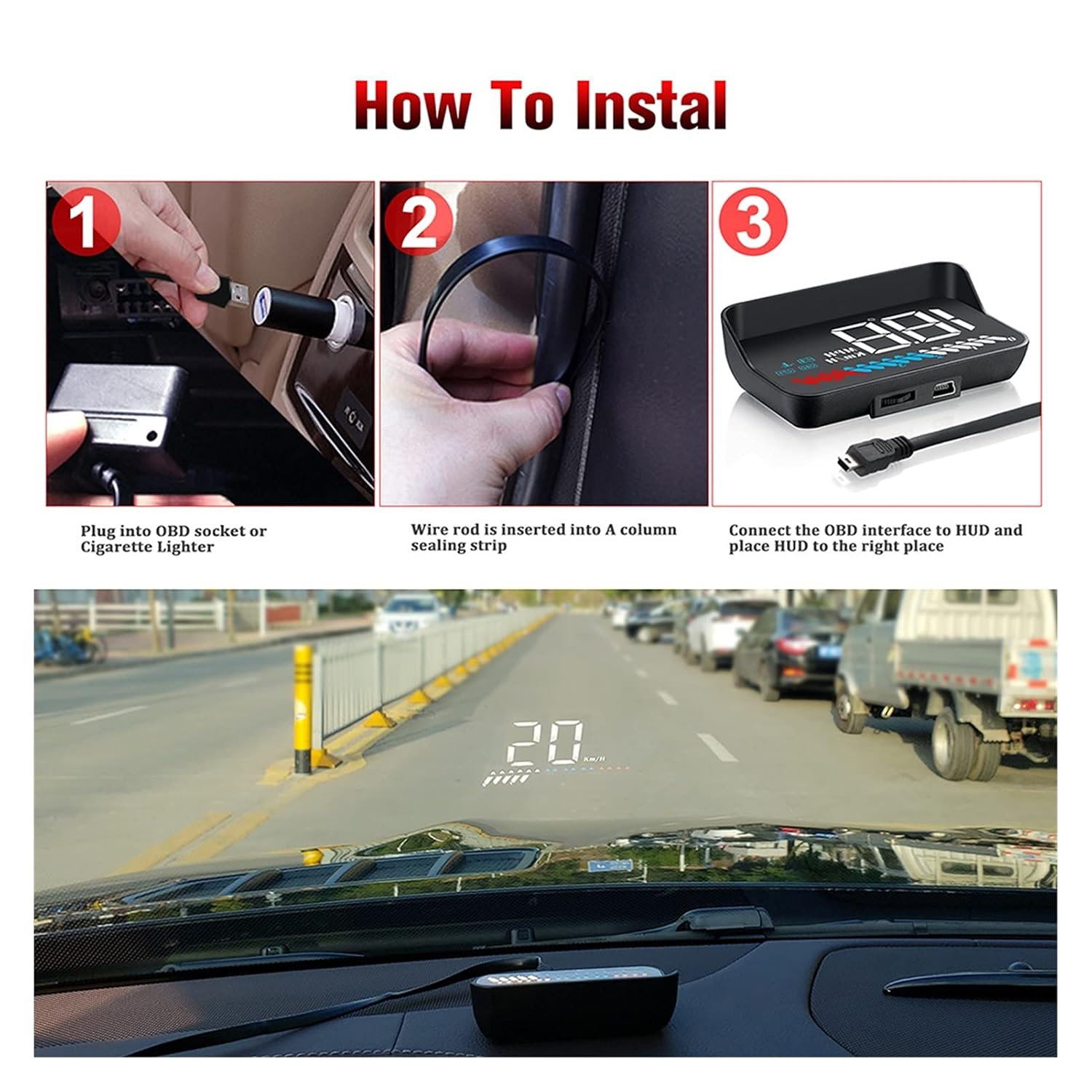
Image 4.1: Installation steps for the M7 HUD. Step 1 shows plugging into the OBD socket, Step 2 shows routing the cable along the car's A-pillar, and Step 3 shows connecting the cable to the HUD and placing it on the dashboard.
Important Voltage Information:
The OBD mode working voltage is 11V~18VDC (12VDC/200mA). If your vehicle's voltage is higher than 24V, you must use a USB cable for GPS mode operation to prevent damage to the device.
5. Operating Instructions
5.1 System Selection (OBD or GPS)
Upon initial power-on, push the wave button (typically located on the side or back of the unit) to the left to choose between OBD or GPS system. If no operation is performed within 5 seconds, the HUD will automatically enter the OBD system by default.
For subsequent uses, if the wave button is not pressed after 5 seconds, the HUD will automatically enter the system that was chosen during the first use.
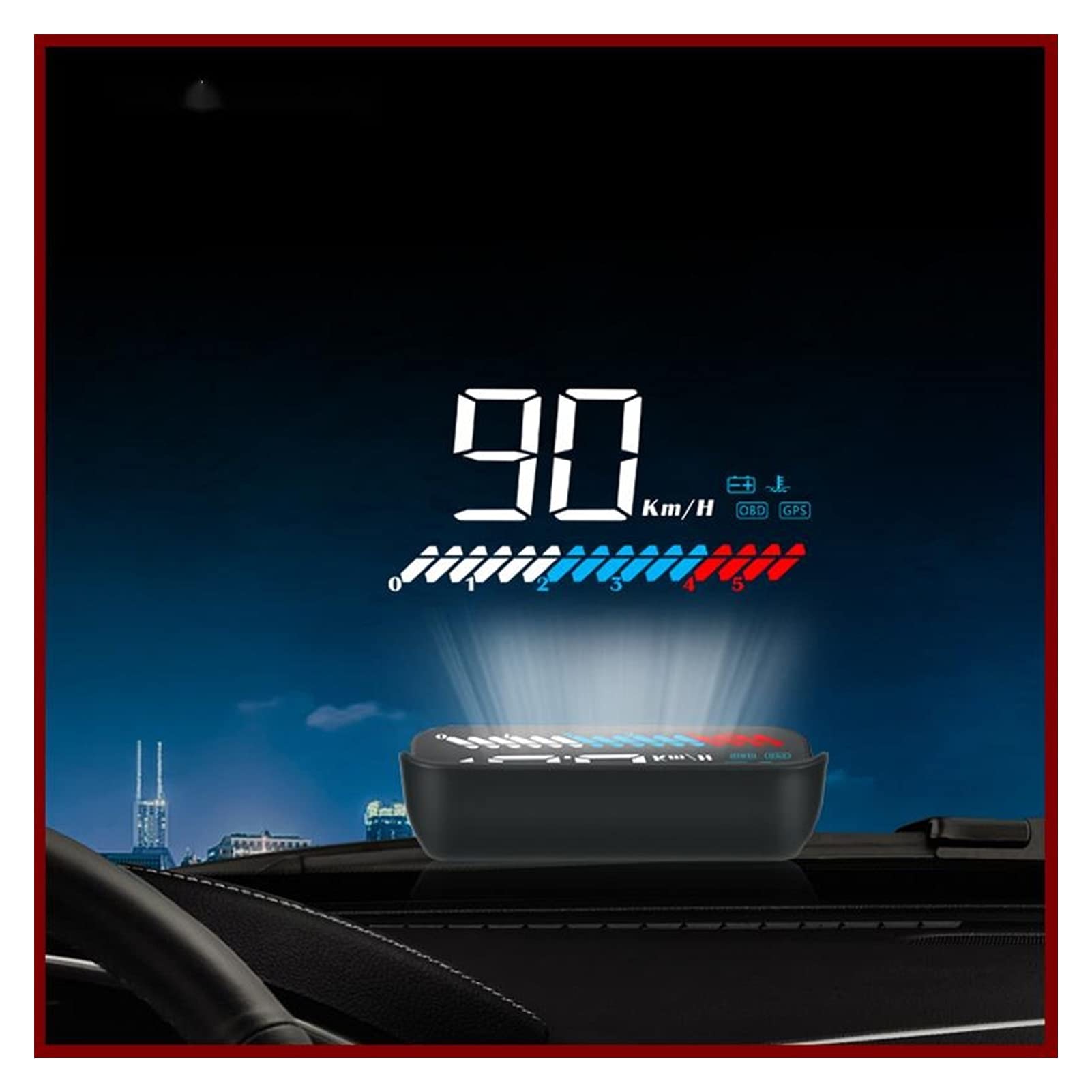
Image 5.1: Comparison of data displayed in OBD mode (left) and GPS mode (right). OBD mode shows RPM, water temperature, voltage, and driving distance, while GPS mode shows speed, voltage, and satellite numbers.
5.2 Displayed Data
The M7 HUD can display various driving data depending on the selected mode:
- OBD Mode: Car Speed, Water Temperature, Oil Temperature, Voltage, Fuel Consumption, RPM, Single Mileage, Total Cumulative Mileage, Driving Time, System Time, Intake Pressure, Air-Fuel Ratio, Engine Fault Number.
- GPS Mode: Car Speed, Voltage, Satellite Numbers, Driving Distance, Driving Time.
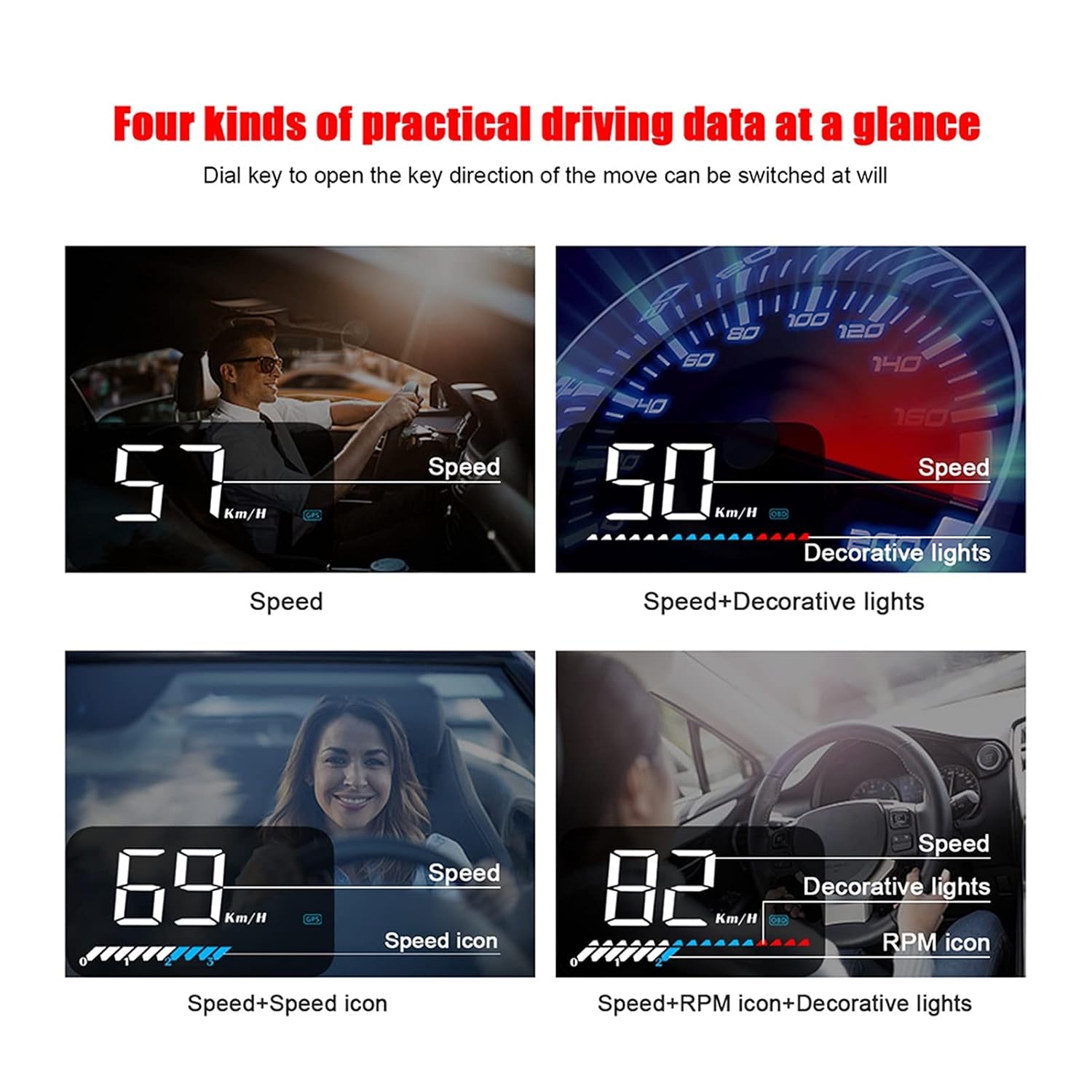
Image 5.2: Examples of various data displays. This image illustrates different combinations of speed, decorative lights, and RPM icons as seen by the driver.
5.3 Alarm Settings
The HUD provides audible and visual alarms for critical vehicle conditions:
- Overspeed Alarm: Alerts when the vehicle exceeds a preset speed limit.
- High Water Temperature Alarm: Warns if the engine coolant temperature becomes too high.
- Low Voltage Alarm: Notifies if the vehicle's battery voltage drops below a safe level.
- Engine Fault Alarm: Indicates an engine malfunction detected via the OBD system.
Refer to the detailed settings menu (accessed via the wave button) to customize alarm thresholds.
6. Troubleshooting
If you encounter issues with your M7 HUD, refer to the following common problems and solutions:
| Problem | Possible Cause | Solution |
|---|---|---|
| HUD does not power on. | Loose cable connection, no power from port, incorrect voltage. | Check all cable connections. Ensure the OBD port or cigarette lighter is supplying power. If using OBD mode and vehicle voltage is >24V, switch to GPS mode with USB cable. |
| No data displayed in OBD mode. | Vehicle not OBD2 compliant, incorrect system selection, OBD cable fault. | Confirm your vehicle is OBD2 compliant. Ensure HUD is set to OBD mode. Try a different OBD2 port if available or test the cable. |
| Inaccurate speed in GPS mode. | Poor GPS signal, environmental interference. | Ensure the HUD has a clear view of the sky. Avoid placing it under metallic objects that may block GPS signals. |
| Alarms trigger frequently. | Alarm thresholds set too low, actual vehicle condition. | Adjust alarm thresholds in the settings menu. If alarms persist, consult a qualified mechanic to check your vehicle's condition. |
| Display is dim or unclear. | Brightness setting, reflective film not applied, strong ambient light. | Adjust display brightness in settings. Apply the reflective film to the windshield. Ensure the HUD's light sensor is not obstructed. |
Clearing Fault Codes:
If an engine fault alarm occurs, the HUD can display the fault code. After addressing the underlying issue, you can use the HUD's smart functions to clear the fault code from your vehicle's ECU. Refer to the device's menu for the specific steps to perform this action.
7. Specifications
| Feature | Detail |
|---|---|
| Model Number | BFPBADDA |
| Display Size | 3.5 inches (diagonal) |
| OBD Mode Working Voltage | 11V~18VDC (12VDC/200mA) |
| GPS Mode Power Input | USB cable (required for voltages >24V) |
| Product Dimensions | Approximately 3.5 x 2.1 x 1 inches (L x W x H) |
| Item Weight | Approximately 2.2 pounds (1000 grams) |
| Manufacturer | FUWEIDIANZISHANGWU |

Image 7.1: Product dimensions of the M7 HUD. The diagram indicates a length of 3.5 inches, width of 2.1 inches, and height of 1 inch at the front, tapering to 0.6 inches at the back.
8. Maintenance
- Cleaning: Use a soft, dry cloth to clean the HUD unit and display screen. Avoid using abrasive cleaners or solvents.
- Cable Inspection: Periodically check the OBD and GPS cables for any signs of wear, damage, or loose connections.
- Storage: If the device will not be used for an extended period, disconnect it from the vehicle and store it in a cool, dry place away from direct sunlight.
9. Safety Information
- Do not attempt to disassemble or modify the HUD unit. This may void the warranty and cause damage.
- Ensure the HUD is securely placed and does not obstruct your view of the road or interfere with the deployment of airbags.
- Always pay full attention to driving. The HUD is a driving aid and should not distract you from operating your vehicle safely.
- As noted in Section 4, if your vehicle's voltage exceeds 24V, use the GPS mode with a USB cable to prevent damage to the device.