1. Product Overview
This Hilighting LED Light Kit is designed to illuminate your LEGO Speed Champions 2 Fast 2 Furious Honda S2000 (LEGO Set 77241) model. The kit enhances the visual appeal of your building set with vibrant lighting effects, bringing your model to life. Please note that the LEGO model itself is not included with this light kit.
The components are made from high-quality plastic materials, ensuring durability and a seamless integration with your LEGO set. The design incorporates concealed wires for a clean aesthetic, and the installation process is designed to be user-friendly.
2. Package Contents
Before beginning installation, please verify that all components listed below are present in your package:
- USB Connect Cable
- Power Supply (Battery Box - Batteries not included)
- Light Strips
- Connecting Cables
- Socket Expansion Board
- Tweezers (for precise handling)

Figure 2.1: Contents of the Hilighting LED Light Kit package.
3. Setup and Installation
The installation of the Hilighting LED Light Kit is designed for ease of use. Follow the provided instructions carefully to integrate the lighting components into your LEGO Speed Champions 2 Fast 2 Furious Honda S2000 model.
- Prepare the LEGO Model: Ensure your LEGO model is fully assembled and stable before beginning the light kit installation.
- Identify Placement: Refer to the detailed online instructions (PDF or video, if available) to identify the specific locations for each light strip and individual LED.
- Connect Components: Carefully connect the light strips and individual LEDs to the socket expansion board using the provided connecting cables. Ensure all connections are secure.
- Route Wires: Strategically route the wires to conceal them within the LEGO model's structure. The kit is designed with concealed wires for a clean finish. Use the included tweezers for precise placement.
- Connect Power Supply: Connect the USB connect cable to the socket expansion board. For battery power, insert the required batteries (not included) into the battery box and connect it to the expansion board.
- Test Lights: Before finalizing the installation, connect the power source and test all lights to ensure they are functioning correctly.
For detailed visual guidance, please refer to the online installation instructions, which may include PDF guides or video tutorials. These resources provide step-by-step assistance for a smooth installation process.

Figure 3.1: Before and After installation of the LED Light Kit.
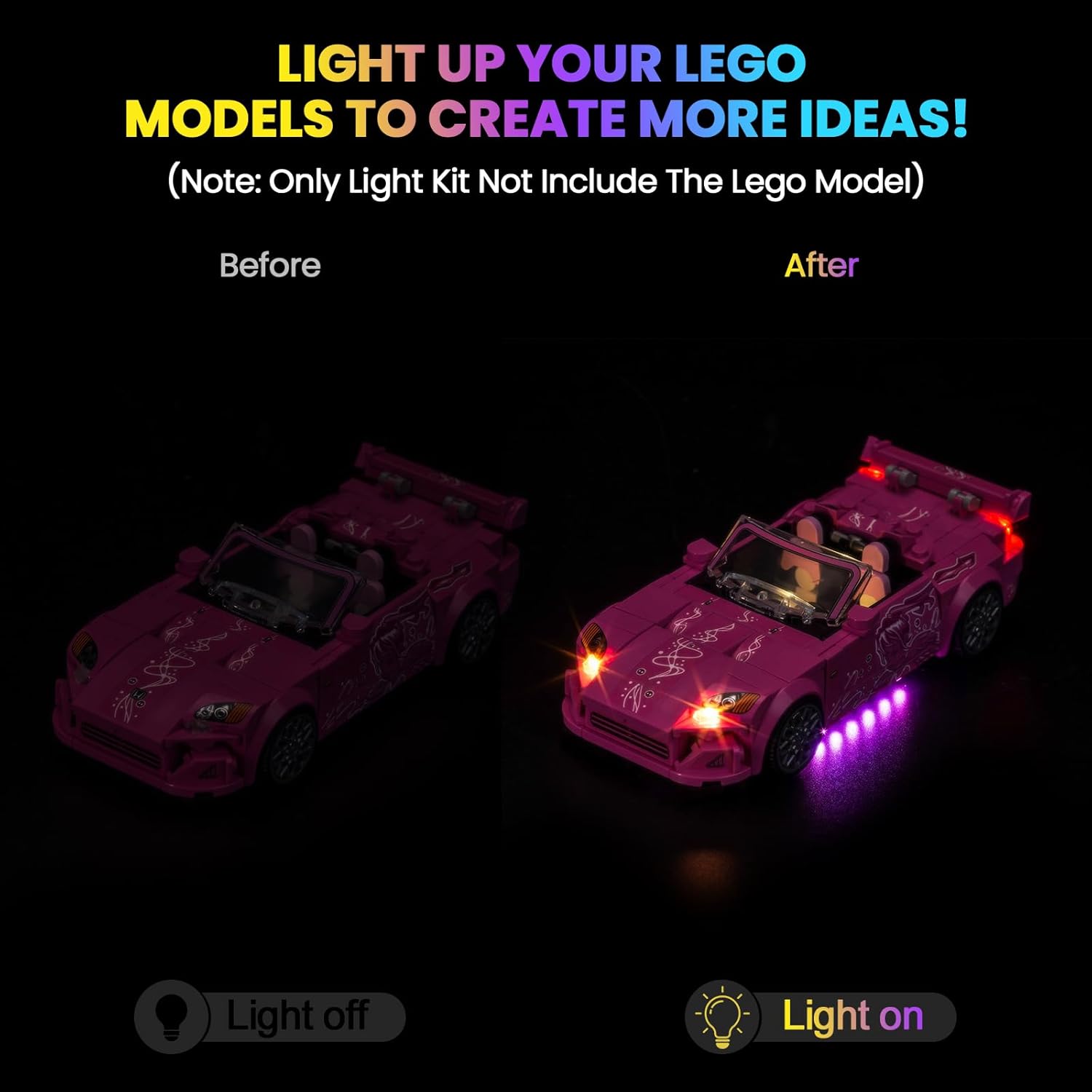
Figure 3.2: Front view of the illuminated model.

Figure 3.3: Rear view of the illuminated model.
4. Operating Instructions
Once the Hilighting LED Light Kit is installed and connected to a power source, operation is simple:
- Power On: Connect the USB cable to a 5V USB power source (e.g., power bank, USB wall adapter) or ensure batteries are correctly installed in the battery box and the switch is in the 'On' position.
- Light Effects: The kit features various lighting effects, including different-color self-flashing lights and ordinary steady lights, depending on the specific light components included.
- Power Off: Disconnect the USB power source or switch the battery box to the 'Off' position to turn off the lights.
5. Maintenance
To ensure the longevity and optimal performance of your Hilighting LED Light Kit, follow these maintenance guidelines:
- Cleaning: Gently wipe the LED components and wires with a dry, soft cloth to remove dust. Avoid using liquid cleaners directly on the electrical components.
- Storage: When not in use for extended periods, disconnect the power supply. Store the illuminated LEGO model in a cool, dry place away from direct sunlight and excessive humidity.
- Handling: Handle the model with care to avoid dislodging wires or damaging LED components.
- Battery Replacement: If using the battery box, replace batteries as needed to maintain consistent light output. Ensure correct polarity when inserting new batteries.
6. Troubleshooting
If you encounter any issues with your Hilighting LED Light Kit, please refer to the following common troubleshooting steps:
| Problem | Possible Cause | Solution |
|---|---|---|
| Lights do not turn on. | No power supply, loose connection, or faulty component. | Check USB connection or battery box (ensure batteries are installed and charged, switch is ON). Verify all cables are securely connected to the expansion board and LEDs. |
| Lights are dim or flickering. | Insufficient power, loose connection, or damaged wire. | Ensure the power source provides adequate 5V. Re-check all connections for tightness. Inspect wires for any visible damage or pinching. Replace batteries if using a battery box. |
| Specific lights are not working. | Loose connection to that specific light, or a faulty LED/cable. | Check the connection of the non-working light to the expansion board. If possible, test the light with a different port on the expansion board or a known working cable. |
| Wires are visible or not neatly arranged. | Improper wire routing during installation. | Carefully re-route wires, utilizing the small gaps and spaces within the LEGO bricks to conceal them. Use tweezers for precision. |
If these steps do not resolve the issue, please contact Hilighting customer support for further assistance.
7. Product Specifications
- Brand: Hilighting
- Model Number: P90601
- Compatible LEGO Set: Speed Champions 2 Fast 2 Furious Honda S2000 (Set 77241)
- Material: Plastic
- Light Source Type: Light Emitting Diode (LED)
- Power Source: USB (5V) or Battery Box (Batteries Required, Not Included)
- Bulb Features: Color-changing, Flashing/Switching Modes
- Number of Light Sources: 10
- Item Weight: Approximately 3.84 ounces
- Package Dimensions: Approximately 6.06 x 3.98 x 1.26 inches
8. Warranty and Support
Hilighting products are manufactured with quality and durability in mind. This LED light kit is designed to provide lasting enjoyment. In the event of any manufacturing defects or issues, the product is eligible for replacement within two years of purchase.
For any questions, technical assistance, or warranty claims, please contact Hilighting customer support through the retailer where the product was purchased or visit the official Hilighting store page for contact information.
Online Support: Visit the Hilighting Store on Amazon