
1. Product Overview
The Tunhail UL156-3Y is a 15.6-inch laptop designed for various tasks, from daily computing to more demanding applications. It features a Core m3-8100Y processor, 16GB RAM, and a 512GB SSD, running on Windows 11 Pro. This manual provides essential information for setting up, operating, and maintaining your device.
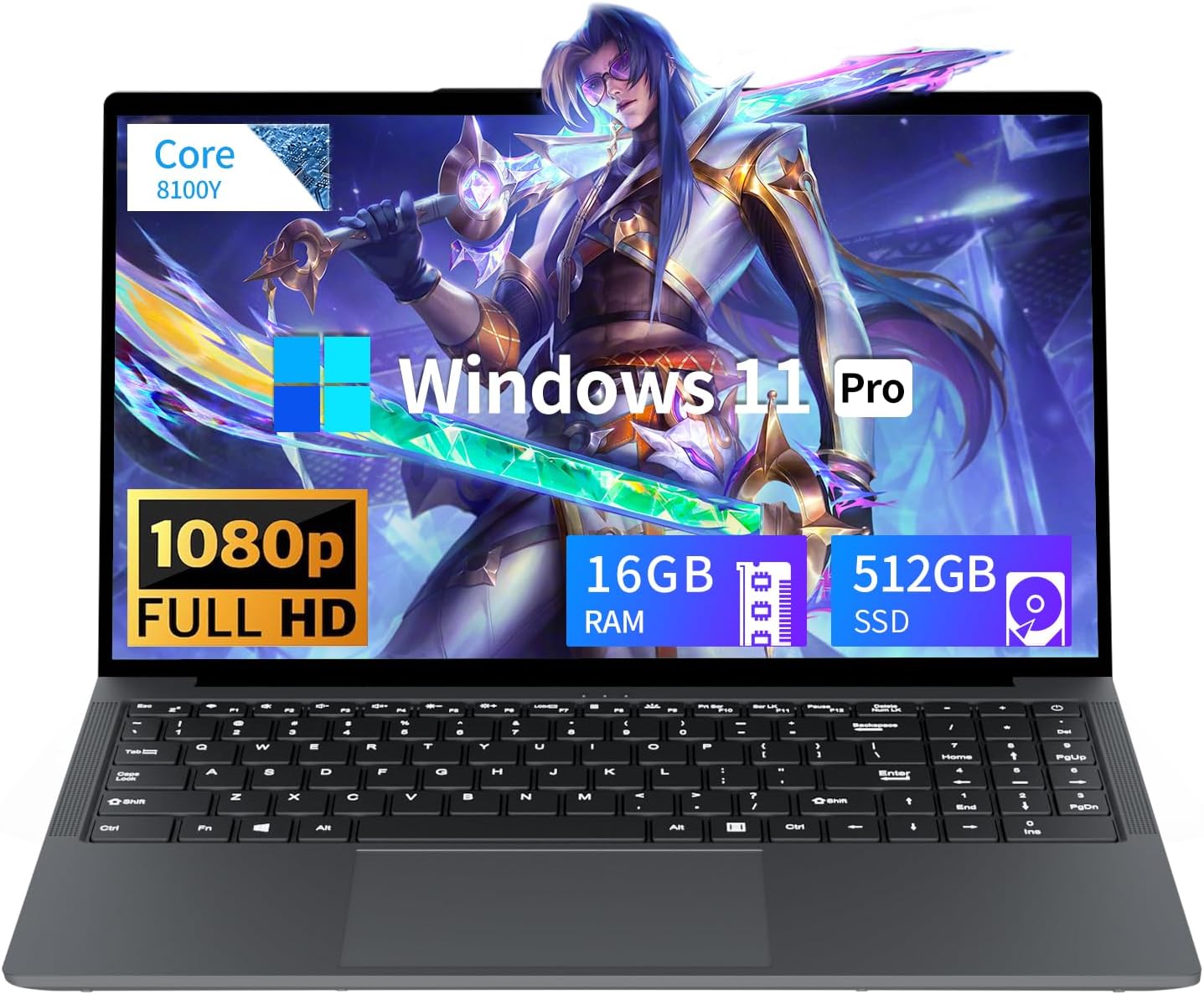
Image: The Tunhail UL156-3Y laptop, showcasing its sleek design and 15.6-inch display.
2. Setup Guide
2.1 Unpacking and Initial Power-On
- Carefully remove the laptop and all accessories from the packaging.
- Connect the power adapter to the laptop's DC port and then to a power outlet.
- Open the laptop lid and press the power button to turn on the device.
- Follow the on-screen instructions to complete the initial Windows 11 Pro setup.
2.2 Connecting Peripherals
The laptop offers various ports for connecting external devices:
- HDMI Port: Connect to external displays or projectors.
- USB-A Ports (x3): For mice, keyboards, external storage, and other USB devices.
- 3.5mm Headphone Jack: For audio output to headphones or external speakers.
- Type-C Port (x1): For versatile connectivity with compatible devices.
- DC 4.0 Port: For connecting the power adapter.

Image: Diagram illustrating the various ports available on the Tunhail UL156-3Y laptop, including USB, HDMI, and Type-C.
3. Operating Instructions
3.1 Basic Usage
The laptop features a full-size keyboard with a numeric keypad and a responsive touchpad for navigation. Familiarize yourself with the keyboard layout and touchpad gestures for efficient operation.
3.2 Display and Visuals
The 15.6-inch Full HD (1920 x 1080p) display provides clear and vibrant visuals with a 16:9 aspect ratio. Adjust display settings in Windows for optimal brightness and color.

Image: The laptop display showcasing a high-definition visual experience with 1080p resolution and IPS panel.
3.3 Performance and Storage
Equipped with a Core m3-8100Y processor (up to 3.4 GHz) and UHD Graphics 615, the laptop handles various tasks efficiently. The 16GB RAM and 512GB M.2 2280 SATA SSD provide ample memory and fast storage for your applications and files.

Image: Close-up of the Core 8100Y processor, highlighting its specifications like cores, threads, and turbo frequency.
3.4 Connectivity
The laptop supports 2.4G/5G WiFi and Bluetooth 5.0 for wireless connectivity. Ensure your wireless drivers are up-to-date for optimal performance.
3.5 Privacy Camera
The integrated 30W Full HD front camera includes a physical anti-peep slider. Slide the cover to the left or right to open or close the camera for privacy.
4. Maintenance
4.1 Battery Care
The laptop is equipped with a 5000mAh/38Wh battery. To prolong battery life:
- Avoid fully discharging the battery frequently.
- Store the laptop in a cool, dry place when not in use for extended periods.
- Calibrate the battery periodically by fully charging and then fully discharging it.

Image: Visual representation of the laptop's 5000mAh/38Wh battery capacity, emphasizing long-lasting power.
4.2 Cleaning
Use a soft, lint-free cloth to clean the screen and exterior. Avoid harsh chemicals or abrasive materials. For the keyboard, use compressed air to remove dust and debris.
4.3 Software Updates
Regularly check for and install Windows updates to ensure system stability, security, and optimal performance.
5. Troubleshooting
- Laptop not powering on: Ensure the power adapter is securely connected and the outlet is functional. Try a different power outlet.
- Slow performance: Close unnecessary applications, check for background processes, and ensure sufficient free storage space. Consider running a disk cleanup.
- No Wi-Fi connection: Verify Wi-Fi is enabled in Windows settings. Restart your router and the laptop. Check for updated wireless drivers.
- Display issues: Check cable connections if using an external monitor. Adjust display resolution and refresh rate in Windows settings.
- Audio problems: Ensure volume is not muted and drivers are installed correctly. Test with headphones.
If you encounter persistent issues, refer to the support section for assistance.
6. Specifications
| Feature | Detail |
|---|---|
| Brand | Tunhail |
| Model Name | UL156-3Y |
| Screen Size | 15.6 Inches |
| Resolution | 1920 x 1080 pixels (FHD) |
| CPU Model | Core m3-8100Y (up to 3.4 GHz) |
| RAM Memory | 16 GB DDR3 SDRAM |
| Hard Disk Size | 512 GB M.2 2280 SATA SSD |
| Operating System | Windows 11 Pro |
| Graphics Coprocessor | UHD Graphics 615 |
| Connectivity | 2.4G/5G WiFi, Bluetooth 5.0 |
| Ports | HDMI x1, USB-A x3, 3.5mm Headphone Jack x1, DC 4.0 x1, Type-C x1 |
| Battery | 5000mAh / 38Wh Lithium Ion |
| Webcam | 30W Full HD Front Camera with Privacy Slider |
| Item Weight | 2.37 Kilograms |

Image: The Tunhail UL156-3Y laptop highlighting its 16GB LPDDR3 RAM, 512GB M.2 2280 SATA SSD, 2.4G/5G WiFi, and Bluetooth 5.0 capabilities.
7. Product Videos
7.1 Tunhail UL156-3Y Laptop Basic Information
Video: This video provides basic information and an overview of the Tunhail UL156-3Y laptop's features and design.
7.2 Laptop Charging and Browsing Demonstration
Video: A short demonstration showing the laptop being charged and browsing the internet, highlighting its connectivity and ease of use.
8. Warranty
The Tunhail UL156-3Y laptop comes with a 2-year limited warranty covering manufacturing defects. Please retain your proof of purchase for warranty claims. For detailed terms and conditions, refer to the warranty card included in your product packaging or contact customer support.
9. Customer Support
For technical assistance, troubleshooting, or warranty inquiries, please contact our customer support team:
- Email: weservice04@outlook.com
- Phone (US): +1 888-705-1931 (Work Hours: 5:00 AM - 9:00 PM UTC)
- Service Time: 24 hours response time.
Please have your model number (UL156-3Y) and purchase information ready when contacting support.